EN
EN DE
DE ES
ES FR
FR NL
NL PT
PT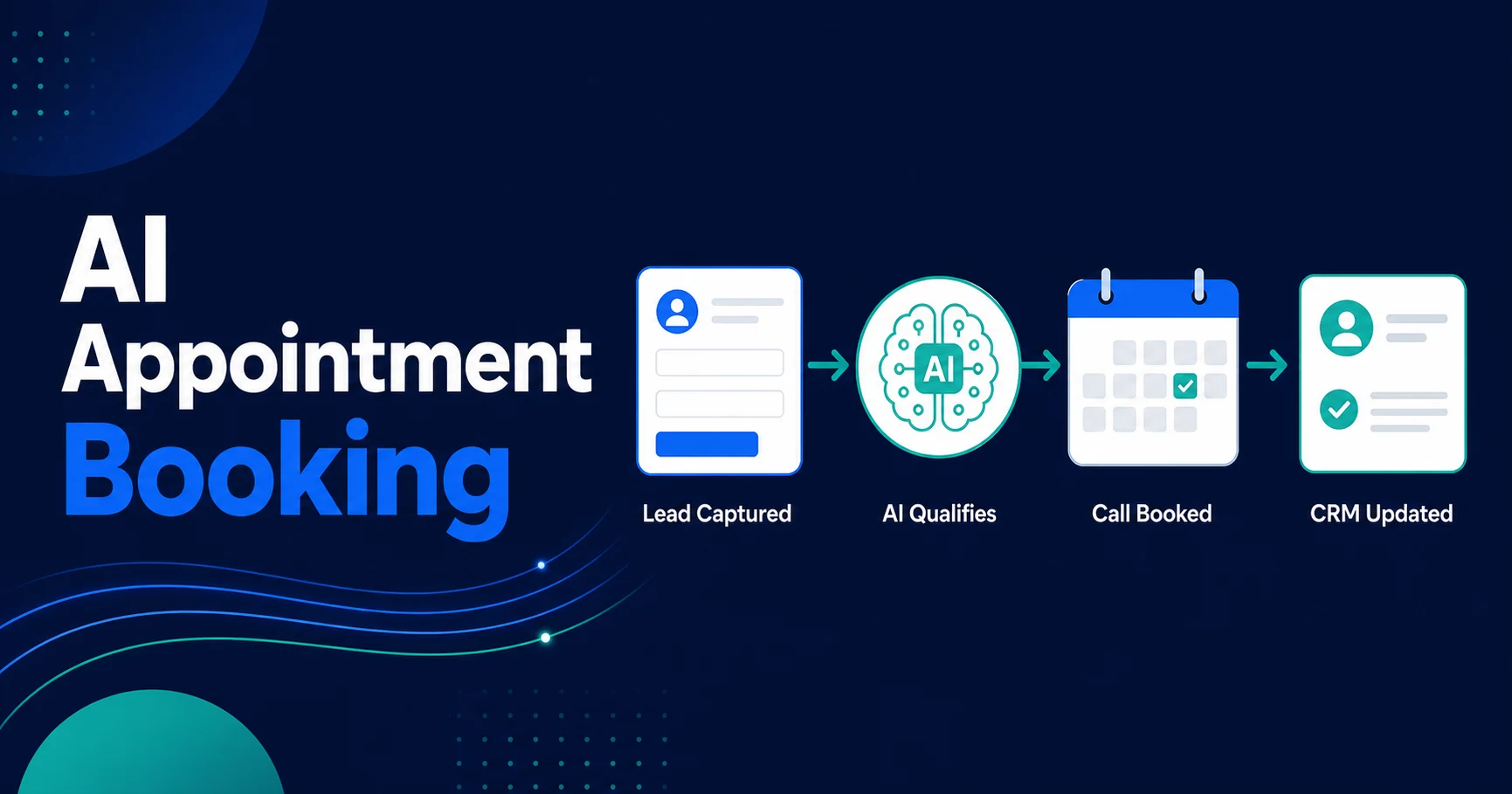
Quick Answer: AI appointment booking connects your lead qualification workflow to your calendar, CRM, and reminder system so qualified prospects can book without manual back-and-forth. It is most useful for service businesses where speed, availability, and no-show prevention decide whether a lead becomes a real sales conversation.
The booking workflow solves the awkward gap between “this lead looks good” and “there is a confirmed call on the calendar.” That gap is where many service businesses lose momentum.
Your team may respond quickly, ask the right questions, and qualify the lead. Then the process slows down because someone has to find availability, choose the right owner, send a link, confirm the time, add a CRM note, and remember the reminder.
That is not sales work. It is coordination work. And when it happens manually across every new inquiry, qualified leads sit in limbo longer than they should.
Why Qualified Leads Still Fail to Book Appointments
A lead does not become real pipeline just because they filled out a form. For most service businesses, the real conversion point is a booked consultation, inspection, estimate, demo, showing, or intake call.
Manual scheduling creates delays at exactly the wrong moment. The prospect has intent now, but your team might be on client calls, doing delivery work, driving between jobs, or offline after hours.
The failure usually looks small:
- A qualified lead receives a reply but no available times.
- A team member sends the wrong calendar link.
- A prospect asks for next week and nobody checks the calendar until tomorrow.
- A booking is confirmed but not logged in the CRM.
- A no-show happens because nobody sent a reminder.
Each mistake is manageable in isolation. Together, they turn a simple lead handoff into a slow chain of manual checks.
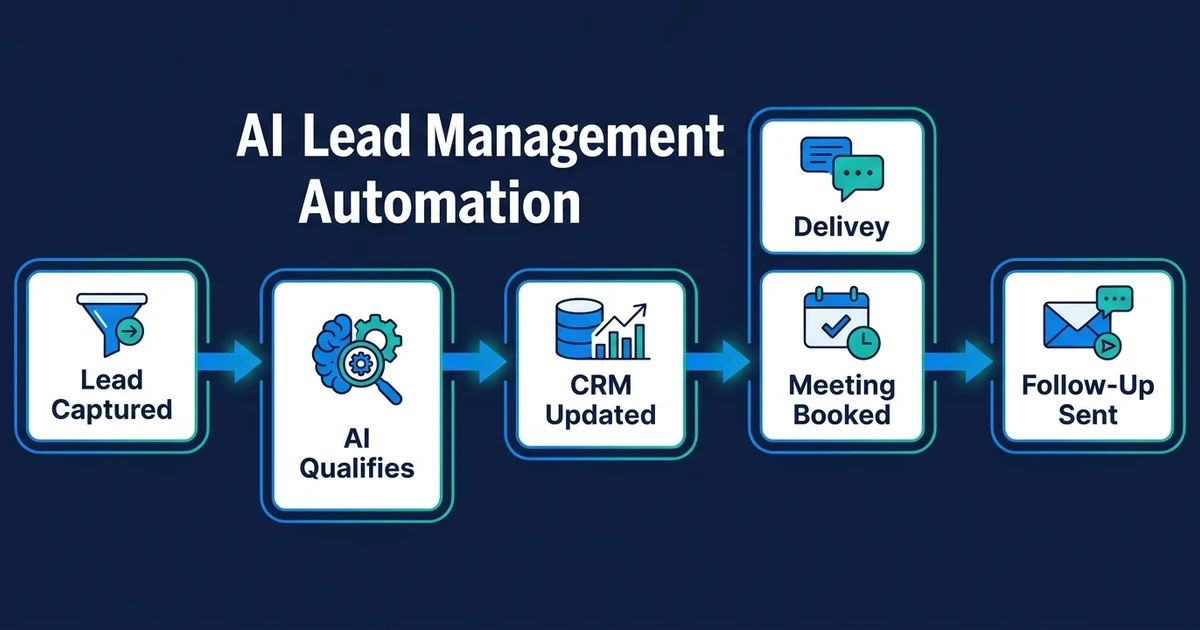
This is why appointment booking belongs inside AI lead management automation. Lead capture and qualification matter, but they do not create revenue until the next step is scheduled.
What Is AI Appointment Booking?
AI appointment booking is a workflow that qualifies a lead, checks the right calendar rules, offers the correct booking option, confirms the appointment, sends reminders, and updates your CRM automatically.
It is not just a booking page. A standard scheduling link shows available times. An AI booking workflow decides whether the lead should book at all, which calendar they should use, what context the team needs, and what follow-up should trigger after the appointment.
The workflow can use information from:
- Website forms
- Email inquiries
- Phone call summaries
- CRM records
- Chat conversations
- Lead scores
- Service categories
- Team availability
That context matters. A law firm intake call, a real estate showing, a recruitment screening call, and a local service estimate should not all follow the same booking path.
Good AI scheduling automation maps the lead to the right next step. It makes booking faster for good-fit prospects and keeps low-fit inquiries from filling your calendar.
How Automated Appointment Booking Works Inside a Lead Management Workflow
Automated booking works best when it sits after qualification and routing. If you connect a calendar before defining who should book, you simply automate calendar clutter.
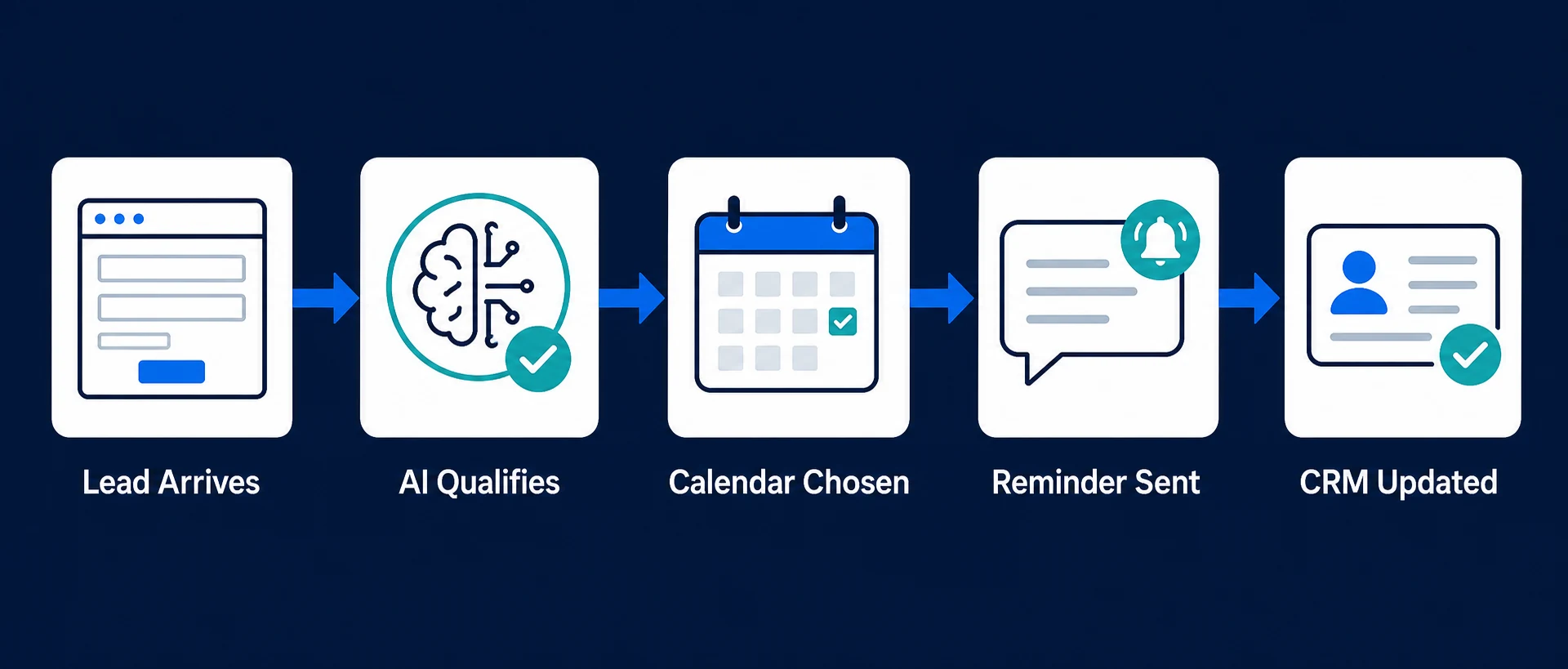
A strong workflow usually looks like this:
- A lead submits a form, sends an email, or calls your business.
- AI reads the inquiry and extracts need, location, urgency, service type, and budget clues.
- The workflow checks whether the lead already exists in your CRM.
- Qualification rules decide whether the lead is ready to book.
- Routing rules choose the right owner, service line, location, or calendar.
- The system sends available times or books during the live conversation.
- Confirmation and reminder messages go out automatically.
- The CRM updates with the appointment, source, notes, owner, and next task.
- Exceptions go to a human for review.
That last step matters. AI should not force every inquiry into a call. If a lead is unclear, high-risk, sensitive, or outside your service area, the workflow should pause and notify a person.
This is where AI lead qualification workflows make appointment booking more useful. Qualification protects your team’s calendar from poor-fit meetings while helping strong prospects book quickly.
Where Appointment Booking Automation Saves the Most Time
The obvious time saving is fewer scheduling emails. That matters, but it is only one part of the value.
Appointment booking automation also removes the hidden admin around the booking:
- Checking which team member owns the lead
- Matching the lead to the correct service
- Sending the right calendar option
- Creating or updating the CRM record
- Adding appointment notes
- Sending reminders
- Handling reschedule requests
- Triggering a follow-up task after the call
For appointment-based businesses, those steps repeat every day. A real estate team coordinates showings. A local service business books estimates. A recruitment agency schedules candidate screens. A law firm books intake calls.
The workflow should reduce manual touches at each step, not just make the calendar link easier to send.
Reminder logic deserves special attention. A systematic review and meta-analysis of outpatient appointment reminders found an 11% improvement in attendance in its pooled trial analysis. That does not mean every business will see the same result, but it shows why reminders should be part of the booking workflow, not an afterthought.
AI Booking Automation vs. Basic Scheduling Links
Basic scheduling links are useful. If your only problem is “people need a way to pick a time,” a simple link may be enough.
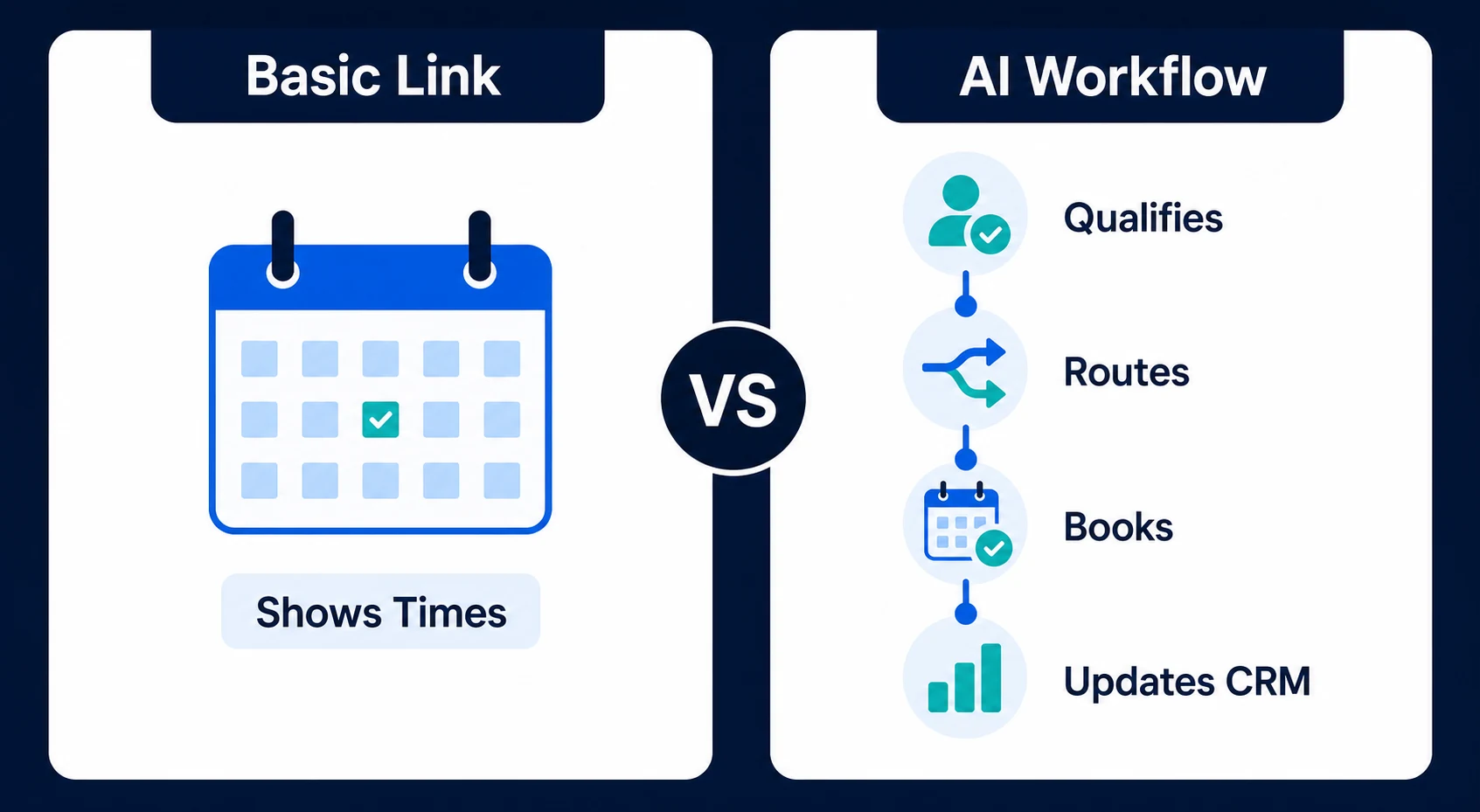
The problem starts when the booking decision depends on context. Most real businesses need rules around fit, service type, urgency, owner, location, buffers, intake information, and CRM updates.
| Capability | Basic scheduling link | AI booking workflow |
|---|---|---|
| Shows available times | Yes | Yes |
| Qualifies the lead before booking | No | Yes |
| Routes to the right calendar | Limited | Yes |
| Updates CRM fields and stage | Limited or manual | Yes |
| Sends contextual reminders | Basic | Yes |
| Handles exceptions | No | Yes, with human escalation |
The difference is not the calendar. It is the decision-making around the calendar.
Automiq AI builds appointment booking workflows that qualify leads, choose the right calendar, send reminders, and update your CRM without your team managing the handoff. For service businesses with inbound calls and quote requests, see how this fits into AI automation for local service businesses.
What to Automate Before You Connect Your Calendar
Do not start by connecting tools. Start by defining the rules.
Your appointment workflow needs clear answers to practical questions:
- Which leads should receive a booking option?
- Which leads need one more qualifying question?
- Which service categories map to which calendar?
- Which team member handles each lead type?
- How much buffer time should exist between appointments?
- What happens if a lead cancels or reschedules?
- Which CRM fields must update after booking?
- When should a human review the inquiry?
If those rules are unclear, automation will make the confusion faster. A messy booking process becomes a faster messy booking process.
The safest starting point is a single high-value booking flow. For example, “qualified website inquiries for paid consultations should receive the sales calendar, a confirmation email, a reminder 24 hours before, and a CRM stage update.”
Once that works, expand into phone bookings, multi-owner routing, after-hours inquiries, and reschedule logic.
A Practical Example: From Website Enquiry to Confirmed Call
Imagine a five-person local service business that receives quote requests from its website, phone line, and referral partners. Before automation, the office manager checks the inbox, calls the prospect, asks a few questions, checks the calendar, books the estimate, and updates the CRM.
That works until volume rises or inquiries arrive after hours. A strong lead that comes in at 8:30 p.m. waits until morning. A missed call becomes voicemail. A booking gets made, but the CRM record stays incomplete.
With automated booking, the process changes:
- The lead submits a quote request.
- AI reads the service need, location, urgency, and preferred time.
- The workflow checks whether the request fits the service area.
- Qualified leads receive available estimate slots automatically.
- The appointment appears on the correct team calendar.
- The CRM record updates with source, service type, summary, owner, and booked time.
- The lead receives confirmation and reminder messages.
- If the request is unclear, the system asks one qualifying question or flags a person.
The lead gets a faster path to a real appointment. Your team gets the context without retyping it.
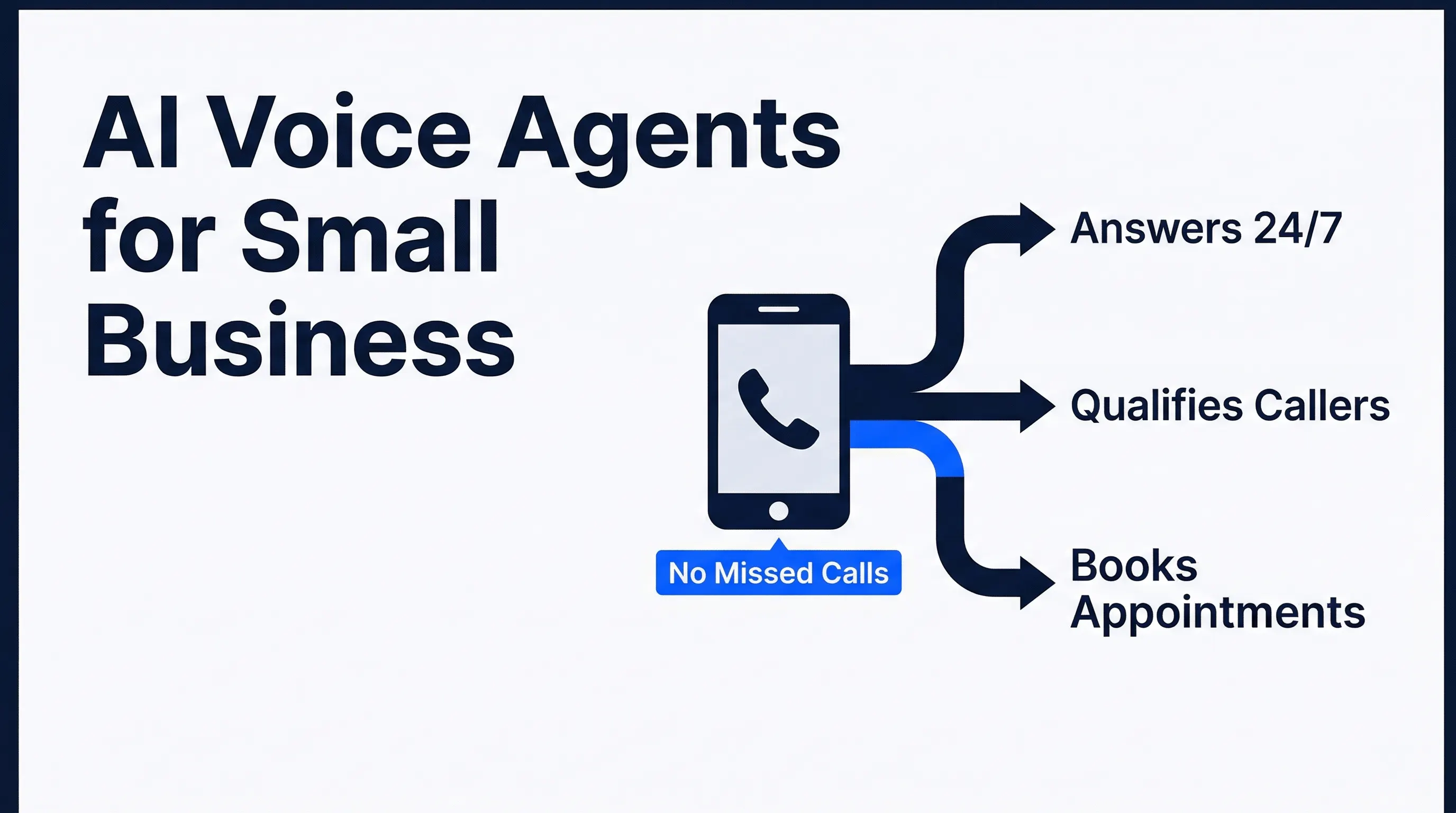
For businesses where phone calls drive bookings, AI voice agents for small businesses can add the same logic to inbound calls. The caller answers qualification questions during the conversation, then the appointment lands on the calendar without voicemail or callback delays.
How to Evaluate an AI Booking Setup
A useful booking setup should make your process simpler to run, not harder to supervise. Before you build or buy anything, evaluate the workflow against the daily reality of your business.
Use this checklist:
- Does it work with your existing calendar and CRM?
- Can it qualify leads before offering time slots?
- Can it route different lead types to different calendars?
- Can it handle working hours, buffers, holidays, and travel time?
- Can it send confirmation and reminder messages?
- Can it update CRM stage, owner, notes, and appointment status?
- Can it pause for human review when the lead is unclear?
- Can you see when the workflow fails?
The monitoring point is easy to miss. A booking workflow that silently breaks is worse than no automation because your team assumes the handoff happened.
Use one more test: would your team trust this workflow during a busy week? If the answer is no, the workflow needs more testing before it goes live.
DIY, internal, or done-for-you booking automation
DIY works when you have one calendar, one booking type, and one simple rule. An internal build can work if someone on your team owns process design, testing, and maintenance.
Done-for-you automation makes more sense when booking depends on qualification, owner routing, CRM updates, reminders, and exception handling. That is the point where the calendar is no longer the hard part. The workflow around the calendar is.
| Option | Best fit | Watch out for |
|---|---|---|
| DIY setup | One simple booking flow | You still maintain the logic when tools or calendars change |
| Internal build | Team with technical ownership | Sales or operations time gets pulled into workflow maintenance |
| Done-for-you build | Multi-step booking and CRM workflow | Requires clear rules upfront, but your team does not build it |
Frequently Asked Questions
What is AI booking automation?
AI booking automation connects lead qualification, calendar availability, CRM updates, and reminder workflows so qualified prospects can book the right next step automatically. It is more than a scheduling link because it decides who should book, which calendar they should use, and what should happen after the booking.
How is AI booking automation different from a scheduling link?
A scheduling link only shows available times. The AI workflow can qualify the lead first, choose the right owner or service category, send the correct booking option, trigger reminders, and update the CRM after the appointment is confirmed.
Can automated appointment booking work with my existing calendar?
Yes, in most setups it can connect to tools your team already uses, such as Google Calendar, Outlook, CRM calendars, or booking tools. The important part is defining the booking rules before connecting the calendar.
Will automated booking create double bookings?
A properly tested workflow checks calendar availability before offering times and applies rules for buffers, working hours, owner assignment, and rescheduling. Double bookings usually happen when the process is poorly mapped, not because automation is involved.
Should every lead receive an automated booking link?
No. The best workflows send booking links only when the lead meets your qualification rules. Lower-fit leads can receive a clarifying question, a nurture reply, or a human review path instead.
How long does an AI booking setup take?
A focused done-for-you setup moves fastest when your qualification rules, calendars, CRM fields, and reminder logic are clear. More complex routing across teams, locations, or service lines can take longer because testing matters.
Turn Qualified Leads Into Booked Calls Automatically
Appointment booking is where lead management becomes real pipeline. A lead that is qualified but not scheduled is still unfinished work.
If your team is still coordinating every call manually, you are spending sales time on calendar admin. The fix is not more reminders to your team. The fix is a workflow that qualifies, routes, books, reminds, and updates the CRM every time.
Automiq AI pricing tiers show what a done-for-you booking workflow can include, from one focused automation to a broader lead management system. You get the booking process built inside the tools you already use, without your team learning automation software first.