 EN
EN DE
DE ES
ES FR
FR NL
NL PT
PT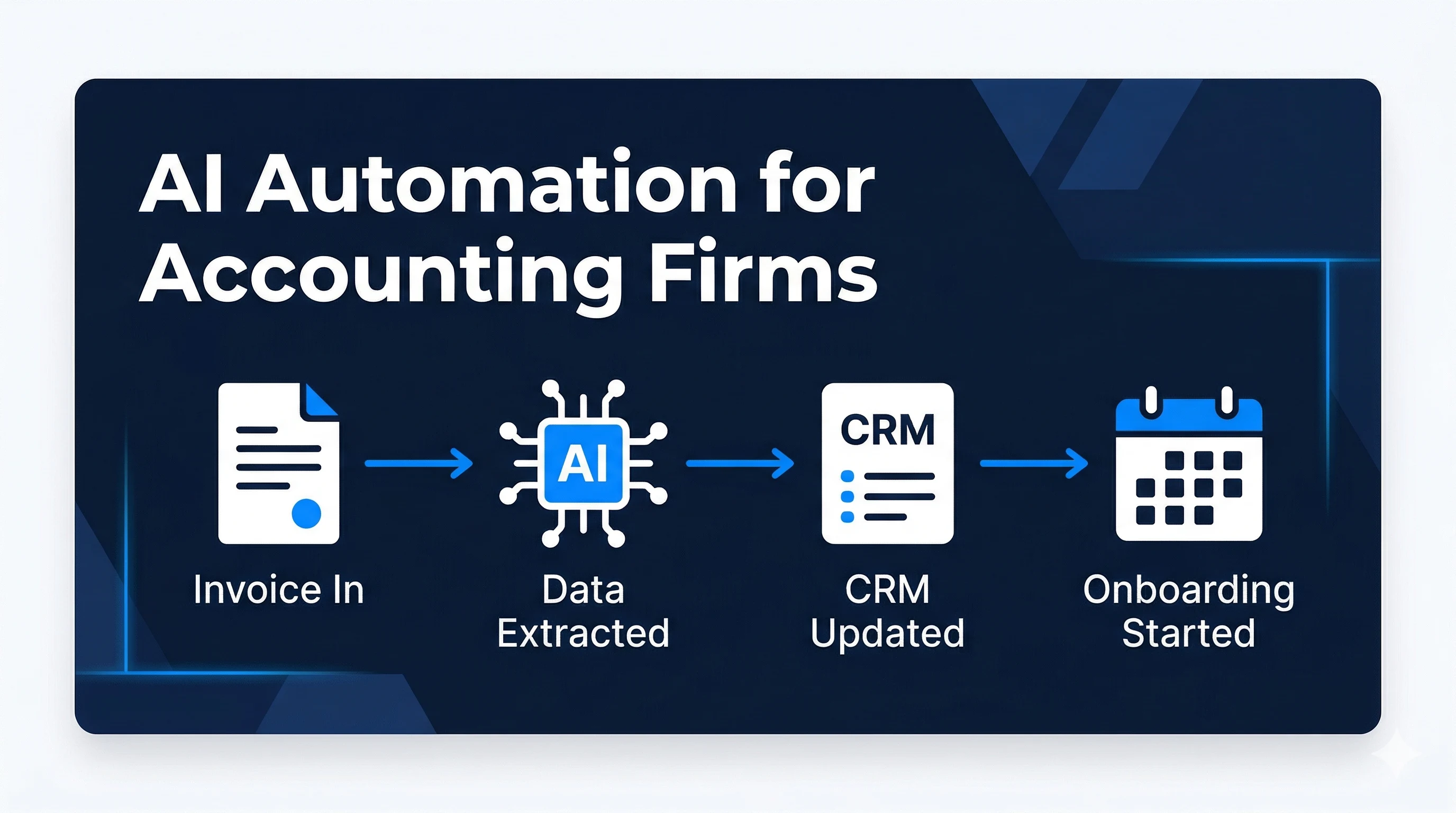
Quick Answer: AI automation for accounting firms targets the three biggest admin drains: document processing, client intake, and CRM data entry. The right setup extracts data from contracts, invoices, and forms automatically, routes new client enquiries, and keeps your CRM updated after every interaction. It all runs inside the tools your firm already uses, with no new software to learn.
There is a version of running an accounting firm where client records update themselves, new client intake runs on its own, and every document that comes in gets processed without anyone manually copying data between systems. That version exists now. Most accounting firms just haven’t built it yet.
AI automation for accounting firms is not about replacing accountants. It’s about eliminating the non-billable admin work that accountants should never have been doing in the first place.
Where Accounting Firms Lose the Most Time (and Billable Revenue)
The average accountant or bookkeeper spends a significant portion of their week on tasks that have nothing to do with actual accounting. According to a Sage Practice of Now survey, accounting professionals spend close to 23% of their workweek on non-billable administrative work, including chasing documents, updating client records, and managing intake processes.
For a five-person firm, that’s nearly one full-time equivalent disappearing into admin every week.
The three biggest culprits are consistent across firm sizes:
- Document processing: extracting data from incoming invoices, contracts, and client forms manually
- Client intake and onboarding: coordinating welcome emails, document checklists, and calendar bookings by hand
- CRM updates: logging calls, meetings, and status changes after every interaction
None of these tasks require an accountant’s expertise. All of them take an accountant’s time.
Document Processing: The Biggest Admin Drain in Accounting
Every new client engagement means paperwork. Signed engagement letters, identity verification documents, prior year returns, bank statements. Someone has to open each file, extract the relevant information, and enter it into the right system.
This is exactly the kind of structured, repetitive extraction task that AI handles well. According to McKinsey’s 2023 report on the economic potential of generative AI, finance and accounting functions have over 40% automation potential, with document processing among the highest-ROI targets.
Here’s what an automated document workflow looks like in practice:
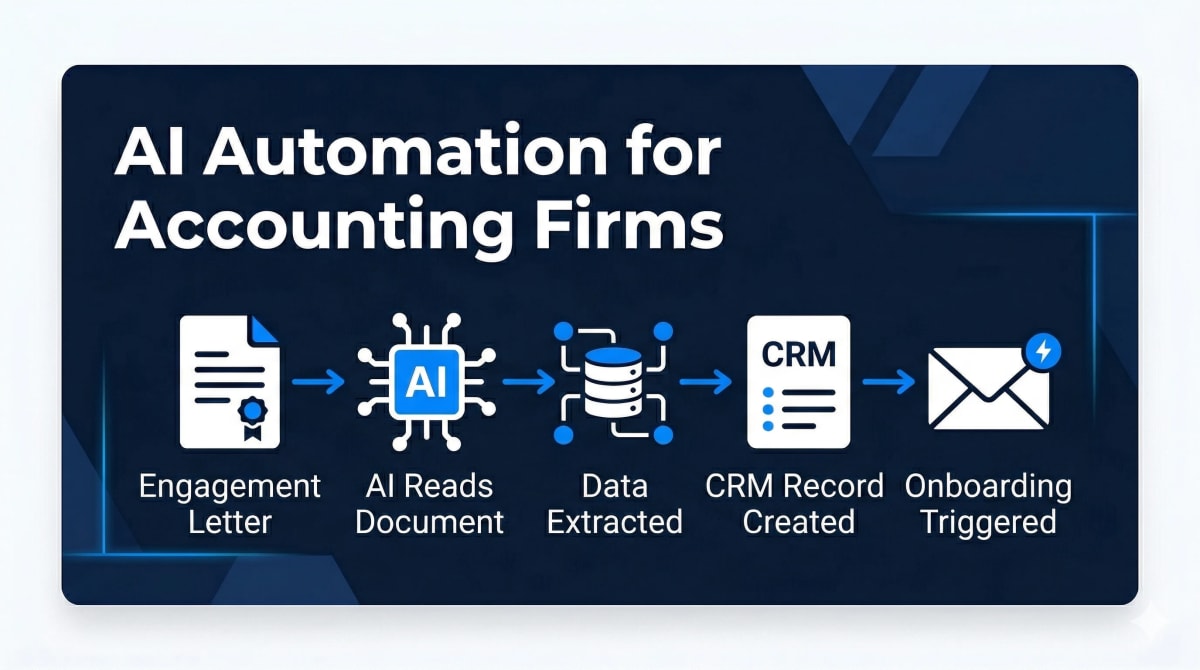
A new client sends a signed engagement letter via email. The automation:
- Detects the attachment and identifies the document type
- Extracts the client name, services, fee schedule, and start date
- Creates or updates the CRM record with those details
- Triggers the client onboarding sequence (welcome email, document checklist, calendar invite)
- Files the original document in the correct folder in your document storage
No one on your team touched it. The file arrived, the data moved where it needed to go, and the onboarding started. Automatically.
AI-Powered Client Intake and Onboarding
Manual client intake has a hidden cost most firms don’t measure: it creates inconsistency. New clients get different experiences depending on who handles the intake. Documents get chased on different schedules. Welcome emails get sent late, or not at all.
Automated intake standardises the experience for every client, every time. When a new enquiry comes in (whether via your website form, email, or referral), the workflow triggers immediately:
- A personalised welcome email goes out with your firm’s branding
- A document checklist specific to the client’s service type is sent with clear instructions
- A calendar invite for the onboarding call is issued automatically
- A CRM record is created with the correct pipeline stage and assigned to the right team member
- A follow-up reminder is set if documents haven’t been received within 48 hours
For most firms, this recovers 2–4 hours per new client onboarded, and eliminates the most common source of early-relationship friction: the client feeling like nobody knows who they are.
Automiq AI builds document processing and client intake automation for accounting firms, inside your existing software without training your team on new tools. See what’s included in each package.
Automating CRM Updates After Every Interaction
Ask any accountant how their CRM looks and the honest answer is usually the same: incomplete, out of date, or barely used. Not because no one cares, but because updating it manually after every call and meeting is genuinely hard to maintain consistently.
The result is a CRM that can’t be trusted. Leads slip through because no one logged the follow-up. Client status is wrong because the last call was never recorded. A team member asks about an account and no one’s sure where things stand.
Automating CRM updates removes the maintenance burden entirely. After every interaction (a call logged via your phone system, a meeting completed in your calendar, or an email received from a client), the automation:
- Logs the interaction against the correct contact record
- Updates the deal or matter status based on where things stand
- Creates the next follow-up task with a due date
- Flags anything that needs human attention
Your CRM stays current without anyone spending time on it. That means better visibility, fewer dropped balls, and a record that’s actually useful when a team member needs context fast.
How to Implement AI Automation Without Switching Software
The most common concern accounting firm owners raise about automation is this: “Does this mean we have to learn a new system?” The answer is no.
Automation workflows are built to connect your existing tools: your email platform, your CRM, your document storage, and your calendar. The automation runs in the background. Your team keeps doing what they do, inside the same tools they’ve always used, but the repetitive handoff steps happen automatically.
The two realistic paths to getting there:
DIY (Zapier, Make, n8n): These platforms let technically inclined users build workflows themselves. The trade-off is time. Mapping your firm’s intake and document workflows, building the logic, connecting integrations, and testing every edge case takes weeks for someone without automation experience. For most partners and firm owners, that time is better spent billing.
Done-for-you (Automiq AI): A specialist maps your process in a discovery call, builds the workflows to your exact requirements, and delivers a tested system in 1–2 weeks. You review and approve at each stage. The system goes live without your team needing to know how it works under the hood.
Before committing to either path, it’s worth reading up on common AI automation mistakes businesses make, including the ones that affect professional services firms specifically.
Also see AI automation for accounting firms for a breakdown of the specific workflows Automiq AI builds for practices like yours.
Frequently Asked Questions
What tasks can AI automation handle for accounting firms?
AI automation for accounting firms typically covers document processing (extracting data from invoices, contracts, and forms), client intake and onboarding sequences, CRM updates after calls and meetings, and follow-up reminders. These are the tasks that consume the most non-billable time in most practices.
Does AI automation for accounting firms require new software?
No. The automations run inside the tools your firm already uses, including your email platform, CRM, and document storage. No migration is required, and your team does not need to learn a new system.
Will AI automation work with QuickBooks or Xero?
In many cases, yes. Automation workflows can connect to accounting platforms via their APIs or integration layers. The specific integrations depend on your current stack, which is assessed during the discovery call before any build begins.
Do we need technical staff to manage the system after it’s set up?
No. A properly built automation system runs without technical oversight. Maintenance and fixes for issues that arise post-launch are included for a defined period after deployment.
How long does setup take for an accounting firm automation system?
A done-for-you build typically takes 1–2 weeks from discovery call to a live system. This includes process mapping, building and testing the workflows, and connecting each integration to your existing tools.
How much non-billable time can AI automation recover?
For a firm where staff spend 20%+ of their week on admin tasks, automating document processing, client intake, and CRM updates typically recovers 8–20 hours per week across the team. The exact figure depends on your current volume and manual process complexity.
Every Hour Spent on Admin Is an Unbilled Hour
The cost of manual admin in accounting is not just the time it takes. It’s the billable work that doesn’t get done because someone is chasing documents, updating records, or onboarding a client by hand. That’s the real number, and for most firms, it’s significant.
AI automation doesn’t ask your team to change how they work. It removes the parts of their job that were never supposed to be their job in the first place.
Book a free discovery call with Automiq AI and get a custom automation blueprint for your accounting firm, built into your existing software and live in 1–2 weeks.


