EN
EN DE
DE ES
ES FR
FR NL
NL PT
PT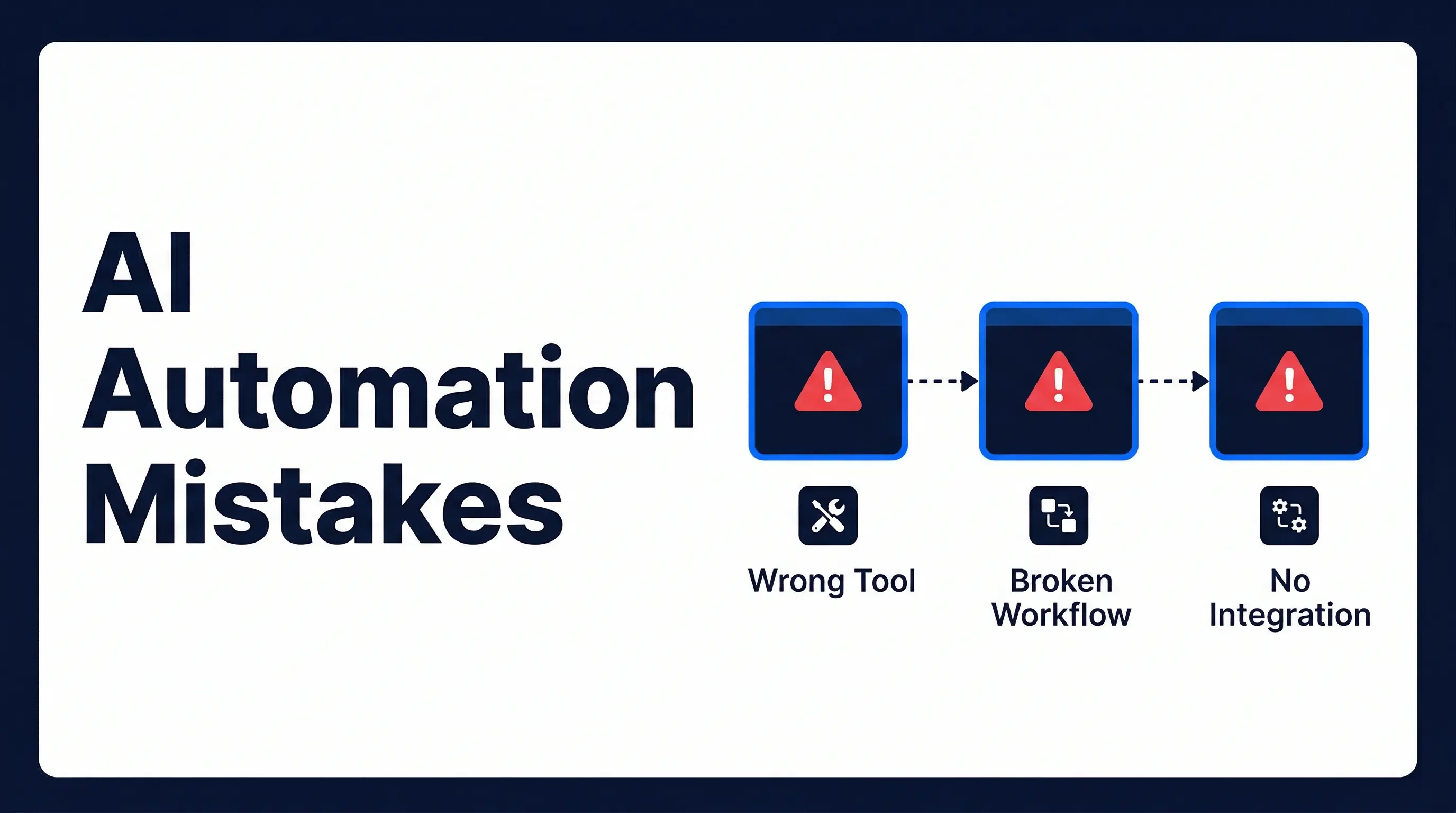
Quick Answer: Most AI automation projects fail not because of the technology but because of three avoidable mistakes made before the tool is ever turned on: choosing the wrong tool for the job, automating a process that hasn’t been properly mapped, and building a system that doesn’t connect to the tools your team already uses. Fix the design before you build, and automation works reliably.
If your AI automation isn’t producing results, the problem is almost never the technology. Most ai automation mistakes trace back to three avoidable design errors that happen before the tool is ever turned on.
According to McKinsey Global Institute’s 2023 research on the economic potential of generative AI, up to 70% of employee working time involves tasks that are technically automatable. Yet many businesses that attempt automation end up with systems that break, create extra admin, or go unused within a few weeks of launch.
The technology hasn’t changed between the businesses that succeed and the ones that don’t. What’s different is what happens before the tool gets turned on.
Why AI Automation Mistakes Are So Common (And What Causes Them)
The core problem is that most businesses treat automation as a product purchase rather than a system design exercise. Someone signs up for a platform, follows the onboarding flow, connects a few apps, and waits for the time savings to materialise.
They don’t. The automation runs inconsistently, the output goes somewhere inconvenient, or it collapses when the data doesn’t match what the demo assumed. The platform gets cancelled and replaced. Then the same thing happens again with a different tool.
The three mistakes below explain why this cycle keeps repeating.
Mistake 1: Choosing the Wrong Automation Tools
This is the most visible failure, and it happens for understandable reasons. There’s no shortage of automation platforms, and most of them look capable in a product video.
Tool decisions often come down to brand recognition, a peer referral, or whichever free trial someone started first. The problem is that automation tools aren’t interchangeable. Some are built for marketing workflows. Others handle complex data transformation well but require ongoing technical maintenance that a small team can’t sustain. Others are beginner-friendly but break the moment a workflow needs more than two steps.
Deloitte’s Tech Trends research consistently identifies tool fragmentation and poor fit as primary contributors to failed automation projects in small and mid-sized businesses. Businesses pick tools based on availability rather than fit, then spend months trying to make the wrong tool work.
A recruitment agency that buys a marketing automation platform to handle candidate follow-ups will quickly discover the tool wasn’t designed for that data structure or that logic. The mismatch creates more manual work managing a broken system than it would take to handle the task by hand.
The fix: define what the automation needs to do before evaluating any tool. What triggers it? What data does it move? Where does the output land? What happens when a record is incomplete? Answering those questions first almost always leads to the right tool choice.
Mistake 2: Building Automation on a Broken Workflow
Automation doesn’t fix a bad process. It runs the bad process faster and at higher volume.
If your lead intake form has six optional fields that half your staff fill in differently, automating the lead routing will produce six variants of broken output, all arriving incorrectly, all faster than before. The root problem was never the speed of routing. It was the inconsistency in the data.
The correct sequence is: map the process, clean up the edge cases, standardise the inputs and outputs, then build the automation. Most businesses skip this step because it feels slow upfront. It is slower to rebuild a broken automation three times than to spend two days on process documentation before touching the tool.
A law firm that automated client intake emails without first standardising the intake form found the automation broke on a significant share of submissions, where fields were blank or formatted inconsistently. Every exception required manual intervention. The automation had created a new category of admin work it was supposed to eliminate.
Mistake 3: Ignoring Integration With Existing Systems
An automation that runs correctly in isolation but doesn’t connect to your CRM, email system, or calendar isn’t solving your problem. It’s a side process that nobody will maintain.
This mistake appears most often when businesses build using the platform’s demo environment rather than their actual data. Demo environments are clean. Real business data has duplicates, legacy formats, inconsistent naming conventions, and fields added by someone who left two years ago.
According to Gartner’s automation research, data integration challenges remain the most consistently cited barrier to achieving automation ROI across businesses of all sizes. The output destination should be your first design decision, not the last one.
A real estate agency built a lead capture automation that pulled inbound enquiries from the website form and deposited them in a Google Sheet. The automation ran without errors. Nobody checked the Google Sheet. The CRM stayed empty. Leads were lost for six weeks before anyone identified the failure point.
Automiq AI designs every automation starting from the output destination, so data lands where your team already works rather than in a spreadsheet that becomes a second inbox nobody asked for.
How to Get AI Automation Right the First Time
Getting this right follows a clear sequence. Most businesses that struggle have skipped at least one of these steps:
- Pick one high-pain process. Not the most ambitious one. The one that eats the most hours per week.
- Map every step of that process end-to-end. Document the trigger, the data that moves, where it ends, and what breaks it. This typically takes one full working day.
- Define the output destination first. Where does the result need to land for your team to act on it the same day?
- Build with integration as the architecture. Every automation should connect directly to the tools your team already uses: your CRM, your email client, your calendar.
If your team doesn’t have the time or expertise to do this correctly, the fastest path is working with someone who has built these systems before and knows exactly where they break.
See how Automiq AI builds custom automation workflows inside the tools you already use, with a fixed one-time fee and no ongoing retainer. Review automation pricing and packages to find what fits your business.
Frequently Asked Questions
What mistakes do small businesses most often make with AI automation?
Choosing tools based on brand recognition instead of fit, building automations on top of processes that haven’t been mapped, and ignoring integration with the systems the team uses daily. Each mistake compounds the other. Wrong tools break on unmapped edge cases, and broken outputs go unnoticed when there’s no integration to surface them.
Why do so many AI automation projects fail?
Most fail because businesses treat automation as a tool purchase rather than a system design problem. When the automation breaks on edge cases or creates data nobody can find, the tool gets blamed. The real issue is usually that the process design step was skipped entirely before any tool was opened.
How do I know if I’ve chosen the wrong automation tool?
Your team has stopped using it, it requires constant manual fixes, or the output lands somewhere nobody checks. Wrong-tool automations tend to create a new category of admin work rather than eliminate the existing one. If you find yourself managing the automation more than your original process, that’s the signal.
Can I fix a broken automation or should I start over?
It depends on where the flaw is. If the tool is wrong for the job, rebuilding on the right tool is faster than patching. If the workflow design is sound but the integration is misconfigured, that is usually fixable without starting over. A process audit typically tells you which situation you’re in within an hour.
Do I need technical knowledge to implement AI automation?
Not to run it once it’s built. But the architecture decisions behind a reliable automation require expertise. That’s the difference between a DIY setup that breaks in week two and a system that runs without being managed for months. Done-for-you implementation handles the technical layer entirely so your team never needs to touch it.
How long does it take to fix a failed automation project?
If the workflow design is sound and only the tool needs replacing, one to three days is typical. If the underlying process was never properly mapped, expect one to two weeks to diagnose, redesign, and rebuild correctly.
What Automation Looks Like When It’s Built Right
When the right tool, a clean workflow, and proper integration work together, the automation runs without being managed. Your CRM updates after every call. Your leads get a response within five minutes of submitting a form. Your proposals generate from client data without anyone opening a template.
The time savings aren’t incremental. They compound across every process you automate correctly. The businesses that struggle with automation aren’t using worse technology than the ones that succeed. They’re skipping the design work that makes the technology reliable.
Book a free discovery call with Automiq AI and get a custom automation blueprint built around the tools you already use, with a fixed one-time fee and no retainer.