EN
EN DE
DE ES
ES FR
FR NL
NL PT
PT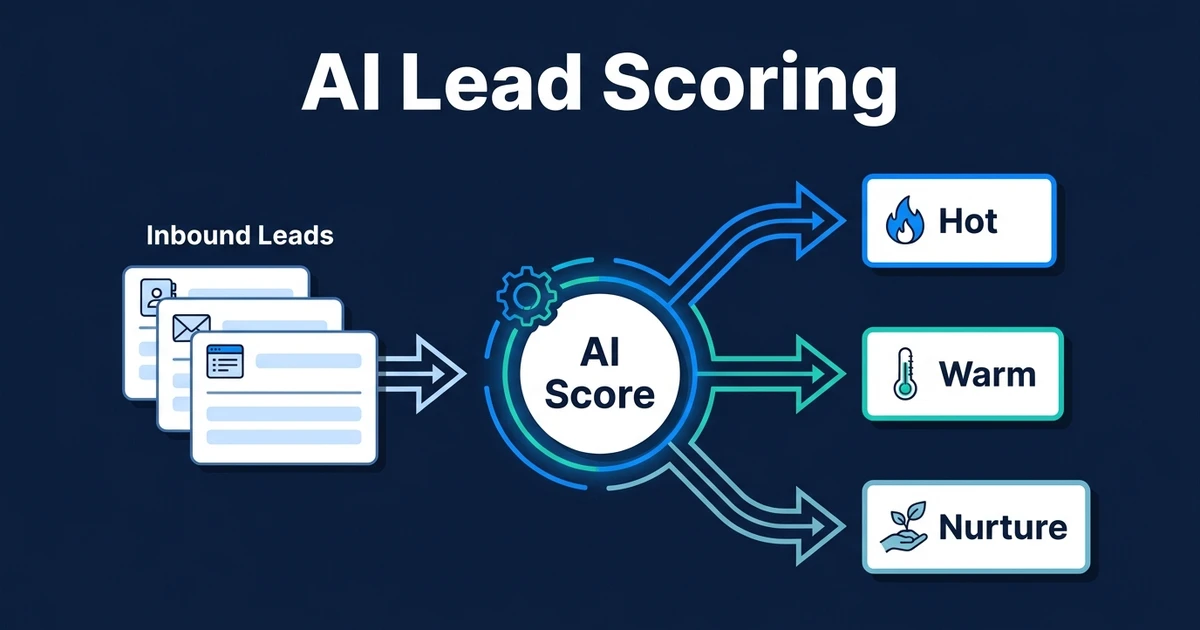
Quick Answer: AI lead scoring uses fit, intent, urgency, source, and behavior signals to rank inbound leads so your team knows who to contact first. It becomes valuable when the score triggers the next action automatically, such as routing a hot lead to sales, sending a booking link, updating the CRM, or placing a lower-fit lead into nurture.
Not every lead deserves the same response. A high-fit prospect asking about a paid project this month should not wait behind a low-fit inquiry asking for general information.
That is the promise of automated scoring. It gives your team a consistent way to prioritize leads before attention, time, and follow-up energy get wasted.
This supporting guide sits under the broader AI lead management automation workflow, where scoring connects to capture, routing, response, CRM updates, and follow-up.
Why Manual Lead Scoring Slows Down Sales Follow-Up
Manual scoring looks simple until the inbox gets busy. Someone reads the inquiry, checks the company, guesses urgency, decides whether the lead is worth pursuing, and then chooses the next action.
That works when one experienced person handles every lead. It breaks when multiple people make different judgments or when the owner is too busy to review new inquiries quickly.
The result is uneven sales follow-up. One rep chases a poor-fit lead because the message sounded urgent. Another misses a strong lead because the company name was unfamiliar. Your CRM fills with notes, but not a reliable priority system.
AI fixes the repeatable part of that decision. It does not replace judgment. It gives your team a consistent first pass so people spend their time on leads with a stronger chance of converting.
What Is AI Lead Scoring?
AI lead scoring is the process of evaluating each inbound lead against fit, intent, urgency, source, behavior, and CRM history so the system can assign a score or tier. That score tells your team which leads need fast action and which ones should receive a lower-touch follow-up.
Rule-based scoring uses fixed points. For example, a lead gets points for a certain company size, location, or job title. AI-assisted scoring can also interpret free-text messages, detect buying intent, summarize context, and adjust recommendations based on patterns in your actual leads.
The practical output should be simple:
- Hot: route immediately and notify the right person
- Warm: send a relevant reply and create a follow-up task
- Nurture: ask a clarifying question or add to an email sequence
- Low fit: log the inquiry without interrupting the sales team
The score itself is not the goal. Faster action is the goal.
Gartner surveyed 1,026 B2B sellers in early 2024 and found that sellers who effectively partner with AI tools are 3.7 times more likely to meet quota according to its sales research. Scoring is one of the clearest ways to turn AI from a side tool into a sales workflow.
What Data Should a Lead Scoring Model Use?
Good scoring starts with a clear definition of a good lead. If your ideal customer profile is vague, the model will rank leads based on whatever data is easiest to read, not what actually predicts revenue.
Useful scoring inputs usually include:
- Fit criteria: industry, company type, team size, location, service need, and budget range
- Intent signals: words or phrases that suggest urgency, readiness, pain, or active buying
- Source quality: website form, referral, paid ad, partner lead, live chat, or direct email
- Timeline: whether the prospect needs help now, this quarter, or “sometime later”
- CRM history: previous inquiries, existing customer status, open deals, or past disqualification
- Behavior: page visits, booked calls, reply speed, form depth, or repeated engagement
The best scoring models avoid vanity signals. A big company name means little if the request is outside your service area. A long message means little if the budget and timeline are poor.
AI scoring works best when it combines structured data with message interpretation. For example, it can read “we need someone to automate intake before next month’s launch” differently from “just researching options.”
How Automated Scoring Works in a Real Workflow
Imagine a professional services firm receives a website inquiry from a growing business asking for help with client onboarding automation. The form includes company size, service need, timeline, and a free-text message.
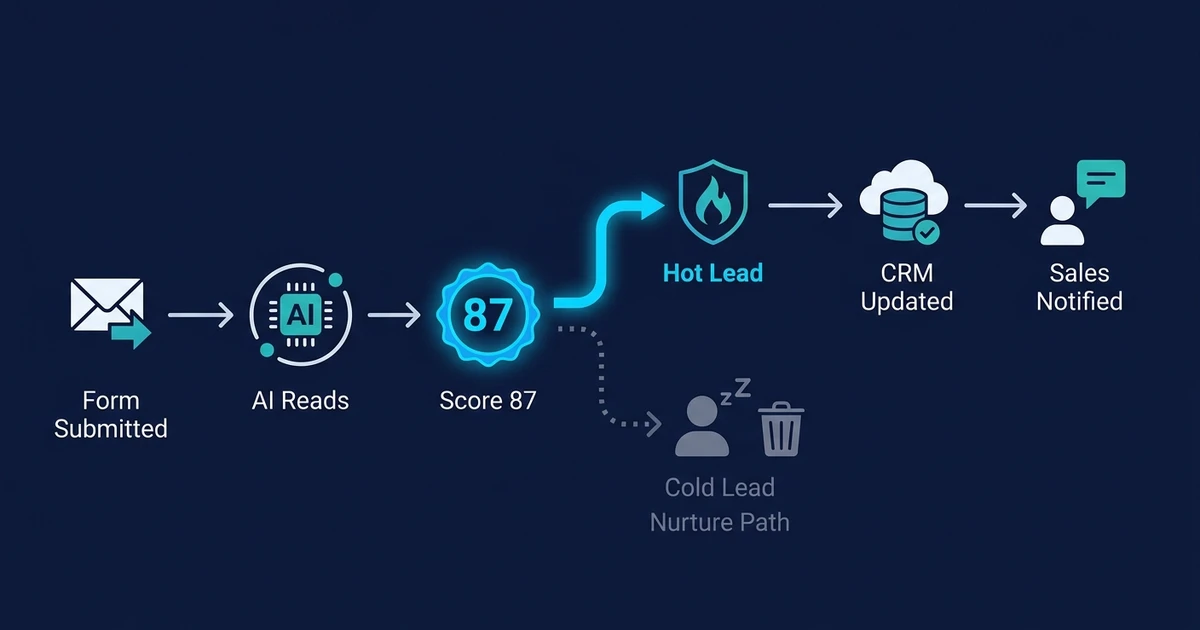
Without scoring, the inquiry waits until someone reads it. With scoring, the workflow evaluates the lead as soon as it arrives.
The workflow might run like this:
- The form submission enters the automation.
- AI extracts the service need, urgency, company type, and likely project fit.
- The system checks whether the contact already exists in the CRM.
- The lead receives a score of 87 and a “hot” tier.
- The CRM record updates with score, source, summary, and recommended next step.
- A personalized reply goes out with a booking link.
- The right team member gets a notification with the lead summary.
- If no meeting is booked, a follow-up task is created for the next business day.
That is where AI CRM updates matter. The score should not live in a spreadsheet outside the sales process. It should update the CRM record and trigger the next action.
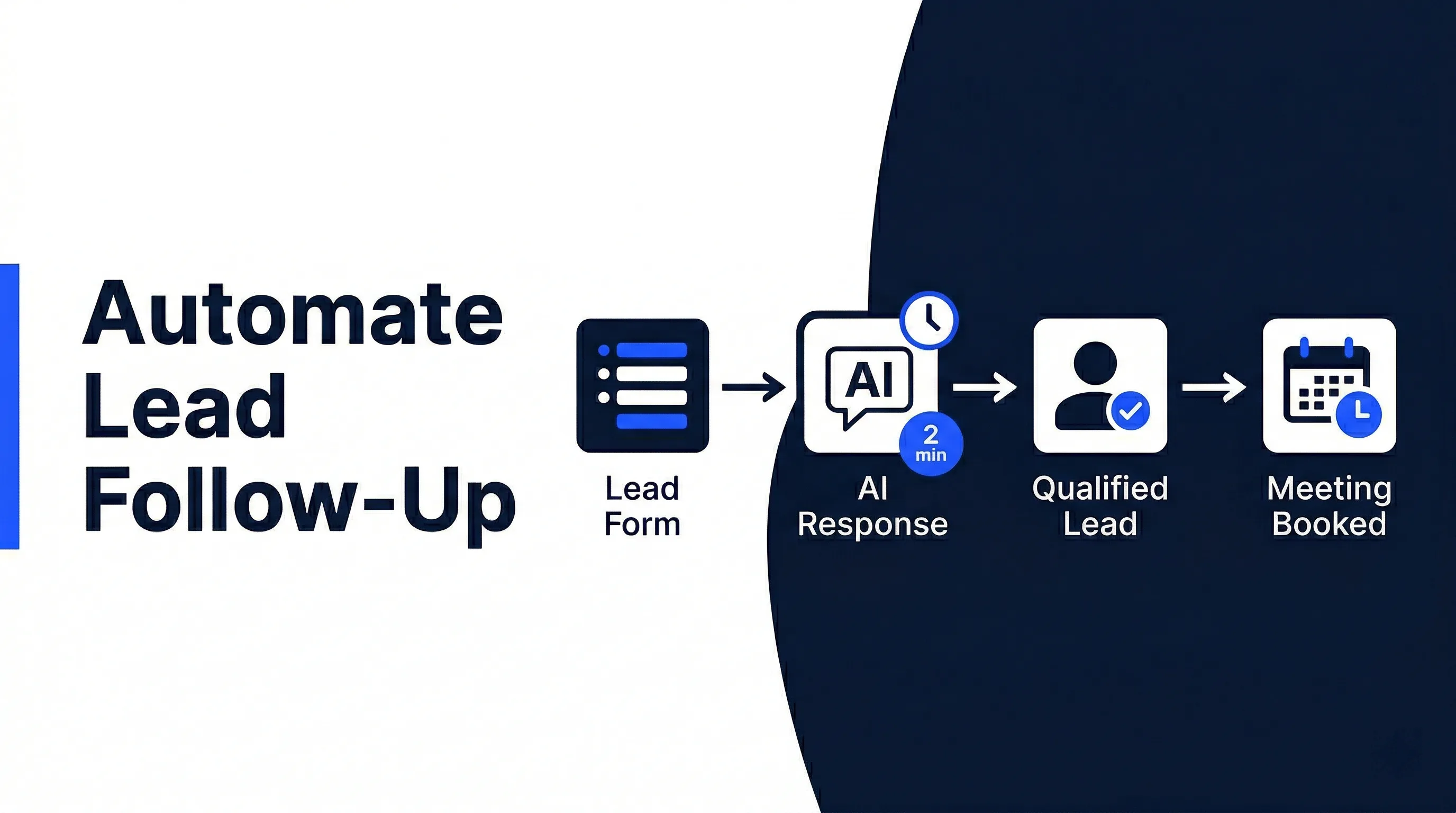
If follow-up is the bigger gap, connect scoring to a system that can automate lead follow-up. A hot lead with no follow-up is still a missed opportunity.
Automiq AI builds lead scoring and qualification workflows that route high-intent leads to the right person automatically. Compare AI automation pricing if you want the scoring logic, CRM updates, and follow-up actions built as one connected workflow.
AI Lead Scoring vs AI Lead Qualification
Scoring and qualification are related, but they are not the same thing. Scoring ranks the lead. Qualification decides what should happen next.
A lead might score highly because the company matches your ideal customer profile and the message shows urgency. Qualification then determines whether the lead should book a call, receive more questions, go to a specific team member, or enter a nurture sequence.
Think of it this way:
| Function | What it answers | Output |
|---|---|---|
| Lead scoring | How strong is this lead? | Score or tier |
| Lead qualification | What should happen next? | Route, reply, task, nurture, or review |
| Lead management automation | Did the next action happen? | CRM update, notification, follow-up, reporting |
This is why an AI lead qualification workflow is stronger than a standalone score. Your team does not need more numbers. It needs the right next step to happen without delay.
McKinsey reports that about 75 percent of generative AI use-case value falls across customer operations, marketing and sales, software engineering, and R&D in its economic potential analysis. Lead scoring sits directly in that customer and sales operations zone.
Common Lead Scoring Mistakes to Avoid
The biggest scoring mistake is starting with fields instead of decisions. A business adds points for job title, company size, location, and source, but never defines what action a score should trigger.
That creates a dashboard, not a workflow.
Avoid these common mistakes:
- Weak ideal customer profile: If you cannot define a good lead clearly, AI cannot rank one reliably.
- Too many scoring inputs: More fields do not always mean better scoring. They often create noise.
- No feedback loop: Scores should improve based on which leads actually book, buy, or churn.
- Dirty CRM data: Duplicate contacts, stale stages, and missing source fields weaken every scoring decision.
- No next-action trigger: A score that does not route, reply, assign, or follow up is not doing operational work.
Deloitte’s 2024 GenAI research found that 74 percent of organizations said their most advanced initiative met or exceeded ROI expectations in its enterprise AI findings. The pattern behind strong ROI is not random experimentation. It is picking a focused use case and connecting it to a real workflow.
Should You Build Lead Scoring Yourself or Get It Done for You?
You can build basic scoring yourself if your criteria are simple. A spreadsheet or CRM rule can rank leads by source, location, or form answers.
That may be enough when your lead volume is low and the next action is obvious. It becomes fragile when you need AI to interpret messages, check CRM history, create tasks, route by service line, and trigger follow-up.
| Option | Best fit | Main limitation |
|---|---|---|
| Spreadsheet or manual scoring | Very low lead volume and simple criteria | Slow, subjective, and easy to ignore |
| CRM-native scoring | Teams already using one CRM with clean fields | Often weak at interpreting free-text intent and cross-tool context |
| Done-for-you AI workflow | Leads from multiple sources with routing, CRM, and follow-up needs | Requires clear process design before build |
Use DIY scoring if the cost of a missed lead is low and your process is simple. Get it done for you when good leads are already slipping, your CRM needs cleaner updates, or your team needs a scoring workflow that also triggers action.
The build should start with AI workflow design, not a tool choice. Define what a good lead looks like, what data proves it, and what action should fire at each score range.
Frequently Asked Questions
What is automated lead scoring in simple terms?
Automated lead scoring ranks inbound leads based on how likely they are to become valuable customers. It looks at fit, intent, urgency, source, and CRM context, then assigns a score or tier.
How accurate is automated scoring?
Accuracy depends on the quality of your criteria and data. If your CRM is clean and your ideal customer profile is specific, scoring becomes far more reliable than manual guesswork.
What is the difference between predictive lead scoring and automated scoring?
Predictive lead scoring usually uses historical data to estimate conversion likelihood. AI-assisted scoring can include predictive patterns, but it can also interpret message intent, summarize context, and trigger workflow actions.
Can automated scoring work without a CRM?
It can start without a full CRM, but the workflow still needs a reliable place to store lead records, scores, and next actions. A CRM makes the system easier to track, improve, and scale.
How often should lead scoring rules be updated?
Review scoring rules whenever your offer, target market, pricing, or lead sources change. You should also review them after enough leads have moved through the pipeline to compare scores against booked calls and closed deals.
Does every small business need automated lead scoring?
No. If you receive only a few leads a month, manual review may be fine. AI scoring becomes useful when response speed, prioritization, or inconsistent follow-up starts costing your team time or revenue.
Turn Lead Scores Into Faster Sales Action
Lead scoring is not about making your CRM look smarter. It is about making sure your team acts on the right lead at the right time.
If a high-intent prospect fills out a form, the system should score the lead, update the CRM, send the right reply, notify the right person, and create the next task without waiting for someone to check the inbox.
Automiq AI can build that workflow inside your CRM, inbox, forms, and follow-up process. Your team gets a practical scoring system that does the work after the score, not just another number on a contact record.