EN
EN DE
DE ES
ES FR
FR NL
NL PT
PT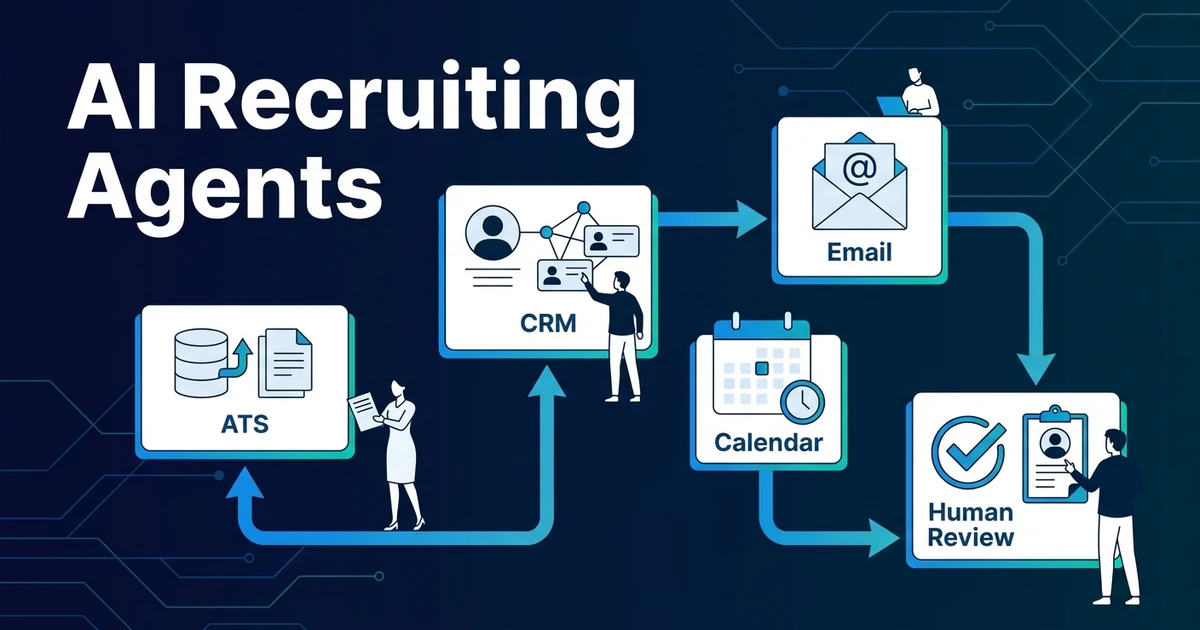
Quick Answer: AI recruiting agents coordinate repeatable hiring admin across tools like your ATS, CRM, email, and calendar. They can gather context, draft updates, flag missing information, and prepare next steps, while recruiters stay responsible for candidate judgment, client conversations, and final decisions.
Recruitment teams are paying attention to agentic workflows because recruiters are being asked to move faster without letting quality slip. The pressure is real: LinkedIn reports that 37% of recruiting organizations are actively integrating or experimenting with GenAI, up from 27% a year earlier in its 2025 Future of Recruiting report.
That does not mean every recruitment agency needs an autonomous hiring system. It means your team needs a clearer way to separate repeatable admin from recruiter judgment.
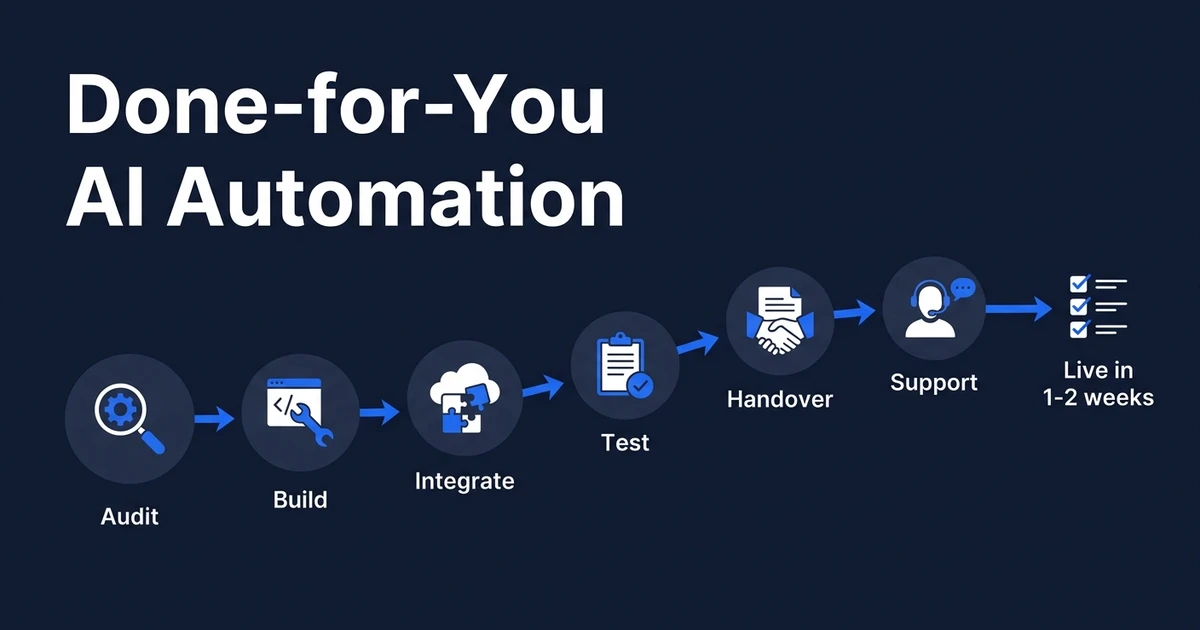
Automiq AI builds AI automation for recruitment agencies inside the tools teams already use. The useful question is not whether AI replaces recruiters. It is which manual steps can be handled before the recruiter needs to step in.
Why AI recruiting agents are getting attention now
Recruitment work has a coordination problem. A recruiter may start with a job intake form, review candidates in an ATS, message people from Gmail or Outlook, schedule through a calendar tool, update a recruiting CRM, and report status back to a client.
None of those steps is hard alone. Together, they create delay. A role waits for missing details. A candidate waits for a reply. A client waits for an update. The recruiter loses the morning joining dots between tools.
LinkedIn also reports that recruiting teams experimenting with or integrating GenAI save about 20% of their work week on average in the same recruiting report. That is the practical reason AI agents are rising: they can take repetitive coordination off the desk.
The risk is hype. If an agent is sold as a replacement for recruiter judgment, it creates trust, quality, and compliance problems. If it is built as a controlled workflow assistant, it can recover hours without weakening the process.
What are AI recruiting agents?
These tools are workflow assistants with context, instructions, connected systems, and approval rules. They do not just answer a question in chat. They use information from your hiring process to prepare or move a task forward.
An AI recruiting agent might notice that a job intake is missing salary range, draft a clarification email to the hiring manager, create a follow-up task, and update the role record after the recruiter approves the change.
That is different from a chatbot. A chatbot replies to prompts. An ATS rule moves a candidate when a field changes. A single automation sends one templated email. An AI agent can coordinate several connected steps, but only within the workflow rules you define.
The best way to think about it is simple: the ATS remains the system of record, and the agent becomes the admin layer around it.
How do AI agents in recruitment work across your existing tools?
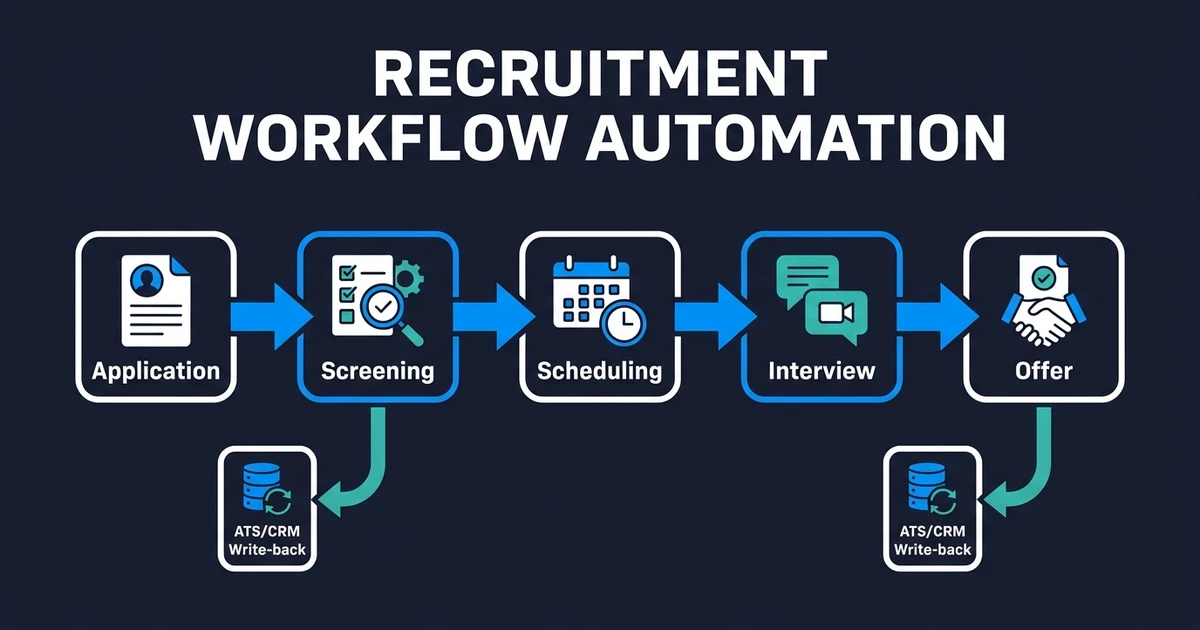
AI agents in recruitment work by reading approved inputs, applying instructions, and sending outputs back to the tools your team already uses. Those inputs can include role intake forms, candidate records, interview notes, email threads, calendar events, CRM activity, and recruiter comments.
The output should be concrete. A cleaned role summary. A missing-info checklist. A drafted candidate update. A next-step task. A CRM note. A calendar reminder. A recruiter-approved client summary.
A practical setup can connect your ATS or CRM with Gmail, Outlook, Calendly, Google Calendar, spreadsheets, and document templates. Your recruiters should not have to learn a new interface just to benefit from automation.
That is the difference between adopting another platform and building a workflow. AI workflow design starts by mapping where work gets stuck, then deciding which steps should be automated, reviewed, or left human.
What should recruitment AI agents automate first?
Start with low-risk admin that already follows a clear pattern. These tasks waste time, but they do not require a recruiter to make a high-stakes judgment.
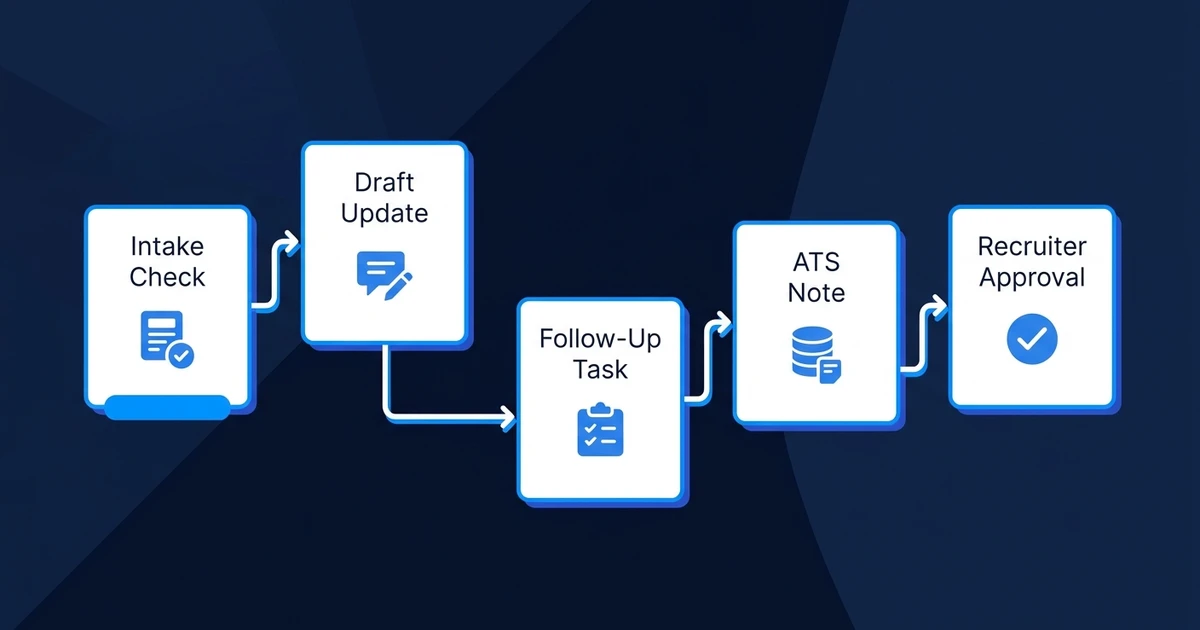
Good first targets include:
- Checking role intake forms for missing fields
- Turning meeting notes into structured job requirements
- Drafting candidate status updates for recruiter approval
- Creating follow-up tasks when a client has not replied
- Summarizing interview feedback into a recruiter-reviewed note
- Updating CRM or ATS records after approved stage changes
Here is a simple agency scenario. A 5-person recruitment team is managing 3 active job orders. Two hiring managers are late with feedback, one role intake is missing salary details, and several candidates need status updates before the weekend.
Without an agent, a recruiter has to chase every thread manually. With a controlled agent workflow, missing fields become tasks, feedback reminders are drafted, candidate updates are queued for approval, and the ATS reflects the latest status after review.
If your team wants this mapped before committing to a build, Automiq AI can identify one recruitment workflow and show where AI should draft, update, remind, or pause for review. See the fixed-fee AI automation pricing to compare the likely build size before you add another tool.
Where should humans stay in the AI recruiter workflow?
Humans should stay wherever the decision affects a person’s opportunity, trust, pay, or relationship with the client. AI can prepare information. Recruiters should make the judgment.
Keep humans responsible for final hiring recommendations, candidate rejections, salary and offer conversations, accommodations, client relationship decisions, and any exception that does not fit the written criteria.
This is also where compliance risk enters the conversation. The EEOC’s FY 2024-2028 enforcement plan explicitly recognizes the use of AI and machine learning to target job ads, recruit applicants, and make or assist hiring decisions in its recruitment and hiring priorities.
That does not mean recruitment teams should avoid AI. It means the workflow needs boundaries: clear criteria, human approvals, documented outputs, and review paths for edge cases.
How to evaluate recruitment AI agents before implementation
Evaluate agentic recruiting tools by the work they can safely move forward, not by the number of tasks they claim to handle. A useful setup should reduce manual admin while making the process easier to review.
Use this checklist before implementation:
| Evaluation question | Why it matters | Good answer |
|---|---|---|
| Does it integrate with your current ATS or CRM? | Recruiters should not copy data between systems | Updates flow back to the system of record |
| Are human approval points configurable? | Sensitive decisions need review | Recruiters approve stage changes and messages |
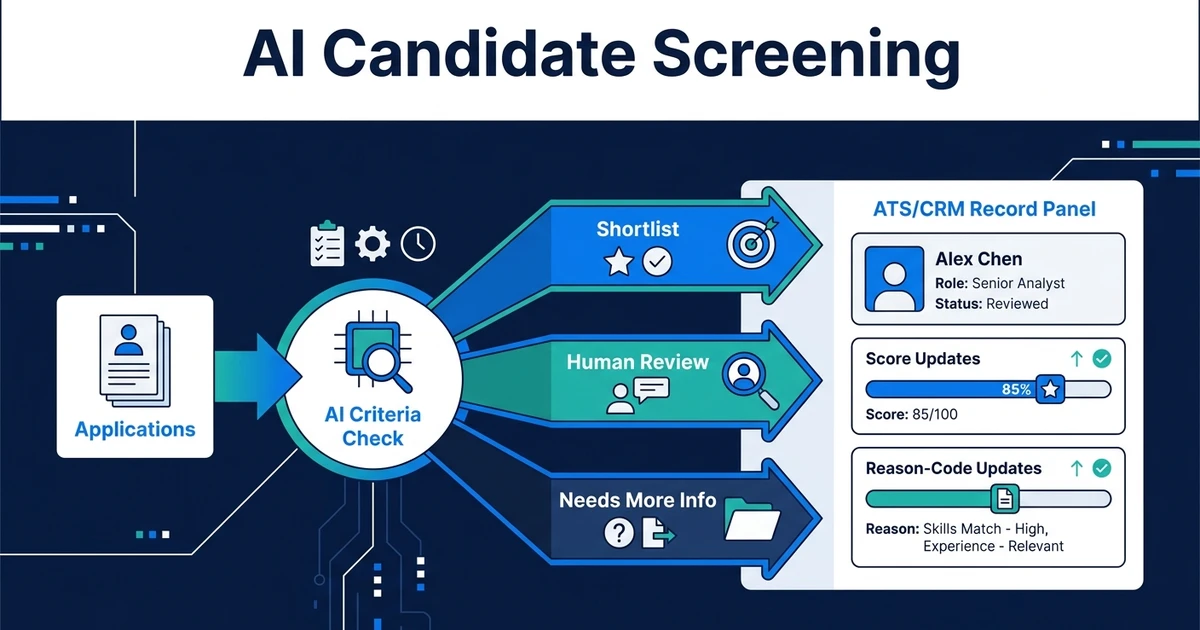
| Can you inspect the output rationale? | Black-box outputs create trust issues | Notes show source data and reason codes |
| Are prompts and criteria documented? | Workflows change over time | Updates are versioned and approved |
| Does it avoid platform migration? | Migration slows adoption | It works inside your current stack |
For smaller teams, start with one workflow. A job intake agent, status update agent, or feedback reminder agent is easier to test than a full hiring assistant.
If the first workflow saves 3 to 5 hours per week and produces cleaner records, expand from there. If it creates confusion, tighten the instructions before adding scope.
Frequently Asked Questions
Are AI recruiter agents the same as an ATS?
No. An ATS stores jobs, applications, candidate records, and hiring stages. Agentic recruiting tools coordinate work around those records, such as drafting updates, checking missing information, and preparing recruiter-reviewed handoffs.
Can recruitment AI agents reject candidates automatically?
They can be configured that way, but most recruitment teams should avoid it. Safer workflows let AI organize evidence and suggest next steps while recruiters approve advancement, rejection, and client-facing decisions.
What recruitment tasks should not be automated?
Final hiring decisions, salary negotiation, sensitive candidate conversations, accommodations, and client relationship decisions should stay human. AI can prepare context for those moments, but a recruiter should own the judgment.
Do small recruitment agencies need recruiting AI agents?
Small agencies benefit when recruiters lose hours to repeatable admin across email, CRM, calendar, and ATS updates. If your team handles only a few roles and has clean manual processes, start with one narrow workflow instead of a full agent setup.
How do AI agents in recruitment keep humans in control?
Good workflows include approval gates before messages send, candidates move stages, or client summaries go out. They also log inputs, outputs, and recruiter overrides so the process stays reviewable.
Conclusion: Use recruiting AI agents to support recruiters, not replace them
AI-assisted recruiting workflows are useful when they remove coordination work and keep humans in control. They should make role data cleaner, follow-ups faster, and recruiter handoffs easier to review.
They should not become a black-box hiring engine. Your recruiters still own judgment, relationships, exceptions, and final decisions.
Automiq AI builds recruitment automation inside the tools your team already uses, with no ATS migration and no new platform to learn. If you want a practical first step, review AI automation for recruitment agencies and choose one workflow your team should stop doing manually.