EN
EN DE
DE ES
ES FR
FR NL
NL PT
PT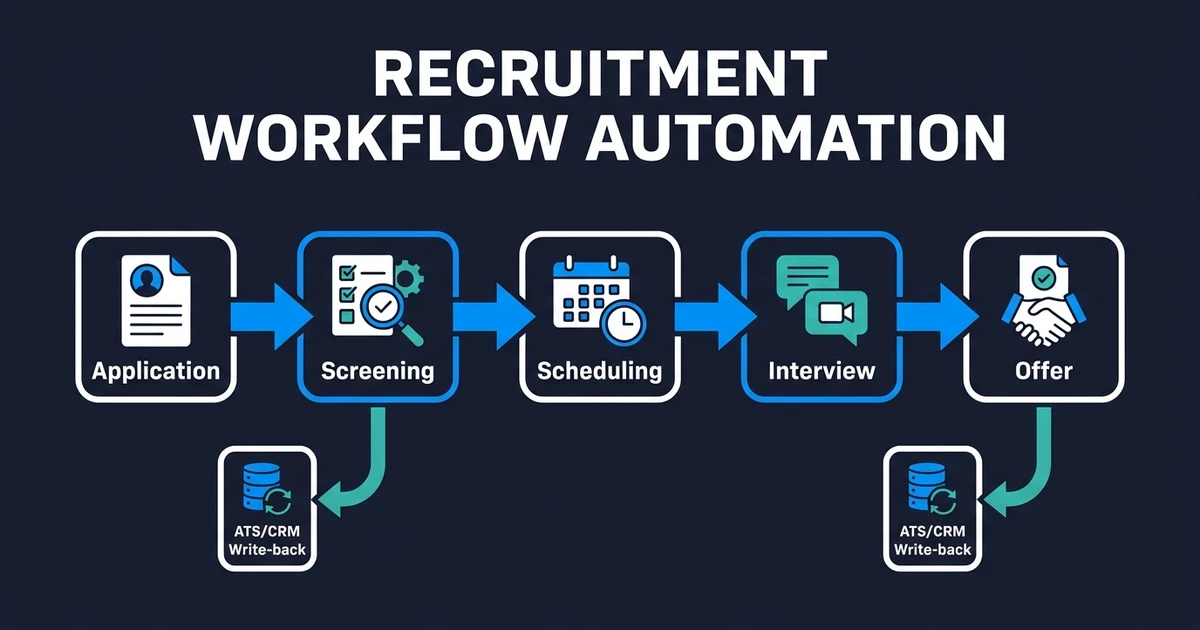
Quick Answer: Recruitment workflow automation connects each hiring stage so status changes, shortlists, calendar invites, and ATS or CRM updates happen without copy-paste handoffs. It works best when you automate repetitive process work first and keep humans on final judgment, client calls, and offer decisions.
Recruitment workflow automation is the operating layer that keeps candidates moving from application to offer without your team retyping the same details at every stage. When that layer is missing, pipelines stall even if you already have an ATS, a CRM, and a full inbox.
Open roles multiply work faster than headcount. Applications pile up. Interview slots bounce between calendars. Status fields lag behind reality. Client or hiring-manager updates turn into another manual task.
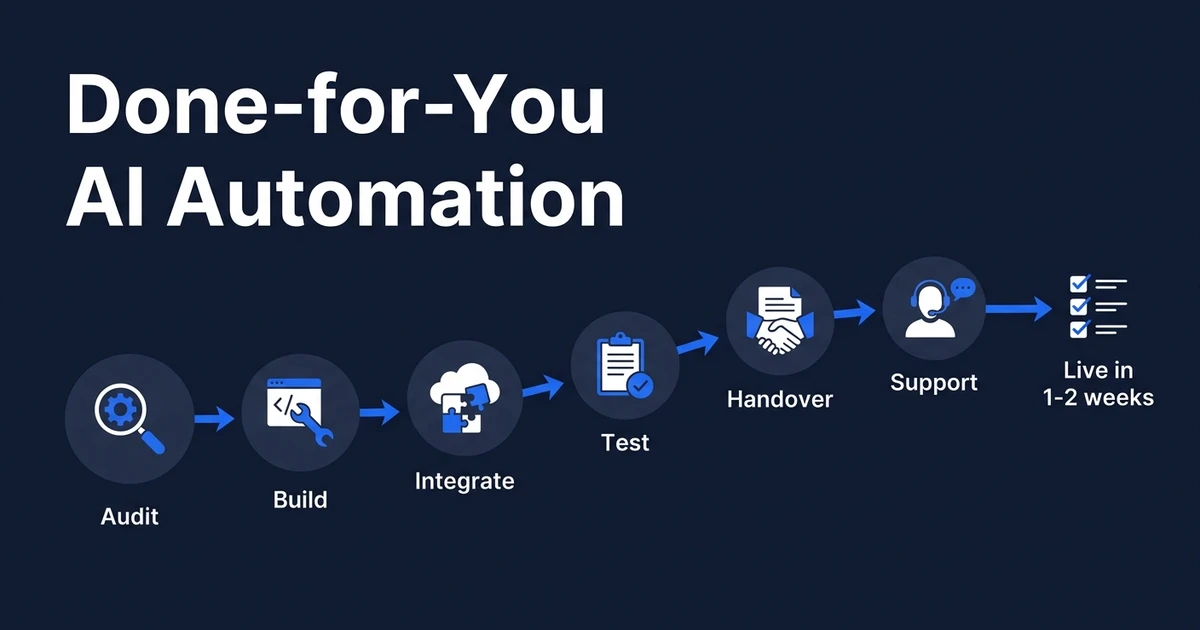
Automiq AI builds done-for-you AI workflows inside the tools your team already uses. For recruiting teams, that usually means connecting ATS or CRM records, email, and calendars so the pipeline moves without a full-time admin chasing every handoff.
Why Recruitment Workflow Automation Matters When Pipelines Stall
Manual recruiting work looks small in isolation. One status update. One calendar invite. One note after a call. One shortlist message to a client.
The cost appears when those steps stack across every role and every candidate. Your ATS stops matching reality, so recruiters manage from inboxes, spreadsheets, and status meetings instead of a clean pipeline view.
SHRM reports that recruiting is the most common HR practice area for AI use, at 27% of organizations in its State of AI in HR research for 2026. Real-world applications still cluster on process-driven tasks such as resume parsing and interview scheduling, not on replacing human judgment.
That gap is the opportunity. If AI is already entering recruiting, the teams that win are the ones that design stage triggers and handoffs, not the ones that collect more disconnected tools.
A stalled pipeline rarely fails because your team does not care. It fails because every stage depends on someone remembering to move the record, notify the next person, and log what happened.
What Does an End-to-End Recruiting Workflow Look Like?
An end-to-end recruiting workflow is a chain of stages with clear owners, entry rules, and exit rules. Automation only helps when those rules are explicit.
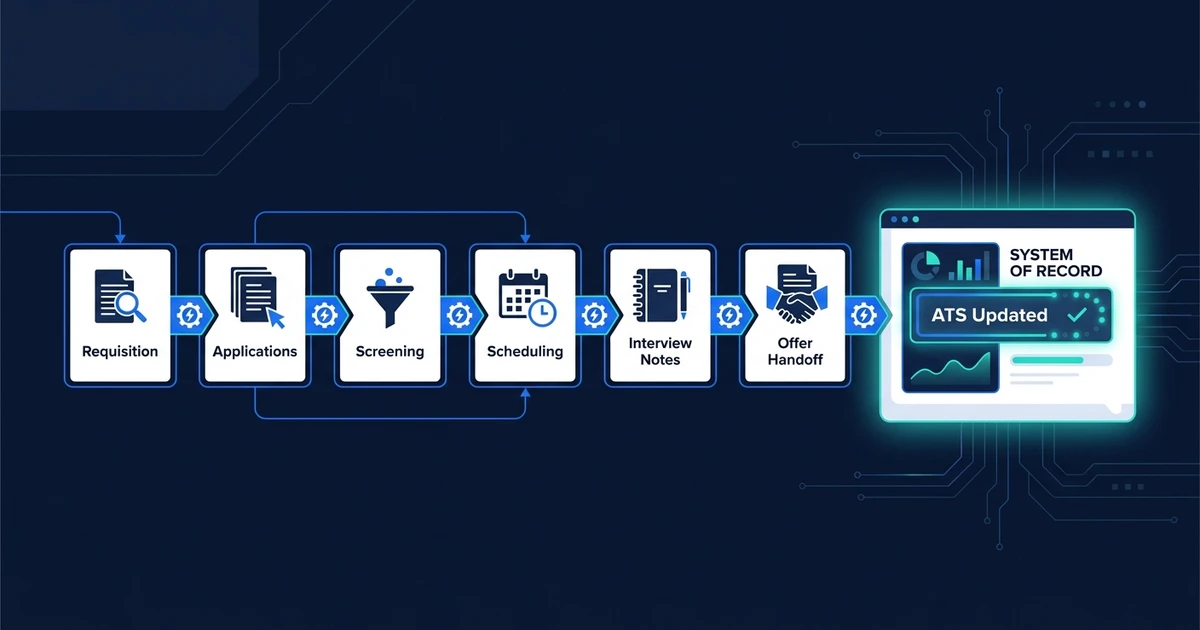
A practical map looks like this:
- Requisition opens with role criteria, must-haves, and hiring-manager owner
- Sourcing and applications land in one place with consistent fields
- Screening produces a ranked shortlist with reasons, not a silent filter
- Scheduling matches candidate and interviewer availability without inbox tennis
- Interviews produce notes, scores, and a next-stage decision
- Submit or offer packages context for the client or hiring manager
- Follow-up and close handles re-engagement, feedback, or onboarding handoff
Each stage should answer four questions: what triggers entry, what data must be complete, who decides next, and what gets written back to the system of record.
If any of those answers live only in a recruiter’s head, automation will break the first time volume spikes.
Agency teams feel this most when multiple requisitions run in parallel. In-house TA teams feel it when hiring managers expect daily updates while recruiters are still reading CVs.
Which Hiring Stages Should You Automate First?
Automate high-volume, low-judgment work first. Leave high-stakes judgment human.
Strong first targets:
- Application intake: create or update the candidate record from form, email, or PDF
- First-pass screening: score against must-haves and route top bands for human review
- Interview scheduling: propose slots from calendar availability and confirm bookings
- Post-interview cleanup: summarize notes, move stage, create the next task
- Stale-candidate rules: re-engage or archive based on inactivity and role urgency
Weaker first targets:
- Final offer decisions
- Complex salary negotiation messaging
- Sensitive rejection conversations that need full context
- Client relationship calls that depend on nuance
A good test is simple. If two trained recruiters would make the same decision from the same fields 9 times out of 10, the step can usually be automated with a review path. If they would debate it, keep a human gate.
For a concrete scenario: a staffing desk opens five similar warehouse roles. Applications arrive all day. Without automation, each CV is opened, skimmed, and retyped into the ATS. With automation, intake normalizes fields, screening flags must-haves, and recruiters only open the top band plus borderline cases.
That single change usually recovers more hours than rewriting job ads.
How AI Candidate Screening Fits the Broader Pipeline
Screening is often the first bottleneck because volume hits there first. It is also the stage most teams try to “AI” without connecting it to the rest of the workflow.
AI candidate screening should do three jobs:
- Score applications against your criteria
- Explain why a candidate ranked high or low
- Write the shortlist result back into the ATS or CRM so the next stage can start
It should not silently reject people with no audit trail, and it should not make the final hire decision.
SHRM’s talent acquisition guidance frames screening as a logical pilot: pull data from the applicant tracking system, match skills to requirements, and surface a shortlist for humans to review. That matches how strong pipelines work in practice.
For a deeper build on criteria design, shortlist bands, and review gates, use the supporting AI candidate screening article in this batch. The pillar question here is different: once screening is done, does the rest of the pipeline move without another manual rewrite?
If screening produces a shortlist but scheduling still lives in email threads, you only fixed one handoff.
How a Done-for-You Setup Works Inside Tools You Already Use
A useful setup starts with process mapping, not software shopping. The questions are basic, and they decide whether automation helps or creates noise:
- Where do applications enter today?
- Which fields define a qualified candidate for this role family?
- Which updates can happen automatically?
- Which updates need human review?
- What should happen when data is missing?
- Which system is the source of truth: ATS, CRM, or both?
That is why AI workflow design matters before any build. You map the handoffs first, then connect email, calendar, and records so recruiters stop acting as the integration layer.
If your team already runs roles in an ATS or CRM but still loses hours to status updates and calendar chasing, book a free automation discovery call. Automiq AI can identify one high-friction recruiting stage and build it into the tools you already use.
The outcome is not a new dashboard to learn. The outcome is a cleaner operating rhythm: fewer stalled candidates, fresher records, and less time reconstructing what happened with each application.
For recruitment agencies specifically, the same model is covered in our AI automation for recruitment agencies guide and the solution page for AI automation for recruitment agencies. This pillar stays focused on the end-to-end workflow map any hiring team can apply.
Done-for-You vs DIY Platforms vs Hiring Internally
Most teams choose among three paths. They build it themselves, hire for ops, or bring in a done-for-you partner.
| Option | Best fit | Tradeoff |
|---|---|---|
| DIY automation platforms | One simple trigger and one simple action | You own design, testing, exceptions, and breakage |
| Internal hire | Ongoing recruiting ops ownership across many processes | Slow and expensive if you mainly need a few high-pain workflows |
| Done-for-you build | Clear process with repeated admin across ATS, email, and calendar | Faster path to a working workflow without training your team as builders |
DIY is fine when the workflow is tiny and low risk. One notification. One task. One calendar rule.
Once the path crosses application intake, screening thresholds, human review, scheduling, and ATS write-back, design quality matters more than which connector you open. That is where done-for-you work pays for itself: someone else owns the mapping, edge cases, and handoff rules.
Hiring an internal automation specialist can work for large teams with a permanent ops load. For a 2–15 person recruiting desk, the cost and ramp time often exceed the cost of shipping the first workflows with a fixed build.
How to Evaluate Whether Your Recruiting Process Is Ready
You do not need a perfect process. You need a process that can be written down.
Use this checklist:
- You can name the stages for your most common role type
- Must-haves are written somewhere outside a recruiter’s memory
- One system of record is agreed for candidate status
- Owners are clear for recruiter, coordinator, and hiring manager steps
- You know the bottleneck (screening volume, scheduling, or updates)
- You can define exceptions such as VIP roles or client-sensitive positions
- Someone will review automation output for the first 2–4 weeks
If you fail half of these, start with documentation, not tools. Automation will only scale the confusion.
If you pass most of them, pick one stage with daily volume and a clear rule set. Ship that first. Measure time spent, time-to-shortlist, and missed follow-ups before expanding.
SHRM notes that 56% of HR professionals still do not formally measure AI investment success in the same 2026 research. Do not copy that pattern. Define the baseline hours and cycle time for the stage you automate, then compare after 30 days.
Frequently Asked Questions
What is recruitment workflow automation?
It is the set of triggers, rules, and write-backs that move candidates through hiring stages without manual re-entry. The goal is fewer handoffs that depend on memory, not fewer humans in the process.
Which recruiting stages should I automate first?
Start with application intake, first-pass screening, interview scheduling, and post-interview status updates. Those stages repeat often and have clearer rules than offers or complex negotiations.
Does recruitment workflow automation replace recruiters?
No. It removes triage, scheduling, and record-keeping load so recruiters can focus on evaluation, client communication, and closing. Final decisions should remain human.
Can this work without switching my ATS?
Yes. The practical path is connecting your existing ATS or CRM with email and calendar so records stay current after each stage. Platform replacement is rarely the first step.
How does Automiq AI implement recruiting automation?
Automiq AI maps the process, builds the workflow inside your stack, integrates the tools already in use, and adds review points where judgment matters. You receive a working system rather than a tutorial to build one.
Build a Hiring Pipeline That Moves Without Manual Handoffs
Hiring does not break because your team lacks effort. It breaks when every stage needs a manual rewrite of the same candidate story.
Recruitment workflow automation fixes that by making handoffs explicit: what enters a stage, what gets scored, who decides, and what gets written back. Screening, scheduling, and status updates stop living in separate inboxes.
If you want a done-for-you path, book a free automation discovery call with Automiq AI. We will map one high-friction recruiting stage, design the workflow, and build it inside the tools your team already runs so candidates keep moving without another admin layer.