EN
EN DE
DE ES
ES FR
FR NL
NL PT
PT
Quick Answer: AI vs Automation — What Is the Difference?
Traditional automation follows fixed rules: if X happens, do Y. It handles structured data perfectly but breaks on exceptions and cannot process natural language. AI automation adds intelligence — it reads emails, interprets documents, makes judgment calls, and handles variation. Most businesses need both: traditional automation for predictable tasks, AI automation for the ones that require context and understanding.
“AI” and “automation” are used interchangeably in most business conversations. They are not the same thing — and confusing them leads to buying the wrong tools, automating the wrong tasks, and wondering why your automation keeps failing.
Understanding the difference between AI and traditional automation is not a technical exercise. It is a practical business decision that determines what you can automate, which tools you need, and what ROI to expect.
What Is Traditional Automation?
Traditional automation — also called rule-based automation or workflow automation — executes predefined actions when specific conditions are met.
How Rule-Based Automation Works
The logic is straightforward: trigger → condition → action.
- Trigger: A new row is added to a spreadsheet
- Condition: If the “Status” column equals “Approved”
- Action: Send an email notification to the finance team
Every step must be explicitly defined before the automation runs. The system cannot deviate, interpret, or adapt. If the input does not match the rule exactly, the automation either fails or does nothing.
Common Traditional Automation Tools
You have likely encountered these already:
- Zapier — connects hundreds of apps and triggers actions based on events
- Make (formerly Integromat) — visual multi-step workflow builder
- Microsoft Power Automate — enterprise-grade process automation
- n8n — open-source workflow automation with self-hosting options
These tools are powerful for structured, predictable processes. A workflow that moves every new form submission into a CRM and sends a Slack notification works perfectly — as long as every form submission looks the same.
Where Traditional Automation Excels
Rule-based automation is the right choice when:
- Data is structured and consistent (fields, dropdowns, numbers, dates)
- The process has no exceptions or edge cases
- You need reliable, low-cost execution at high volume
- The task involves moving data between two systems
Examples: New form submission → add to email list; New payment received → create invoice record; Every Monday 9am → send pipeline report to director.
The Limits of Traditional Automation
Real business processes are rarely clean. And this is where traditional automation reaches its boundary.
- An enquiry email is written in natural language — there is no field to match against
- A PDF invoice has data in unpredictable positions that change by supplier
- A customer complaint needs interpretation to be routed correctly
- A lead needs judgment to qualify, not just a dropdown value check
Traditional automation breaks on these inputs. It either fails silently, routes incorrectly, or requires an ever-growing set of conditional rules that become impossible to maintain.
Wondering which type of automation fits your business processes?
Book a free strategy call with Automiq AI →
What Does AI Automation Add?
AI automation builds on the foundation of traditional automation and adds an intelligence layer — the ability to understand context, interpret language, and make decisions.
AI Understands Unstructured Inputs
This is the most significant practical difference. AI can read and process:
- Emails written in natural language and extract intent, urgency, and key details
- PDF documents in any format and pull out specific fields (amounts, names, dates, terms)
- Voice recordings — transcribe, summarise, and route them to the right place
- Open-text form responses — classify sentiment, intent, and qualification signals
Anything a human can read and understand, AI can process and act on. This opens up an entirely different category of automation — the tasks that previously required a human because they involved reading and reasoning, not just data matching.
AI Makes Contextual Judgment Calls
Traditional automation routes a lead to “high priority” only if the dropdown says “Large Enterprise.”
AI reads the entire enquiry and understands that — even though the company is small — they have a specific urgent requirement, a named budget, and a three-week decision timeline. That lead gets routed as high priority because the AI understood what the human meant, not just what they selected.
This contextual judgment is what turns automation from a rigid system into a genuinely intelligent one.
AI Handles Exceptions Intelligently
In traditional automation, an unexpected input breaks the workflow. In AI automation, the exception is handled — either resolved by the AI within defined boundaries or escalated to a human with the full context provided.
No silent failures. No missed tasks. No processes that work for 80% of cases and fall apart on the other 20%.
AI Improves Over Time
AI models can be refined with feedback. As you validate or correct AI outputs, the system learns what “good” looks like in the context of your specific business. Traditional automation does exactly what you programmed — nothing more, nothing less.
AI vs Automation: Side-by-Side Comparison
| Capability | Traditional Automation | AI Automation |
|---|---|---|
| Input types handled | Structured data only | Emails, documents, voice, free text |
| Decision making | Fixed rules | Contextual judgment |
| Handles exceptions | No — fails or skips | Yes — interprets and routes |
| Understands natural language | No | Yes |
| Learns over time | No | Yes — improves with feedback |
| Setup complexity | Low | Medium to High |
| Ongoing cost | Low | Low to Medium |
| Best suited for | Predictable, structured tasks | Variable, judgment-heavy tasks |
| Typical tools | Zapier, Make, Power Automate | Make + Claude/OpenAI, n8n + AI models |
Ready to build workflows that use both intelligently?
Explore Automiq AI’s workflow design service or view our solutions by industry.
Business Use Cases: When to Use Each
The choice between AI vs automation is not either/or. The most effective automation stacks use both — traditional automation for clean, structured tasks and AI automation for the judgment-heavy ones.
Use Traditional Automation When…
- You are moving structured data between two systems (form → CRM → spreadsheet)
- The process has clear, fixed rules with no meaningful exceptions
- Speed and low cost are the priority
- Every input arrives in a predictable, consistent format
Real examples:
- New contact form submitted → create CRM record, add to email list, notify sales rep
- Invoice marked as paid in accounting system → close deal in CRM, send thank-you email
- Every Friday at 5pm → generate and email weekly performance report to the team
Use AI Automation When…
- The process starts with a natural language input — an email, voice message, or open text
- Decisions require reading and interpretation, not just field matching
- You need to qualify, classify, or prioritise based on content and context
- Your process has exceptions that need handling, not just ignoring
Real examples:
- Inbound enquiry email → AI reads intent, scores the lead, drafts a personalised reply
- Post-call recording → AI extracts notes, updates CRM, creates follow-up task
- Supplier invoice arrives as PDF → AI extracts fields, pushes to accounting system
The Practical Combination
A well-designed AI workflow typically combines both:
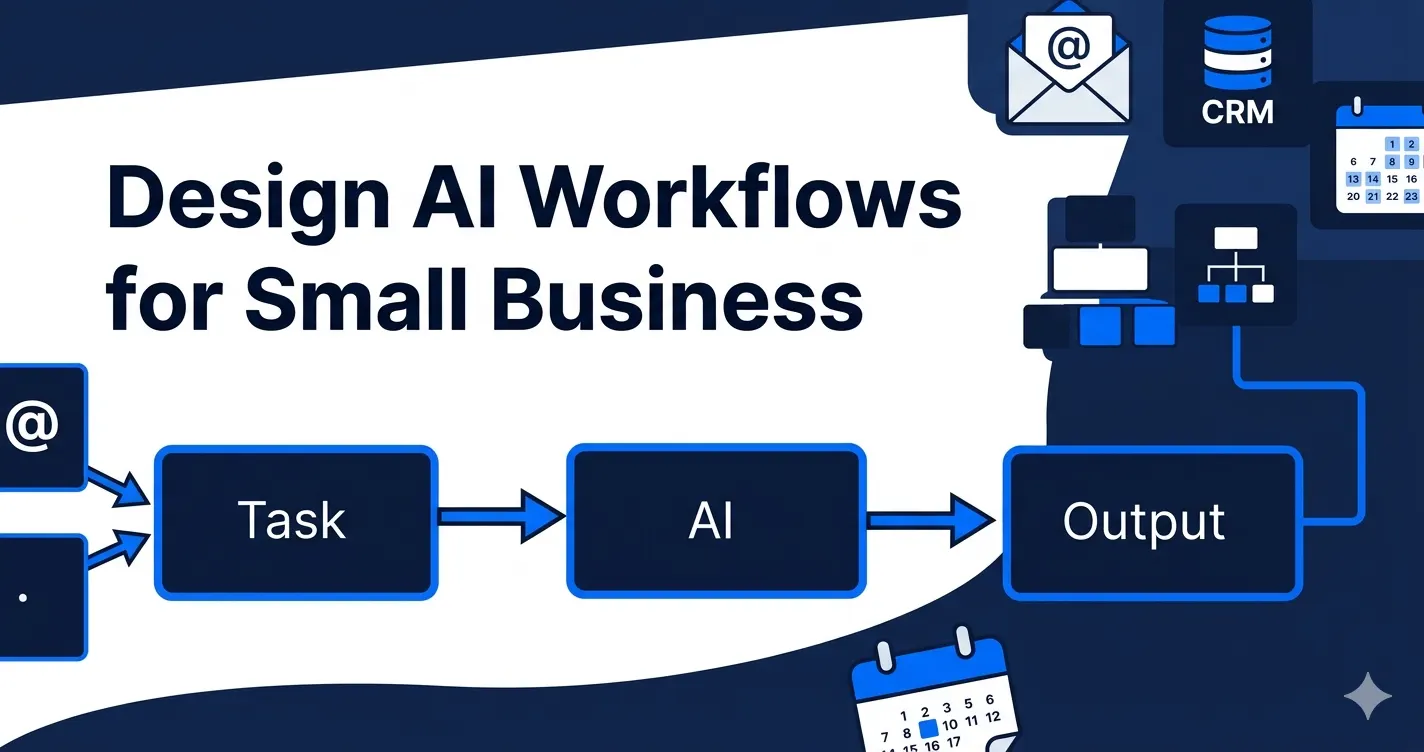
- Traditional automation detects the trigger (new email arrives in inbox)
- AI processes the unstructured content (reads and classifies the email)
- Traditional automation executes the action (creates CRM record, sends notification)
- AI handles exceptions (generates a custom response if no standard template applies)
This layered approach handles the full range of real business inputs — not just the clean, predictable ones.
Which Should Small Businesses Start With?
For most small businesses, the practical path is:
Start with traditional automation for quick wins, then layer in AI for higher-value processes.
This approach:
- Delivers fast ROI from simple, low-cost automations first
- Builds team confidence in automation as a concept
- Creates the connected data infrastructure that AI workflows need to run effectively
- Scales naturally as automation maturity grows
If you are already running basic automations and they keep failing — because your inputs involve emails, documents, or judgment calls — that is the signal to introduce an AI layer.
Explore how AI workflow automation works in practice or see the top AI automation ideas for small businesses to find the right use case to start with.
Conclusion
AI vs automation is a practical distinction, not just a technical one.
Traditional automation is fast, cheap, and reliable for structured tasks. AI automation handles the unstructured, language-based, judgment-heavy work that rule-based tools cannot touch. Together, they cover the full spectrum of what your business actually needs to automate.
The businesses getting the most from automation are not choosing one over the other. They are combining both — the right tool for each type of task — with a clear implementation strategy behind every workflow.
Book a free strategy call with Automiq AI and we will map the right mix of traditional and AI automation for your specific processes and business goals.
Key Takeaways
- Traditional automation handles structured data — fixed fields, dropdowns, and predictable inputs; AI automation handles language, documents, and contextual judgment
- Most effective automation stacks combine both — traditional automation as the trigger and execution layer, AI as the intelligence layer in between
- Upgrade from rule-based to AI when your workflows keep failing on language-based, variable-format, or exception-prone inputs
- AI automation improves over time with feedback; traditional automation does exactly what you programmed and nothing more
- Start with traditional automation for quick wins, then layer in AI for the higher-value, context-dependent processes
Frequently Asked Questions
What is the difference between AI and traditional automation?
Traditional automation follows fixed, predefined rules — if X happens, do Y. It only handles structured inputs and breaks on exceptions. AI automation adds an intelligence layer — it understands natural language, interprets documents and emails, makes contextual judgments, and handles variation.
Can small businesses use both AI and traditional automation?
Yes — and most should. Traditional automation handles structured tasks cheaply and reliably. AI handles the language-based, judgment-heavy tasks that rule-based tools cannot. The best automation stacks use both intelligently.
Is traditional automation still relevant in the age of AI?
Absolutely. Traditional automation is faster to build, cheaper to run, and ideal for structured data movements. AI adds value specifically where inputs are unstructured or decisions require interpretation. Both have a clear and complementary role.
Which is cheaper: AI automation or traditional automation?
Traditional automation is cheaper to build and run. Simple workflows cost $20–$50/month in software. AI automation adds AI model usage costs ($50–$200/month depending on volume) and higher build complexity. However, AI delivers higher ROI on tasks that previously required a human.
What traditional automation tools work best for small businesses?
The most widely used are Make for complex multi-step workflows, Zapier for simple app-to-app connections, and n8n for businesses that want self-hosted flexibility. All integrate with hundreds of apps without any coding.
When should a business upgrade from traditional automation to AI?
Upgrade when your process involves natural language inputs, judgment-based decisions, variable-format documents, or exceptions that break your current rules. If your rule-based workflows keep failing on unexpected inputs, it is time to introduce an AI layer.