EN
EN DE
DE ES
ES FR
FR NL
NL PT
PT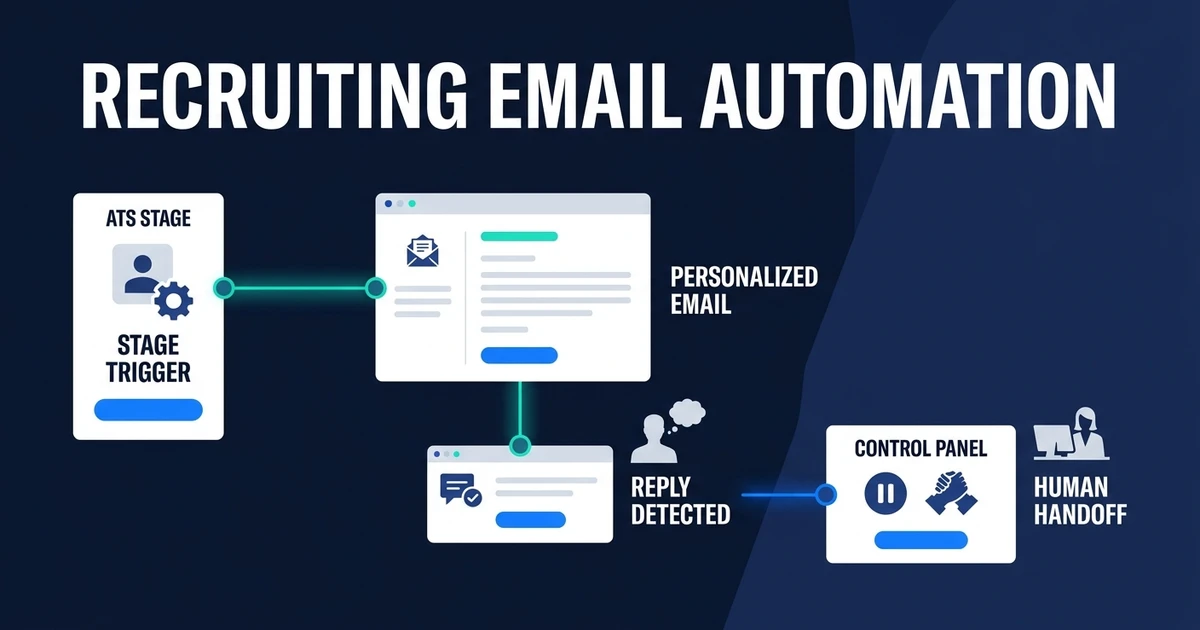
Quick Answer: Recruiting email automation sends the right candidate message when an ATS stage, calendar event, deadline, or reply status triggers it. A well-designed setup personalizes approved content, stops after a response, logs activity in the candidate record, and sends sensitive or ambiguous communication to a recruiter.
Automated recruiting email workflows replace reminders that live in someone’s head with controlled communication rules. Candidates receive acknowledgements, interview details, and status messages when the underlying event happens, while recruiters take over when a reply needs judgment.
The goal is not more email. It is fewer silent gaps, fewer duplicate messages, and a complete record of what each candidate received.
Why Candidate Communication Fails When Recruiters Manage It From Memory
Candidate communication competes with screening calls, client work, interviews, sourcing, and offer discussions. A recruiter may intend to send an update after a meeting, but another urgent role takes priority and the message waits.
The candidate sees silence. The ATS still shows the old stage. Another team member may send a duplicate follow-up because they cannot see the first message in the record.
Templates reduce writing time, but they do not solve timing or ownership. Someone still has to notice the event, select the template, fill the right details, send it, and log it.
Talent teams already using generative AI reported an average workload reduction of 20%, according to LinkedIn’s 2025 Future of Recruiting research. Communication is a useful place to recover capacity because the transactional messages repeat while the relationship still belongs to the recruiter.
What Is Recruiting Email Automation?
It is a workflow that connects an approved business event with an approved candidate message. The event might be an application, stage change, interview booking, deadline, missing field, inactivity window, or response.
The workflow needs five elements:
- A reliable trigger
- The correct candidate and role context
- An approved message or drafting instruction
- A rule for sending, reviewing, pausing, or escalating
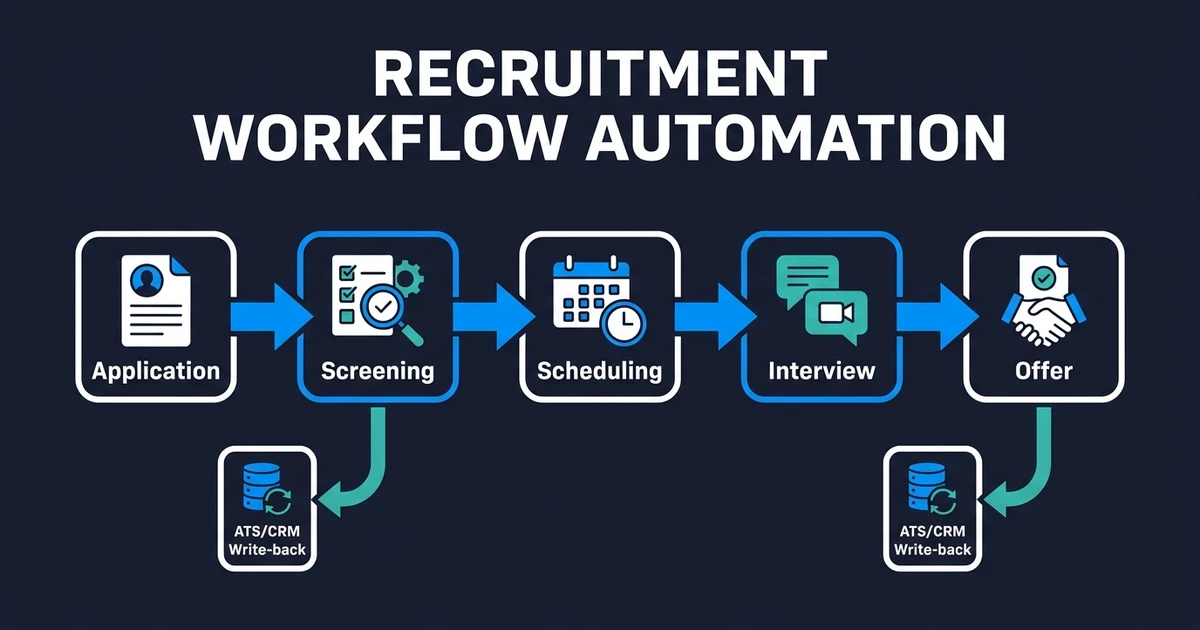
- A write-back to the ATS or CRM
This is different from uploading a list and sending a campaign. Recruiting communication follows an individual candidate’s status and should stop or change when that status changes.
The system should also know who owns the conversation. A candidate replying to an interview confirmation needs a different handoff from someone raising a compensation concern or requesting an accommodation.
Which Recruiting Emails Should You Automate?
Start with messages whose purpose and trigger are clear:
- Application received acknowledgements
- Requests for a missing document or required detail
- Screening invitations
- Interview confirmations and preparation instructions
- Calendar reminders and approved reschedule notices
- Status updates after an agreed decision
- Requests for availability or administrative information
- Post-process check-ins that follow an approved policy
These messages communicate a known fact or ask for a defined action. Automation removes the delay between the event and the message.
Sensitive communication needs another path. Rejection feedback, candidate complaints, compensation discussions, disputed information, and long internal delays require context. The workflow can draft or create a task, but a recruiter should review the final response.
Cold sourcing is a separate use case. The recruitment agency automation guide covers outreach sequences. This article stays with candidates already inside an active process.
How Do Stage Triggers, Reply Detection, and Pause Rules Work?
The trigger should represent a real state change, not a guess. Examples include a submitted application, recruiter-approved stage movement, confirmed calendar event, completed interview, or deadline with no recorded action.
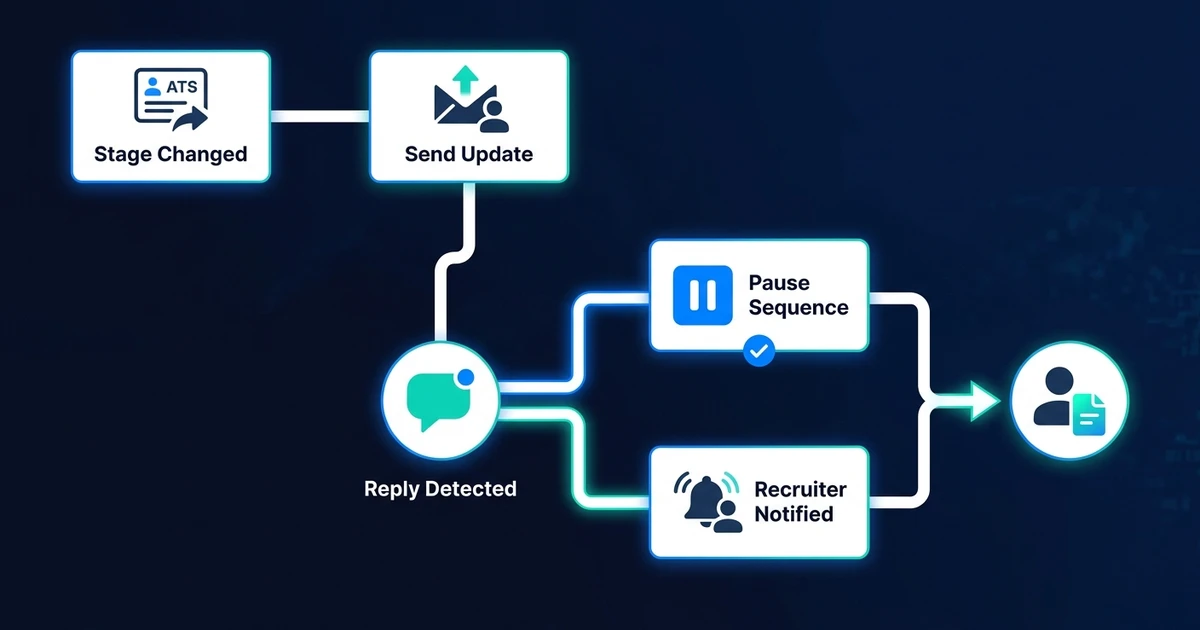
Before sending, the workflow checks conditions:
- Is the candidate still in the expected stage?
- Is the recruiter or team owner current?
- Has the candidate already replied or opted into another channel?
- Are required details such as role, time, and location complete?
- Is the message approved for automatic sending?
Reply detection must stop future messages. The response should attach to the candidate record, notify the owner, and create a next action when needed. Clear administrative replies can follow a rule, but nuanced answers should remain unread by automation beyond routing or draft support.
Pause rules prevent embarrassing sequences. If the role closes, an interview is canceled, a candidate withdraws, or a recruiter takes manual control, pending messages should stop immediately.
How Can Automated Recruiting Emails Stay Personal?
Personalization should come from verified context, not invented familiarity. Use the candidate’s approved name, role, stage, interview details, recruiter identity, and explicit next action.
A useful message answers four questions:
- Why am I receiving this?
- Which role or conversation does it concern?
- What happens next?
- Who can I contact if something is wrong?
Do not generate compliments from weak profile signals or pretend the recruiter wrote a personal note when they did not. A clear operational message builds more trust than a synthetic attempt at warmth.
LinkedIn reported AI-assisted messages had a 44% higher acceptance rate and were accepted more than 11% faster than messages without AI assistance in its 2024 product findings. Those figures belong to LinkedIn’s environment, but the underlying lesson is useful: speed and relevant context should work together.
If your agency wants stage-triggered messages connected to its existing ATS and inbox, Automiq AI’s recruitment automation service maps the message rules, reply paths, approvals, and activity logging before the workflow goes live.
Which Candidate Messages Should Stay Human?
Keep conversations human when the message affects trust, rights, compensation, or a high-stakes decision. The workflow can collect context and prepare a draft, but a recruiter should decide what to say.
Human-led categories include:
- Detailed rejection feedback
- Accommodation and accessibility requests
- Complaints about treatment or process
- Compensation, notice, and offer negotiations
- Sensitive delays or internal disagreements
- Questions the approved knowledge base cannot answer
SHRM found that 72% of surveyed HR professionals believed nontechnical barriers would prevent complete HR automation. Among that group, 87% cited the preferences of employees, leaders, and applicants, according to its 2026 State of AI in HR report.
Use automation to protect the human relationship from administrative delay. Do not use it to remove the relationship.
What Does Recruiting Email Automation Look Like Across Active Roles?
Imagine a small agency running several active roles. New applications arrive throughout the day. Interviews move, clients delay feedback, and recruiters alternate between candidate conversations and business development.
In the manual process, each consultant remembers their own follow-ups. Candidates receive different response times, and managers cannot see which messages are outstanding without asking the team.
In the automated process, an application triggers an acknowledgement, an approved screen triggers an invitation, a booking triggers confirmation and preparation details, and a completed interview creates the next communication task. Replies pause automation and return the conversation to the owner.
The agency gains consistency without forcing every candidate into the same path. Role-specific messages and human exceptions remain available, while standard communication no longer depends on recruiter memory.
For the wider handoffs around these events, see how communication fits the broader recruitment workflow.
Done-for-You vs DIY Email Automation vs Manual Follow-Up
Choose based on trigger complexity, data sources, and the risk of an incorrect message.
| Approach | Best fit | Main tradeoff |
|---|---|---|
| Manual follow-up | Low volume and sensitive searches | Timing and logging depend on recruiter capacity |
| DIY email rules | A few clear triggers and standard messages | Your team owns reply handling, tests, and maintenance |
| Done-for-you workflow | Several stages, roles, owners, and ATS write-backs | Requires approved message rules and governance |
DIY can work for an acknowledgement and a simple interview reminder. Test what happens after a reply, role closure, withdrawal, owner change, or missing data before adding more steps.
Manual follow-up remains appropriate for executive or highly sensitive searches. The team may value individual control more than speed, especially when each message carries commercial or relationship context.
A done-for-you setup fits when the workflow needs to coordinate stages, calendars, inboxes, ATS records, and approvals. The work is not just writing messages. It is controlling when they run and when they stop.
How Do You Evaluate a Recruiting Email Automation Setup?
Measure communication quality, not send volume. Useful metrics include:
- Time from trigger to acknowledgement
- Messages sent with missing or incorrect context
- Replies that paused the sequence correctly
- Duplicate messages
- Delivery failures and bounced addresses
- Manual exceptions by message type
- Candidate complaints or correction requests
- Outgoing and incoming activity logged in the ATS
Test with dummy records before live candidates. Include a normal progression, early reply, role closure, withdrawal, missing interview time, changed recruiter, bounced address, and sensitive question.
Review the messages after launch. If recruiters repeatedly edit the same content or override the same trigger, the workflow rule needs improvement. Do not blame users for correcting a design problem.
Frequently Asked Questions
What is recruiting email automation?
It sends approved candidate messages when an ATS stage, calendar event, deadline, or reply status triggers them. It also pauses, logs, and escalates the communication according to defined rules.
Which recruiting emails are safe to automate?
Acknowledgements, requests for missing information, interview details, reminders, and approved status updates usually have clear triggers. Sensitive feedback and negotiations should remain human-led.
Will automated recruiting emails feel impersonal?
They will if they use generic copy or invented personalization. Use verified role, stage, recruiter, and next-step data so the message is specific without pretending to be personal correspondence.
Can candidate email automation stop when someone replies?
Yes. Reply detection should pause pending messages, attach the response to the candidate record, and notify the correct recruiter. That stop rule is essential.
Can recruiting messages and replies be logged in an existing ATS?
Yes. The workflow can store message content, delivery status, replies, timestamps, and next actions in the existing candidate record while recruiters continue using their normal inbox.
Keep Every Candidate Informed Without Living in Your Inbox
Candidates should not need to chase your team for information the process already knows. A stage change, booking, deadline, or missing field can trigger a clear message without adding another reminder to a recruiter’s day.
The strongest workflow sends routine information quickly and returns real conversations to people. That balance creates consistency without turning candidate relationships into a sequence engine.
Book a discovery call to map your candidate communication workflow. Automiq AI will define the messages, triggers, reply rules, approval gates, and ATS logging needed to keep candidates updated without losing recruiter control.