EN
EN DE
DE ES
ES FR
FR NL
NL PT
PT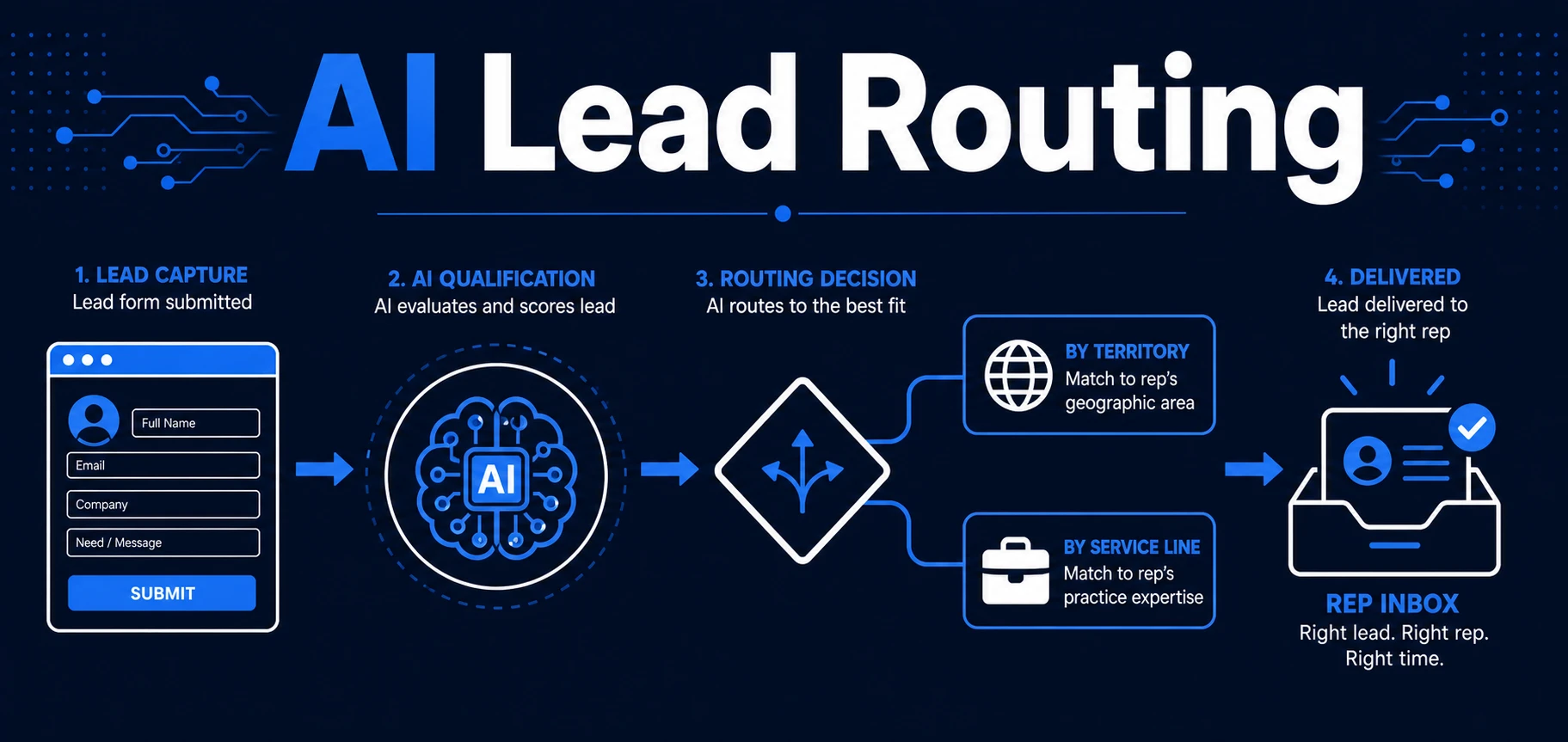
Quick Answer: AI lead routing sends each inbound lead to the right person or team based on your rules, so hot prospects do not wait in a shared inbox. It works best when routing is connected to qualification, CRM updates, and clear handoff logic.
Most lead delays happen after the lead arrives.
The form submission is there. The email is there. The inquiry is real. The problem is that nobody is sure who should handle it next, so the lead waits while your team sorts it out manually.
That pause is expensive. It slows response time, creates duplicate work, and makes good opportunities look smaller than they are.
Why Slow Lead Routing Costs More Than You Think
Slow routing turns a simple handoff into a bottleneck. A lead that should go straight to sales, a specific rep, or a specific service line ends up in a shared inbox where it competes with everything else.
The cost is not only speed. It is context loss. By the time someone decides where the lead belongs, they may have already stripped away the details that made the request urgent in the first place.
That is why routing should be treated as a decision layer, not a cleanup task. Once the lead is in motion, the workflow should already know who owns it and what happens next.
What AI Lead Routing Actually Does
AI lead routing evaluates the information in a new lead and maps it to the right next step. That can mean a person, a pipeline, a territory, a service category, or an escalation path.
It is not the same thing as sending every lead to the same inbox faster. It is about making the first handoff accurate so your team does not waste time re-sorting the same lead later.
In practice, AI lead routing can look at source, message intent, service line, urgency, location, company type, or existing CRM history. Then it applies your rules and sends the lead where it belongs.
The Routing Signals That Matter Most
The best routing rules are simple enough to explain and strict enough to be useful. If your rules are vague, the system will be vague too.
The most reliable signals are:
- Territory or region
- Service line or product line
- Urgency or stated timeline
- Lead source
- Rep availability
- Existing account or duplicate contact status
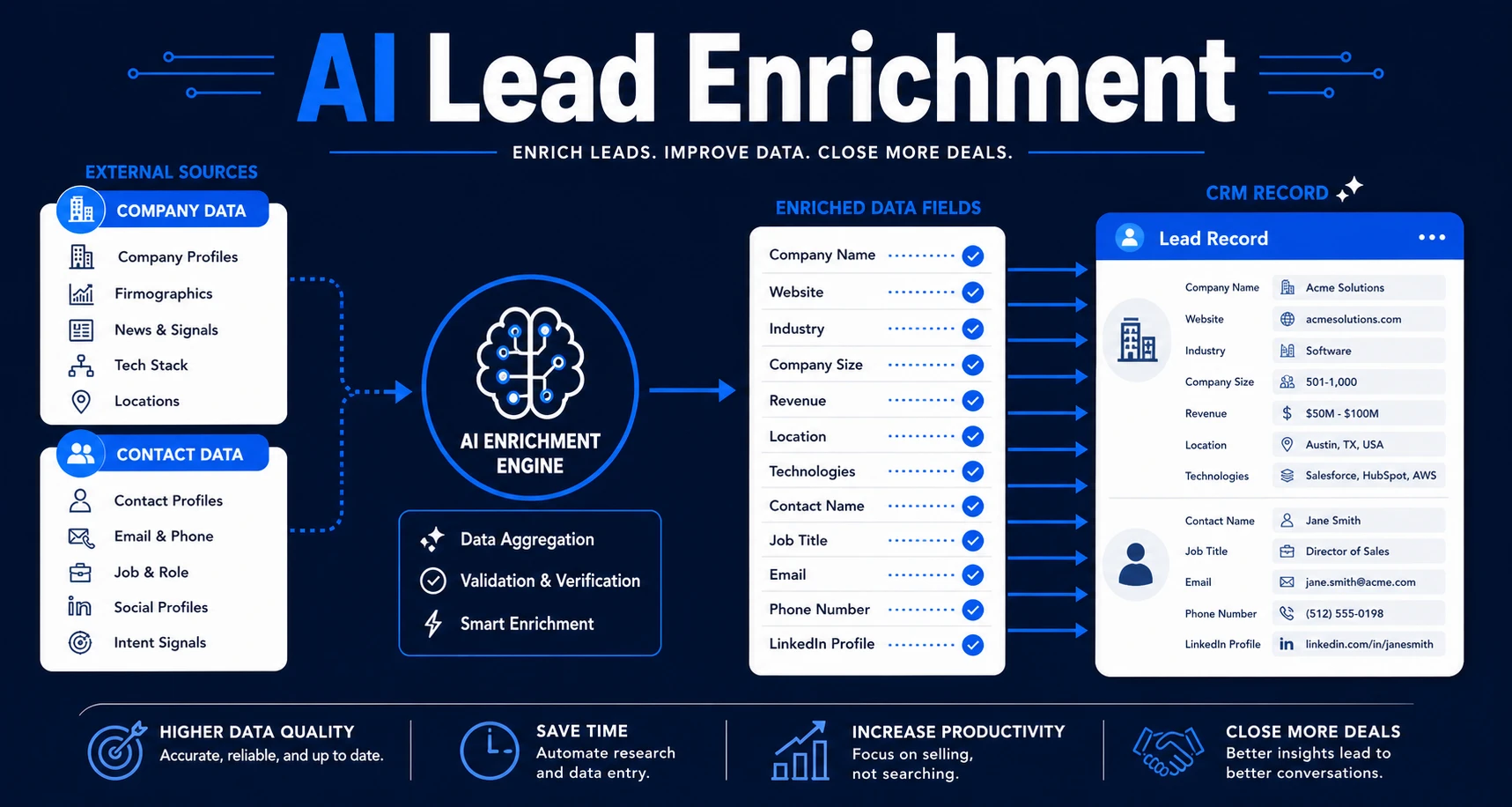
AI adds value when the input is messy. A lead may not fill every field cleanly, but the system can still infer enough from the message to make a better first decision than a human doing inbox triage at the end of the day.
McKinsey says machine learning can prioritize leads and assign account executives to top prospects by analyzing lead characteristics against transaction data in its B2B sales research. That is the useful frame here. Routing is a prioritization problem before it is a workflow problem.
How AI Lead Routing Works in a Real Workflow
Imagine a lead comes in from a website form for a professional services business. The message asks for help with a specific service, and the company is already in your CRM.
Without routing, the inquiry sits in a shared inbox until someone decides who should own it.
With AI lead routing, the workflow can read the request, check the lead against your rules, confirm the correct rep or team, and send the lead to the right place immediately.
The same workflow can also create the CRM record, tag the source, and notify the owner with the context they need. That means the rep gets a routed lead, not a mystery inbox item.
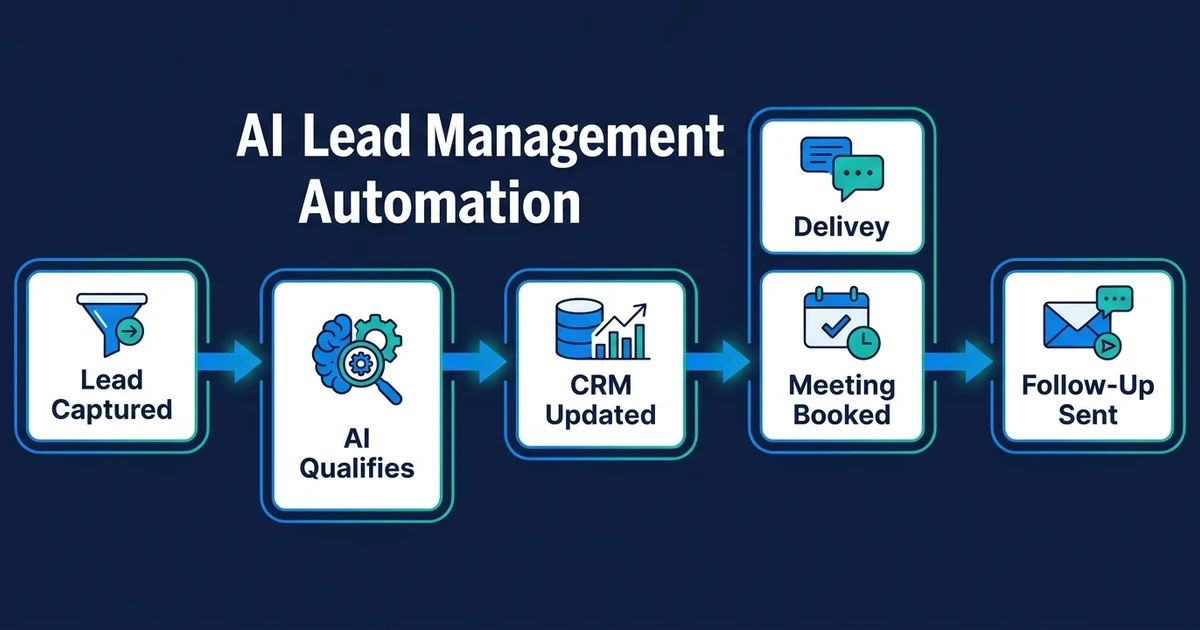
If routing is part of your broader lead system, AI workflow automation explained shows how capture, scoring, routing, response, and CRM updates work together. Routing is one piece of that system, but it only works well when the other pieces are not broken.
Routing Rules for Territory, Service Line, and Urgency
Routing rules should match the way your business actually operates. A sales team with regional ownership should not route by random rep availability if territory matters more than speed.
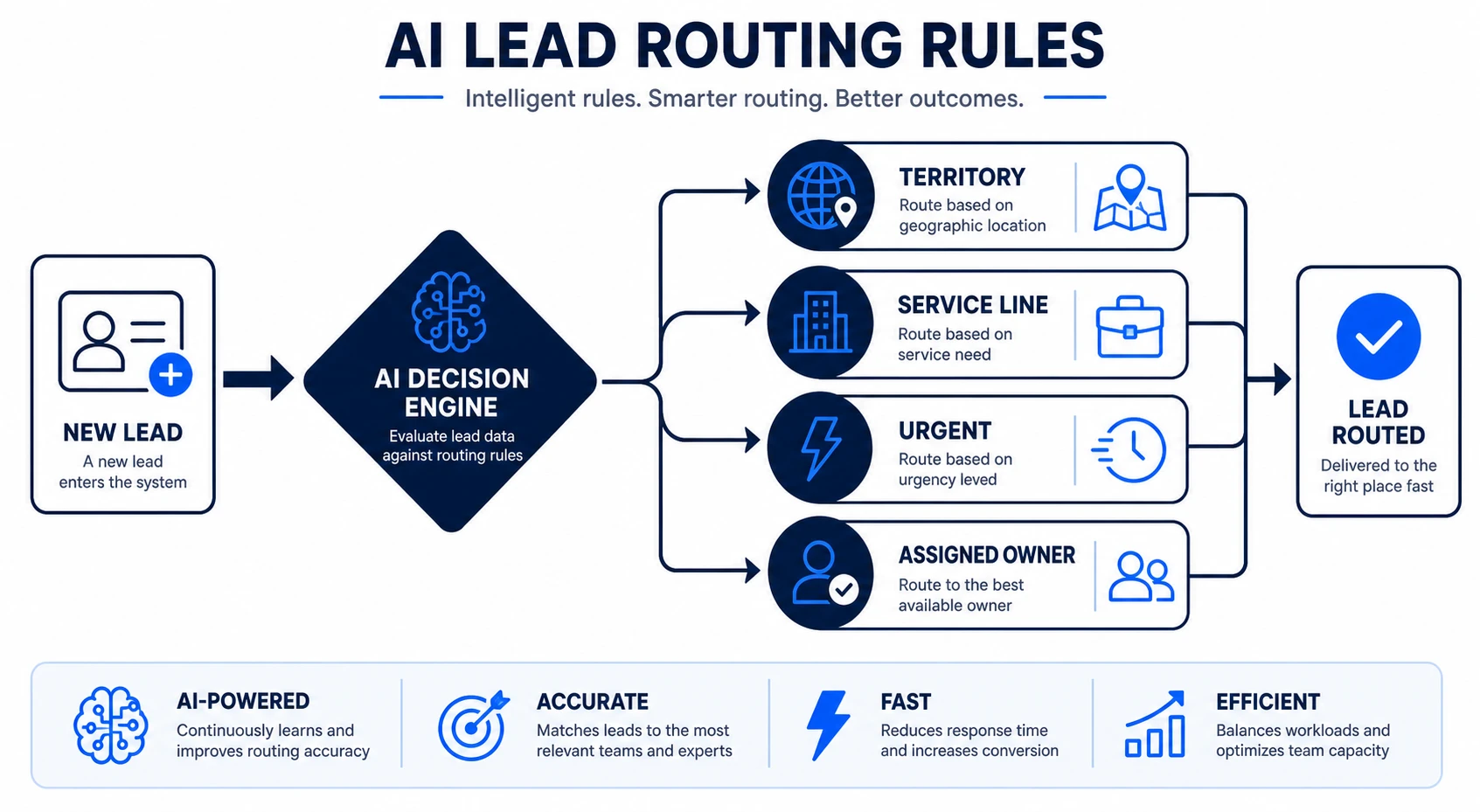
Likewise, a service business that sells multiple offers should not send every inquiry to the same person and hope they sort it out. The system should know whether a lead belongs to sales, support, a specialty team, or a fast-track escalation path.
Here is a simple way to think about the rule set:
| Routing trigger | Example rule | What the system does |
|---|---|---|
| Territory | Lead location matches East region | Assign to the East rep |
| Service line | Request is for one specialty offer | Route to that service owner |
| Urgency | Lead mentions same-day or this week | Notify immediately and mark hot |
When the workflow is this clear, speed improves without creating confusion. Your team does not need to interpret every lead from scratch because the system already made the first pass.
Where Routing Fits Inside Lead Scoring and Qualification
Routing should not work in isolation. A lead can be routed badly even if the message looks good on paper. That is why scoring and qualification matter before or alongside routing.
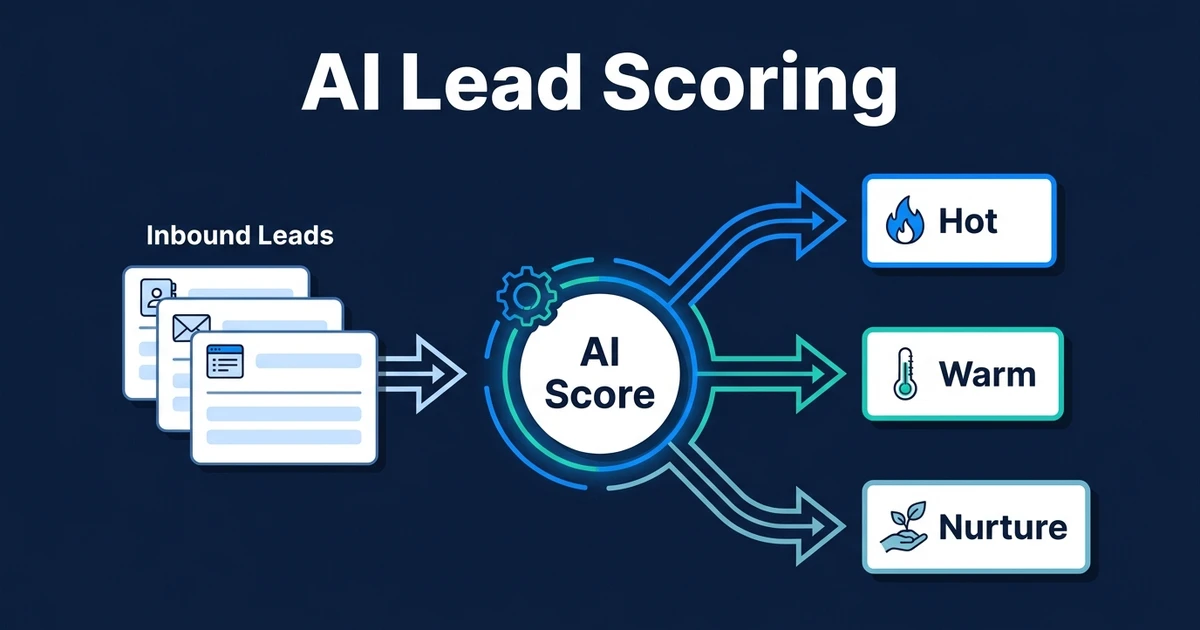
Scoring ranks the lead. Qualification decides what should happen next. Routing makes sure the decision reaches the right person without delay.
That separation matters because a high-scoring lead may still need a specific rep, and a low-fit lead may still need a polite redirect or nurture path. The routing logic should follow the decision, not replace it.
If your qualification logic already exists, AI lead qualification is the cleaner place to centralize it. Routing then becomes the delivery mechanism for that decision.
If your lead handoffs still depend on someone checking the inbox and choosing the next owner, Automiq AI can build the routing logic for you. See AI automation services if you want routing tied to qualification, CRM updates, and fast response in one workflow.
DIY Routing vs Done-for-You Routing Setup
DIY routing is fine when the decision is simple. A form can go to one inbox, one person, or one pipeline without much risk.
The moment routing depends on multiple signals, things get fragile. A broken rule can send hot leads to the wrong person, duplicate records can create confusion, and edge cases can sit unresolved.
| Option | Best fit | Main limitation |
|---|---|---|
| DIY inbox rule | One simple trigger and one destination | Hard to maintain once exceptions appear |
| Internal build | A team with clear process ownership | Requires time, testing, and ongoing upkeep |
| Done-for-you setup | Multi-step routing across tools and teams | Needs a defined process before build starts |
Done-for-you routing is usually the better choice when the cost of a missed or misrouted lead is real. If a lead has to move through more than one step before a human should touch it, the workflow needs more than a basic rule.
Deloitte found that most organizations still struggle to scale AI experiments into full production in its 2024 enterprise AI research. That is a good reminder that routing is not hard because of the software. It is hard because the process has to be dependable.
Frequently Asked Questions
What is AI lead routing?
AI lead routing assigns each inbound lead to the right person, team, or inbox using your routing rules and the data the lead provides. It removes manual sorting from the first handoff.
How does AI lead routing improve response time?
It cuts the delay between lead arrival and owner assignment. Instead of waiting for someone to triage the inbox, the lead is routed immediately with the context the rep needs.
Can AI lead routing handle duplicates?
Yes, if the workflow checks the CRM before routing. A good setup can detect existing contacts, avoid duplicate records, and route the inquiry to the current owner or the correct team.
Is AI lead routing useful for small teams?
Yes, especially when one person is handling sales, operations, or intake and leads are arriving from more than one source. Small teams feel the routing bottleneck quickly because one missed handoff has an immediate cost.
Should AI lead routing happen before or after scoring?
It can happen after scoring or alongside it, depending on your process. The important part is that scoring and routing are connected so the lead is not prioritized one way and handed off another.
Conclusion
AI lead routing is really about removing indecision from the first few moments after a lead arrives.
When the system knows where each lead should go, your team stops wasting time on triage and starts responding with context, speed, and consistency.
If you want that routing logic built into your existing tools, book a discovery call with Automiq AI and we will map the handoff rules, ownership logic, and escalation path for your lead flow.