EN
EN DE
DE ES
ES FR
FR NL
NL PT
PT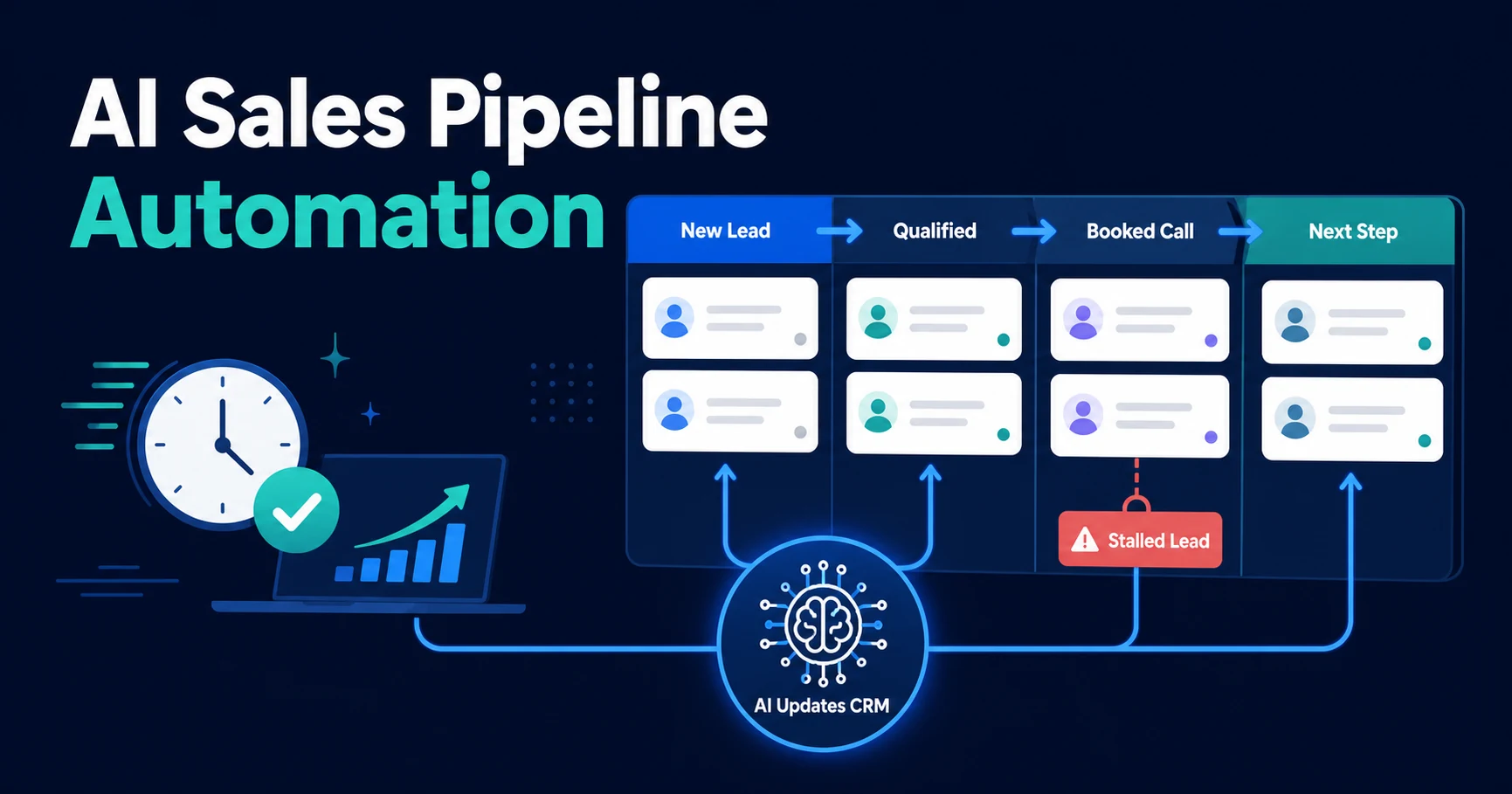
Quick Answer: AI sales pipeline automation uses AI workflows to update CRM stages, assign lead owners, trigger next steps, and surface stalled opportunities without manual CRM admin. It helps small sales teams keep the pipeline accurate while reps focus on conversations, proposals, and closing work instead of data entry.
The AI pipeline workflow fixes the part of sales that usually gets blamed on discipline: the CRM is not current, the next step is unclear, and promising leads sit in the wrong stage.
That is not always a people problem. Often, it is a process problem. Your team is expected to sell, respond, qualify, book, follow up, update records, write notes, and keep reports clean at the same time.
The result is predictable. Sales work happens, but the pipeline tells an old story.
Why Sales Pipelines Break After the First Lead Response
Most pipeline breakdowns happen after the first response. A lead arrives, someone replies, and the CRM record gets created. Then the process starts depending on memory.
Someone has to update the stage. Someone has to assign the owner. Someone has to create the follow-up task. Someone has to notice when a lead has not booked, replied, or moved forward.
That is where small sales teams lose visibility:
- Qualified leads sit in “new” too long.
- Unqualified leads clutter active pipeline.
- Owners are missing or wrong.
- Follow-up tasks depend on memory.
- Booking links are sent late.
- Reports show activity but not reality.
The pipeline should help your team decide what to do next. If it depends on manual updates after every interaction, it becomes another admin system your team has to chase.
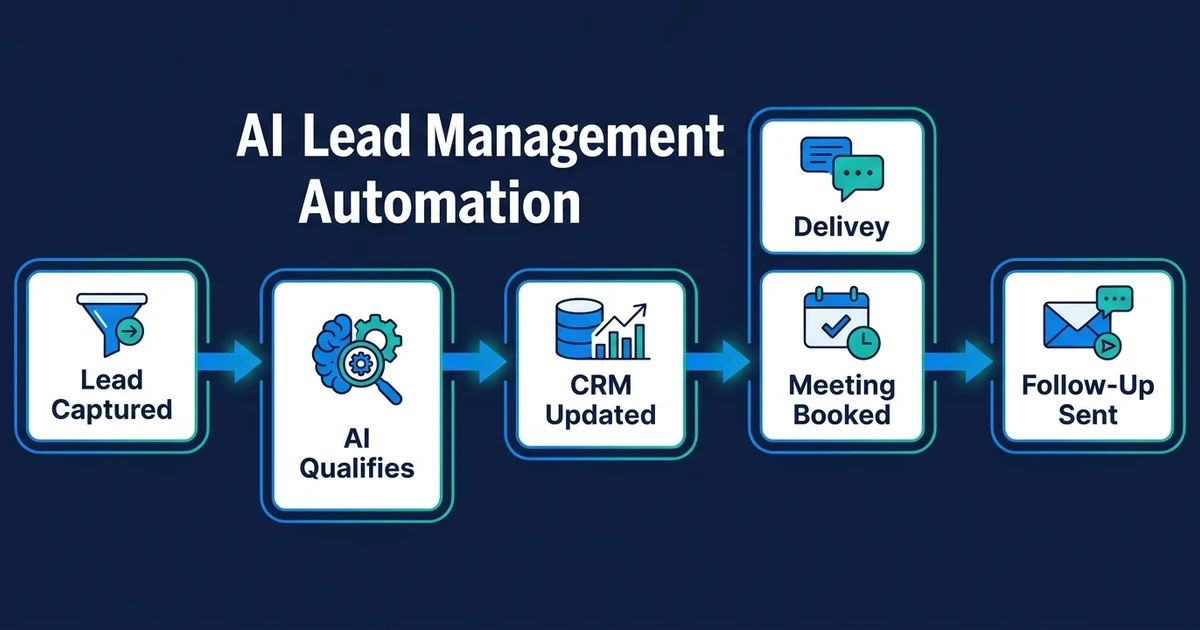
AI lead management automation covers the full lead workflow. Sales pipeline automation focuses on the CRM and next-step layer: stage movement, ownership, follow-up tasks, booking triggers, stalled lead alerts, and reporting accuracy.
What Is AI Sales Pipeline Automation?
AI sales pipeline automation uses AI to read lead context, update CRM stages, assign owners, trigger next steps, and keep opportunity records current without manual admin after every interaction.
It is not the same as basic CRM automation. A basic rule might say, “When a form is submitted, create a contact.” That helps, but it does not understand whether the lead is urgent, qualified, existing, duplicated, ready to book, or better suited for a different pipeline.
AI adds interpretation. It can read a form response, email thread, call summary, or CRM note and extract what matters:
- Service need
- Company type
- Budget clues
- Urgency
- Timeline
- Location
- Existing customer status
- Next-step intent
Then the workflow uses your rules to act. It might move the lead to “Qualified,” assign the owner, send a booking link, create a task, or flag the record for review.
The goal is not to remove sales judgment. The goal is to remove the CRM busywork that hides the next best action.
What an Automated Sales Pipeline Should Actually Do
A useful automated sales pipeline does more than update one field. It handles the repeated operational steps that keep opportunities moving.
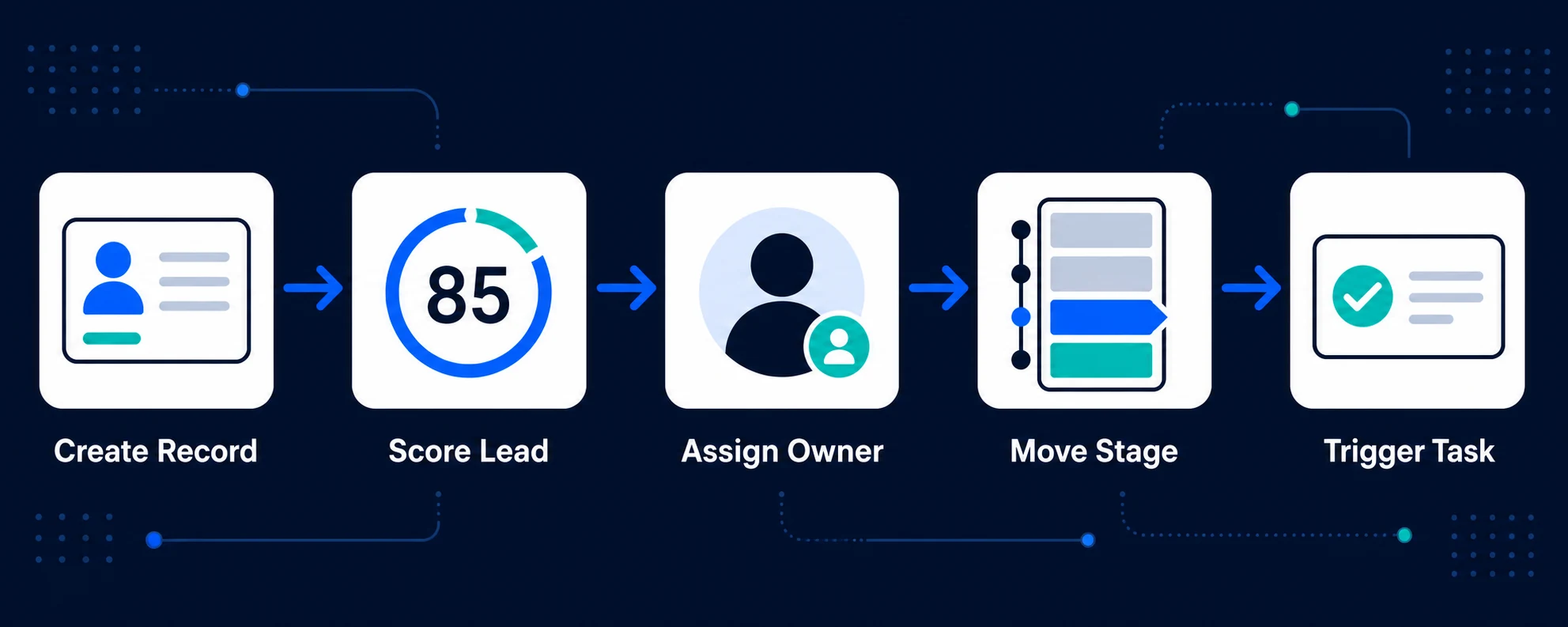
At minimum, the workflow should be able to:
- Create or update the lead record.
- Check for duplicates or existing customers.
- Add source, service need, urgency, and summary.
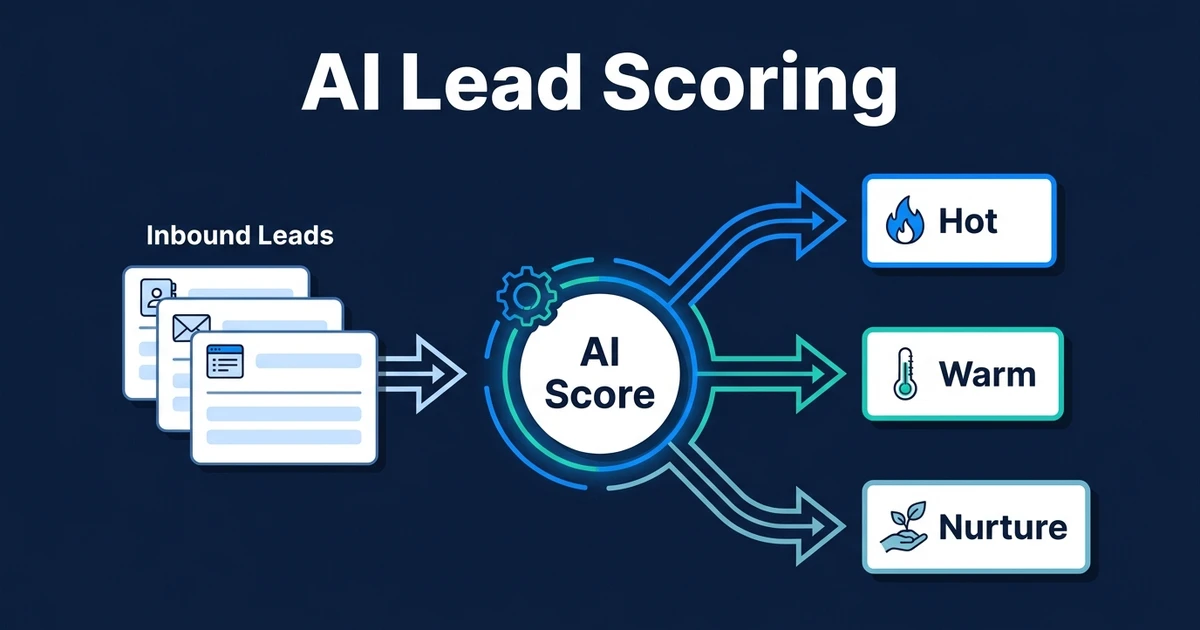
- Score fit and intent.
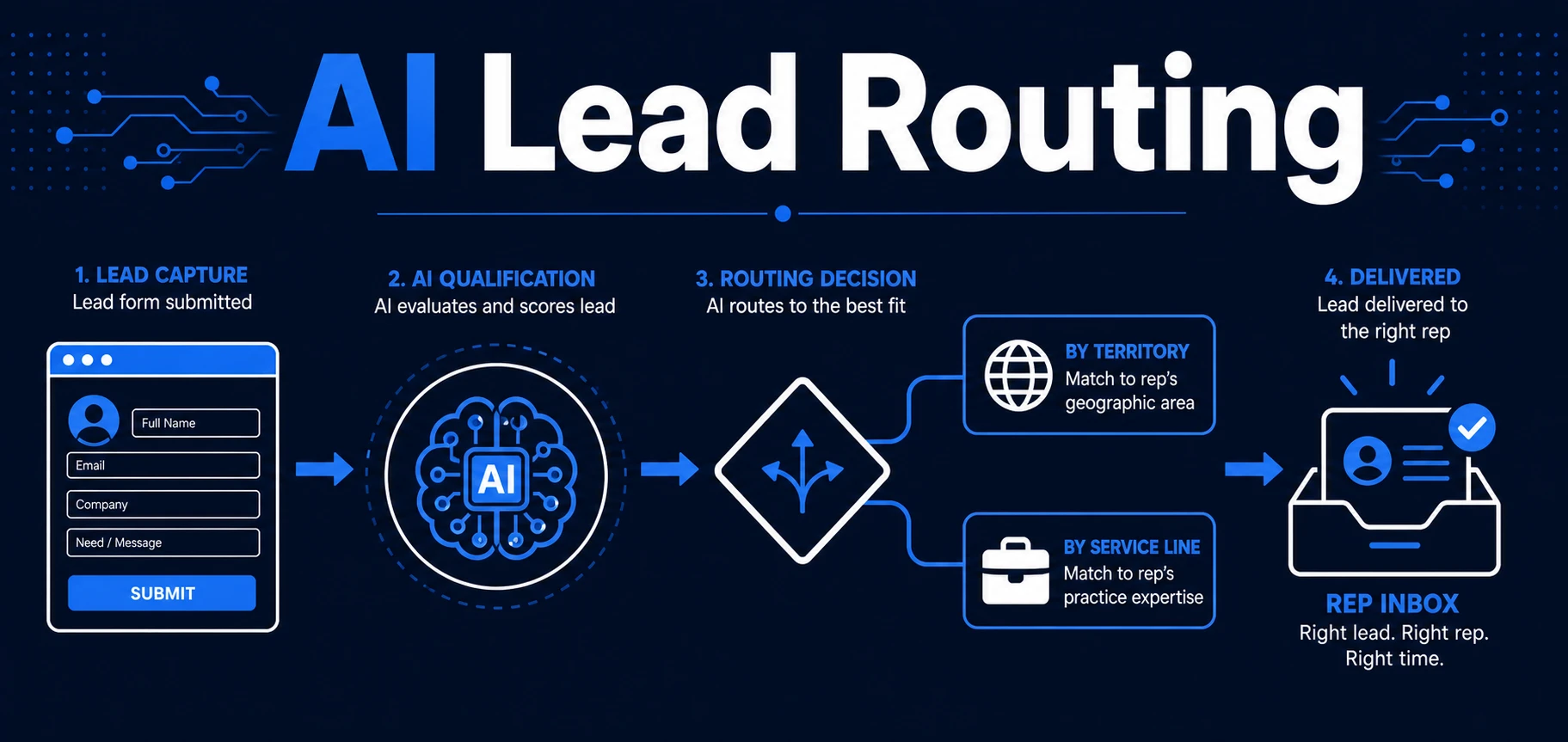
- Assign the right owner.
- Move the lead to the correct pipeline stage.
- Send the right next action, such as a booking link or qualifying question.
- Create a follow-up task.
- Flag stalled leads when no action happens.
- Summarize pipeline changes for the team.
That system connects closely to AI lead scoring and AI lead routing logic. Scoring decides how valuable or urgent the lead appears. Routing decides who or what should handle it next.
Pipeline automation turns those decisions into CRM movement. Without that layer, scores and routing decisions can sit unused while the actual sales process stays manual.
Where AI Fits in Pipeline Management
AI is most useful where the input is messy. Sales pipeline data rarely arrives in neat dropdown fields. It arrives as emails, call notes, form text, meeting summaries, chat transcripts, and half-complete CRM records.
AI can turn those messy inputs into structured pipeline actions:
- Classify whether an inquiry is sales, support, spam, or partnership.
- Extract the service need from a long message.
- Summarize a call and update the opportunity note.
- Detect that a prospect asked for pricing.
- Identify a booking request.
- Suggest a pipeline stage based on the conversation.
- Flag a stalled opportunity before it disappears.
Gartner notes that AI in sales can help teams save time, improve pipeline visibility and win rates, and scale labor-intensive tasks in its AI in sales guidance. That is exactly where pipeline automation should focus: reducing seller burden while making the CRM more useful.
The practical test is simple. If the workflow makes your team spend less time updating records and more time acting on the right opportunities, it is doing its job.
AI Pipeline Automation vs. Basic CRM Automation
Basic CRM automation is useful for clear, fixed rules. If a form is submitted, create a contact. If a deal closes, send a handoff task. If a date arrives, send a reminder.
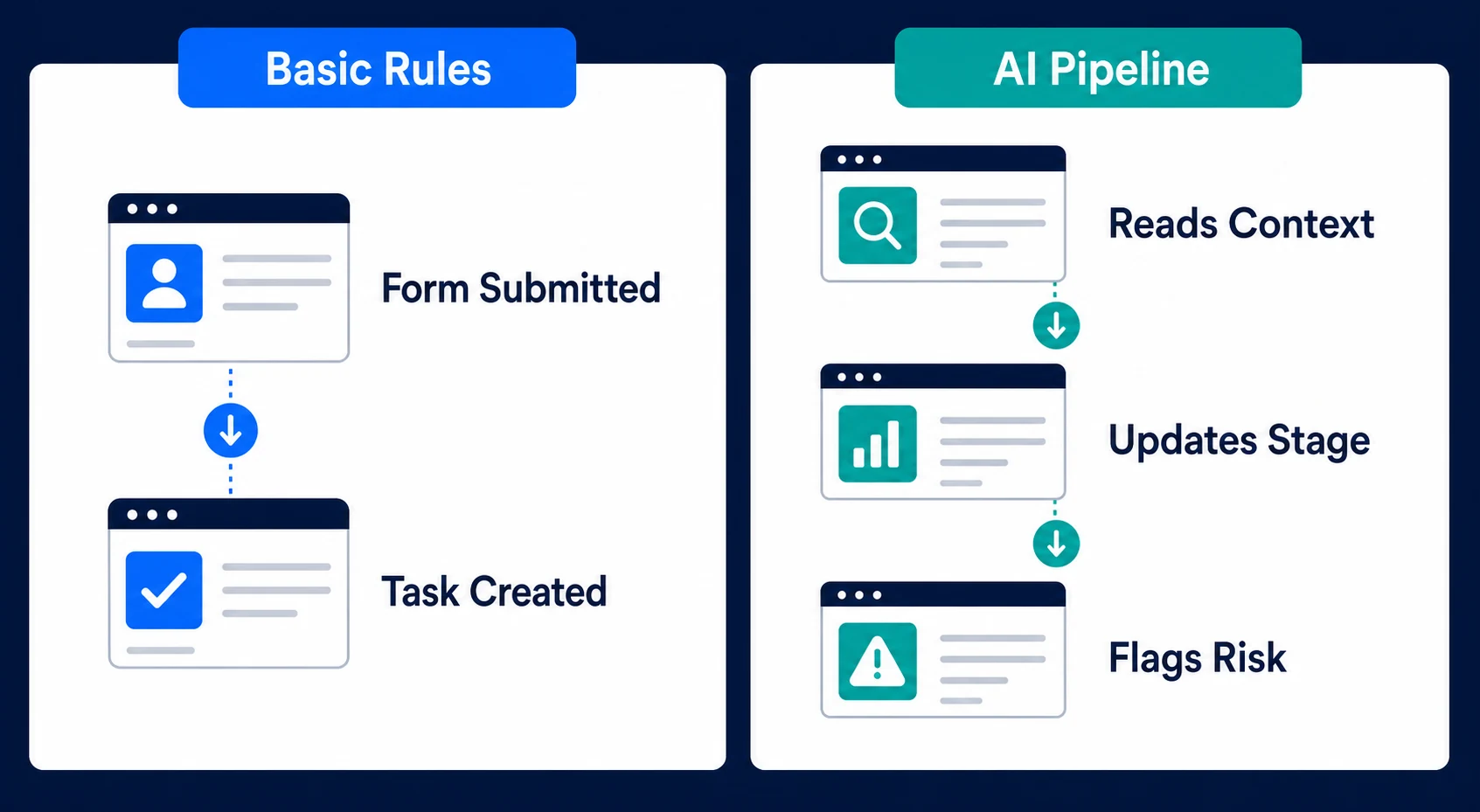
AI pipeline automation handles the gray areas. It reads context and applies rules to inputs that are not perfectly structured.
| Capability | Basic CRM automation | AI pipeline automation |
|---|---|---|
| Creates contacts from forms | Yes | Yes |
| Reads unstructured lead messages | No | Yes |
| Detects urgency or intent | Limited | Yes |
| Suggests or applies stage movement | Limited | Yes |
| Summarizes calls and emails | No | Yes |
| Flags stalled opportunities | Rule-based | Context-aware |
| Handles unclear cases | No | Yes, with human review |
That does not make basic automation obsolete. It means you should use each layer where it fits. Fixed rules are perfect for clean triggers. AI is useful when your pipeline depends on interpreting real human communication.
Automiq AI builds sales pipeline automation that keeps your CRM current, routes the right leads, and triggers the next step without your team chasing updates. For service firms with consultative sales cycles, see how this fits into AI automation for professional services.
A Practical Pipeline Workflow From Enquiry to Booked Call
Imagine a small professional services firm that receives dozens of inbound leads a month. The owner and two sales reps use a CRM, but updates happen unevenly because everyone is busy with calls and delivery work.
Before automation, the workflow looks like this:
- A lead fills out a form.
- A rep reads the message when they have time.
- Someone creates or updates the CRM record.
- The rep decides whether the lead is worth a call.
- A booking link goes out manually.
- Follow-up depends on a task being created.
- Pipeline reports are cleaned before meetings.
With automated pipeline management, the workflow changes:
- A lead arrives from the form.
- AI extracts need, urgency, company type, source, and timeline.
- The system checks for an existing CRM record.
- The lead receives a fit and urgency score.
- The workflow assigns the right owner.
- The CRM stage moves to “Qualified” or “Needs Review.”
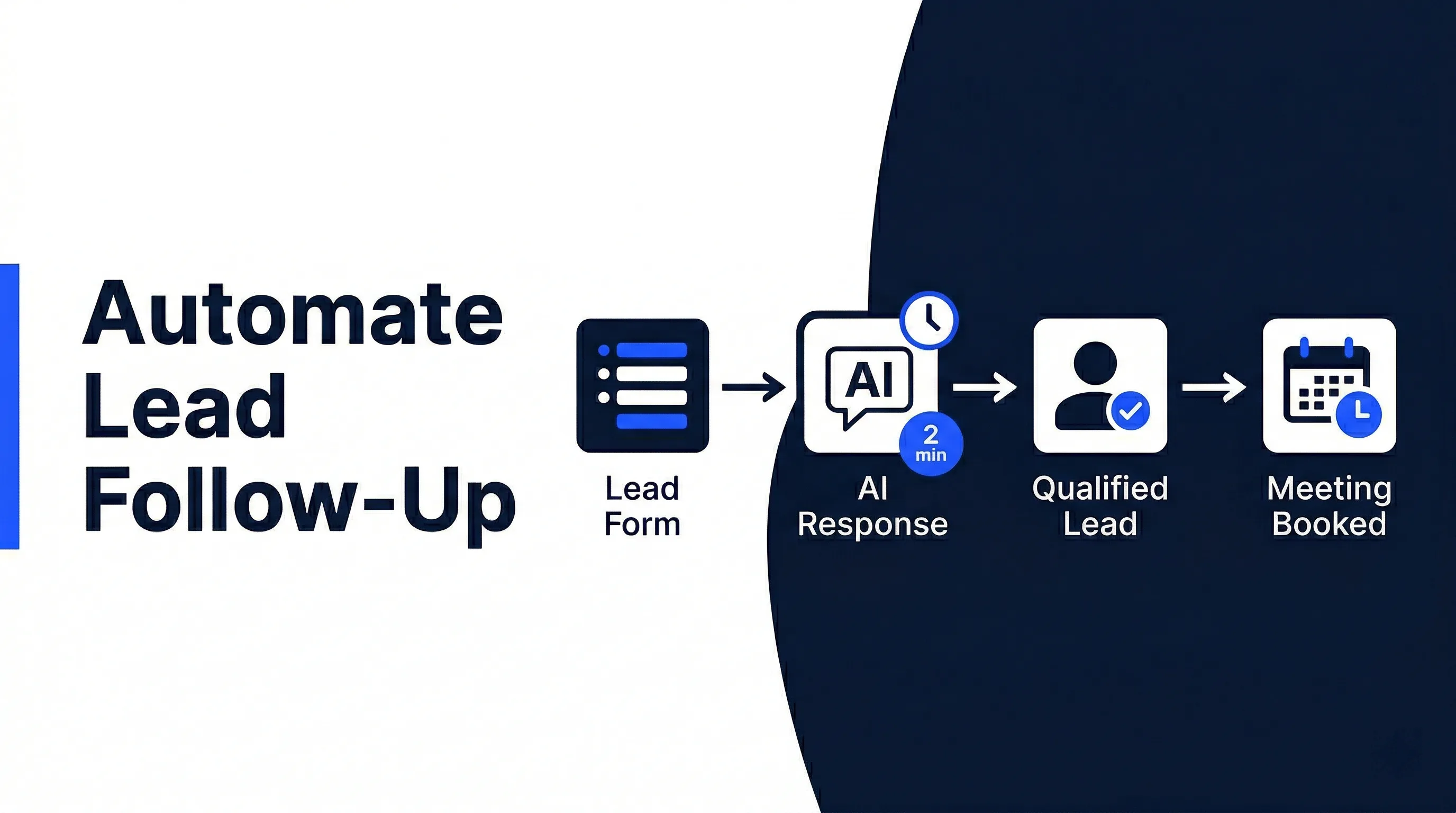
- Qualified leads receive a booking link.
- Lower-fit leads receive one clarifying question.
- The CRM gets a summary, next step, and follow-up task.
- If no booking happens within the agreed window, the lead gets flagged.
The sales team still handles the conversation. The workflow handles the handoff, record hygiene, and next-step consistency.
This is also where AI CRM updates become more than admin relief. When your CRM updates automatically from lead activity, the pipeline becomes a better operating system for sales decisions.
How to Evaluate Your Pipeline Before Automating It
Do not automate a pipeline you cannot explain. Start by mapping the stages, rules, and failure points.
Your pre-automation checklist should include:
- Lead sources
- Stage definitions
- Required CRM fields
- Qualification rules
- Routing rules
- Owner assignment logic
- Booking triggers
- Follow-up timing
- Stalled-lead thresholds
- Reporting needs
- Human review rules
The most important question is not “Can this be automated?” It is “What should happen next when this lead is in this condition?”
Gartner found that poor data quality was cited by 44% of respondents as one of the top barriers to sales analytics success in its 2024 sales analytics survey. If your stages are vague and fields are unreliable, AI will have less to work with.
Fix the rules first. Then automate the repeatable decisions.
Done-for-You vs. DIY Sales Pipeline Automation
You can build parts of a pipeline workflow yourself. If your process is simple, that may be the right move.
DIY works well when:
- You have one lead source.
- You use one CRM pipeline.
- Routing is simple.
- The next action is always the same.
- Someone on your team can maintain the workflow.
Done-for-you automation makes more sense when the workflow crosses several tools, depends on lead context, or affects revenue-critical handoffs. The hard part is not dragging boxes around in an automation tool. The hard part is defining the sales logic, handling exceptions, testing edge cases, and monitoring failures.
McKinsey found that sales and marketing account for 28% of total potential economic value from gen AI in its 2025 workplace AI report. That potential only turns into value when the workflow is tied to daily sales actions, not just experiments.
For a small team, the decision is practical. If building and maintaining the workflow takes your best sales person away from selling for weeks, the cost is not just software. It is lost pipeline attention.
| Option | Best fit | Watch out for |
|---|---|---|
| DIY workflow | One lead source and one predictable next step | The team still owns fixes, testing, and edge cases |
| Internal build | A technical operator who understands the sales process | Sales leaders must still define stage rules and handoffs clearly |
| Done-for-you workflow | Multi-step CRM, routing, scoring, and follow-up logic | Requires upfront process mapping, but your team receives the working system |
Frequently Asked Questions
What is AI pipeline automation?
AI pipeline automation uses AI workflows to update CRM stages, assign lead owners, trigger next steps, and flag stalled opportunities without manual CRM admin. It keeps your pipeline closer to reality while your team focuses on sales conversations.
How is AI pipeline automation different from CRM automation?
Basic CRM automation follows fixed rules, such as creating a task when a form is submitted. The AI workflow can read messy inputs, classify intent, extract context, recommend or apply stage movement, and route the next action based on fit and urgency.
Can automated pipeline management work with my existing CRM?
Yes, if your CRM can receive updates through integrations, email parsing, workflow tools, or API connections. A good setup keeps your current CRM as the source of truth instead of forcing your team into a new platform.
Will AI move deals to the wrong pipeline stage?
That risk is controlled by clear stage definitions, testing, confidence thresholds, and human review rules. For sensitive or unclear cases, the workflow should suggest a stage or flag a person instead of changing the record automatically.
Do small teams need AI pipeline automation?
Small teams need it when lead volume is high enough that CRM updates, ownership, booking links, and follow-up tasks start slipping. If you handle only a few leads a month, a simple CRM process may be enough.
What should I automate first in my sales pipeline?
Start with the handoff that breaks most often. For many small businesses, that is the step between a new qualified lead and the next action: owner assignment, booking link, CRM stage, and follow-up task.
Make Your Sales Pipeline Run Without Manual CRM Chasing
Your sales pipeline should tell your team what needs attention now. It should not require constant cleanup before every pipeline review.
AI pipeline automation keeps the operational layer moving: stages update, owners get assigned, next steps trigger, booking links go out, and stalled leads surface before they disappear.
If your CRM is always behind the actual sales conversation, book a free discovery call with Automiq AI. We will map the handoffs in your current pipeline and show which workflow should be automated first.