EN
EN DE
DE ES
ES FR
FR NL
NL PT
PT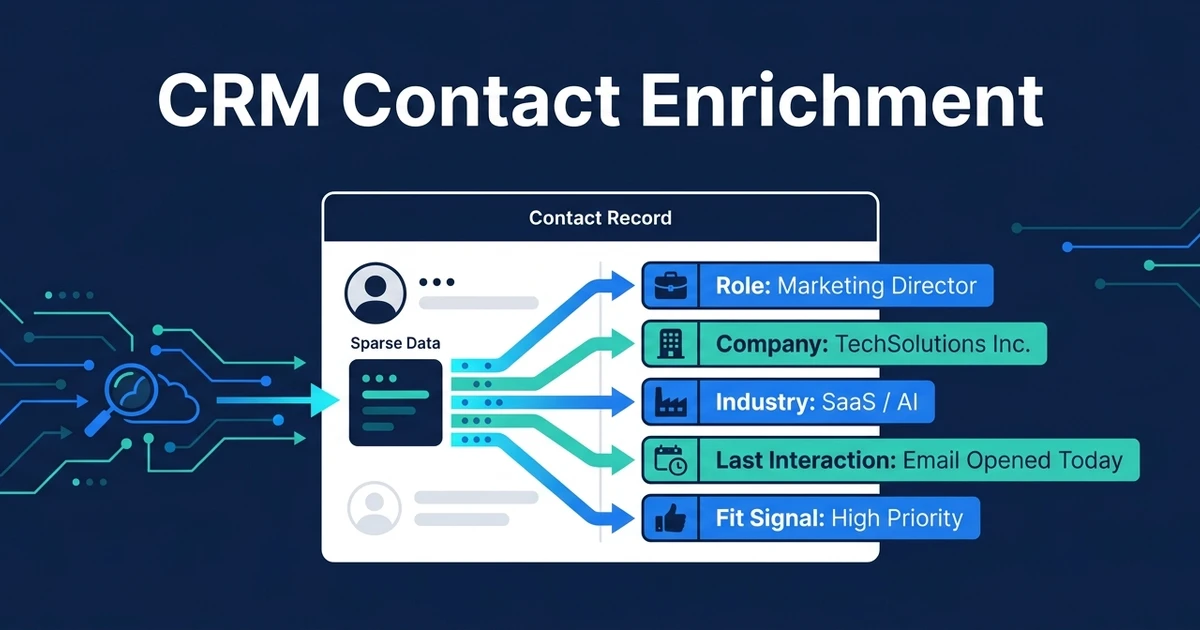
Quick Answer: CRM contact enrichment fills missing context on existing contact and account records so your team can segment, prioritize, and follow up with less manual research. A good workflow enriches only the fields that affect sales action, then flags uncertain data for review instead of blindly overwriting the CRM.
Contact enrichment inside your CRM is not about stuffing your database with more fields. It is about making each record easier to act on.
Sparse records slow teams down. A name and email may be enough to store a contact, but they are not enough to decide how to prioritize, segment, personalize, or follow up.
The right enrichment workflow gives your team useful context without turning the CRM into a cluttered database nobody trusts.
Why Sparse CRM Contacts Slow Down Sales Work
Sparse CRM contacts force your team to do research before they can act. They open the record, realize the context is missing, search the inbox, check the website, scan old notes, and rebuild the story manually.
That research adds friction to every follow-up. It also creates inconsistent decisions because one person may find context another person misses.
The hidden cost is not just time. It is lower confidence. If your CRM cannot explain who the contact is, what account they belong to, what they care about, and what happened last, your team hesitates.
MIT Sloan reported that data quality and finding the right use cases are the biggest roadblocks to benefiting from generative AI for 46% of chief data officers in its data executive research. Enrichment should solve that data-quality problem, not add more noise.
What Is CRM Contact Enrichment?
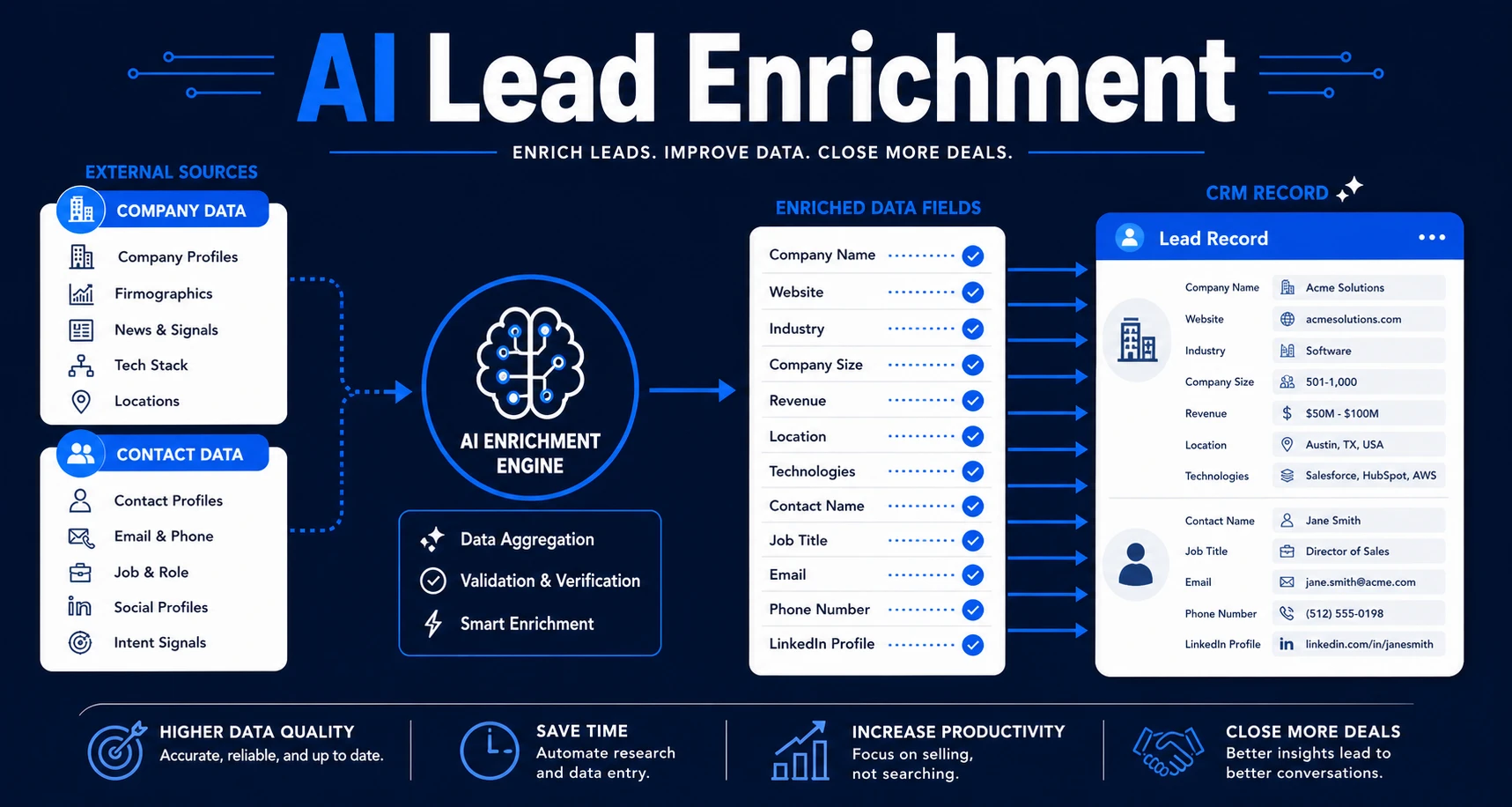
This process adds useful missing context to existing contact and account records. The workflow may add company details, role information, account context, lifecycle fields, last interaction notes, or segmentation data.
The key word is useful. A field only matters if it changes how your team prioritizes, follows up, routes, or serves the contact.
This is different from buying a large data list and importing everything. Enrichment should be selective, controlled, and tied to a business action.
It should also connect to your existing CRM through AI integration for CRM data. The workflow needs to know where data comes from, which fields it can update, and when to ask for review.
Which Contact and Account Fields Are Worth Enriching?
The best enrichment fields help your team answer a practical question: what should we do with this record?
Useful fields often include:
- Job title or role
- Company name and website
- Industry or vertical
- Location
- Company size band
- Service interest
- Lifecycle stage
- Last meaningful interaction
- Account owner
- Fit or priority signal
Do not enrich fields just because they are available. Too much data makes the CRM harder to scan and easier to distrust.
Deloitte reports that 53% of organizations using AI have improved insights and decision-making in its enterprise AI research. Enrichment should aim for that outcome: better decisions, not bigger records.
How AI Contact Enrichment Works Inside a CRM
AI contact enrichment starts by identifying the record and deciding what context is missing. It then pulls or infers information from approved sources, maps the data to CRM fields, and checks whether the update is safe.
For example, a contact may have an email address and company name but no role, industry, or account context. The workflow can enrich the record with company website, industry category, and a short account summary.
The workflow should also add review controls. If a field conflicts with existing CRM data, the system should flag it. If two records appear to be duplicates, it should ask before merging.
McKinsey found that about 75% of generative AI use-case value falls across customer operations, marketing and sales, software engineering, and R&D in its generative AI analysis. Enrichment supports that customer and sales work by giving people better context at the point of action.
CRM Record Enrichment vs AI Lead Enrichment
CRM record enrichment and AI lead enrichment are related, but they belong at different moments.
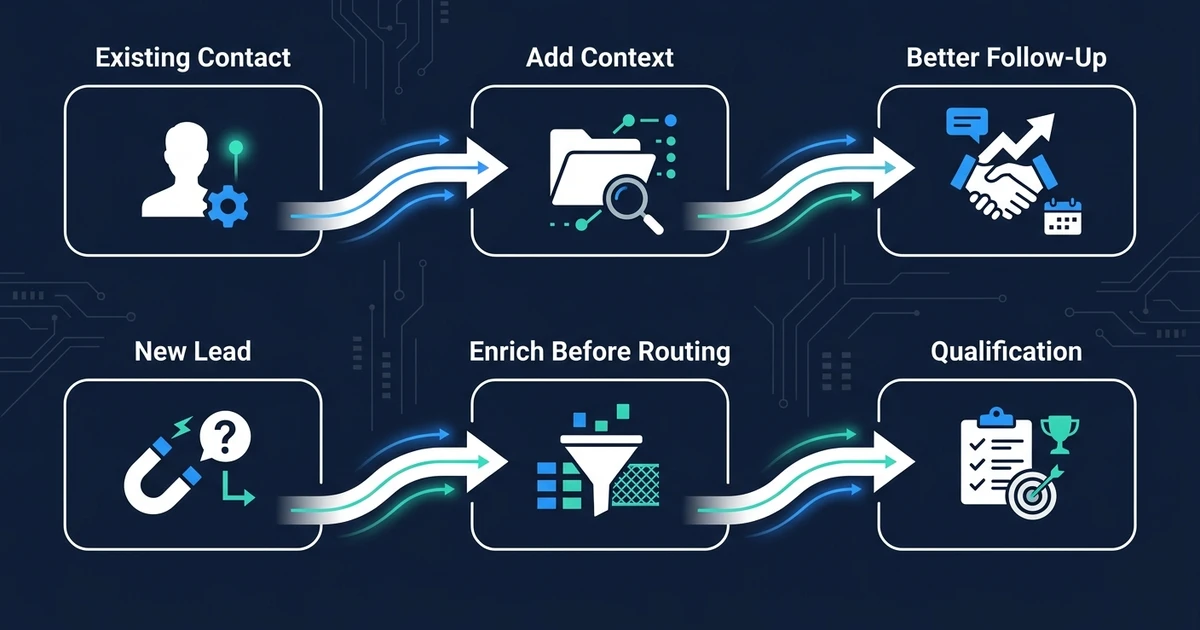
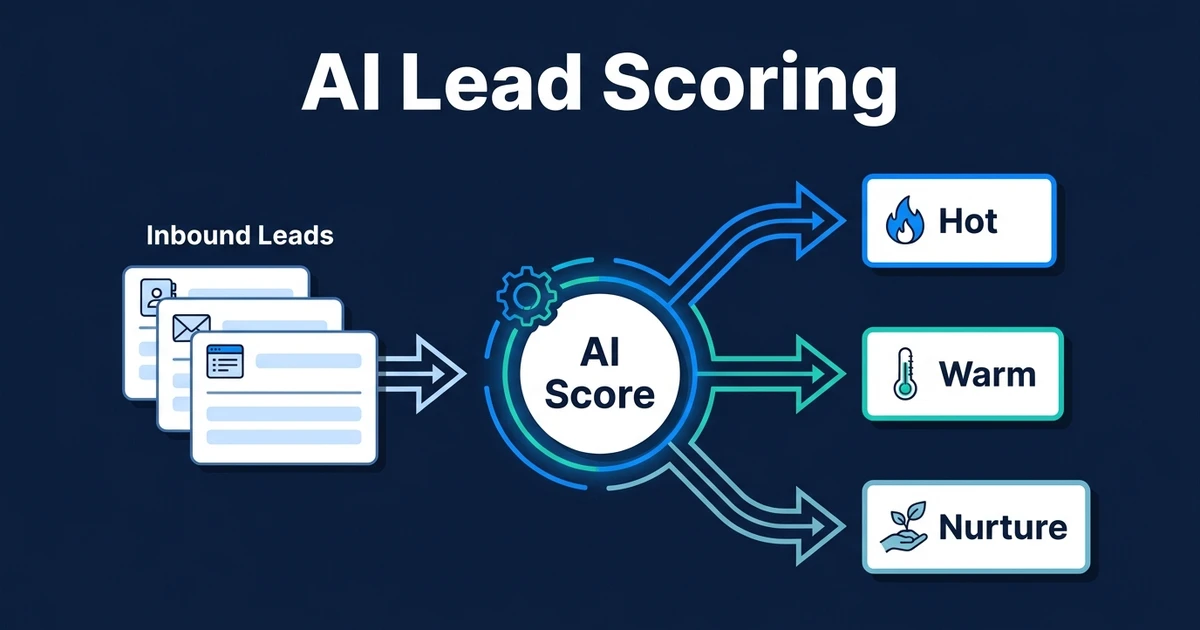
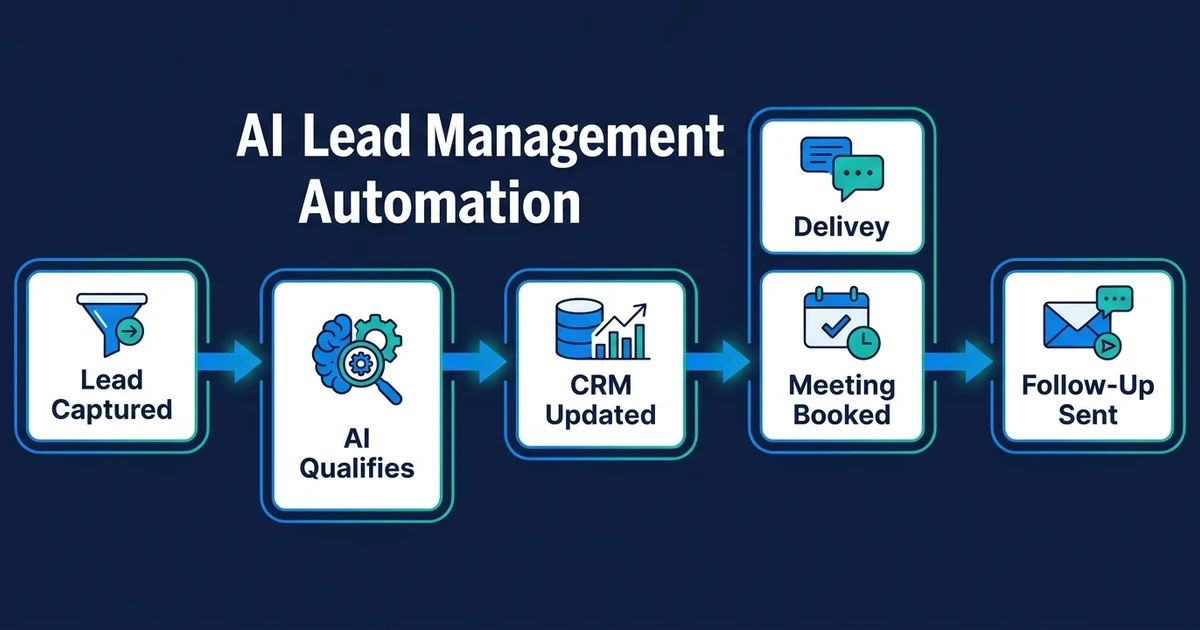
Lead enrichment usually happens when a new lead arrives and needs context before routing, scoring, or qualification. Contact enrichment usually happens after records already exist and need better context for segmentation, outreach, or follow-up.
| Workflow | Main Focus | Best Moment | Main Outcome |
|---|---|---|---|
| CRM record enrichment | Existing contacts and accounts | Before outreach or follow-up | Better context and segmentation |
| AI lead enrichment | New inbound leads | Before routing or scoring | Better qualification decisions |
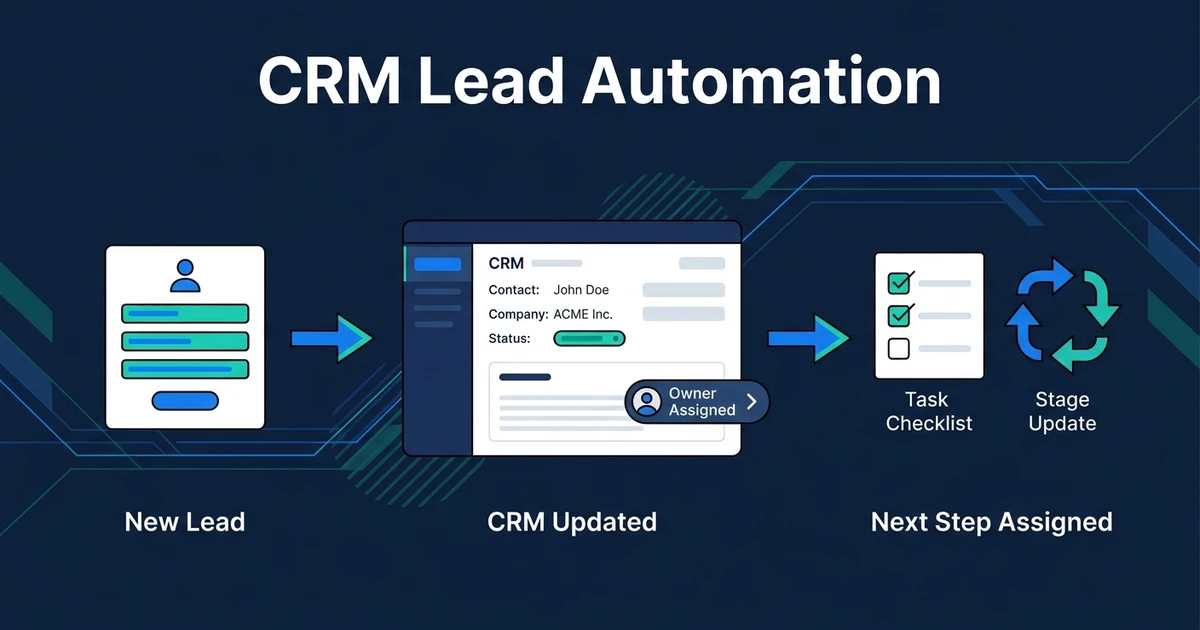
| CRM lead automation | Lead records and next steps | When a new lead enters the CRM | Cleaner ownership and follow-up |
This boundary matters for ranking and for operations. If your problem is new-lead routing, use lead enrichment. If your problem is sparse existing CRM records, use contact enrichment.
How to Avoid Bad Data and Duplicate Records
Bad enrichment is worse than no enrichment. If the workflow overwrites trusted fields, creates duplicates, or adds irrelevant data, your team will stop trusting the CRM.
Use guardrails:
- Enrich only fields tied to an action
- Keep source records visible where possible
- Flag low-confidence values
- Check for duplicate contacts and companies
- Avoid overwriting human-confirmed fields
- Review high-impact changes before saving
MIT Sloan also reported that 93% of chief data officers say data strategy is crucial to deriving value from generative AI in the same research. For a small team, that strategy can be simple: enrich fewer fields, but make them reliable.
That is why AI CRM updates and enrichment should work together. One keeps records current after activity. The other fills useful context when records are too thin.
A Practical Workflow for Enriching Existing CRM Contacts
Imagine a small B2B service team with hundreds of old contacts. Many records have only name, email, and a few notes. Before every outreach campaign, someone has to research who still fits.
A CRM record enrichment workflow can clean that up:
- Identify records missing useful fields.
- Match contacts to company or account records.
- Add role, company, industry, and context fields.
- Flag duplicates and conflicts.
- Segment contacts by fit or service interest.
- Create review tasks for uncertain records.
The workflow does not need to enrich everything at once. Start with the segment your team will act on next.
If you are preparing a follow-up campaign, enrich records needed for that campaign. If you are cleaning account ownership, enrich company and owner fields first.
If your team spends time researching contacts before every follow-up, connect enrichment data to your CRM safely. Automiq AI can design the field map, review logic, and update rules around the CRM you already use.
Frequently Asked Questions
What is CRM record enrichment?
It adds useful missing context to existing contact and account records. It can improve segmentation, prioritization, follow-up, and outreach preparation without asking your team to research every record manually.
How is CRM record enrichment different from AI lead enrichment?
CRM record enrichment focuses on existing records already inside your CRM. AI lead enrichment usually happens earlier, when a new lead needs missing data before routing, scoring, or qualification.
Which fields should a contact enrichment workflow add?
Useful fields include job title, company size, industry, location, website, lifecycle stage, last interaction, service fit, and account notes. The right fields are the ones that affect a sales or service action.
Can CRM record enrichment create bad data?
Yes, if it blindly overwrites records or imports too much information. A safer workflow enriches only useful fields, checks for duplicates, and flags uncertain data for review.
Is contact enrichment useful for small businesses?
It is useful when your team wastes time researching contacts before outreach or follow-up. If your CRM already has complete and trusted records, enrichment may not be the first workflow to automate.
Make Every CRM Contact Easier to Act On
Your CRM does not need more noise. It needs the right context in the right fields, tied to the actions your team actually takes.
Contact enrichment turns sparse records into useful records. That means less research, cleaner segmentation, and faster follow-up.
If your CRM has contacts your team cannot act on confidently, book a call to design a CRM record enrichment workflow. Automiq AI will help choose the fields worth enriching and the safeguards needed to keep the data trustworthy.