EN
EN DE
DE ES
ES FR
FR NL
NL PT
PT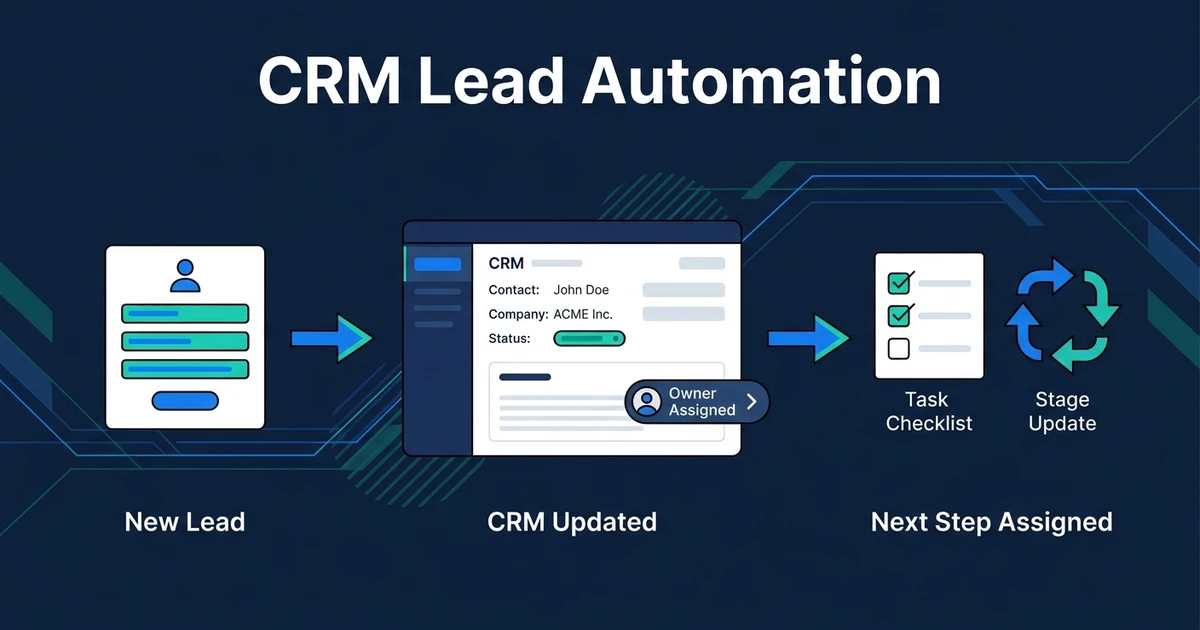
Quick Answer: CRM lead automation creates and updates lead records, assigns owners, moves stages, creates tasks, and keeps your CRM current without manual data entry. It is one layer inside a broader lead management system: the layer that makes sure your team can trust the record before deciding what to do next.
Most CRM problems do not start with bad software. They start with small manual gaps.
A lead arrives. Someone replies from the inbox. The CRM record gets updated later, if at all. The owner is unclear, the stage is stale, and the next task lives in someone’s memory instead of the system.
That is where CRM lead automation earns its place. It keeps the record current while the lead is moving, not after your team has already lost context.
Why CRM Lead Automation Breaks When Updates Stay Manual
Manual CRM updates work when one person handles every lead and remembers every next step. The moment leads arrive from forms, email, calls, referrals, and ad campaigns, that memory-based system starts to crack.
The CRM becomes a lagging record instead of a live operating system. Your team may still be doing the sales work, but the pipeline tells an old story.
The common symptoms are easy to spot:
- New leads without owners
- Duplicate contacts with different notes
- Deals sitting in the wrong stage
- Missing lead source fields
- Follow-up tasks created late or never
- Sales reports that need cleanup before every meeting
That last problem is more expensive than it looks. Gartner surveyed sales leaders and found that poor data quality was cited by 44% of respondents as one of the top barriers to sales analytics success in its sales analytics research.
If your CRM data is unreliable, your team cannot trust the next action, the forecast, or the source report. Automation fixes that by updating the record as part of the workflow, not as an extra task after the fact.
What Is CRM Lead Automation?
CRM lead automation is the use of workflows and AI-assisted logic to create, update, assign, and manage lead records inside your CRM automatically. It handles the repeatable admin that normally happens after a new inquiry, call, email, form submission, or meeting.
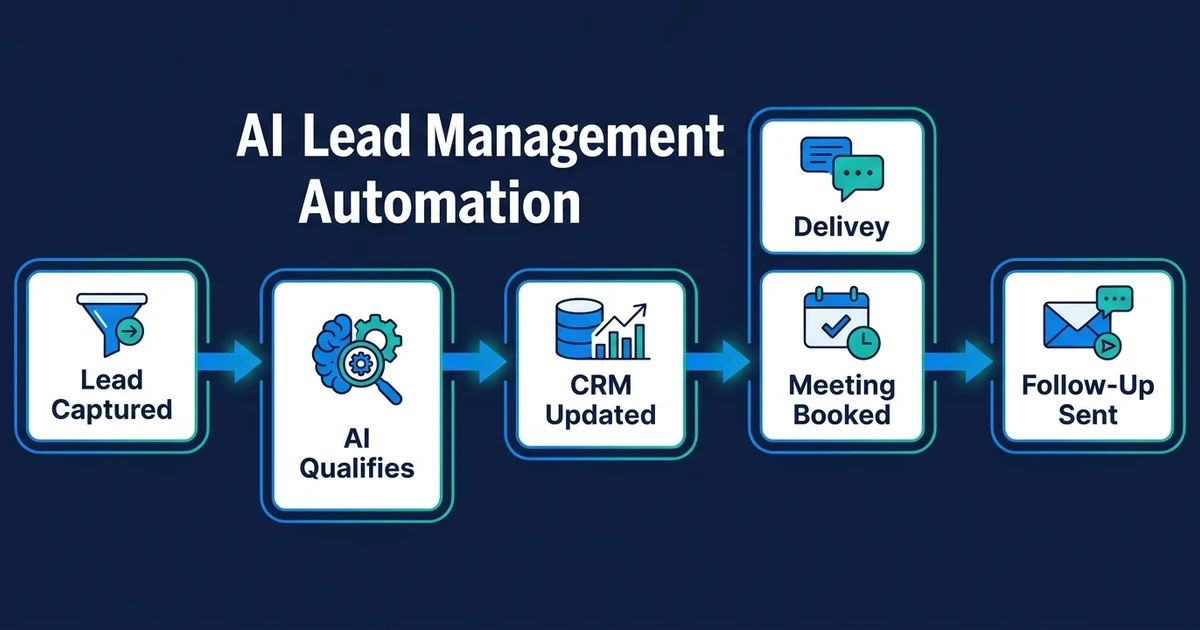
It is narrower than AI lead management automation. The pillar system covers capture, scoring, qualification, routing, response, follow-up, booking, and reporting. CRM lead automation focuses on one crucial question: is the CRM record accurate enough for the next step to happen?
That distinction matters. A lead can receive a fast reply and still create a mess if the CRM is wrong. The owner may not know they own it. The pipeline may not show it. The next task may not exist.
Good automation turns CRM admin into background work. The lead arrives, the system reads the context, updates the record, assigns the right owner, and creates the next task before anyone has to chase the details.
What CRM Lead Automation Should Update Automatically
A useful CRM workflow does more than create a contact. If it only adds a name and email, your team still has to do the thinking and cleanup.
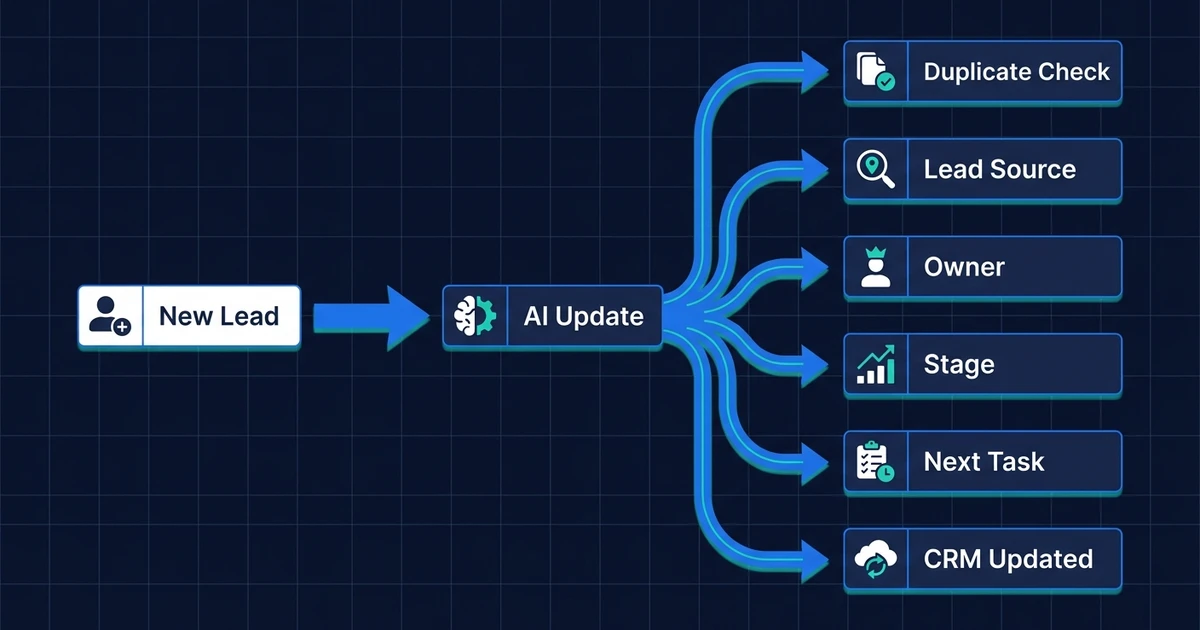
The automation should update the fields that drive action:
- Create or update the contact record.
- Check for duplicate contacts or existing customers.
- Add the lead source.
- Capture the service need or inquiry type.
- Add urgency, timeline, or qualification status.
- Assign the owner.
- Move the lead to the correct stage.
- Add a short AI-generated summary.
- Create the next task.
- Update follow-up status after each touch.
This is where AI CRM updates become more than admin relief. The CRM record becomes a live source of truth for lead decisions.
The same logic supports AI lead qualification. If the CRM knows the lead’s need, source, timeline, and fit, the workflow can decide whether the next step is a booking link, a qualifying question, a nurture message, or a human review.
How Automated CRM Lead Updates Work From Inquiry to Next Step
Imagine a small professional services firm that receives a website inquiry while the team is busy on client calls. Without automation, the form notification lands in an inbox. Someone reads it later, replies, then updates the CRM when they remember.
With automated CRM lead updates, the workflow starts immediately:
- A new form submission enters the workflow.
- AI extracts the service need, urgency, location, and company context.
- The system checks whether the contact already exists.
- The CRM record updates with source, summary, owner, stage, and next task.
- The right person gets a notification with the lead context.
- If the lead qualifies, the workflow triggers the right next step.
- If the inquiry is unclear, the workflow flags it for review instead of guessing.
The sales team still handles the conversation. The automation handles the record hygiene, ownership, and next-step setup.
Automiq AI builds CRM lead workflows that update records, assign owners, and trigger next steps inside the tools your team already uses. See AI automation pricing if your CRM is always behind the actual sales conversation.
CRM Lead Automation vs. Sales Pipeline Automation
CRM lead automation and sales pipeline automation are closely related, but they do not own the same job.
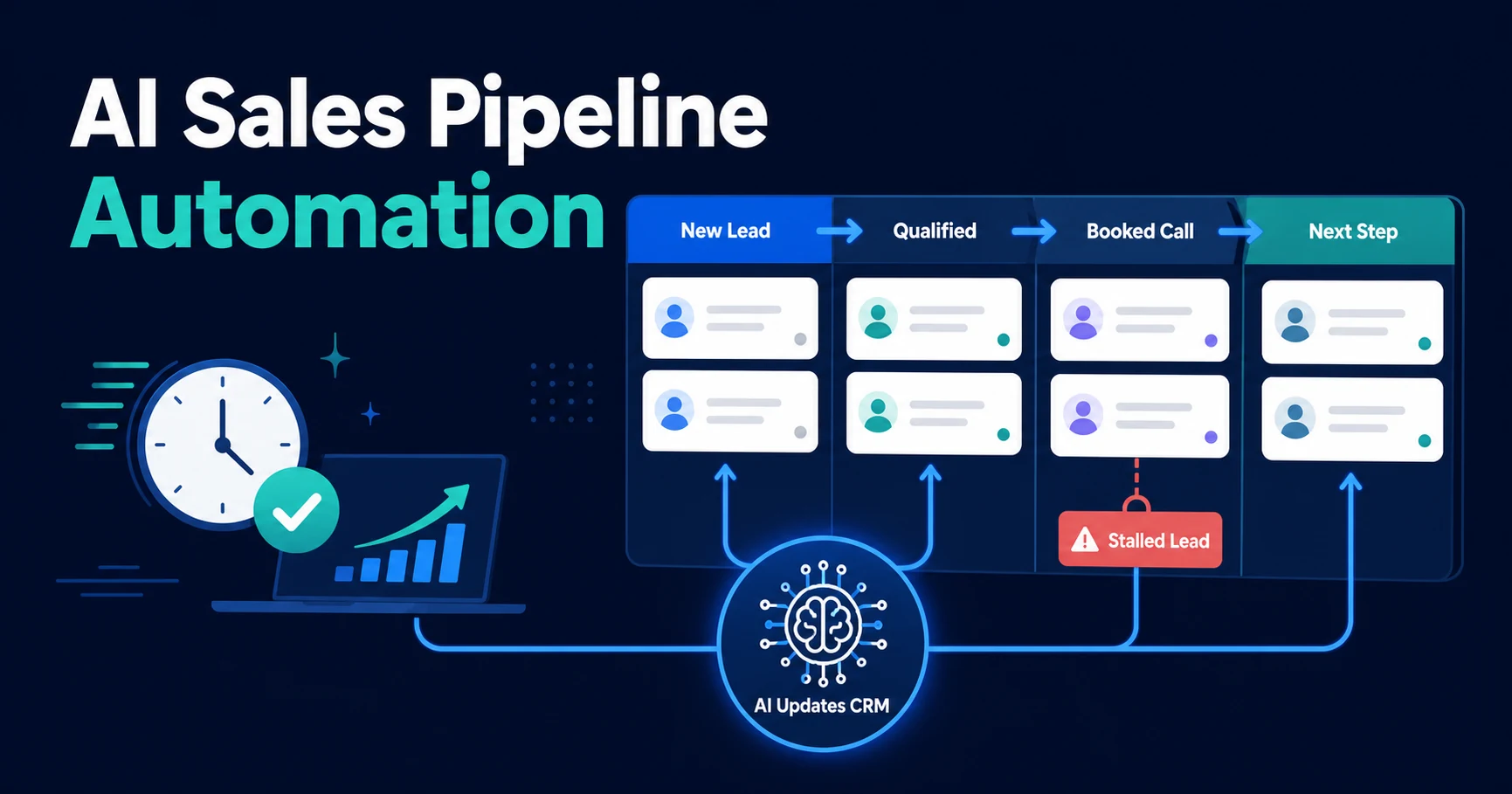
CRM lead automation keeps the lead record accurate. AI sales pipeline automation keeps the wider pipeline moving by managing stage movement, stalled opportunity alerts, booking triggers, and next-step visibility.
| Function | CRM lead automation | Sales pipeline automation |
|---|---|---|
| Main job | Keep lead records accurate | Keep opportunities moving |
| Best trigger | New inquiry, email, form, call note | Stage change, booking status, inactivity |
| Typical output | Updated fields, owner, task, summary | Stage movement, stalled alert, pipeline action |
| Biggest risk fixed | Dirty CRM data | Stalled pipeline visibility |
The cleanest setup uses both. CRM lead automation makes sure the record is trustworthy. Pipeline automation uses that record to decide what should happen next.
If the CRM is messy, pipeline automation has weak inputs. If the pipeline logic is missing, CRM updates become tidy admin with no operational impact. The value comes from connecting both layers.
When Should You Automate CRM Lead Management?
You do not need automation for every CRM process. If you receive a small number of leads and one person handles all follow-up, manual updates may be enough.
Automation becomes useful when the same update keeps getting missed.
Look for these signs:
- Leads arrive from several sources.
- Your CRM has duplicate or stale records.
- Owners are assigned inconsistently.
- Follow-up tasks depend on memory.
- Your team updates the CRM after calls instead of during the workflow.
- Reports need manual cleanup before they are useful.
DIY automation can work when the logic is simple: one form creates one record and one task. That is a reasonable starting point.
Done-for-you automation makes more sense when your workflow has real decision points. If the system needs to interpret messages, check CRM history, assign owners, trigger follow-up, and flag exceptions, the hard part is designing the process before the build begins.
McKinsey found that current generative AI and other technologies have the potential to automate work activities that absorb 60 to 70 percent of employees’ time today in its analysis of automation potential. CRM upkeep is exactly the kind of repeatable work that should move out of your team’s day.
Frequently Asked Questions
What is CRM lead automation?
CRM lead automation creates and updates lead records without manual data entry. It can assign owners, update fields, move stages, create tasks, and keep the CRM current as leads move through your sales process.
How is CRM lead automation different from lead management automation?
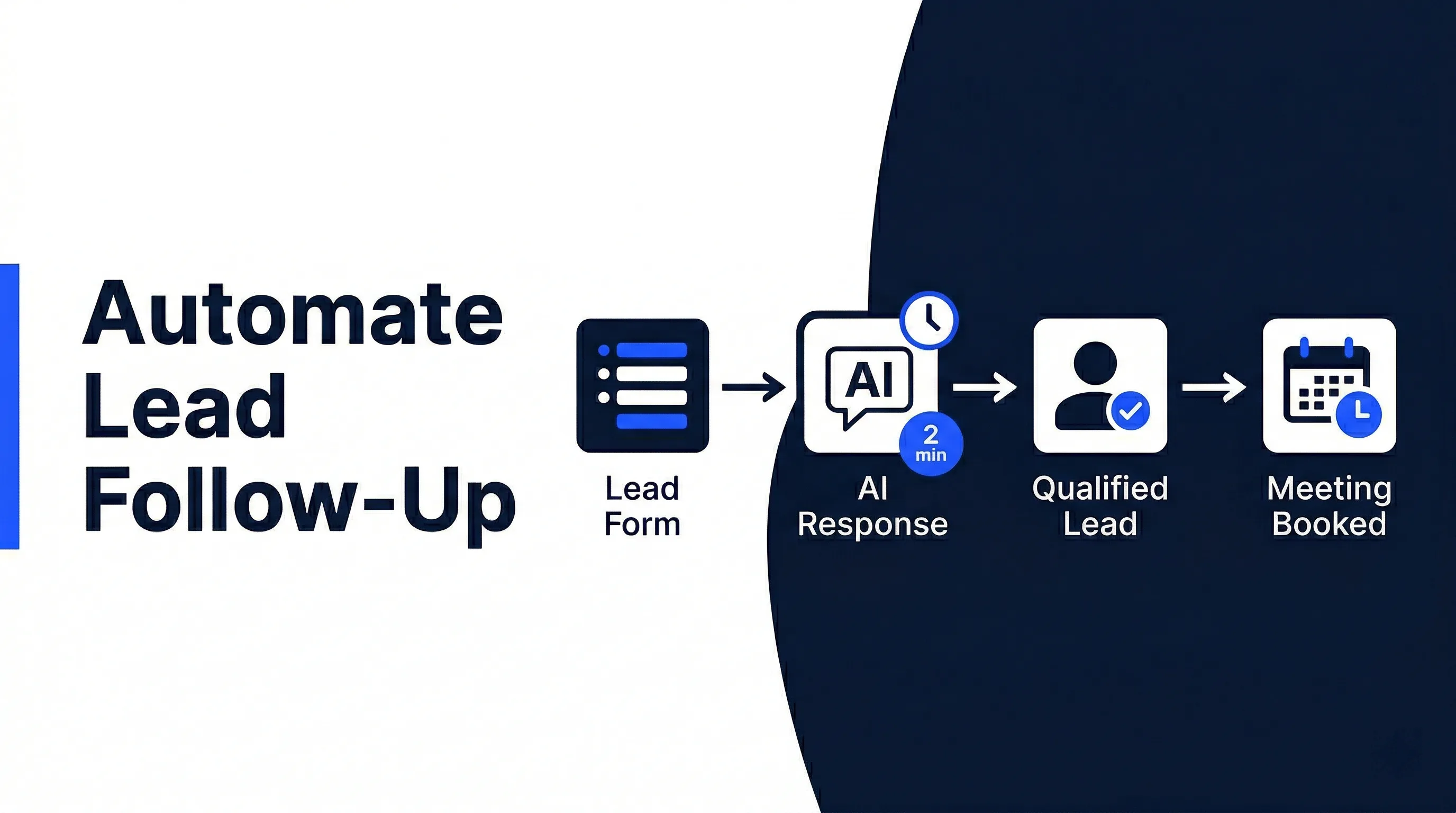
Lead management automation covers the full journey from capture to qualification, routing, follow-up, and booking. CRM lead automation is narrower: it keeps the CRM record accurate so those wider workflows have reliable data to act on.
Can CRM lead automation work with my existing CRM?
Yes, if your CRM can receive updates through integrations, forms, email parsing, workflow tools, or API connections. The best setup keeps your current CRM as the source of truth rather than forcing your team into a new platform.
What CRM fields should be updated automatically?
Useful fields include lead source, service need, owner, stage, urgency, qualification status, summary, last-touch date, next task, and follow-up status. The exact fields should match how your team decides what to do next.
Is CRM lead automation useful for small businesses?
It is useful when lead records fall behind the real conversation. If owners are missing, stages are stale, or follow-up tasks depend on memory, CRM automation can save time and reduce missed handoffs.
Should I build CRM lead automation myself or get it done for me?
A DIY setup can work when you have one lead source and one simple CRM action. Done-for-you automation makes more sense when the workflow includes lead context, qualification rules, owner assignment, exceptions, and follow-up triggers.
Build a CRM Lead System Your Team Can Trust
Your CRM should not need a cleanup session before it tells the truth.
When lead records update automatically, your team knows who owns the lead, what stage it is in, what happened last, and what should happen next. That is the difference between a CRM that stores data and a CRM that helps your sales process run.
If your CRM is always behind your lead activity, book a free discovery call with Automiq AI. We will map the handoffs in your current CRM and show which lead updates should be automated first.