EN
EN DE
DE ES
ES FR
FR NL
NL PT
PT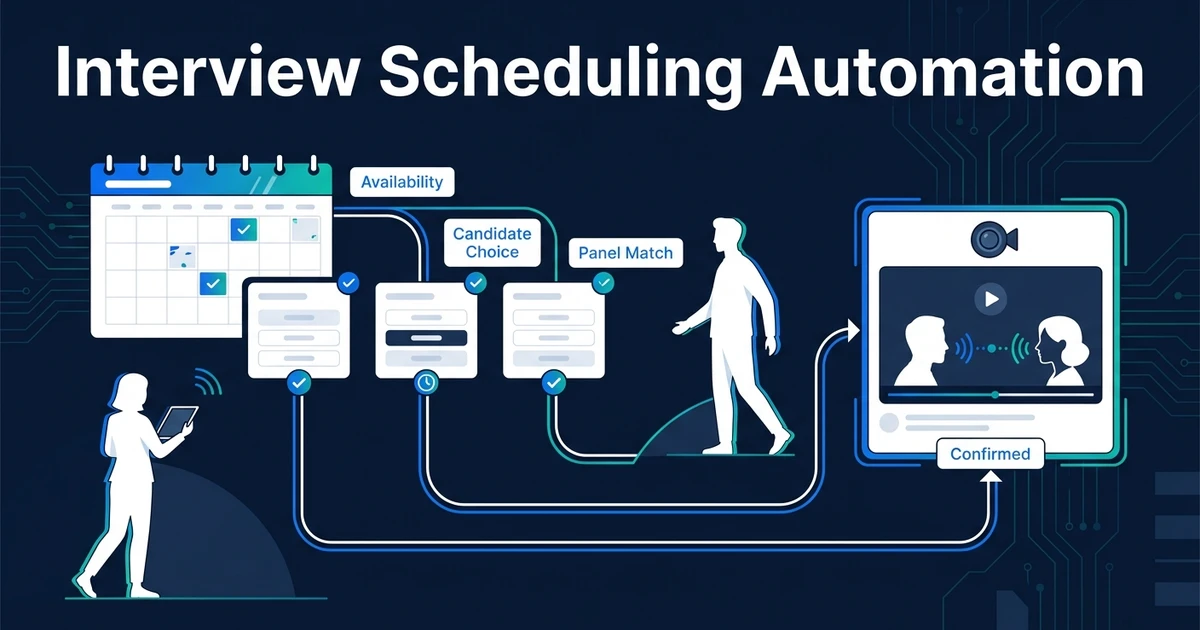
Quick Answer: Interview scheduling automation coordinates candidate and interviewer availability, applies booking rules, sends confirmations and reminders, handles changes, and updates the ATS. It removes calendar coordination while sending conflicts, unusual panel requirements, and sensitive requests to a recruiter.
Interview scheduling automation should do more than send a booking link. It should move a candidate from an approved interview stage to a confirmed appointment without forcing a recruiter to compare calendars, rewrite details, or repair the ATS afterward.
The difference sits in the workflow. A booking page solves one choice. A connected scheduling process manages the trigger, participants, time zones, meeting details, reminders, changes, and final record. It also gives every exception a clear owner.
Why Interview Scheduling Breaks Down as Hiring Volume Grows
Scheduling looks simple until one interview needs a candidate, recruiter, hiring manager, technical interviewer, room, and meeting link to agree at the same time. Add several active roles and every change creates another email thread.
The visible problem is calendar back-and-forth. The deeper problem is fragmented state. The calendar may show a meeting while the ATS still says “awaiting interview,” or the ATS may advance while one required interviewer never received the invite.
Recruiting was the most common HR practice area for AI use at 27%, according to SHRM’s 2026 State of AI in HR report. SHRM also identified scheduling as one of the routine, process-driven uses already appearing in HR.
That makes scheduling a practical automation target. The work repeats, most decisions follow defined rules, and the outcome is easy to verify: the right people have a valid appointment and the candidate record matches the calendar.
What Is Interview Scheduling Automation?
It is a set of triggers and rules that coordinates interview logistics without requiring a recruiter to manage every step. The workflow reads an event, checks permitted availability, presents valid options, confirms a choice, communicates the details, and records the result.
A useful setup connects four sources of truth:
- The ATS or CRM provides candidate, role, stage, and owner data
- Calendars provide real availability and working-hour constraints
- Email provides confirmations, reminders, and change notices
- The scheduling record preserves the booked time, participants, and status
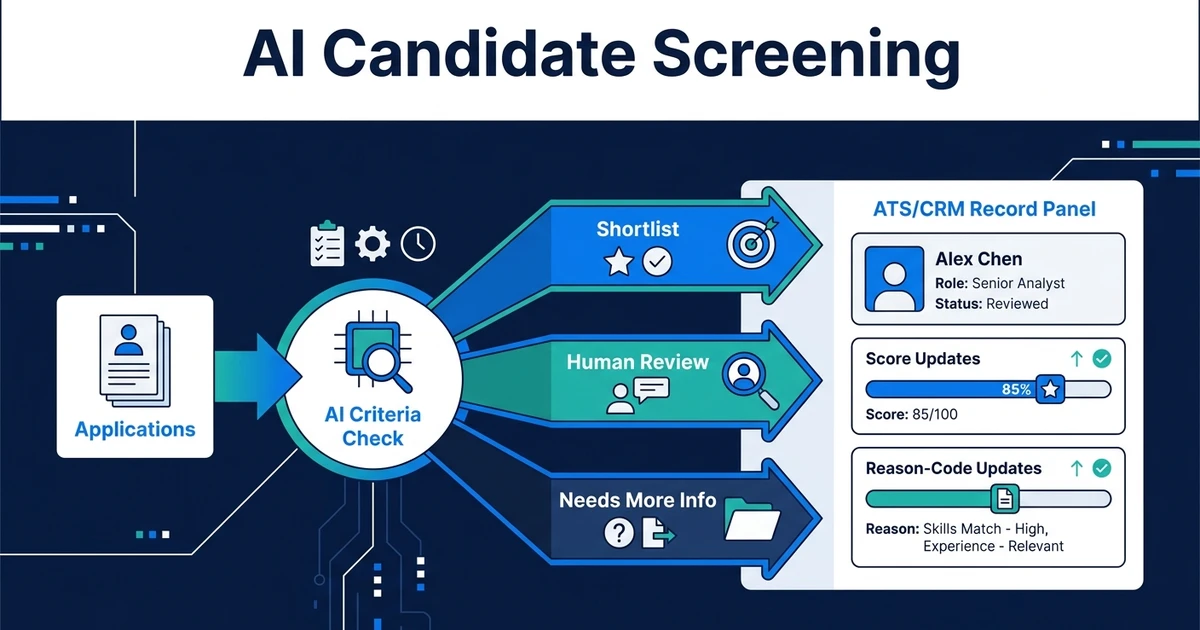
The system does not decide who deserves an interview. A recruiter or approved screening process makes that decision first. Scheduling begins only after a clear stage change or approval event.
How Does Interview Scheduling Automation Work?
A connected workflow follows a controlled sequence:
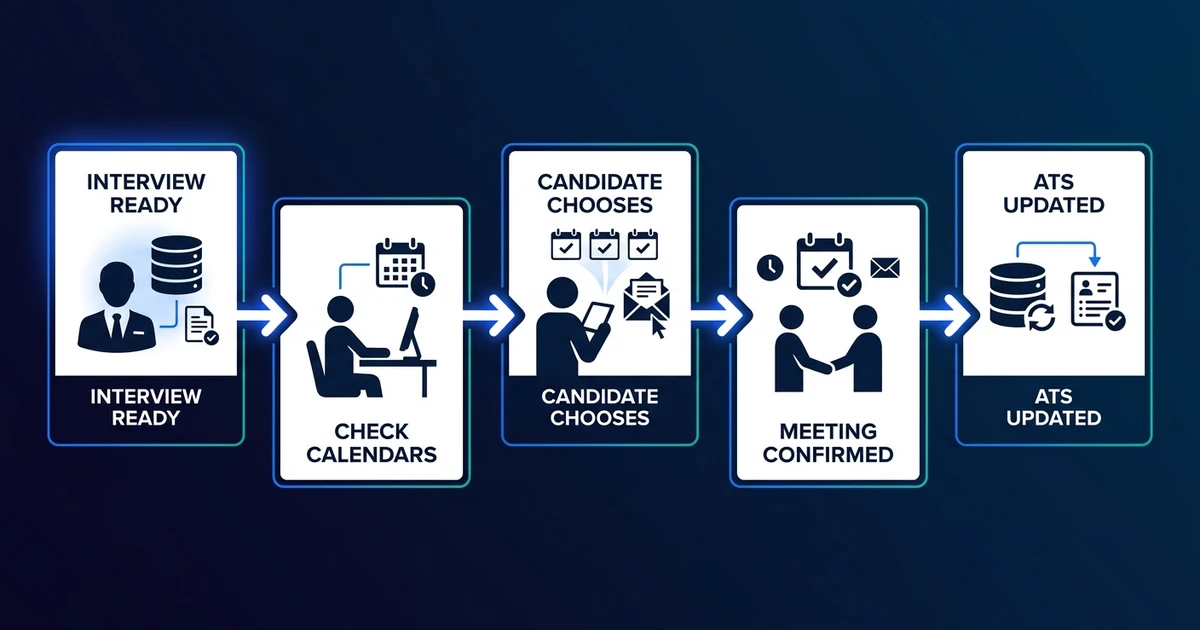
- The candidate enters an interview-ready ATS stage.
- The workflow reads the interview type and required participants.
- Calendar rules remove unavailable or invalid times.
- The candidate receives a limited set of valid options.
- Their selection creates the meeting and sends confirmations.
- Reminder rules run before the appointment.
- A cancellation or reschedule updates every participant and the ATS.
- An unresolved conflict creates a recruiter task with the relevant context.
Each step needs an owner and a failure path. If a calendar connection expires, the system should stop and alert someone. It should never guess availability or send an empty meeting link.
The ATS write-back matters as much as the invite. The record should capture the scheduled time, interview type, participants, link or location, booking status, and last change. Recruiters can then manage from the system of record instead of reconstructing events from inboxes.
Which Interview Scheduling Steps Should You Automate First?
Start with the steps that happen in every interview and follow the same rules:
- Request or expose approved availability
- Create calendar events and meeting links
- Send candidate and interviewer confirmations
- Deliver preparation details and reminders
- Process a valid self-service reschedule
- Notify owners about cancellations
- Update the interview status in the ATS
Initial screens are usually the easiest starting point. They often involve one recruiter, a standard duration, predictable working hours, and a repeatable message.
Final panels need more care. They may require several participants, protected preparation time, rooms, scorecards, or role-specific materials. Automate them after the simpler flow is stable and the exception rate is understood.
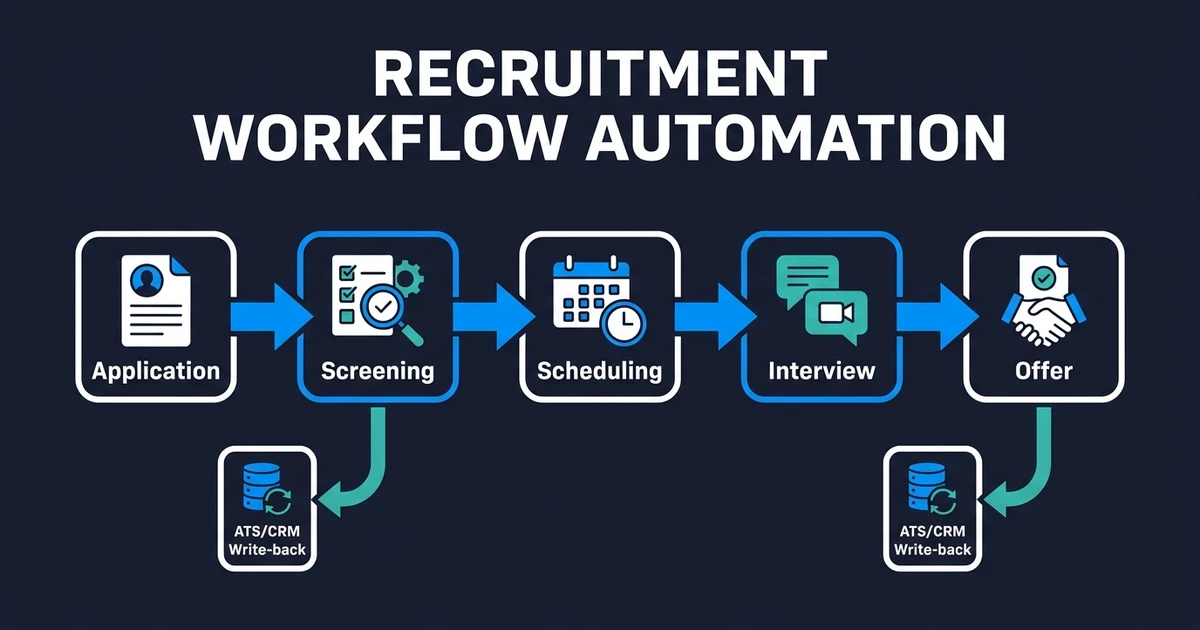
For the parent process, see how scheduling connects with screening and status changes in the broader recruitment workflow.
How Should Automation Handle Panels, Time Zones, and Reschedules?
Panel logic begins with participant roles. The workflow needs to know who must attend, who can substitute, who is optional, and whether the interview can proceed if someone declines.
Time-zone logic should store one canonical appointment time and display it in each participant’s local zone. It should also respect working hours, regional holidays, minimum notice, travel buffers, and any required gap between interviews.
Rescheduling needs limits. A candidate can choose another approved slot, but the workflow should route changes that arrive close to the meeting, affect a full panel, or happen repeatedly. A cancellation should reopen the correct stage rather than leaving the candidate marked as scheduled.
If your team wants this logic built across its current ATS, inbox, and calendars, Automiq AI’s recruitment automation service maps the rules, builds the connections, and adds the exception paths without requiring an ATS migration.
What Should Stay Under Recruiter Control?
Automation should handle coordination, not sensitive interpretation. Accommodation requests, illness, family emergencies, accessibility needs, and unusual candidate circumstances deserve a human response.
Keep these situations manual or approval-based:
- Selecting a substitute interviewer when role context matters
- Changing the interview format for a candidate request
- Handling repeated cancellations or signs of disengagement
- Coordinating confidential executive searches
- Explaining delays caused by an internal hiring decision
The safest pattern is escalation with context. The recruiter should receive the candidate record, failed rule, previous attempts, and next available options. That turns an exception into one informed decision instead of another investigation.
What Does an Automated Interview Scheduling Workflow Look Like?
Consider a small recruitment agency coordinating first interviews and client panels across several roles. Today, a consultant asks the candidate for availability, forwards it to the client, waits for a reply, proposes another time, creates the invite, and updates the ATS when they remember.
In the automated flow, the consultant advances an approved candidate. The system selects the correct interview template, checks the permitted calendars, sends valid options, creates the meeting, and records the result. The consultant returns only if no valid slot exists or the candidate raises a special request.
The practical outcome is clear. The consultant stops acting as a messenger between calendars. The client still controls availability, the candidate still chooses a suitable time, and the ATS reflects the confirmed event.
Recruitment agencies can apply the same principle to other repeatable admin without turning this article into a full workflow guide. The existing agency automation overview covers that wider business case.
Done-for-You vs DIY Scheduling vs More Coordinator Time
The right implementation path depends on the complexity of the interview, not the number of automation features available.
| Approach | Best fit | Main tradeoff |
|---|---|---|
| DIY booking setup | One interviewer and one repeatable meeting type | Your team owns configuration, testing, and failures |
| More coordinator time | Sensitive or constantly changing schedules | Every booking continues to consume human capacity |
| Done-for-you workflow | Multiple roles, panels, ATS updates, and exception rules | Requires a clear process and implementation scope |
DIY is sensible when one recruiter can expose approved times and the meeting needs no complex write-back. It becomes fragile when the workflow must select panels, enforce role-specific rules, or keep several systems current.
Hiring more coordination capacity may solve the immediate queue, but it preserves the same manual handoffs. A done-for-you build fits when the process is stable enough to describe and repetitive enough that recruiters should not manage it appointment by appointment.
How Do You Evaluate an Interview Scheduling Setup?
Measure the workflow before expanding it. Useful checks include:
- Time from interview approval to confirmed appointment
- Number of recruiter touches per booking
- Share of bookings that need human intervention
- Conflicts found after confirmation
- Reschedules completed without duplicate events
- ATS records that match the live calendar
- Candidate requests routed to the correct owner
Test with dummy candidates before using live records. Include a normal booking, no shared availability, a panel decline, a time-zone change, a cancellation, a late reschedule, and an expired calendar connection.
Only 24% of surveyed HR employees said their function derived maximum value from HR technology, while 69% of a broader employee sample reported at least one HR technology barrier, according to Gartner’s 2024 HR technology survey. A scheduling tool creates value only when people can trust the workflow around it.
Frequently Asked Questions
What is interview scheduling automation?
It coordinates availability, booking rules, invitations, reminders, changes, and ATS updates after a candidate is approved for interview. Recruiters handle conflicts and requests that need judgment.
Can automated interview scheduling coordinate panel interviews?
Yes, when required participants, optional participants, substitutions, buffers, and working hours are defined. The workflow should escalate if it cannot assemble a valid panel.
Can candidates reschedule without contacting a recruiter?
Yes. A controlled link can offer another valid slot and update the calendar and ATS. Late or repeated changes should create a recruiter task.
Does an interview scheduling workflow work with an existing ATS?
Yes. The ATS can trigger scheduling and receive the confirmed time, participants, meeting details, and status. The goal is to keep the existing system current, not replace it.
Which scheduling situations should remain manual?
Keep accommodations, sensitive circumstances, executive panels, and ambiguous substitutions human-led. These cases need context that a calendar rule cannot supply.
Stop Chasing Calendars and Keep Interviews Moving
Scheduling should produce a confirmed interview and a current candidate record, not another chain of messages for a recruiter to supervise.
When the rules are clear, automation can handle availability, booking, reminders, changes, and write-back while your team handles candidates and clients. The result is a scheduling stage that moves without losing human control.
Book a recruitment workflow discovery call to map your interview types, panel rules, exceptions, and ATS updates. Automiq AI will show you which scheduling steps can run automatically and which should stay with your recruiters.