EN
EN DE
DE ES
ES FR
FR NL
NL PT
PT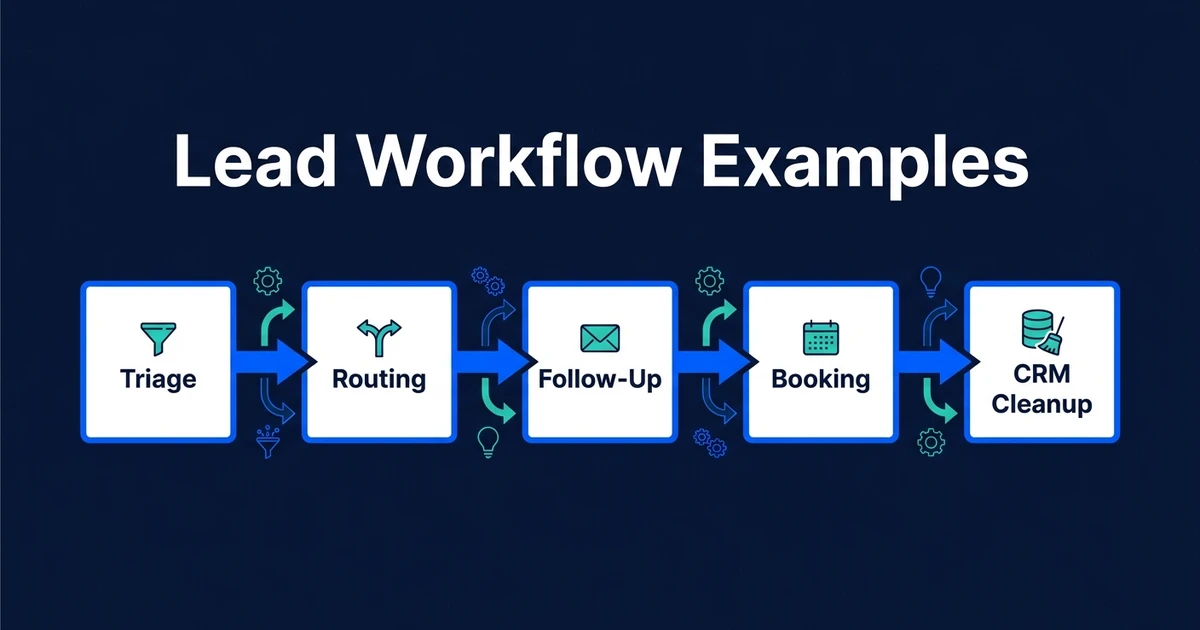
Quick Answer: Lead management workflow examples show the specific automations that move a lead from inquiry to next action. The best workflows solve one clear handoff at a time, such as triage, scoring, routing, follow-up, booking, CRM cleanup, or reactivation, instead of trying to automate the entire sales process in one fragile build.
Most small businesses do not need more abstract AI ideas. They need to know which workflow should be automated first.
That is why examples matter. A concrete workflow gives you a trigger, a decision, a CRM update, and a next action. You can see where time disappears and where automation would actually change the day.
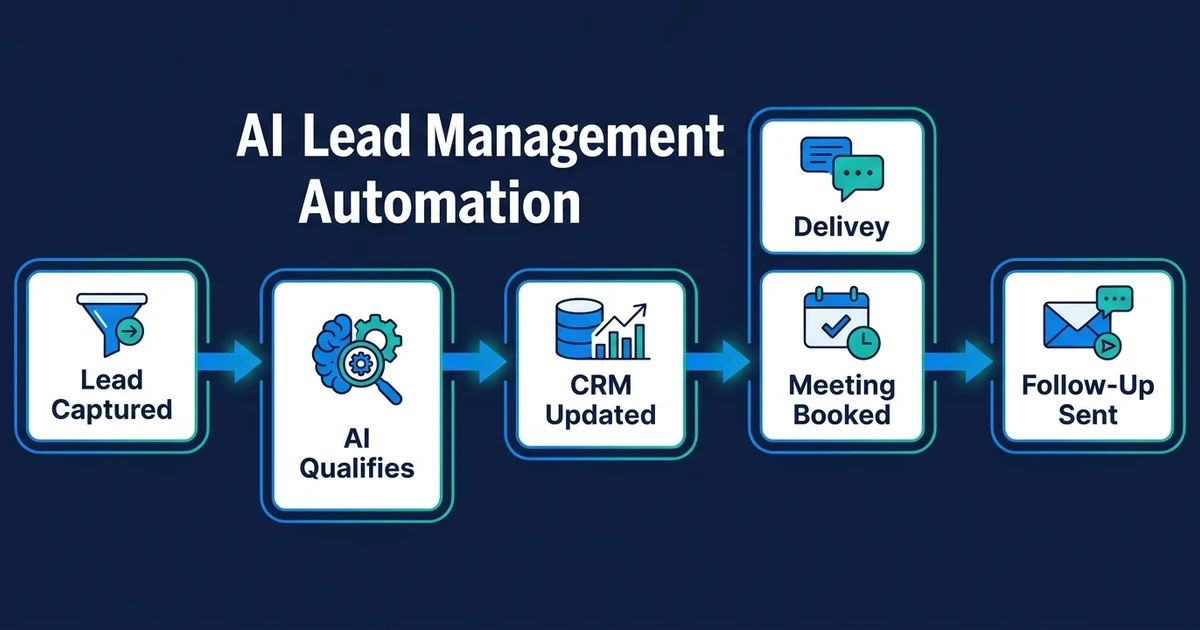
This guide sits under the broader AI lead management automation pillar. The pillar explains the full system. This article helps you choose the first practical workflow to build.
Why Lead Management Workflow Examples Beat Generic Automation Ideas
Generic automation advice usually sounds helpful until you try to apply it. “Automate lead follow-up” is not a workflow. It is a goal.
A workflow needs sharper details. What triggers it? What information does it read? What rule decides the next step? What gets updated in the CRM? Who gets notified? What happens if the lead is unclear?
Without those answers, automation becomes a collection of disconnected tasks. One tool sends an email. Another creates a contact. Someone still has to decide whether the lead is worth chasing.
Lead management workflow examples are useful because they turn broad intent into operational logic. They show what the system should do when a real lead arrives.
Gartner surveyed sellers and found that those who effectively partner with AI tools are 3.7 times more likely to meet quota in its AI seller research. The value is not AI in isolation. It is AI tied to the next sales action.
What Makes a Good Automated Lead Management Workflow?
A good automated lead management workflow has a clear start and a useful finish. It does not simply move data from one place to another.
At minimum, define these parts:
- Trigger: What starts the workflow?
- Context: What information should the workflow read?
- Decision rule: How does the system decide what happens next?
- CRM update: What record, field, task, or note changes?
- Owner: Who needs to know or act?
- Exception rule: When should a human review the lead?
- Measurement: How will you know the workflow worked?
That last point is easy to skip. Do not skip it. If you cannot measure response time, booking rate, stalled leads, or manual updates removed, you will struggle to prove the workflow is worth keeping.
McKinsey found that about 75 percent of generative AI use-case value falls across customer operations, marketing and sales, software engineering, and R&D in its economic potential analysis. Lead workflows sit directly in customer operations and sales, where the next action affects revenue.
Seven Lead Management Workflow Examples for Small Businesses
These examples are not templates to copy blindly. Use them to identify the handoff that leaks most in your current process.
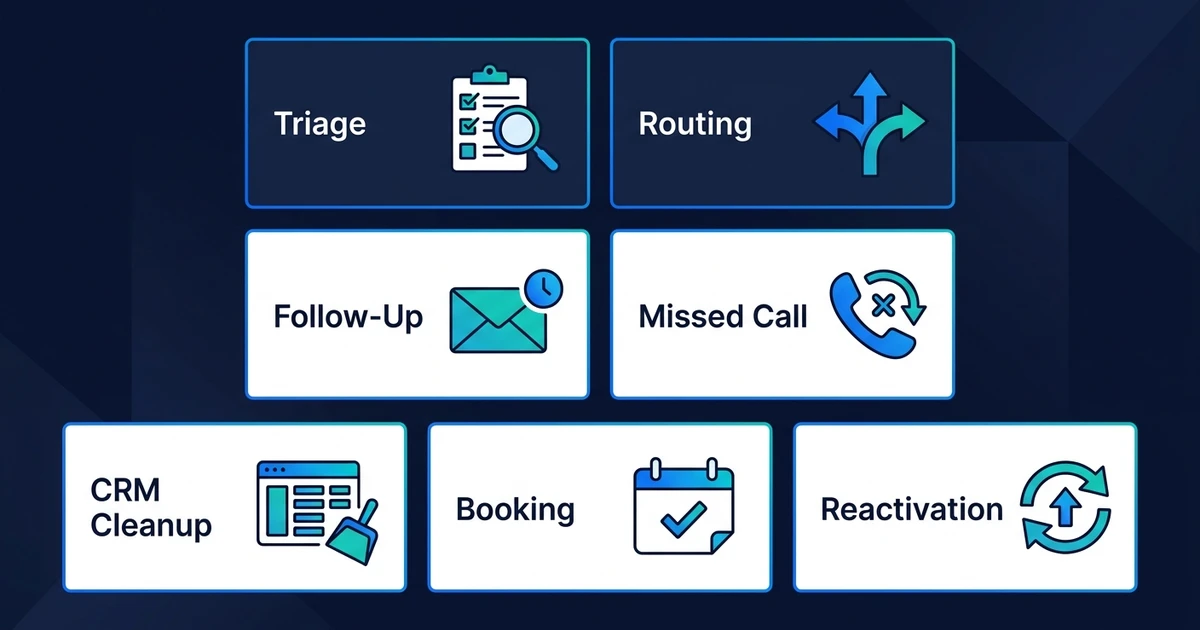
New Inquiry Triage Workflow
The trigger is a new website form, email inquiry, chat message, or call summary. The workflow reads the message, extracts the service need, checks whether the contact already exists, and creates or updates the CRM record.
The next action depends on fit. A clear sales inquiry can receive a booking link. A vague inquiry can receive one qualifying question. A poor-fit inquiry can be logged without interrupting the sales team.
Best fit: businesses where leads arrive from several channels and nobody has a consistent first-pass review process.
High-Intent Lead Routing Workflow
This workflow starts when a lead shows strong buying intent. That might be a pricing request, urgent timeline, specific service need, or repeat engagement with your business.
The automation checks fit, summarizes the context, assigns the right owner, and sends a notification. If the lead is a strong match, it can trigger a faster response path than a general inquiry.
This connects naturally to AI lead scoring. Scoring tells the workflow how strong the lead looks. Routing decides who or what handles it next.
Best fit: teams that receive enough leads that strong prospects can get buried behind lower-fit inquiries.
No-Response Follow-Up Workflow
This workflow starts after a lead receives a reply but does not answer, book, or move forward. Instead of relying on memory, the system checks the time since last touch and triggers the next message or task.
The workflow should use different paths for different lead types. A high-fit lead may need a personal follow-up task. A lower-fit lead may receive a short automated check-in.
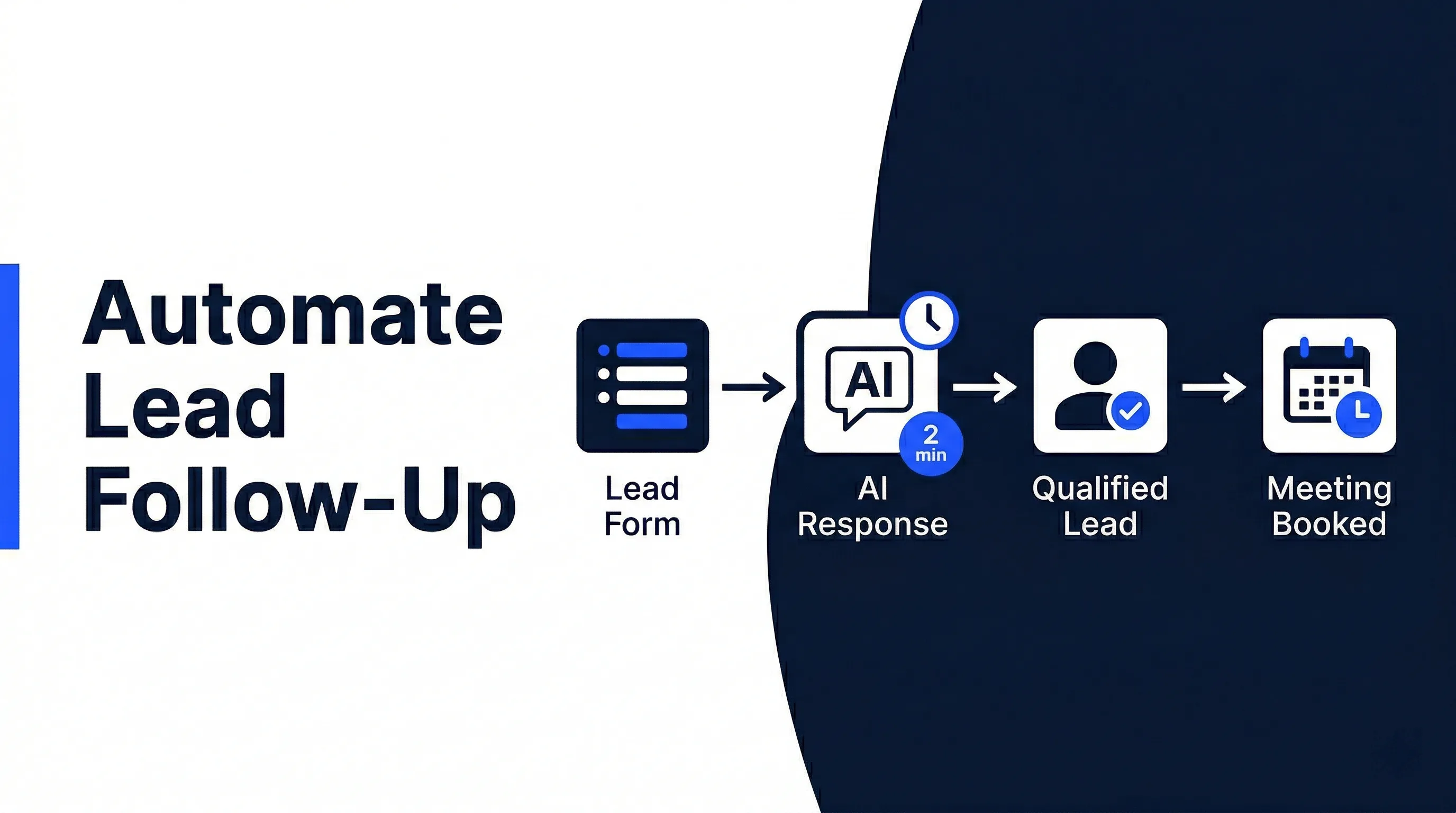
If this is your biggest leak, the deeper guide on how to automate lead follow-up covers the follow-up system in more detail.
Best fit: service businesses that respond to leads but lose them after the first message.
Missed-Call Recovery Workflow
This workflow starts when a missed call, voicemail, or after-hours call summary enters the system. The automation captures the caller details, creates or updates the CRM record, sends an acknowledgement, and alerts the right person.
For local service businesses, real estate teams, healthcare practices, and recruitment agencies, missed calls can be high-intent leads. The key is speed and context.
The workflow should also separate sales calls from support, vendor, spam, and existing customer requests. Otherwise, your team gets flooded with noisy alerts.
Best fit: businesses where phone inquiries still drive meaningful revenue.
CRM Cleanup and Duplicate Check Workflow
This workflow starts when a new lead enters the CRM or when an existing lead replies. The system checks for duplicate records, old opportunities, missing fields, and conflicting owner assignments.
It then updates the record, adds a summary, fills the source field when possible, and flags anything unclear for review. The goal is not a prettier CRM. The goal is a CRM your team can trust.
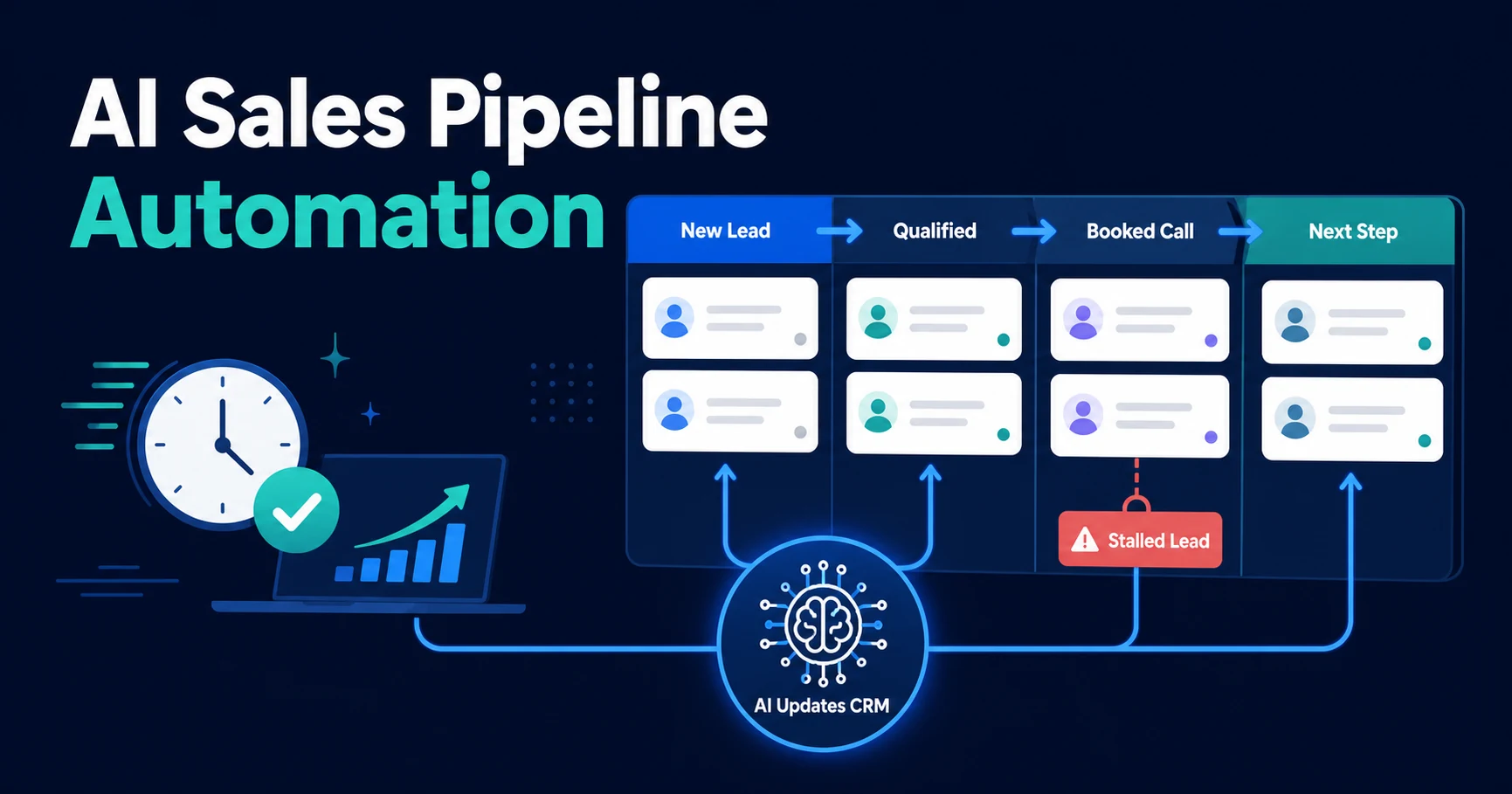
For a focused version of this layer, use AI sales pipeline automation logic, which covers stage movement, stalled opportunities, and pipeline visibility.
Best fit: teams that spend too much time cleaning CRM data before pipeline reviews.
Booking Handoff Workflow
This workflow starts when a lead qualifies for a call. The system sends the right booking link, updates the CRM stage, adds a task, and watches whether the lead books.
If the lead books, the workflow adds meeting context to the CRM. If they do not book, it can trigger a reminder or assign a follow-up task.
The mistake is treating booking as separate from lead management. If the CRM does not know whether the lead booked, your pipeline still needs manual cleanup.
Best fit: consultative service businesses where the main conversion event is a discovery call or consultation.
Dormant Lead Reactivation Workflow
This workflow starts when old leads match a reactivation rule. The system can filter by previous service need, last interaction, source, stage, or reason for going quiet.
It then sends a relevant reactivation message or creates a review task for higher-value records. The goal is to restart useful conversations without manually combing through old CRM data.
This workflow works best after your CRM is reasonably clean. If old records are messy, start with cleanup before reactivation.
Best fit: businesses with a CRM full of old warm leads that never received a structured second pass.
Automiq AI can turn the workflow with the highest leak into a working system inside your CRM, inbox, calendar, and forms. If you already know which handoff breaks most often, book a free discovery call and we will map the first automation to build.
Which Lead Workflow Should You Automate First?
The best first workflow is not always the most impressive one. It is the one that removes the clearest bottleneck.
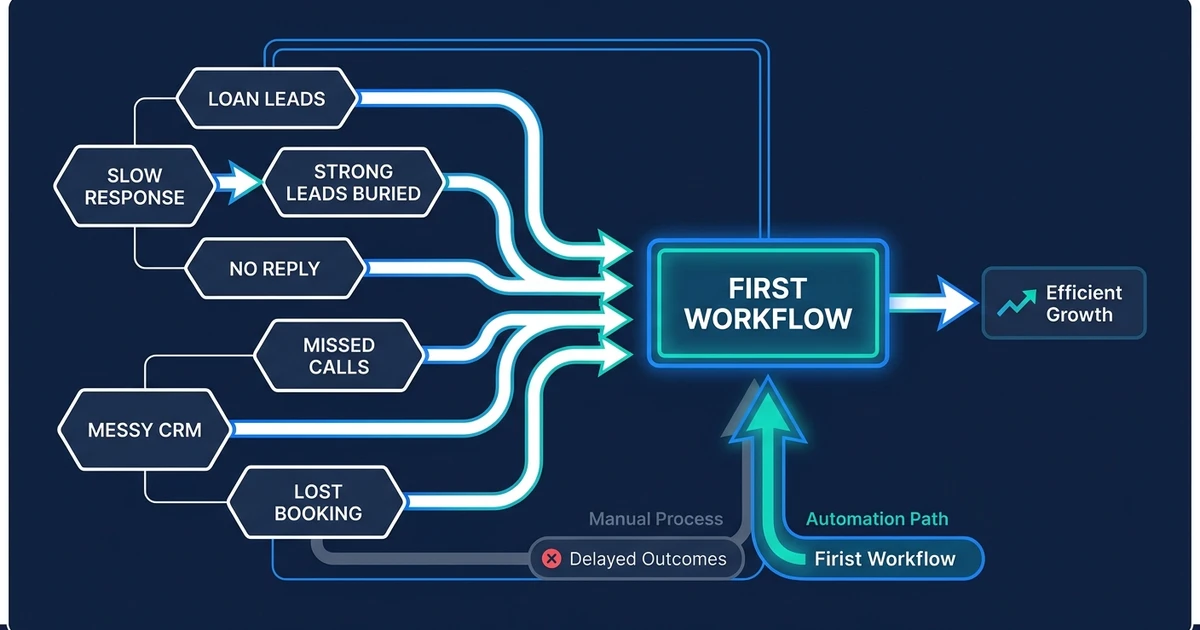
Use this decision table:
| If this keeps happening | Automate this first | Why it matters |
|---|---|---|
| New inquiries wait too long | New inquiry triage | Speeds up the first qualified response |
| Strong leads get buried | High-intent routing | Gets urgent leads to the right person faster |
| Leads go quiet after reply | No-response follow-up | Keeps warm prospects from going cold |
| Calls are missed after hours | Missed-call recovery | Captures phone intent before it disappears |
| CRM records are messy | CRM cleanup and duplicate checks | Gives every later workflow cleaner data |
| Qualified leads do not book | Booking handoff | Turns fit into scheduled conversations |
| Old warm leads sit untouched | Dormant lead reactivation | Recovers value from existing CRM records |
If more than one row applies, start where revenue is closest. For most service businesses, that means the first response, booking handoff, or follow-up after no response.
Do not start with the workflow that looks most advanced. Start with the workflow your team already knows is costing time, leads, or visibility.
DIY Workflow Templates vs. Done-for-You Lead Automation
DIY workflow templates can be useful when the process is simple. If a form should create a CRM record and send one notification, a template may be enough.
The problem starts when the workflow needs judgment. A real lead process may need to read free-text messages, check CRM history, decide whether a lead qualifies, assign the right owner, send the right reply, and flag unclear cases.
| Option | Best fit | Main limitation |
|---|---|---|
| DIY template | One trigger and one predictable action | You still own testing, fixes, and edge cases |
| Internal build | A technical operator understands the sales process | Sales logic must still be defined clearly |
| Done-for-you workflow | Multi-step lead handling across CRM, inbox, and calendar | Requires upfront process mapping |
Done-for-you automation is not about avoiding tools. It is about getting the workflow logic right before anything is built.
That is where AI workflow design matters. The first step is mapping the trigger, decision rule, CRM update, owner, exception path, and success metric. The tool comes after the workflow is clear.
How These Workflows Fit Under AI Lead Management Automation
Each workflow above solves one part of the larger lead management system. The pillar page explains how capture, qualification, routing, follow-up, booking, CRM updates, and reporting work together.
This page is more tactical. It helps you choose the first workflow to implement without rewriting your entire sales process at once.
That is usually the smarter path. Automate one high-leak handoff, test it, then expand. A working triage workflow is more valuable than a grand plan that never gets deployed.
Once one workflow is live, the next step becomes easier. Your team sees the pattern, trusts the system, and can add scoring, routing, follow-up, booking, or reactivation without starting from scratch.
Frequently Asked Questions
What are lead management workflow examples?
Lead management workflow examples are practical automations that show what should happen after a lead enters your business. They usually include a trigger, qualification logic, CRM update, owner assignment, next action, and exception rule.
Which lead management workflow should I automate first?
Start with the workflow where leads leak most often. For many small businesses, that is the gap between a new inquiry and the first qualified response, but your best starting point may be routing, CRM cleanup, booking, or reactivation.
Are lead management workflow examples different from CRM automation?
Yes. CRM automation usually focuses on records and fields. Lead management workflows can include CRM updates, but they also cover response, scoring, routing, booking, follow-up, and handoff rules.
Can small businesses use automated lead workflows without changing CRMs?
Yes. A well-built workflow can connect to your existing CRM, inbox, forms, calendar, and team notifications. The goal is to make your current tools work better, not force a platform change.
What is the easiest lead workflow to automate first?
The easiest first workflow is usually new inquiry triage. It reads the lead, captures the basic context, updates the CRM, assigns an owner, and triggers the right next action.
Should I use DIY workflow templates or done-for-you automation?
DIY templates can work for a simple trigger and one predictable action. Done-for-you automation makes more sense when the workflow includes qualification, CRM history, routing, follow-up timing, and human review rules.
Turn Your Highest-Leak Workflow Into a Working System
You do not need to automate the entire lead process at once. You need to find the handoff that leaks the most value and make that one reliable.
For some teams, that is triage. For others, it is routing, booking, follow-up, missed calls, CRM cleanup, or old lead reactivation. The right answer is the workflow that removes the most manual chasing from your current sales process.
If you want that mapped into a working system, book a free discovery call with Automiq AI. We will identify the highest-leak lead workflow in your business and show how to automate it inside the tools you already use.