EN
EN DE
DE ES
ES FR
FR NL
NL PT
PT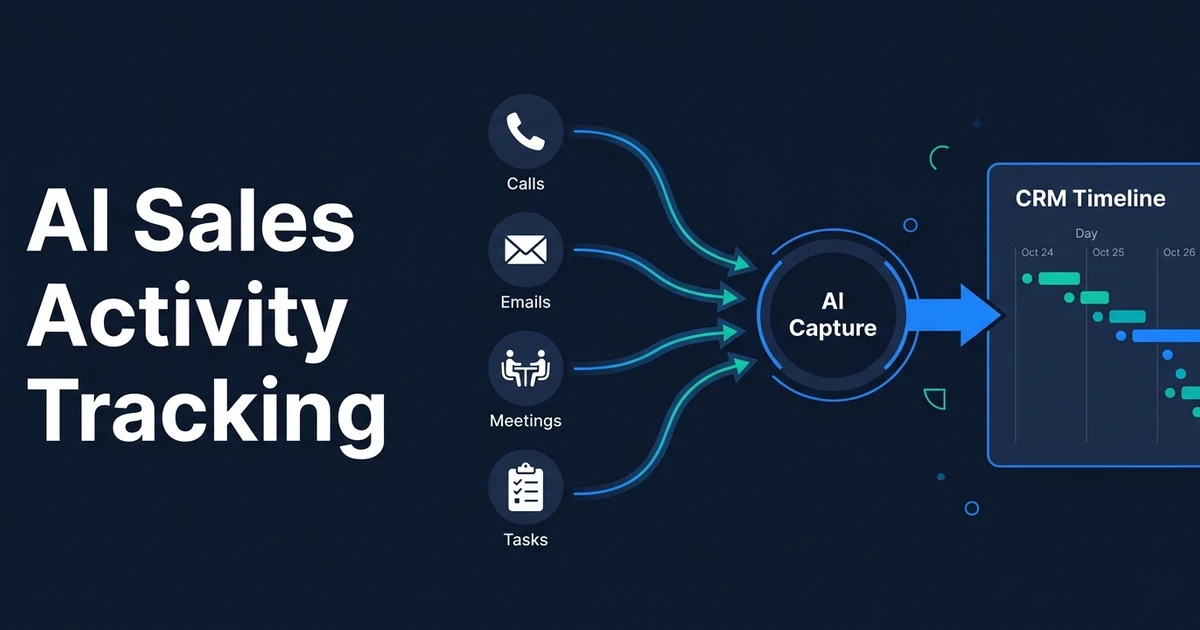
Quick Answer: AI sales activity tracking automatically captures customer touchpoints such as calls, emails, meetings, tasks, and notes, then connects them to the correct CRM records. A useful setup measures whether activity is complete, timely, and tied to a next step instead of simply counting how busy the sales team looks.
AI sales activity tracking solves a simple problem: your sales work happens across several tools, but your CRM only shows the parts someone remembered to log.
That missing activity makes pipeline reviews slower, handoffs weaker, and follow-up harder to trust. The goal is not to watch every move your team makes. It is to create a reliable customer history so the next person knows what happened and what needs attention.
Why Manual Sales Activity Tracking Leaves CRM Blind Spots
Manual sales activity logging happens after the valuable work. Your representative finishes a call, answers an email, books a meeting, or sends a proposal. Updating the CRM becomes another task competing with the next customer conversation.
The result is not always an empty record. It is usually a partial record: the meeting appears, but the outcome does not; the email was sent, but no follow-up task exists; the call happened, but the account owner cannot see what changed.
Those gaps create practical problems:
- Sales reviews begin with CRM cleanup
- Another team member contacts the customer without context
- Follow-up dates depend on personal reminders
- Managers cannot distinguish low activity from missing activity
- Reports show a cleaner process than the team actually runs
Sales and marketing represent 28% of the total potential economic value from generative AI in McKinsey’s analysis of its 2024 CxO survey on AI in the workplace. Activity capture is a practical place to pursue that value because it removes repeated documentation from work your team already performs.
What Is AI Sales Activity Tracking?
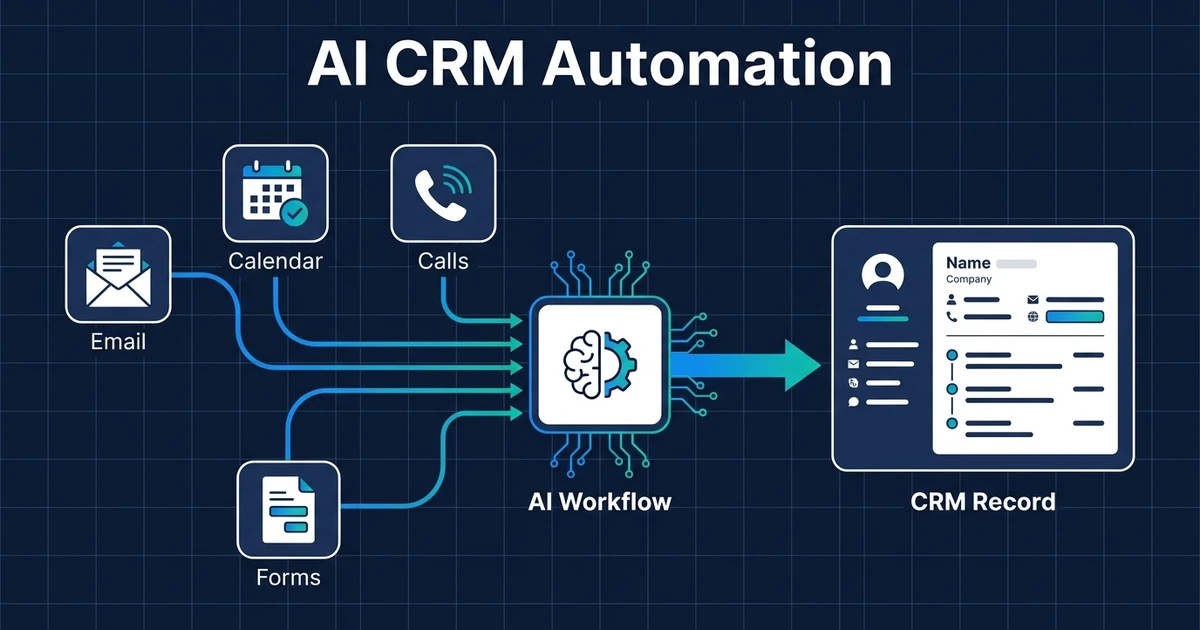
The workflow captures approved sales events, connects them to the right CRM records, and organizes them into a usable history. AI becomes useful when the source contains unstructured context, such as a call note, email thread, or meeting summary.
The workflow may classify a call outcome, identify a promised next step, or summarize an exchange. Fixed rules still handle predictable work such as recording a completed calendar event or updating the last-contacted date.
This is narrower than AI CRM automation. CRM automation covers records, fields, tasks, enrichment, and follow-up across the system. Activity tracking focuses on answering three questions:
- What customer interaction happened?
- Did it reach the correct CRM record?
- Is the record current enough to guide the next action?
That distinction matters. An activity feed is only useful when it reflects real customer work instead of becoming another stream of unverified events.
Which Sales Activities Should AI Capture Automatically?
Start with activity that changes what someone should do next. Capturing every possible event creates noise, while missing meaningful events creates blind spots.
The most useful sources usually include:
- Calls and confirmed call outcomes
- Sent and received customer emails
- Booked, rescheduled, and completed meetings
- Follow-up tasks and deadlines
- Approved notes and customer commitments
- Proposals or documents sent to the customer
Each activity type needs a clear business purpose. An email may update the last-contacted date. A completed discovery call may add a summary and task. A proposal event may record delivery without claiming the customer reviewed or accepted it.
Avoid treating tracking pixels, internal messages, or private employee activity as customer truth. Capture should follow permissions and declared business use, not curiosity.
How Automated Sales Activity Capture Works
A reliable workflow needs more than a connection between your inbox and CRM. It has to identify the event, match the participants, avoid duplicates, and decide which fields it can update safely.
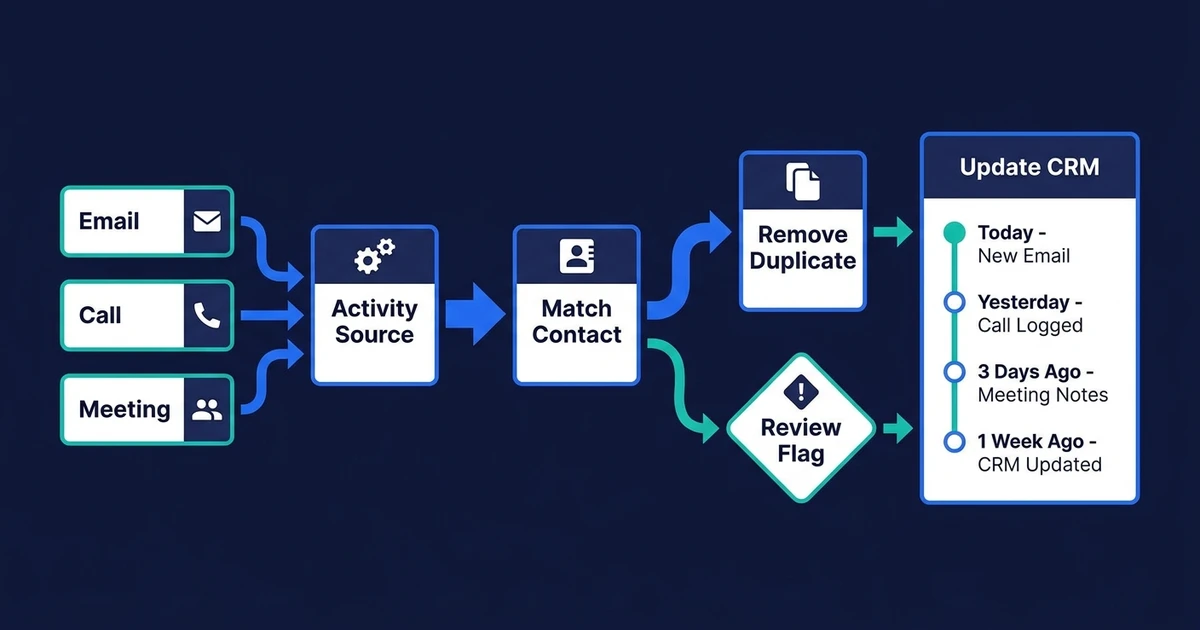
A practical sequence looks like this:
- Read an approved event from email, calendar, phone, meeting, or CRM.
- Normalize the event into a consistent activity type.
- Identify external participants and the responsible team member.
- Match the contact, company, and open deal.
- Check whether the same activity already exists.
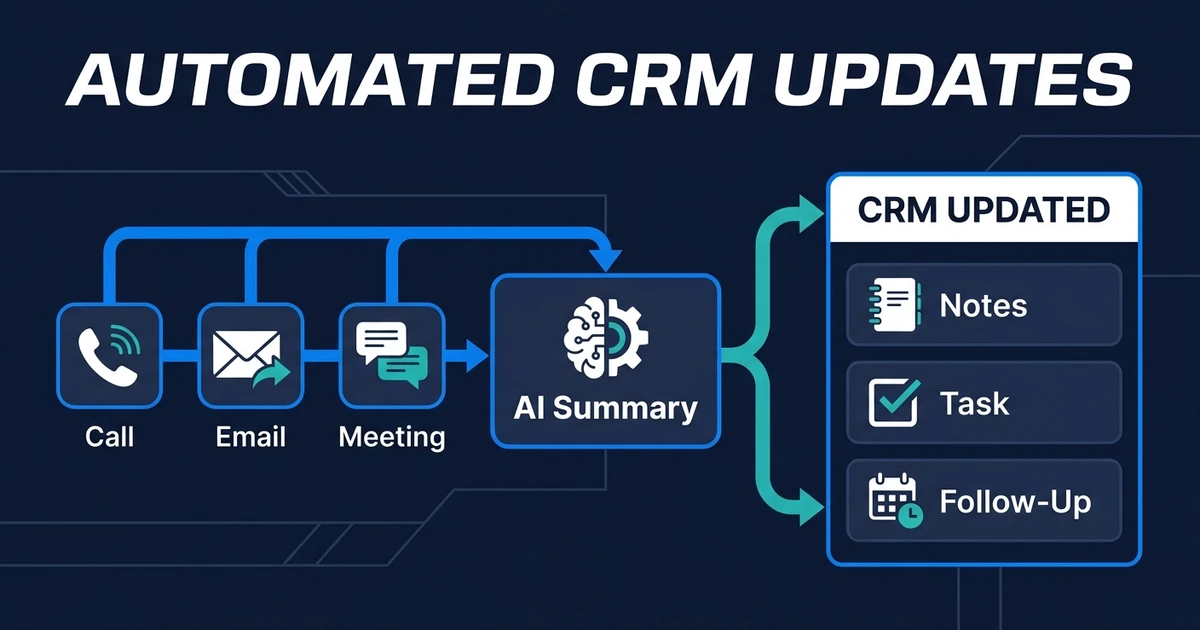
- Add the approved note, outcome, date, or next task.
- Flag uncertain matches or interpretations for review.
Imagine a five-person marketing agency. One salesperson handles an email thread, another joins the discovery call, and the founder prepares the proposal. Without capture rules, those actions remain split across three inboxes and one calendar.
With automated capture, the CRM record receives the email activity, completed meeting, concise summary, proposal event, and next task. The team sees one customer timeline without copying the same context between tools.
If calls, emails, and meetings are disappearing between systems, see how Automiq AI builds AI CRM updates inside your existing tools so customer activity reaches the record your team already uses.
What Should a Sales Activity Dashboard Measure?
A useful sales activity dashboard measures data quality and customer coverage. It should help a manager find missing next steps, neglected deals, and unreliable records before those problems affect the customer.
Gartner reports that 59% of organizations do not measure data quality in its data quality guidance. Gartner identifies completeness and timeliness as core quality dimensions, which map directly to sales activity tracking.
Track measures such as:
- Percentage of open deals with recent meaningful activity
- Percentage of completed meetings with a logged outcome
- Deals without a future task or agreed next step
- Time between customer activity and CRM capture
- Duplicate or unmatched activity rate
- Follow-up completed within the agreed window
Do not rank representatives by call or email count alone. High volume can reflect prospecting effort, poor targeting, duplicate logging, or a difficult territory. The dashboard should create a better coaching conversation, not pretend that busyness equals revenue.
Automated Sales Activity Capture vs Sales Pipeline Automation
Activity tracking and pipeline automation use some of the same sources, but they own different decisions. Keeping that boundary clear prevents one workflow from making changes it was never designed to make.
| Question | Activity Tracking | Pipeline Automation |
|---|---|---|
| Main purpose | Record what happened | Decide what should happen next |
| Core outputs | Calls, emails, meetings, notes, tasks | Stages, owners, alerts, booking and follow-up actions |
| Main quality test | Complete and timely activity | Correct stage and next action |
| Review focus | Matching and interpretation | Revenue-impacting movement |
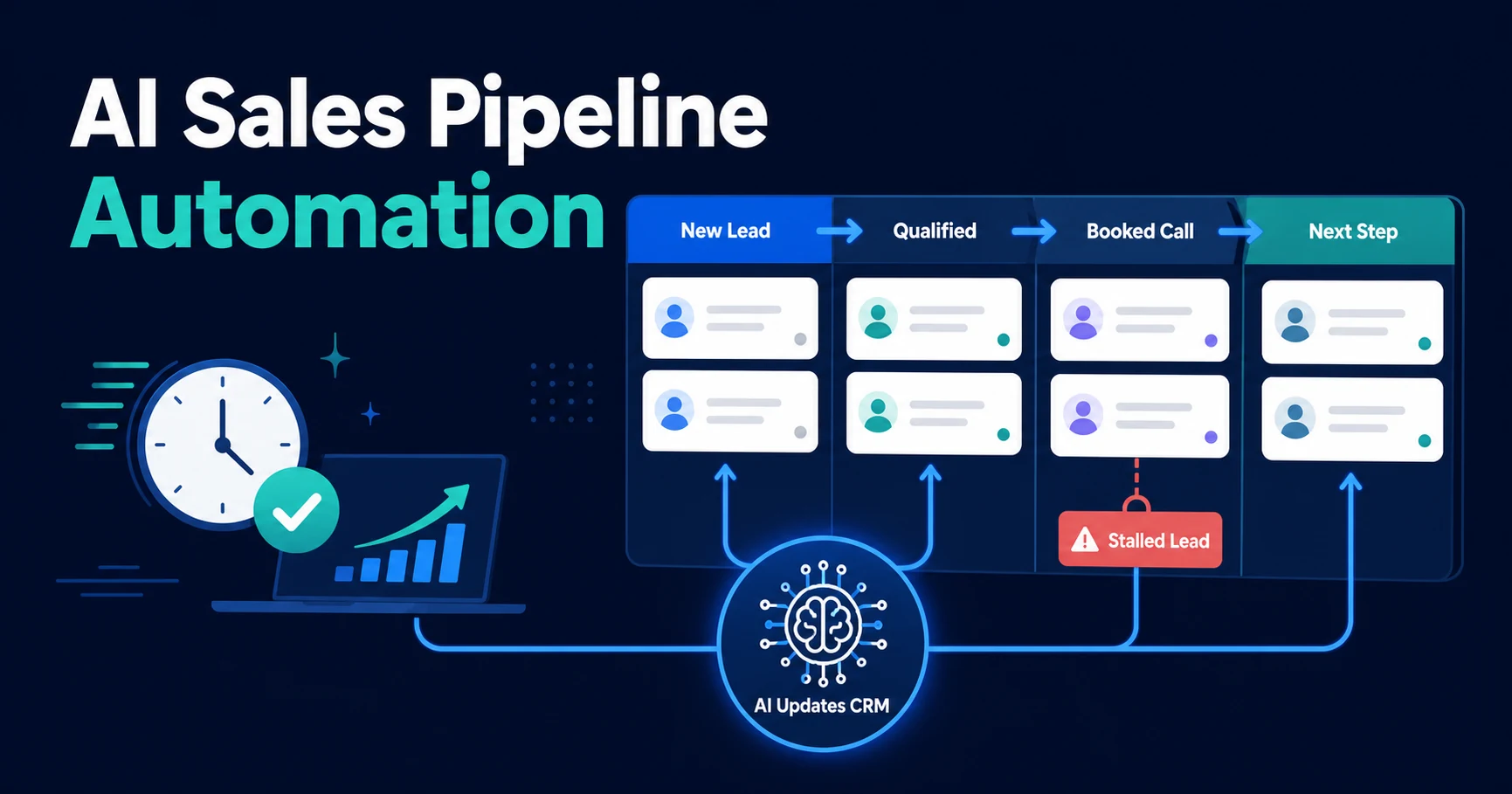
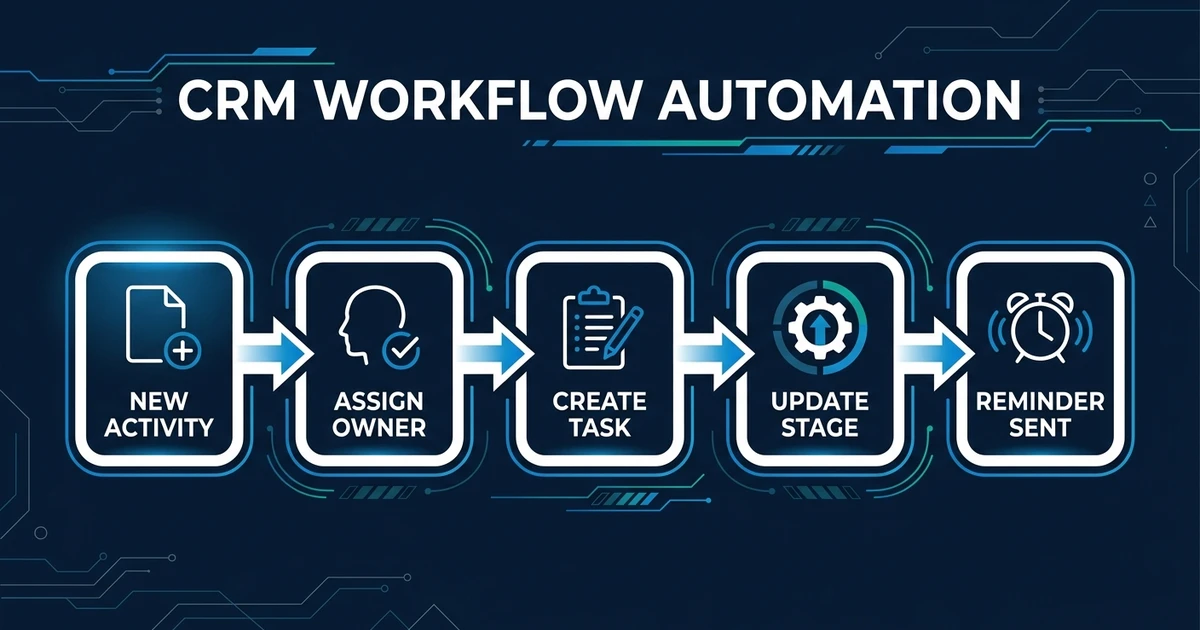
AI sales pipeline automation should manage stage movement, ownership, and stalled opportunities. Activity tracking should provide the trustworthy event history that those decisions depend on.
What Privacy and Review Controls Should Activity Tracking Include?
Start with transparency. Your team should know which business systems connect to the workflow, which customer events enter the CRM, who can view them, and how long the data remains available.
Use role-based access so people see the customer context required for their work. Do not pull private inbox folders, personal accounts, or unrelated internal communication into a sales record.
Separate factual capture from interpretation:
- Automatically log a completed meeting
- Automatically record a confirmed attendee
- Review an AI-generated description of customer intent
- Review sentiment, risk, or deal-quality classifications
- Review conflicting record matches
MIT Sloan reports that human-AI combinations work best when each handles the work it does better in its analysis of human and AI performance. In this workflow, software handles repeated capture while people retain judgment over ambiguous sales meaning.
DIY vs Done-for-You Sales Activity Tracking
A DIY setup can work when you have one CRM, one business inbox, one calendar, and simple activity rules. If the only goal is to record completed meetings, a native connection may be enough.
Complexity rises when you add shared inboxes, several phone systems, duplicate contacts, multiple pipelines, custom activity types, and permission boundaries. The hard part becomes record matching and exception handling, not moving data from one application to another.
| Approach | Best Fit | Main Responsibility |
|---|---|---|
| Native or DIY setup | One source and simple logging | Your team configures and maintains the rules |
| Internal operations build | Technical owner with CRM knowledge | Internal staff manage mapping, testing, and failures |
| Done-for-you workflow | Several sources and custom logic | Implementation partner designs, connects, tests, and documents the system |
Automiq AI designs this operating layer inside the tools you already use. Your team keeps its CRM, while the workflow handles approved capture, matching, and review queues.
How to Evaluate a Sales Activity Tracking Workflow
Evaluate the workflow against the customer history you need, not the length of its feature list. A strong setup should explain what it captures, how it matches records, and what happens when confidence is low.
Use these questions before launch:
- Which business sources are connected?
- Which activities count as meaningful customer activity?
- How are shared inboxes and group meetings handled?
- How does the workflow prevent duplicates?
- What happens when several contacts share a domain?
- Which AI classifications require approval?
- Who can correct an activity or record match?
- Which dashboard metrics prove completeness and timeliness improved?
Test the workflow with messy cases before relying on it. Include rescheduled meetings, forwarded emails, existing customers with several deals, unknown callers, and activities involving several team members.
Frequently Asked Questions
What does automated sales activity capture do?
It captures approved customer touchpoints such as calls, emails, meetings, tasks, and notes, then connects them to the correct CRM records. The result is a more complete activity history without asking your team to log every event manually.
Which sales activities can be logged automatically?
Common sources include business email, calendar events, phone logs, completed meetings, CRM tasks, and approved notes. Each source still needs a supported integration, suitable permissions, and matching rules.
Is sales activity tracking the same as pipeline tracking?
No. Activity tracking records what happened and whether the history is complete. Pipeline tracking manages deal stages, ownership, stalled opportunities, and the next action.
Can automated sales activity capture work with my existing CRM?
Yes, if your CRM and activity sources support integrations, APIs, webhooks, or approved workflow connections. AI integration services can connect those sources without replacing your current CRM.
Should managers use sales activity data to evaluate employees?
Use it to identify missing coverage, delayed follow-up, and process problems. Do not treat raw activity volume as a complete performance score because activity quality and customer outcomes matter more than counts.
Turn Sales Activity Into Reliable CRM Visibility
Your CRM does not need more noise. It needs a complete, timely record of the customer interactions that affect the next decision.
Good activity tracking removes logging work, exposes missing follow-up, and gives the team shared context. It does not reward empty volume or turn customer systems into employee surveillance.
Book a discovery call to map an automated sales activity workflow across your CRM, inbox, calendar, and phone system. Automiq AI will identify missing activity, matching rules, permissions, and review controls before anything is automated.