EN
EN DE
DE ES
ES FR
FR NL
NL PT
PT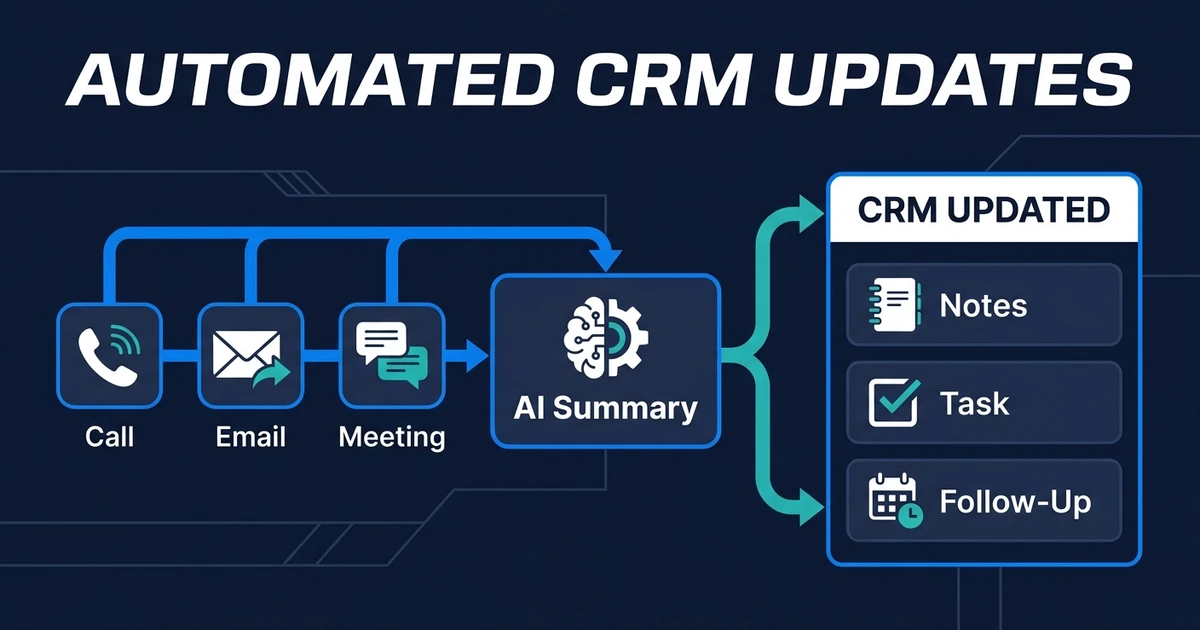
Quick Answer: Automated CRM updates keep contacts, companies, deals, notes, and follow-up tasks current after real customer interactions. Instead of asking the team to log every call or email manually, the workflow reads the source event, extracts the useful details, updates the CRM, and flags anything that needs human review.
Automatic CRM record updates solve one of the most common CRM problems: the record is always behind the conversation.
Your team talks to a client, replies to an email, runs a meeting, or completes a task. The customer relationship moves forward. The CRM does not move unless someone remembers to update it.
That delay is where bad follow-ups, stale reports, and awkward handoffs begin.
Why CRM Records Fall Behind After Customer Interactions
CRM records fall behind because updates happen after the real work. Nobody opens the CRM during every customer conversation and carefully logs each useful detail.
They answer the question, book the call, send the proposal, or move to the next task. The record gets updated later, usually with less detail than the conversation deserves.
The same pattern repeats across small teams:
- Calls end without useful notes
- Emails change next steps but not the CRM
- Meetings create action items that live outside the deal
- Tasks get completed without updating the customer record
- Owners change informally but not inside the system
This is not laziness. It is a workflow design problem. If updating the CRM is extra work, it will always compete with client work.
What Are Automated CRM Updates?
These workflows turn customer activity into current CRM records. They can read a source event, extract the important details, update fields, add notes, create tasks, and notify the right person.
The source can be a call log, email reply, meeting note, form submission, calendar event, task completion, or document. The CRM becomes the destination for the facts your team needs later.
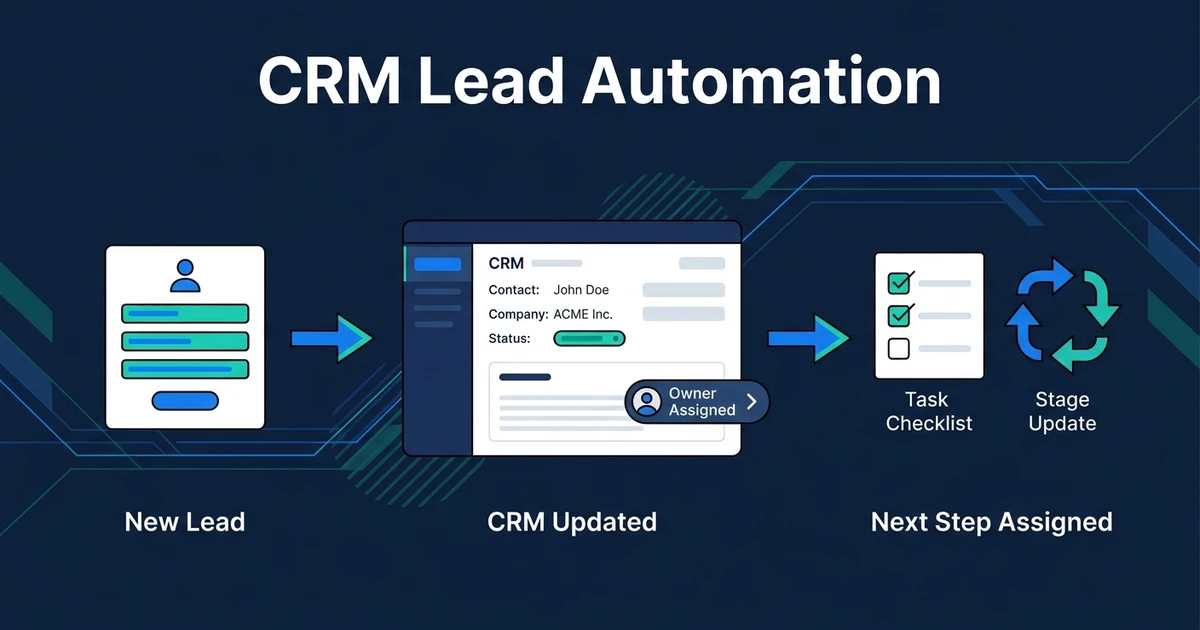
This is narrower than a full CRM operating system and broader than new-lead automation. CRM lead automation focuses on new inquiries. Automated updates keep existing records accurate as work continues.
Deloitte reports that 66% of organizations have achieved productivity and efficiency gains from AI adoption in its State of AI research. Post-interaction CRM updates are a practical version of that gain because they remove a repeat admin step from every customer touch.
Which CRM Fields Should Update Automatically?
The right fields are the ones your team uses to decide what happens next. If a field is only useful for a report nobody reads, it should not be your first automation target.
Start with operational fields:
- Last interaction date
- Interaction summary
- Contact or company notes
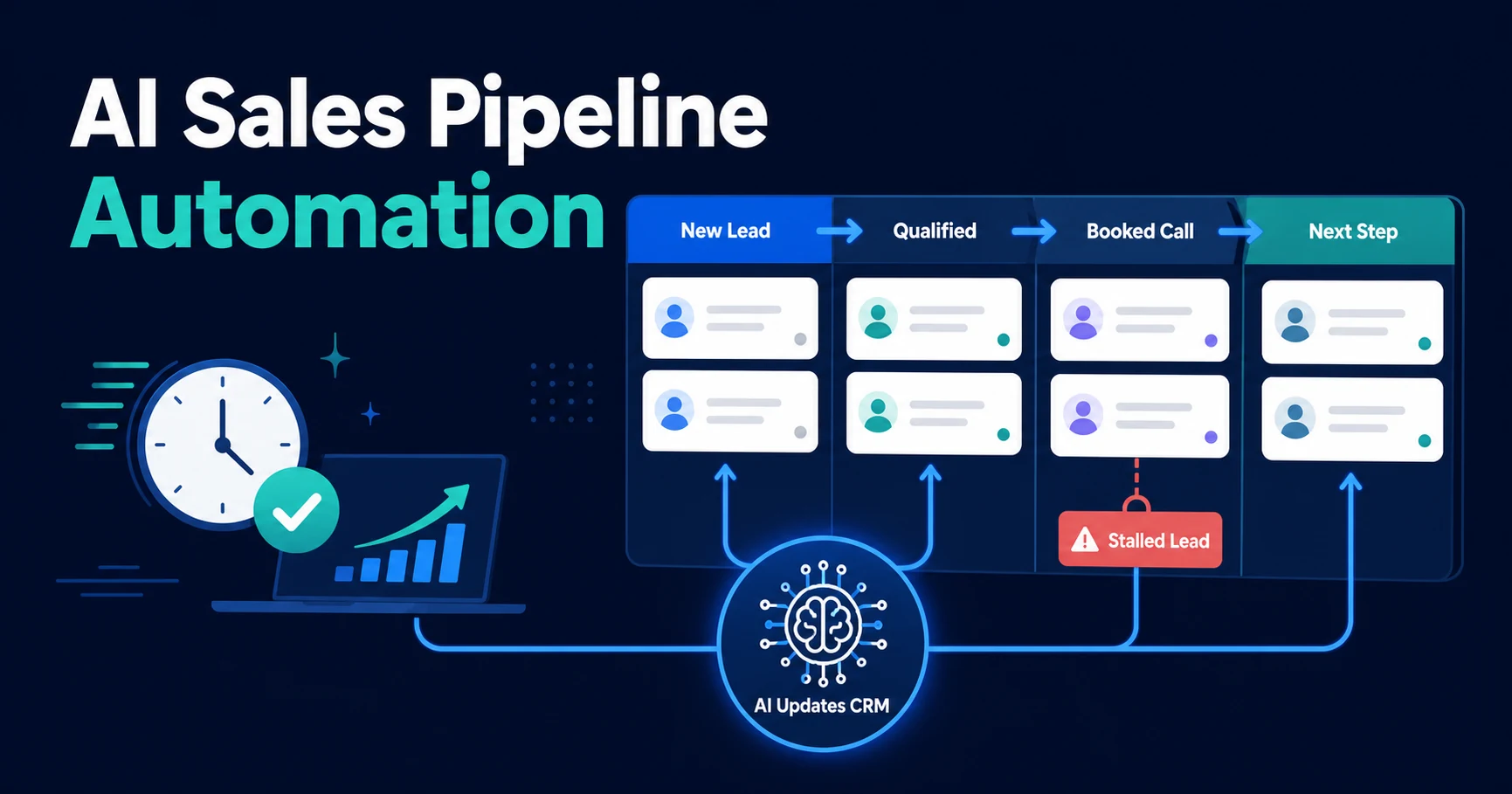
- Deal stage suggestion
- Next task
- Follow-up date
- Owner or collaborator
- Service interest
- Urgency or priority
Do not automate everything just because you can. Blind updates create trust problems, especially when multiple tools disagree.
A strong workflow separates low-risk updates from review-worthy updates. Notes and task creation can often happen automatically. Conflicting company names, deal stage movement, or account ownership changes may need approval.
How Automatic CRM Updates Work After Calls, Emails, and Meetings
After a call, the workflow can take a transcript or call note, summarize the discussion, identify the next action, and add both to the CRM. If the customer asked for a proposal, the system can create a task for the owner.
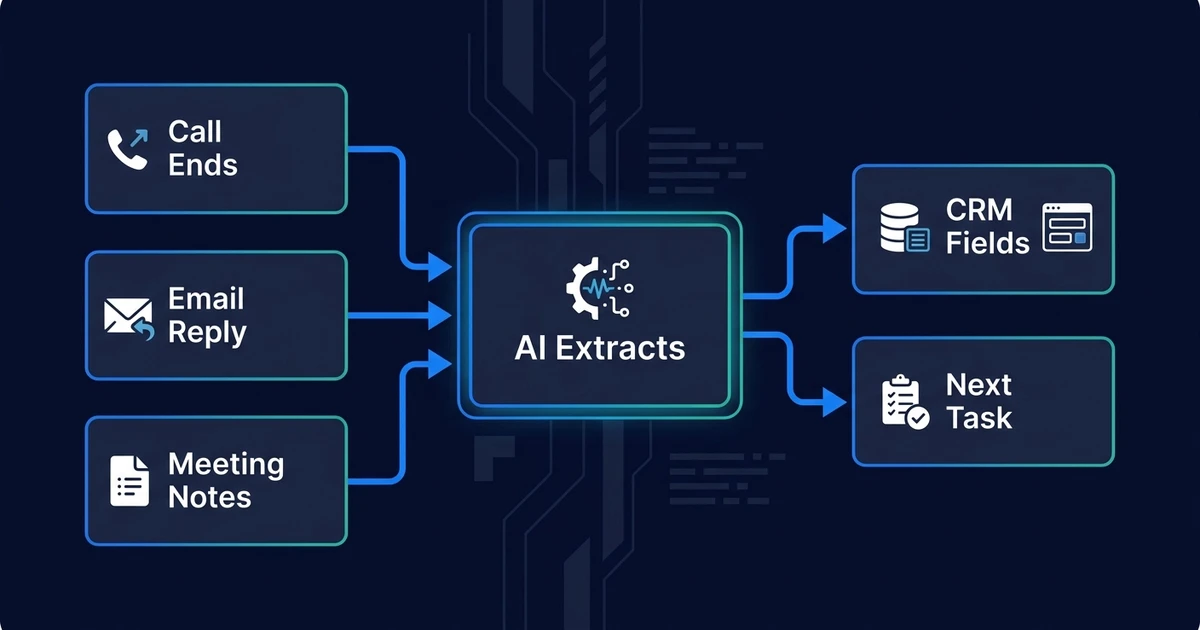
After an email, the workflow can detect whether the customer replied with a question, an objection, a booking request, or new information. It can update the contact record and create a reminder if the next step is time-sensitive.
After a meeting, the workflow can pull notes from the calendar, transcript, or meeting summary. It can update the deal record with the outcome, create follow-up tasks, and flag missing fields.
McKinsey notes that generative AI’s natural-language capabilities increase the automation potential of work involving communication, documentation, and interacting with people in its analysis of work automation. That is why CRM updates after calls, emails, and meetings are a strong fit.
If your team loses time translating activity into CRM fields, see how AI CRM updates work. Automiq AI connects the source activity to your CRM so updates happen as part of the workflow.
What Should Stay Human-Reviewed?
Automation should reduce admin without creating blind trust in uncertain data. The best workflows know when to stop and ask for review.
Human review should stay in place when an update could affect revenue, ownership, compliance, or customer experience. That includes deal stage changes, duplicate merges, conflicting account names, and high-value follow-up commitments.
Use a simple rule: automate the recording of facts, review the interpretation of risk.
For example, the system can log that a customer asked about implementation timing. A human may still decide whether that means the deal moves forward, needs a proposal, or should stay in discovery.
Automatic CRM Updates vs CRM Lead Automation
Automatic CRM updates and CRM lead automation overlap, but they should not compete for the same job.
Lead automation answers: “What should happen when a new lead arrives?” Automated updates answer: “How do we keep the record current after each interaction?”
| Question | Automatic CRM Updates | CRM Lead Automation |
|---|---|---|
| Main trigger | Calls, emails, meetings, tasks | New inquiries and lead activity |
| Main object | Contacts, companies, deals, notes | Lead records and early pipeline |
| Main outcome | Current records and next tasks | Ownership, stage, routing, follow-up |
| Best link | Ongoing customer context | New-lead speed and handoff |
If your new leads are messy, start with CRM lead automation. If your existing conversations are not making it back into the CRM, start with automated updates.
How to Evaluate an AI CRM Update Workflow
Before you build, map the source of truth for each update. Your CRM may be the destination, but the source might be email, calendar, phone logs, meeting notes, forms, or a project tool.
Then decide what the workflow should do with each source:
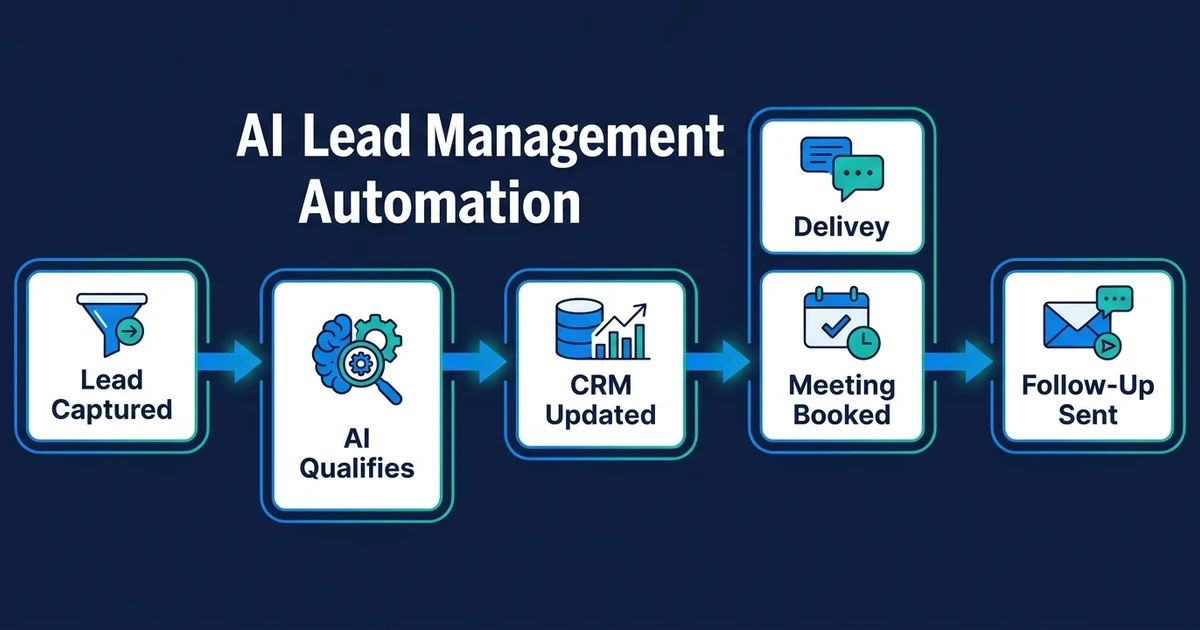
- Read the event.
- Extract the useful details.
- Match the right CRM record.
- Update low-risk fields.
- Create the next task.
- Flag uncertain changes.
- Notify the right owner.
MIT Sloan reported that data quality and finding the right use cases are the biggest roadblocks to benefiting from generative AI for 46% of chief data officers in its agenda for data executives. That applies directly to CRM updates: the use case must be specific, and the data must stay trustworthy.
The workflow should also have clear exception handling. If the system cannot match a contact, it should not create duplicates silently. If it sees conflicting data, it should ask for review.
Frequently Asked Questions
What are automatic CRM record updates?
They are workflows that keep contacts, companies, deals, notes, and tasks current after business activity. They update the CRM from calls, emails, meetings, forms, or task changes without asking your team to log everything manually.
Can automatic CRM record updates work after phone calls?
Yes, if the call data can be captured through your phone system, transcript tool, notes, or call log. The workflow can summarize the call, update the record, and create the next task.
Which fields should an automatic CRM update workflow change?
Start with fields that affect the next action: last contact date, summary, owner, stage, next task, follow-up date, service interest, and urgency. Avoid automating fields that do not change what your team does next.
Are automatic CRM updates the same as CRM lead automation?
No. CRM lead automation focuses on new lead records, owners, stages, and next steps. Post-interaction updates are broader because they keep existing contacts, deals, and account records current after ongoing interactions.
Do automatic CRM updates need human review?
Some updates should happen automatically, especially low-risk notes and task creation. Higher-risk changes, such as deal stage movement or conflicting contact data, should be flagged for review.
Stop Rebuilding Your CRM From Memory
Your CRM should not depend on someone remembering what happened after every customer interaction. Calls, emails, and meetings already contain the context. The workflow should carry that context into the record.
Automatic updates make the CRM useful again because the record stays close to reality.
If your team is still cleaning up notes, tasks, and deal fields by hand, book a discovery call to automate CRM updates after every interaction. Automiq AI will map the sources, fields, and review rules before the workflow goes live.