EN
EN DE
DE ES
ES FR
FR NL
NL PT
PT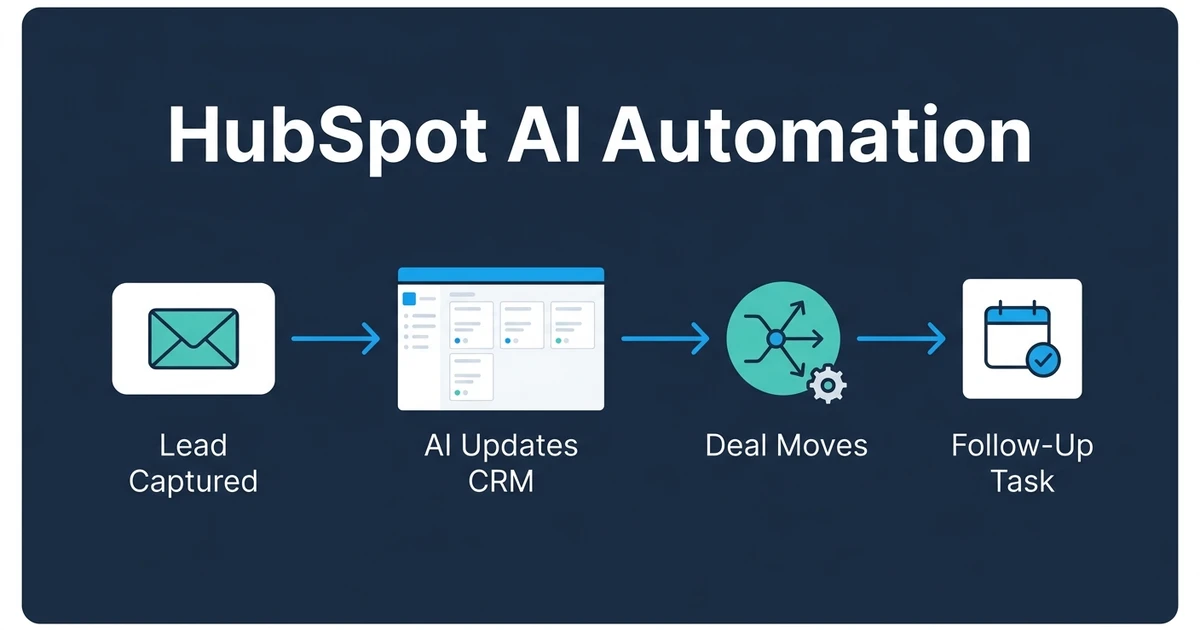
Quick Answer: HubSpot AI automation helps you keep contacts, companies, deals, tasks, lifecycle stages, lists, and follow-ups current inside HubSpot. The strongest setup connects HubSpot forms, email, calendar, meeting notes, and deal properties so your CRM updates after sales activity instead of waiting for manual cleanup.
HubSpot AI automation is useful when HubSpot is already where your sales process lives, but your team still loses time keeping contacts, companies, deals, tasks, and lifecycle stages updated by hand. Forms come in. Calls happen. Emails get answered. Then HubSpot trails behind reality.
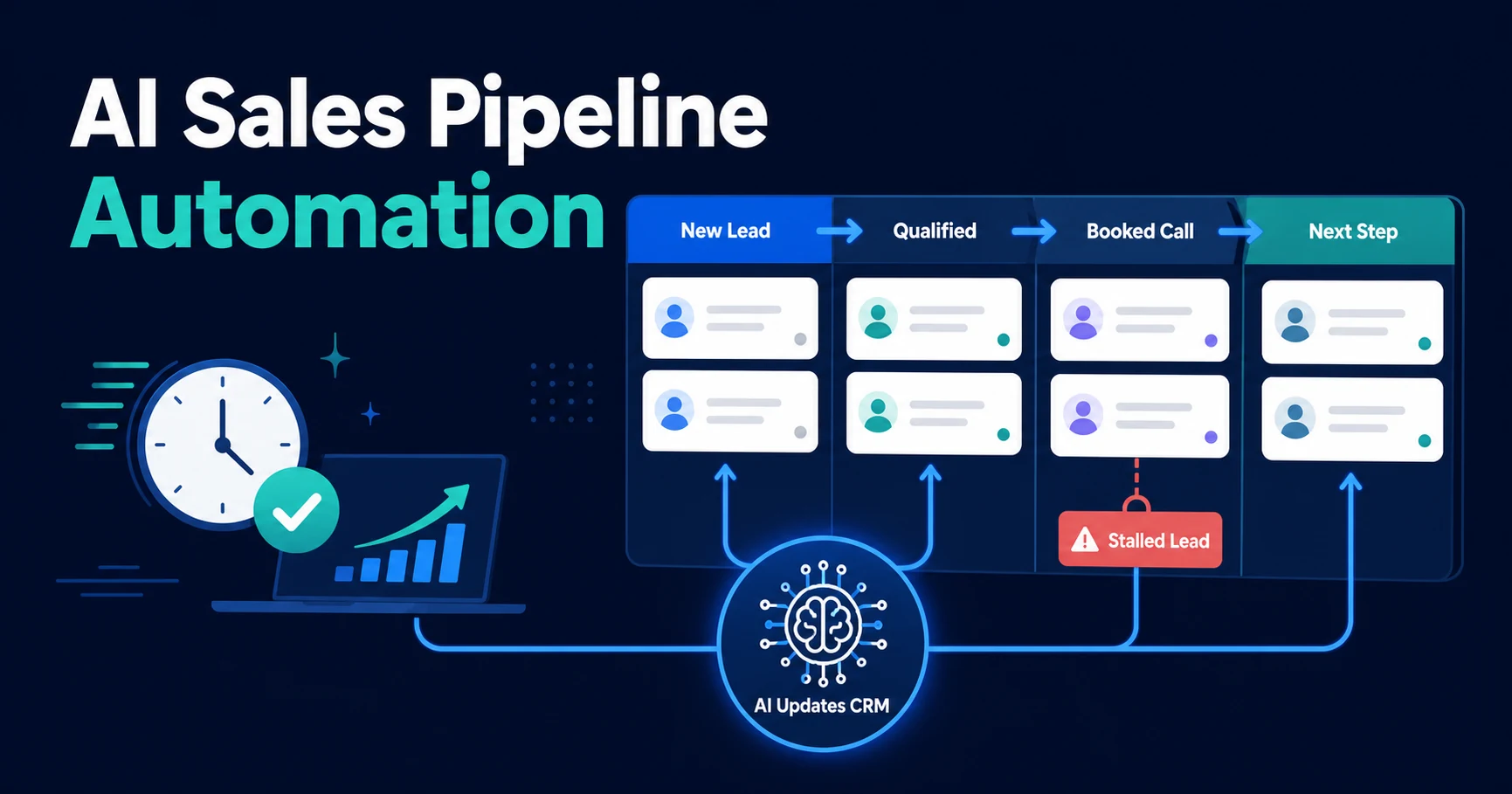
That gap is where deals stall. A lead may be warm in the inbox but stuck as the wrong lifecycle stage, missing a next task, sitting outside the right active list, or attached to a deal with no recent note.
Automiq AI builds done-for-you automation inside the tools your team already uses. For HubSpot users, that usually means connecting CRM, email, forms, calendar, meeting notes, and sales tasks so follow-up does not depend on memory.
Why HubSpot AI Automation Matters Once Manual Updates Slow Sales Down
Manual CRM work looks harmless because each update is small. One note after a call. One task after an email. One lifecycle update after a lead books a meeting.
The cost appears when those small updates stack up across every lead and every rep. The CRM stops showing what is actually happening, so owners start managing from inboxes, spreadsheets, and status meetings.
AI adoption has moved past experimentation for many teams. McKinsey reported that 88% of surveyed organizations use AI regularly in at least one business function in its 2025 State of AI research. The practical question is no longer whether AI exists. It is where it removes work without adding risk.
In HubSpot, that means using AI for repeatable sales admin around the objects your team already works in: contacts, companies, deals, activities, tasks, lists, and workflow enrollment.
What Should AI Automate Inside HubSpot?
Start with the HubSpot actions that happen often and are easy to verify. AI should reduce the admin that follows sales activity, not make final judgment calls about the relationship.
Good first HubSpot workflows include:
- Creating or updating contacts after a HubSpot form submission
- Associating a contact with the right company or deal when the context is clear
- Summarizing discovery calls into contact and deal notes
- Creating HubSpot tasks when a lead replies, books a meeting, or misses a next step
- Updating lifecycle stage when the rule is clear, such as lead to MQL after a qualified form
- Adding contacts to the right active list or follow-up sequence after human review
- Flagging deals with no recent activity or no next task
The important word is “clear.” If the rule is obvious, automation can act. If the decision affects revenue forecast, client expectation, or handoff quality, the workflow should ask for review.
That review path is where many DIY setups fail. They either automate too little and save no time, or automate too aggressively and make the CRM harder to trust.
Which HubSpot Workflows Should You Automate First?
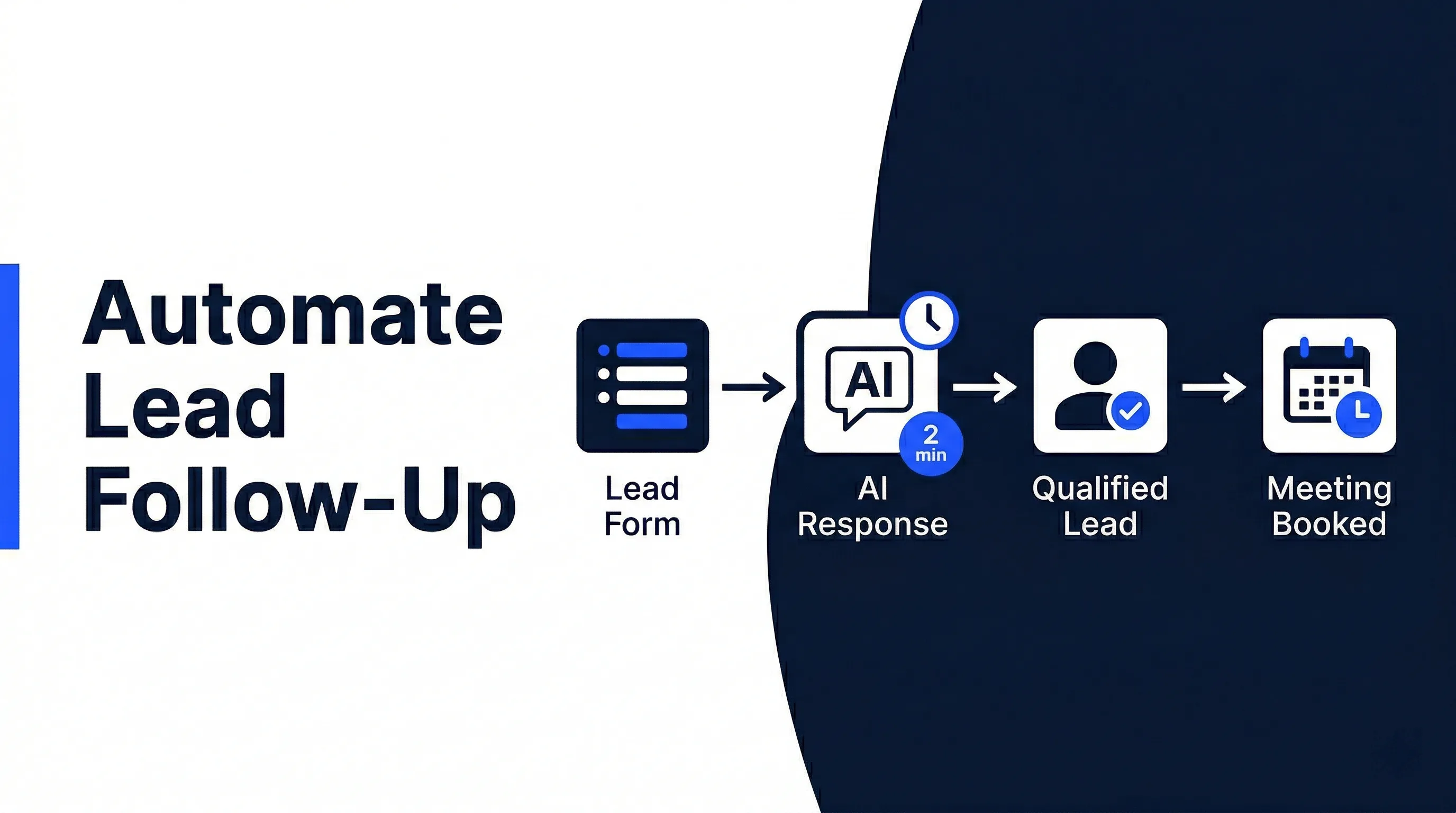
The strongest first workflow is usually lead intake to follow-up. It touches the CRM, inbox, calendar, and sales owner without requiring a full sales process rebuild.
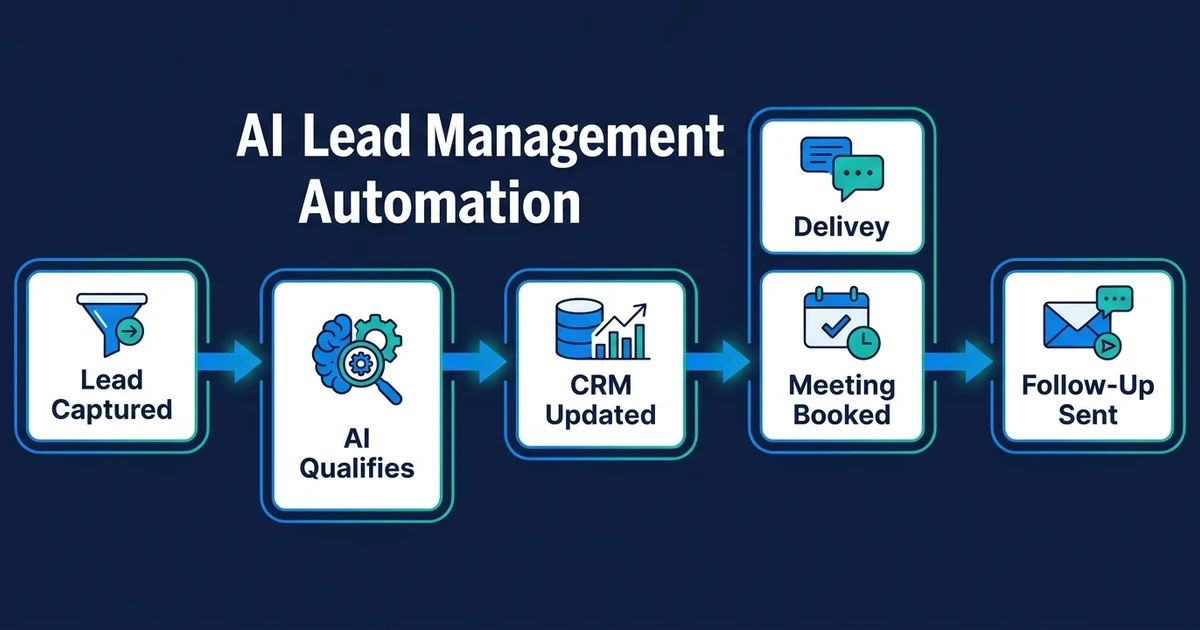
For example, a new inquiry arrives through a HubSpot form. AI reads the message, identifies the service interest, checks whether the contact and company already exist, updates the contact properties, creates or updates the deal, assigns the owner, and creates the first HubSpot task.
The next strong workflow is post-meeting HubSpot cleanup. After a discovery call, AI can summarize pain points, timeline, budget signals, decision-makers, and next steps. A human can review the summary before it lands on the contact and deal records.
This supports the same operational layer covered in our AI CRM automation guide, but with a HubSpot-specific focus: keep the portal accurate without asking reps to become data-entry clerks.
How HubSpot AI Automation Fits Forms, Lists, Sequences, and Deals
HubSpot already gives your team structured places to work: forms capture demand, contacts and companies hold context, deals show pipeline movement, tasks keep follow-up visible, and sequences handle repeatable outreach. AI should strengthen those pieces rather than create a parallel system outside HubSpot.
A practical setup might read a form submission, classify the request, enrich the contact note, route the lead to the right owner, create a deal only when the request is sales-ready, and prepare a sequence enrollment suggestion. If the message mentions pricing, timing, or scope, the workflow can ask a person to review before anything customer-facing goes out.
That is the difference between “AI added to HubSpot” and a HubSpot automation process that salespeople will actually trust. The first creates more noise. The second keeps the same HubSpot objects cleaner.
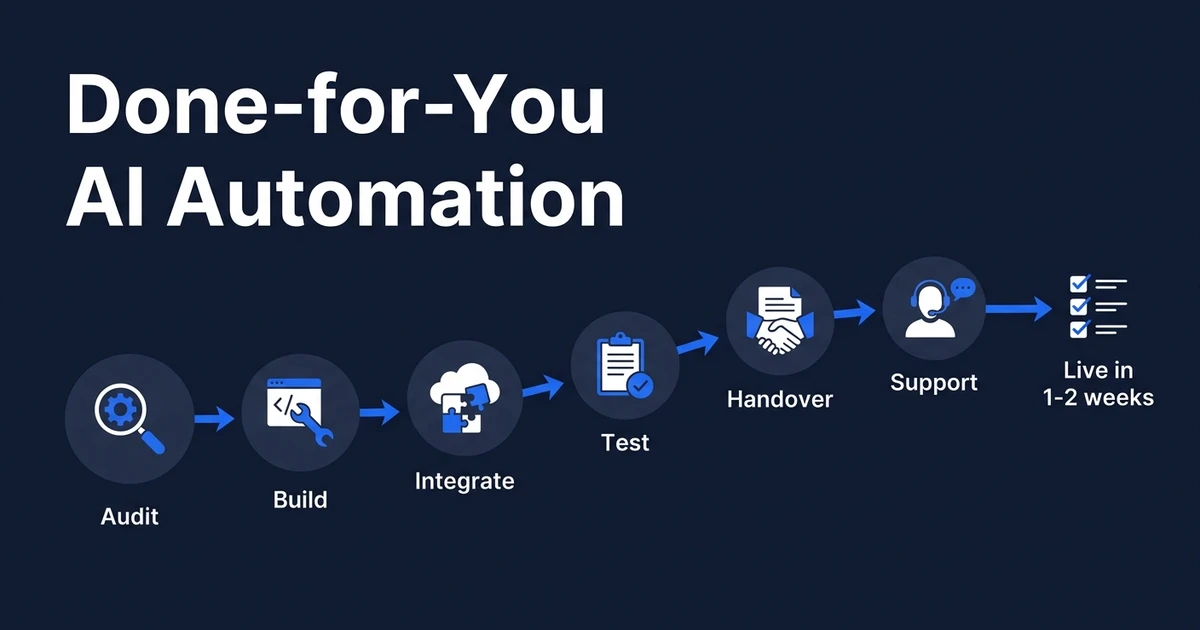
How a Done-for-You Setup Works Without Replacing Your CRM
A good setup starts with process mapping, not software. The questions are simple, but they decide whether the workflow works:
- Where does the lead enter?
- Which fields matter for qualification?
- Who owns the next step?
- Which updates can happen automatically?
- Which updates require review?
- What should happen when data is missing?
That is why AI integration service matters. The automation has to connect the CRM to the surrounding tools where the real context lives.
If your team already uses HubSpot but still updates contacts, deals, and tasks by hand, book a free automation discovery call. Automiq AI will help identify one HubSpot lead, deal, or follow-up workflow that can be automated inside your existing stack.
The outcome is not a flashy new dashboard. The outcome is a cleaner operating rhythm: fewer missed follow-ups, fresher deal records, and less time spent reconstructing what happened with each lead.
Done-for-You vs DIY Automation vs Hiring Internally
Most teams have three options. They can build it themselves, hire internally, or bring in a done-for-you automation partner.
| Option | Best Fit | Tradeoff |
|---|---|---|
| DIY automation | Simple one-step workflows | You own the design, testing, and fixes |
| Internal hire | Ongoing sales ops ownership | Slower and more expensive for one workflow |
| Done-for-you build | Clear process with repeated admin | Faster path to a working workflow |
DIY is fine when the workflow is tiny and low-risk. If you only need one notification or one task rule, your team may be able to handle it.
But once the workflow crosses HubSpot, inbox, calendar, forms, sequences, and human approval, the design becomes more important than the tool. That is where AI CRM updates create value: records stay current after activity, not days later.
How to Evaluate Whether Your Sales Process Is Ready
Your CRM is ready for automation if the process already happens often and the rules are mostly clear. You do not need a perfect sales operation. You do need enough consistency for AI to know what “good” looks like.
Use this quick test:
- Do leads enter through repeatable channels?
- Do reps follow a similar qualification path?
- Are the key fields known?
- Are there clear next steps after meetings?
- Can someone review sensitive updates before they go live?
Deloitte found that 66% of organizations report productivity and efficiency gains from enterprise AI adoption, while only 34% say they are truly reimagining the business in its State of AI in the Enterprise research. That gap matters. Automating a broken process does not fix the process.
The best first project is narrow, visible, and measurable. Pick one workflow your team repeats every week. Build it properly. Then expand.
Frequently Asked Questions
What does AI automation do inside a CRM?
HubSpot AI automation uses AI-assisted workflows around HubSpot contacts, companies, deals, tasks, lists, lifecycle stages, and sequences. The goal is to keep HubSpot current after forms, calls, emails, and meetings without asking your team to copy every update by hand.
Can AI update contacts and deals automatically?
Yes, but the workflow should define which fields can update automatically and which ones need human review. Safe updates usually include notes, tasks, summaries, lifecycle context, and follow-up reminders.
Is this better than hiring a sales admin?
It depends on the process. If the work is repetitive data entry, task creation, and follow-up tracking, automation is often faster to deploy than hiring and training a new person.
What workflows should I automate first?
Start with workflows that happen every day and do not require complex judgment. Good first candidates include form intake, contact updates, lifecycle stage suggestions, meeting summaries, follow-up tasks, stale deal alerts, and HubSpot note updates.
How does Automiq AI help with CRM automation?
Automiq AI maps your HubSpot process, builds the automation, connects HubSpot with email, calendar, forms, and notes, and adds review points where human judgment matters. You get a working system without learning automation software yourself.
Build Cleaner CRM Workflows Without Adding Another Platform
Your CRM does not need more manual discipline from busy salespeople. It needs better workflow support around the moments where information enters, changes, and needs action.
Automiq AI builds those workflows inside the tools you already use. Book a free automation discovery call and we will help you identify the first HubSpot workflow worth automating.