EN
EN DE
DE ES
ES FR
FR NL
NL PT
PT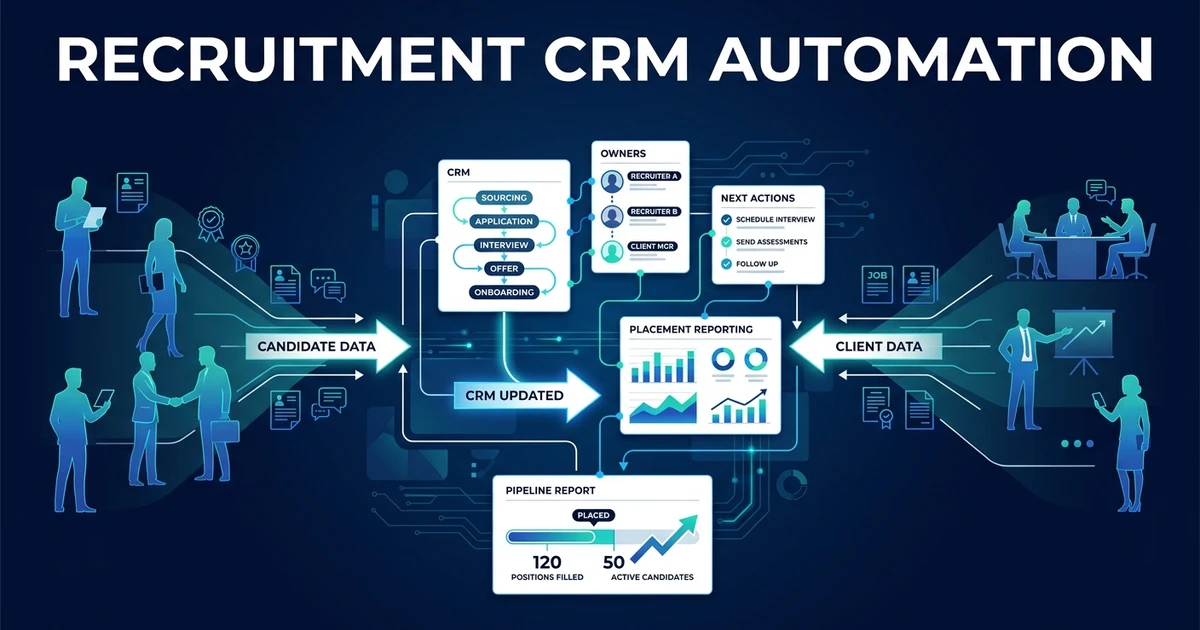
Quick Answer: Recruitment CRM automation captures candidate and client activity, updates approved fields and stages, creates next actions, flags stale records, and keeps placement reporting current. Your CRM remains the system of record while uncertain or high-stakes changes wait for recruiter approval.
An automated recruitment CRM fixes the gap between what happened and what the database shows. Calls, submissions, interviews, client feedback, and ownership changes become structured updates without asking recruiters to re-enter every detail.
The objective is not a new CRM. It is a current one: reliable records, visible next actions, and reporting based on activity that was actually captured.
Why Recruitment CRM Records Fall Behind During Active Searches
Recruiters spend their best time in conversations. The CRM update comes after the call, interview, submission, or client meeting, when another candidate or vacancy is already demanding attention.
Small omissions accumulate. A call note stays in a notebook. A candidate remains in the wrong stage. Client feedback lives in email. The next task never gets created, and a colleague contacts someone without seeing the previous conversation.
The problem is not recruiter discipline. The system asks skilled people to translate the same event several times: first into a conversation, then notes, then fields, then tasks, and sometimes a manager update.
Connected recruiting systems can remove part of that repeat work. LinkedIn reports recruiters saved up to 3.5 hours per week on average using its ATS integration, according to its 2023 CRM integration findings. Treat that as LinkedIn-specific evidence, not a universal promise.
The useful question is whether your CRM reflects the latest candidate and client activity soon enough for the next person to act.
What Is Recruitment CRM Automation?
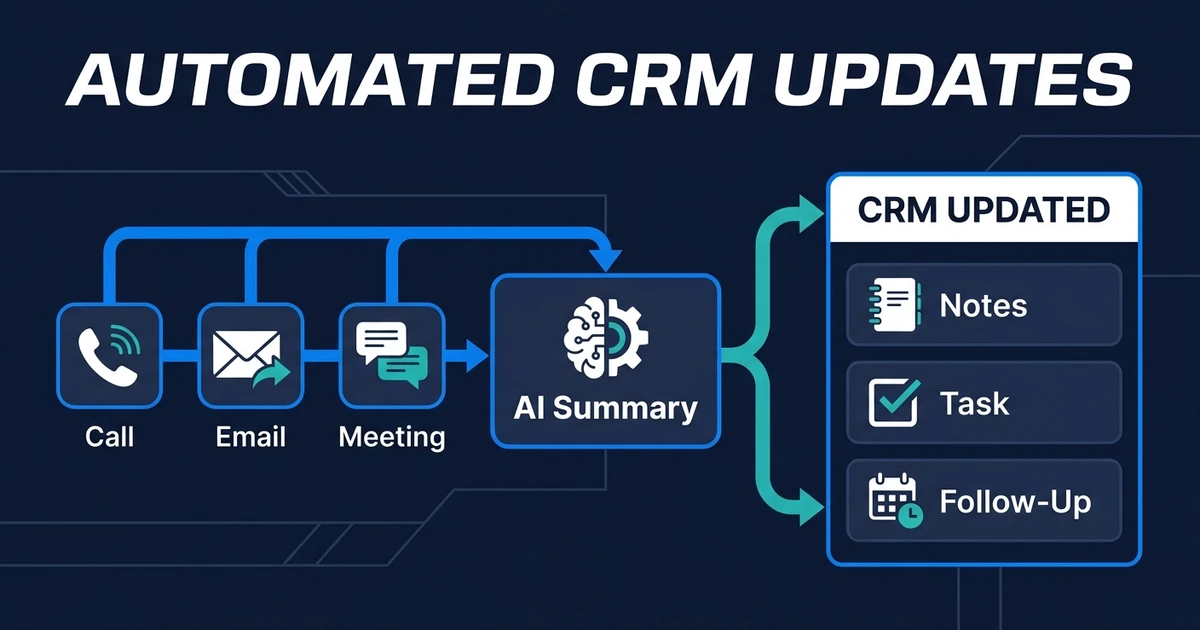
It is a set of rules and integrations that turns recruitment activity into approved CRM updates. The workflow identifies an event, extracts or summarizes the relevant information, maps it to defined fields, checks the change, and writes or proposes the update.
A recruitment CRM differs from a generic sales database because it often manages two linked relationship networks:
- Candidates, skills, preferences, availability, submissions, and interview history
- Clients, contacts, vacancies, feedback, commercial terms, and placement activity
An ATS focuses on applicants moving through active roles. A recruitment CRM may also manage passive candidates, previous placements, clients, prospects, and future opportunities. Many agency systems combine both, so the workflow should follow the real data model rather than a label.
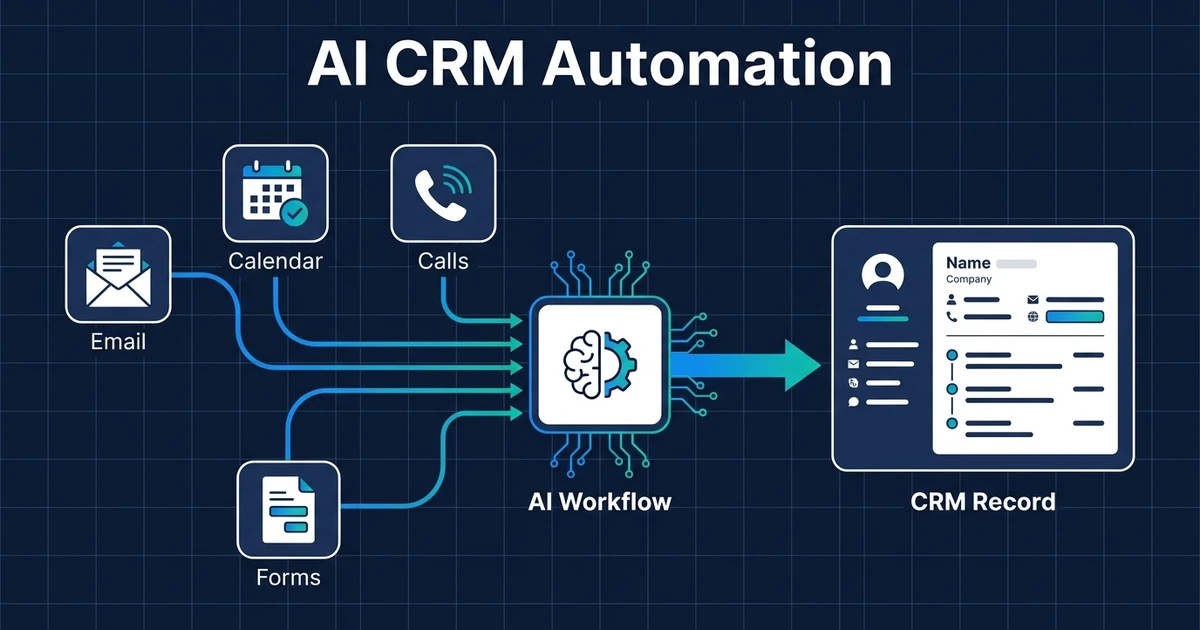
Automation should preserve that system as the source of truth. Email, calendar, calling, meeting notes, and forms become inputs, not competing databases.
Which Candidate and Client Updates Should You Automate?
Start with updates that are frequent, objective, and easy to verify.
Candidate-side examples:
- Contact details received through an approved source
- Availability and work preferences stated by the candidate
- Call and interview timestamps
- Submission and interview activity
- Confirmed stage changes
- Next actions and follow-up dates
- Communication preferences and consent records where applicable
Client-side examples:
- New or updated vacancy details
- Contact activity and meeting notes
- Candidate submission history
- Interview feedback received
- Vacancy status and owner changes
- Agreed next steps and deadlines
Do not automate a field merely because it exists. Each field needs a business purpose, source, permitted editor, validation rule, and owner when the value is disputed.
Final placement, rejection, compensation, fee, and contractual updates should require explicit evidence or approval. A vague meeting note should never create a commercial commitment.
How Do Calls, Interviews, and Emails Become Structured CRM Records?
Every source event should follow the same controlled pattern:
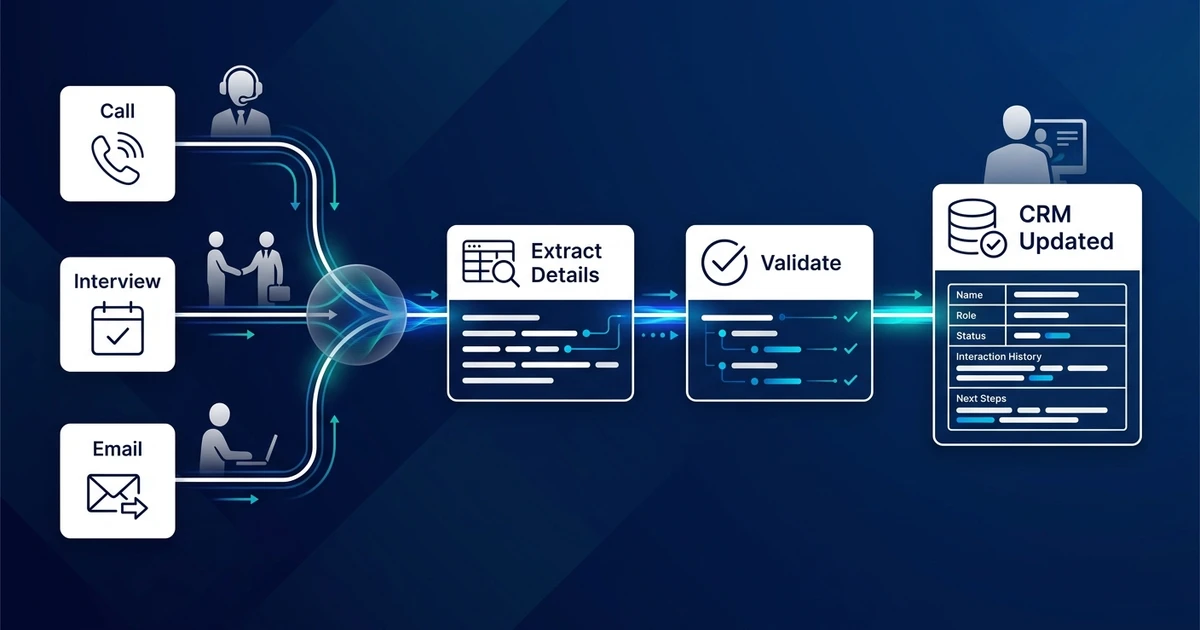
- Capture the event and its candidate, client, role, owner, and timestamp.
- Preserve the source, such as the email, transcript, form, or meeting note.
- Extract facts and prepare a concise summary.
- Map each proposed value to an approved CRM field.
- Validate required fields, existing values, and allowed transitions.
- Write clear updates and route uncertain changes for approval.
- Log what changed, why, and which source supported it.
Facts and interpretations should remain distinguishable. “Candidate available from Monday” is a stated fact. “Candidate likely to accept” is an interpretation and should not become a confirmed status without recruiter review.
The source link or reference helps reviewers correct errors. If a summary drops an important qualification, the recruiter can compare it with the call or message instead of guessing where the value came from.
How Can CRM Automation Manage Stages, Owners, and Next Actions?
Stage changes need explicit entry and exit rules. The workflow should know which transitions are allowed, which event proves the change, and which transitions require a person.
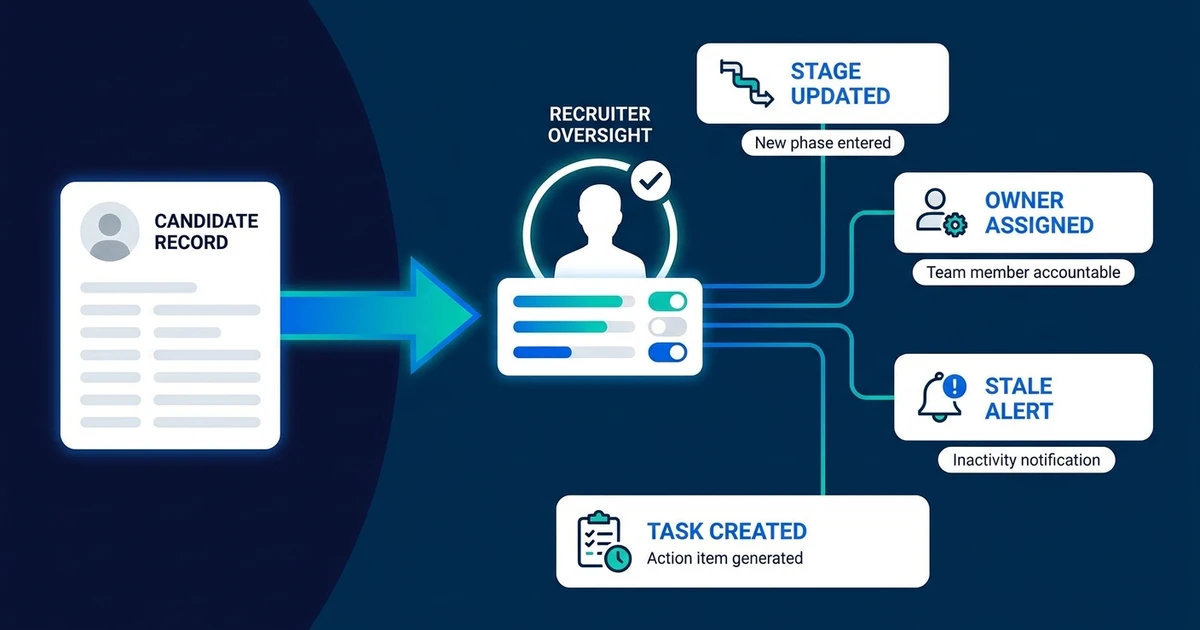
For example, a confirmed interview booking can move a candidate from “interview requested” to “interview scheduled.” A calendar cancellation can reopen scheduling. Neither event proves that the candidate passed the interview.
Ownership rules should account for team, desk, vacancy, client, absence, and handoff. If the owner changes, open tasks and future notifications must follow the new owner without erasing the previous activity history.
Next actions should come from a defined event:
- A submitted candidate creates a client follow-up deadline
- Completed interview feedback creates a recruiter review task
- An unanswered candidate message creates an approved reminder
- A stale active record creates a review alert rather than an automatic rejection
The outcome is a CRM that tells the team what needs attention. It should not create hundreds of low-value tasks that recruiters learn to ignore.
How Does Recruitment CRM Automation Improve Placement Reporting?
Reports become useful when the source records are current. If submissions, interviews, offers, placements, and owner activity are incomplete, the dashboard only makes inaccurate data look official.
Automatic capture improves the inputs behind operational reporting:
- Active vacancies by age and owner
- Candidate submissions awaiting client feedback
- Interviews scheduled or awaiting outcomes
- Offers and placements with verified evidence
- Stale candidate and client records
- Open next actions by recruiter or desk
Do not promise predictive certainty. The first reporting win is simpler: managers spend less time asking whether the stages are current and more time addressing the bottleneck the records reveal.
For the general data-entry and workflow principles behind these updates, see the broader AI CRM automation guide. This article stays with the recruitment-specific candidate and client model.
If your agency wants those event-to-record rules built into its current tools, Automiq AI’s recruitment automation service maps the data model, approvals, write-backs, and reporting requirements before implementation.
What Does a Recruitment CRM Automation Workflow Look Like?
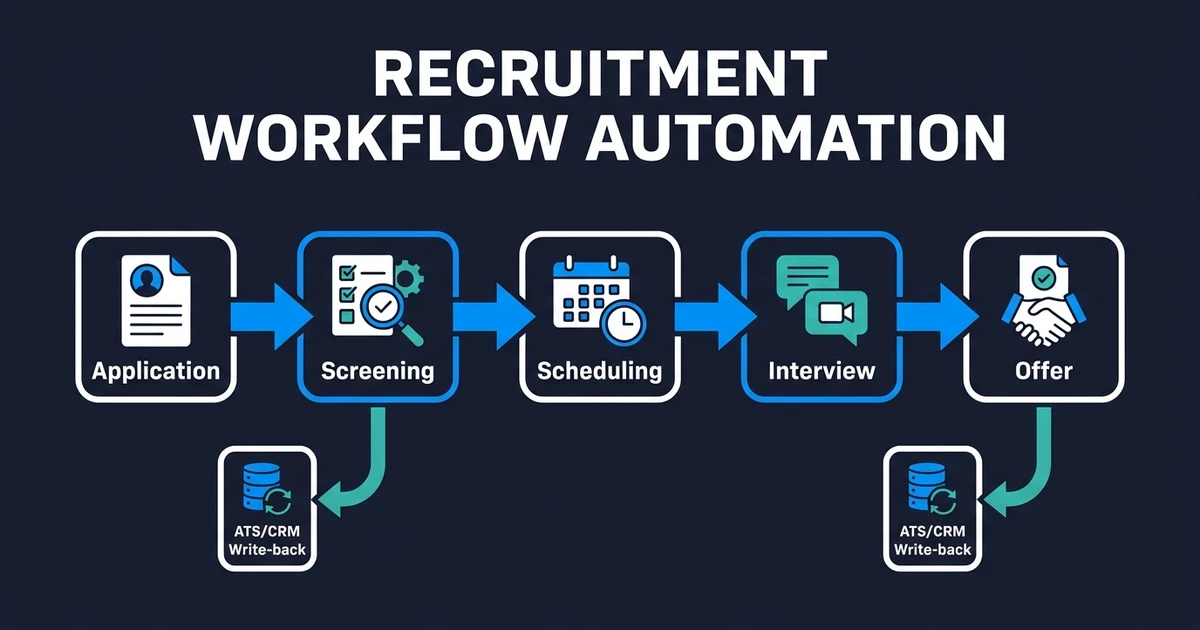
A recruiter finishes a screening call and submits the candidate to a client. Later, the client requests an interview and sends feedback after the meeting.
In the manual process, the recruiter writes notes, updates the candidate, changes the vacancy stage, emails the client, creates tasks, and prepares a manager update. Missing one step creates a different version of reality in each system.
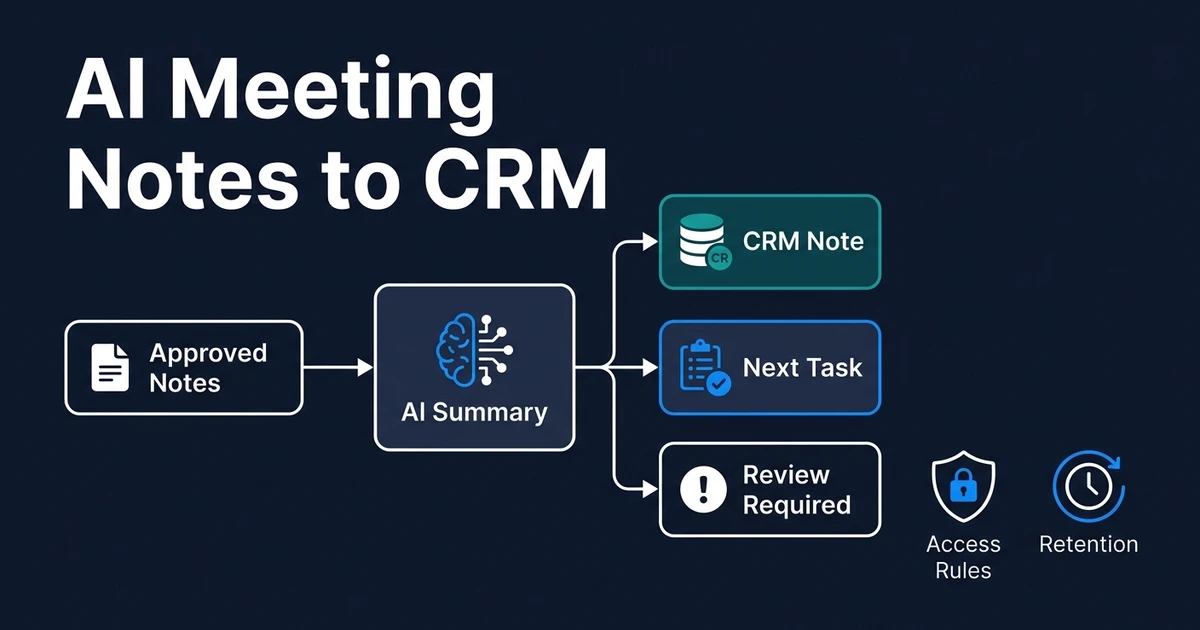
In the automated process, the completed call produces a draft summary and proposed candidate fields. The recruiter approves sensitive details. Submission activity links the candidate, role, and client, then creates the client follow-up. Interview activity updates the related records and prepares the next task.
The recruiter remains responsible for fit, feedback interpretation, and commercial decisions. Automation handles the structured repetition around those decisions.
That workflow connects to the wider recruitment process without trying to own screening, scheduling, or email as separate topics here.
How Do You Protect Candidate Data and Keep Humans in Control?
Begin with least-privilege access. The workflow should read only the sources it needs and write only the approved fields. A note-processing step does not need permission to change commercial terms or delete a candidate.
Define controls for:
- Permitted source systems and record types
- Sensitive fields that automation cannot write
- Retention and deletion rules
- Confidence thresholds and approval queues
- Change logs and correction history
- Failed writes and expired connections
- Human ownership of placement and rejection decisions
Restrict summaries to relevant business information. Do not copy every sentence from a conversation into a widely visible CRM note. Store the minimum useful record and follow the privacy rules that apply to your operation.
Human approval is especially important when evidence conflicts. The workflow can show the current value, proposed value, source, and reason for the change. The recruiter makes the final correction.
Done-for-You vs DIY CRM Automation vs More Admin Time
Choose the implementation path by data complexity and the number of connected systems.
| Approach | Best fit | Main tradeoff |
|---|---|---|
| Native CRM rules | Task creation and straightforward stage reminders | Limited when activity begins outside the CRM |
| DIY integrations | Clear fields and a small number of systems | Your team owns mappings, exceptions, and monitoring |
| Done-for-you workflow | Candidate-client records, several sources, and approval logic | Requires process decisions before the build |
Native automation may be enough for a reminder when a stage has not changed. Use it first when the needed event and action both live inside the CRM.
DIY connections can handle predictable write-backs. They become harder to maintain when calls, email, calendars, meeting notes, and custom objects all use different identifiers and permissions.
More admin time preserves the same dependency on manual updates. A done-for-you build fits when the agency needs a complete event-to-record process with tests, failure alerts, documentation, and clear ownership.
How Do You Evaluate Recruitment CRM Automation?
Start with one high-frequency update and establish a baseline. Measure:
- Time from activity to CRM update
- Required fields completed correctly
- Duplicate and conflicting records
- Stale active records
- Open tasks with a valid owner and deadline
- Proposed writes rejected by reviewers
- Failed integrations and recovery time
- Recruiter adoption and manual workarounds
Only 24% of surveyed HR employees said their function derived maximum value from HR technology, and 35% of surveyed HR leaders were confident their approach supported business objectives, according to Gartner’s 2024 HR technology survey. Connect each workflow to a measurable record or task outcome.
SHRM found that 56% of respondents did not formally measure the success of AI investments and also identified weak integrations and outdated HR systems as technical barriers in its 2026 State of AI in HR report. Baselines and failure monitoring are part of implementation, not optional reporting work.
Expand only after the first update type remains accurate through normal activity, missing data, owner changes, duplicate events, and system outages.
Frequently Asked Questions
What is recruitment CRM automation?
It captures candidate and client activity, updates approved fields and stages, creates next actions, and flags stale records. The CRM remains the source of truth while uncertain changes wait for review.
Is a recruitment CRM different from an ATS?
An ATS primarily manages applicants against active roles. A recruitment CRM also supports longer-term candidate and client relationships, although many agency systems combine both functions.
Can recruitment database automation update candidate and client records?
Yes. Calls, submissions, interviews, feedback, and other approved events can update linked records on both sides. Each update needs defined fields, evidence, and ownership.
Can CRM automation work without replacing the current system?
Yes. It can connect email, calendars, calls, forms, and meeting notes to the CRM through available integrations. Replacement is unnecessary when the existing database supports reliable access and suitable fields.
Which CRM updates should require recruiter approval?
Require approval for ambiguous stages, placements, rejections, commercial commitments, sensitive notes, and conflicting data. Clear administrative updates can run automatically after testing.
Keep the Placement Pipeline Accurate Without Chasing Updates
Your recruitment CRM should show what happened, what happens next, and who owns it. Recruiters should not spend the end of every call translating that activity into several fields and tasks.
Automate the repeatable record work while preserving evidence, approvals, and human decisions. The result is a database the team can manage from and reporting the business can trust.
Book a discovery call to map your recruitment CRM workflow. Automiq AI will define source events, fields, approval rules, exception paths, and reporting outcomes before building the updates inside your current tools.