EN
EN DE
DE ES
ES FR
FR NL
NL PT
PT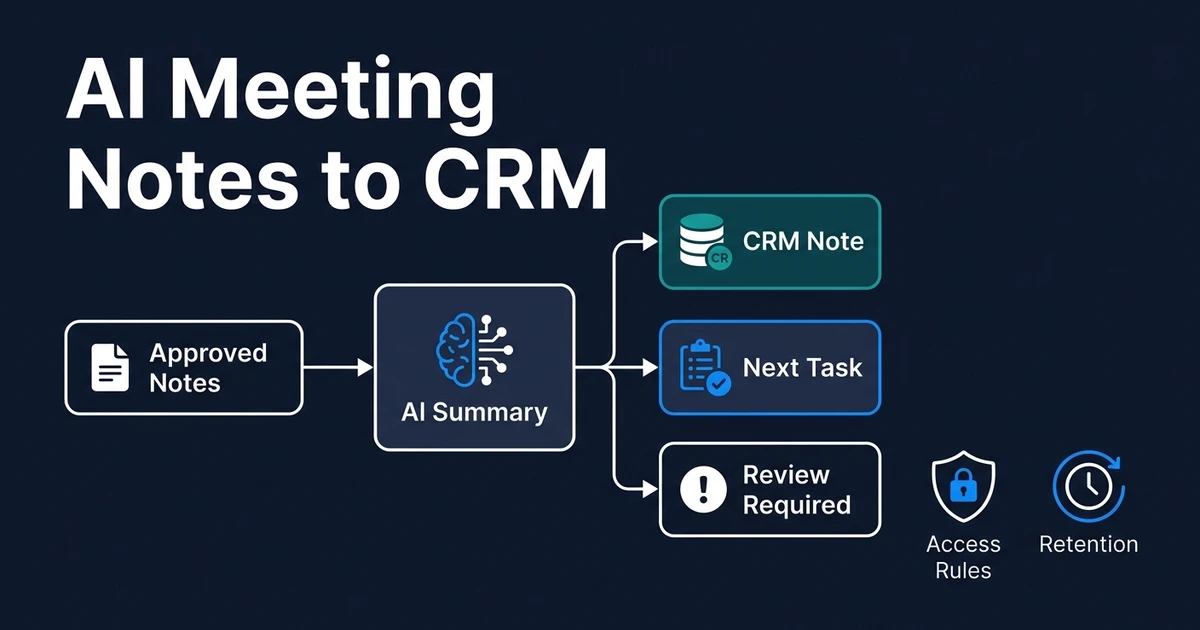
Quick Answer: An AI meeting-notes-to-CRM workflow takes an authorized transcript, approved notes, or meeting summary, extracts useful facts and next steps, matches the correct CRM record, and sends uncertain or high-impact changes for human review. The safe version also defines participant notice, access, retention, deletion, and which data should never enter the CRM.
AI meeting notes to CRM can remove the copy-paste work that follows every customer call. The risky version copies everything, trusts every summary, and leaves recordings scattered across systems.
The useful version is more selective. It captures permitted source material, keeps the CRM note concise, creates clear tasks, and preserves human judgment over commitments, commercial terms, and deal changes.
This article provides operational workflow guidance, not legal advice. Recording, consent, employment, privacy, and data-protection requirements vary by jurisdiction and business context.
Why Meeting Notes Become a CRM Risk Instead of Useful Context
Meeting tools make it easy to generate a transcript. That does not mean the transcript belongs in your CRM or that every generated summary is accurate enough to guide a customer relationship.
A raw transcript may contain personal details, internal discussion, uncertain statements, and irrelevant conversation. A short AI summary may omit a condition, assign the wrong owner, or turn a tentative idea into a confirmed commitment.
Blind syncing creates several failure points:
- The workflow attaches notes to the wrong contact or deal
- A tentative budget becomes a confirmed CRM field
- A draft next step becomes an assigned task
- Sensitive information becomes visible to too many users
- A recording remains stored without a retention decision
- The CRM fills with long notes nobody reads
The goal is not maximum capture. It is minimum reliable context: what was confirmed, what must happen next, who owns it, and what needs review.
What Does AI Meeting Notes to CRM Mean?
This is a connected workflow, not just a note-taking application. It starts with an authorized source and ends with useful CRM action.
That source might be:
- An approved transcript
- Structured notes completed by a team member
- A meeting platform summary
- A call outcome form
- A reviewed internal meeting recap
The outputs should remain separate. A summary is not the same as a CRM field. A task is not the same as a customer commitment. A follow-up draft is not the same as a message that should send automatically.
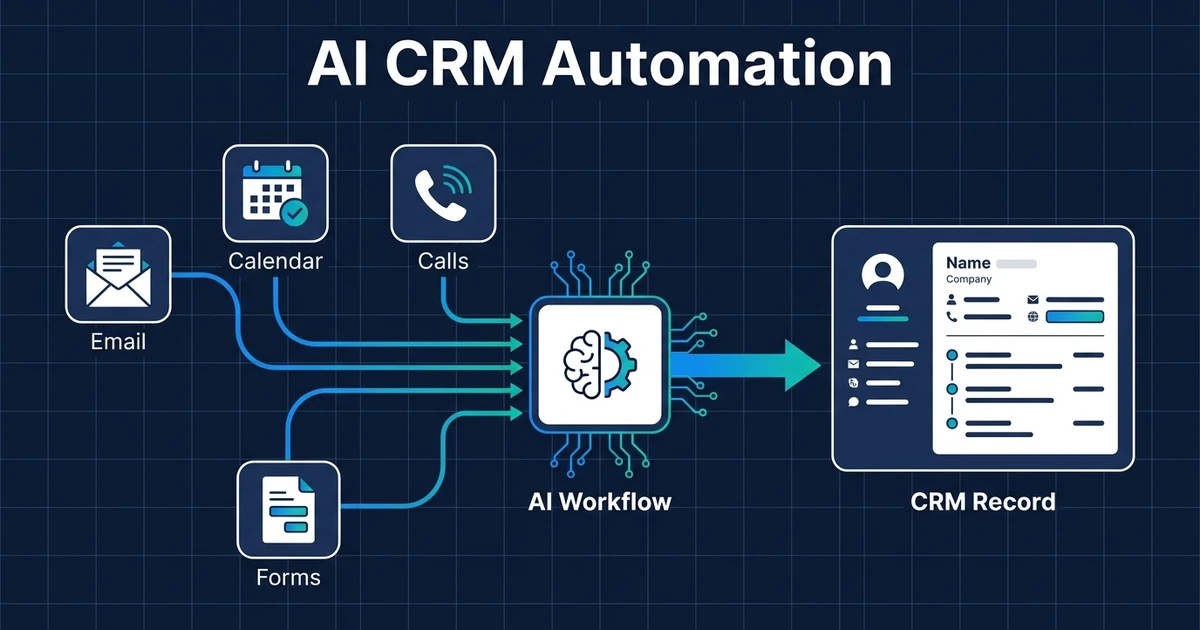
This workflow sits inside the broader AI CRM automation layer, but it needs extra safeguards because spoken conversations can contain personal data, ambiguity, and commercially important details.
What Should Happen Before a Meeting Is Recorded or Transcribed?
Before enabling recording or transcription, define the lawful process your organization will follow. Consider participant locations, the communication type, your reason for recording, vendor terms, and any industry-specific requirements.
California Penal Code Section 632 addresses recording confidential communications without the consent of all parties in the state’s published code. Other jurisdictions apply different standards, which is why a universal statement such as “notification is always enough” is unsafe.
Your operating checklist should cover:
- Tell participants when recording or transcription will occur.
- Obtain consent where the applicable rules require it.
- Explain the business purpose in plain language.
- Provide a non-recorded path when appropriate.
- Identify which system stores the source material.
- Define who can access, correct, or delete it.
For European personal data, the GDPR establishes principles including lawful and transparent processing, purpose limitation, data minimization, accuracy, storage limitation, and security in the official regulation. Those principles support a workflow that keeps only the meeting information required for a defined business purpose.
How a Safe Meeting Notes CRM Workflow Works
A safe workflow separates capture, extraction, matching, review, and storage. Each step should have a clear owner and a defined failure path.
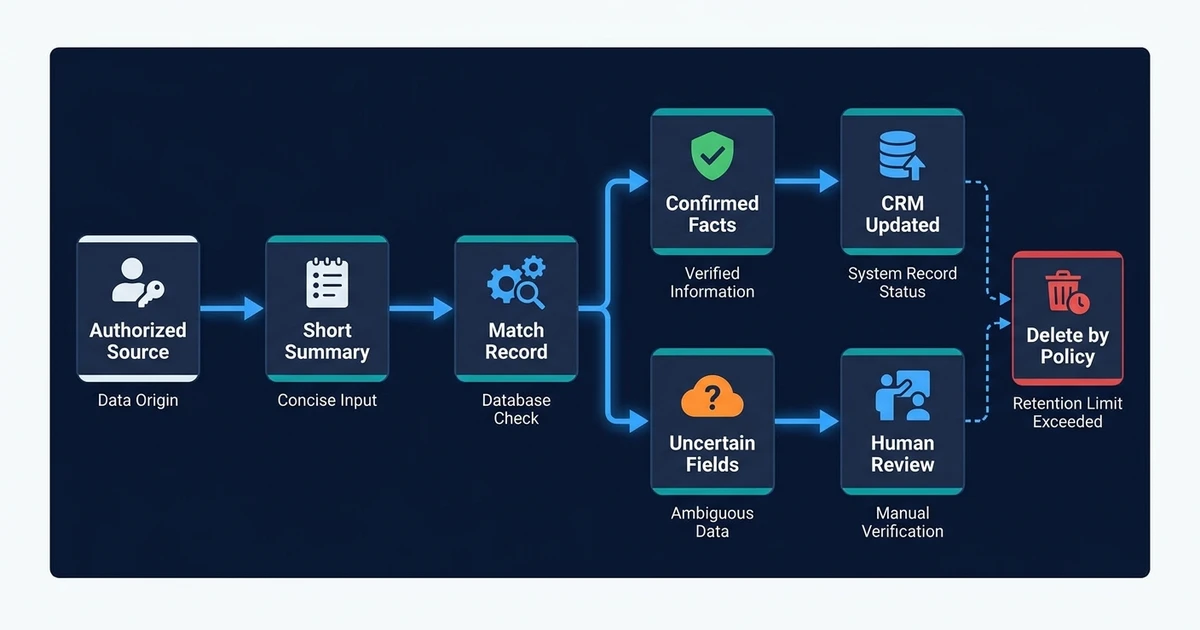
Use this sequence:
- Capture an authorized transcript, approved note, or meeting summary.
- Generate a concise summary with a link or reference to the source.
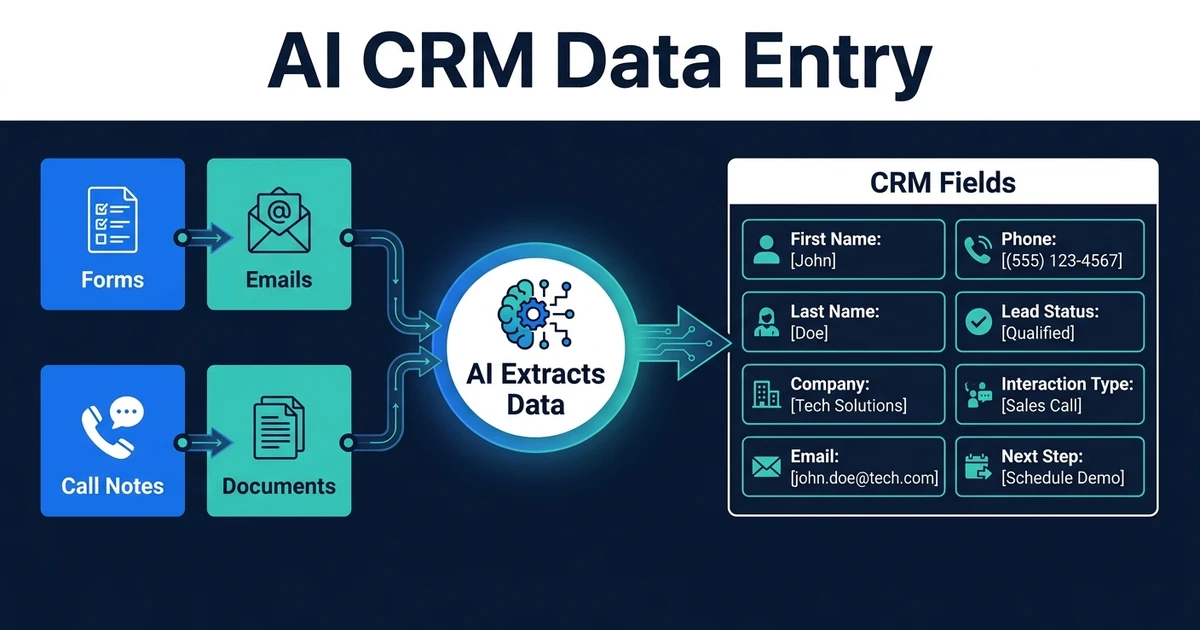
- Extract confirmed facts, decisions, commitments, owners, and deadlines.
- Match the correct contact, company, and deal.
- Write low-risk notes or prepare a review draft.
- Create approved tasks and a follow-up draft.
- Flag uncertain or high-impact fields.
- Apply retention and deletion rules to the source material.
Consider a professional-services discovery call. The prospect confirms the service they need, asks for a proposal, and agrees to send a document by Friday. They also discuss a possible budget but do not approve it.
The workflow can safely add the meeting date, concise need summary, proposal task, document reminder, and confirmed owners. It should leave the budget field unchanged or present the amount as an unconfirmed review item.
If meeting summaries still require copy-paste cleanup, Automiq AI can connect your meeting source and CRM safely with field mapping, review gates, and exception handling built into the workflow.
Which Meeting Details Should Enter the CRM?
Write data that improves the next customer action. Avoid copying information merely because the transcript contains it.
Useful CRM outputs often include:
- Meeting date and confirmed participants
- Concise customer need or issue
- Confirmed decisions
- Promised customer and team actions
- Task owner and deadline
- Follow-up date
- A short source reference
Some outputs need review because they involve interpretation or commercial impact:
- Deal stage
- Budget and purchasing authority
- Sentiment or relationship risk
- Objections and competitive position
- Probability to close
- Inferred urgency or intent
Usually avoid full transcripts, unrelated personal information, sensitive details without a defined need, and internal side conversations. A CRM should help your team act, not become permanent storage for every spoken word.
Where Should Human Review Stay in the Workflow?
Keep review where an incorrect output could change a commitment, customer experience, financial decision, or access to sensitive data. Low-risk facts can move automatically when the source and match are reliable.
Review should cover:
- Commercial terms and prices
- Deal or lifecycle stage changes
- Customer commitments and deadlines
- Inferred intent, sentiment, and risk
- Conflicting contact or company matches
- Sensitive or special-category information
MIT Sloan reports that targeted procedural friction can improve generative AI accuracy and reduce uncritical adoption in its 2024 analysis of AI speed bumps. A short approval queue is useful friction when the alternative is silently writing an uncertain interpretation into the customer record.
Show the reviewer the proposed change, confidence or reason for review, and supporting source text. Do not make them search a full transcript to understand why the workflow suggested the update.
How Should Access, Retention, and Deletion Work?
Define access by role and purpose. A salesperson may need the summary and tasks, while a manager may need review access. Most users do not need the original recording or full transcript.
Create separate retention rules for:
- Recordings
- Transcripts
- Generated summaries
- CRM notes and structured fields
- Review logs
- Follow-up drafts
Gartner predicts that 60% of organizations will fail to realize anticipated AI value by 2027 because of incohesive data-governance frameworks in its data governance guidance. Gartner identifies security, privacy, data lifecycle management, and compliance requirements as core governance elements.
Before launch, confirm where each data type sits, which vendor can access it, how corrections flow into the CRM, and what deletion removes. If data crosses borders or contains regulated information, involve qualified privacy and legal professionals.
AI Meeting Notes to CRM vs Automated CRM Updates
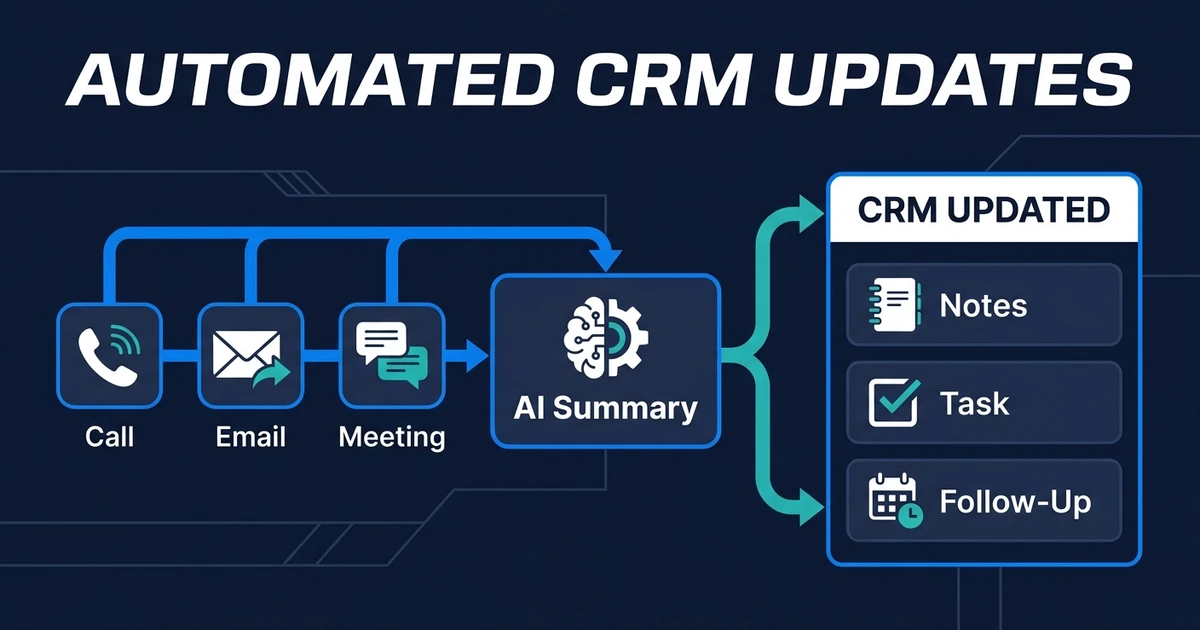
The meeting workflow handles one sensitive source in depth. Broader CRM update automation handles many source types and ongoing record changes.
| Question | Meeting Notes Workflow | Automated CRM Updates |
|---|---|---|
| Main source | Transcript, approved notes, meeting summary | Calls, emails, forms, tasks, meetings |
| Main risk | Consent, sensitive content, inaccurate interpretation | Matching, conflicting fields, stale records |
| Main outputs | Summary, commitments, tasks, follow-up draft | Notes, fields, owners, tasks, status changes |
| Review focus | Commercial meaning and personal data | Conflicts and higher-impact record changes |
Use this focused workflow when meetings create the largest documentation burden. Use automated CRM updates across calls, emails, and meetings when the wider customer record falls behind activity from several systems.
DIY vs Done-for-You Meeting Notes CRM Automation
A DIY setup may be enough when one meeting platform sends an approved summary to one CRM note field. Keep the workflow narrow, verify record matching, and review the result before expanding it.
Done-for-you implementation becomes more useful when you need several meeting sources, custom fields, permission rules, retention, deletion, task creation, follow-up drafts, and exception handling.
| Approach | Best Fit | Watch For |
|---|---|---|
| Native or DIY connection | One source and notes-only syncing | Wrong records, oversized notes, weak review controls |
| Internal operations build | Technical owner and defined governance | Ongoing testing, vendor changes, and access management |
| Done-for-you workflow | Several sources and custom review logic | Requires clear process decisions before build |
Automiq AI designs and deploys the workflow inside your current meeting and CRM tools. The implementation should reflect your approved recording process and legal guidance rather than inventing a policy for you.
How to Evaluate a Meeting-to-CRM Workflow Before Launch
Do not approve the workflow after one clean demo. Test normal meetings, missing participants, several open deals, unclear commitments, sensitive discussion, failed recordings, and unmatched contacts.
Use this launch checklist:
- What source material can the workflow process?
- How are participants informed and consent handled where required?
- Which data enters the CRM automatically?
- Which fields always require approval?
- How does the workflow match contacts and deals?
- Can a reviewer see the source behind a suggestion?
- Who can access recordings, transcripts, and summaries?
- How long does each data type remain stored?
- How can an authorized user correct or delete an output?
- What happens when the workflow fails?
The best test is simple: can your team explain every automatic update, every review gate, and every stored data type without opening the automation builder?
Frequently Asked Questions
Can AI meeting notes update a CRM automatically?
Yes. A workflow can use an authorized transcript, approved notes, or meeting summary to add a concise note, confirmed fields, tasks, and follow-up drafts. High-impact or uncertain changes should remain review-only.
Do meeting participants need to consent to recording?
Requirements depend on applicable law, participant locations, the communication type, and your organization’s process. Use clear notice, obtain consent where required, and get qualified legal advice for the jurisdictions in which you operate.
Should a full meeting transcript be stored in the CRM?
Usually, no. A concise summary, confirmed decisions, and assigned actions are easier to use and expose less unnecessary personal information. Keep a transcript only when you have a defined purpose, access policy, and retention rule.
Which AI meeting summary CRM fields should require human review?
Review deal stages, commercial terms, budget interpretations, sentiment, risk ratings, and inferred customer intent. Factual details such as meeting date and confirmed attendees are lower risk when the source is reliable.
Can a meeting-to-CRM workflow use written notes instead of a recording?
Yes. Approved written notes or a meeting summary can become the source when recording is unsuitable or unnecessary. The workflow can still extract confirmed decisions, tasks, owners, and deadlines for review.
Turn Meeting Context Into Safe CRM Action
Your CRM needs the customer context that changes the next action. It does not need every spoken word.
A strong meeting workflow keeps summaries concise, distinguishes facts from inference, protects access, and adds review before uncertain commitments become CRM truth.
Book a discovery call to design a reviewed meeting-to-CRM workflow for your existing tools. Automiq AI will map the source, CRM fields, permissions, retention rules, and human approvals before the automation goes live.