EN
EN DE
DE ES
ES FR
FR NL
NL PT
PT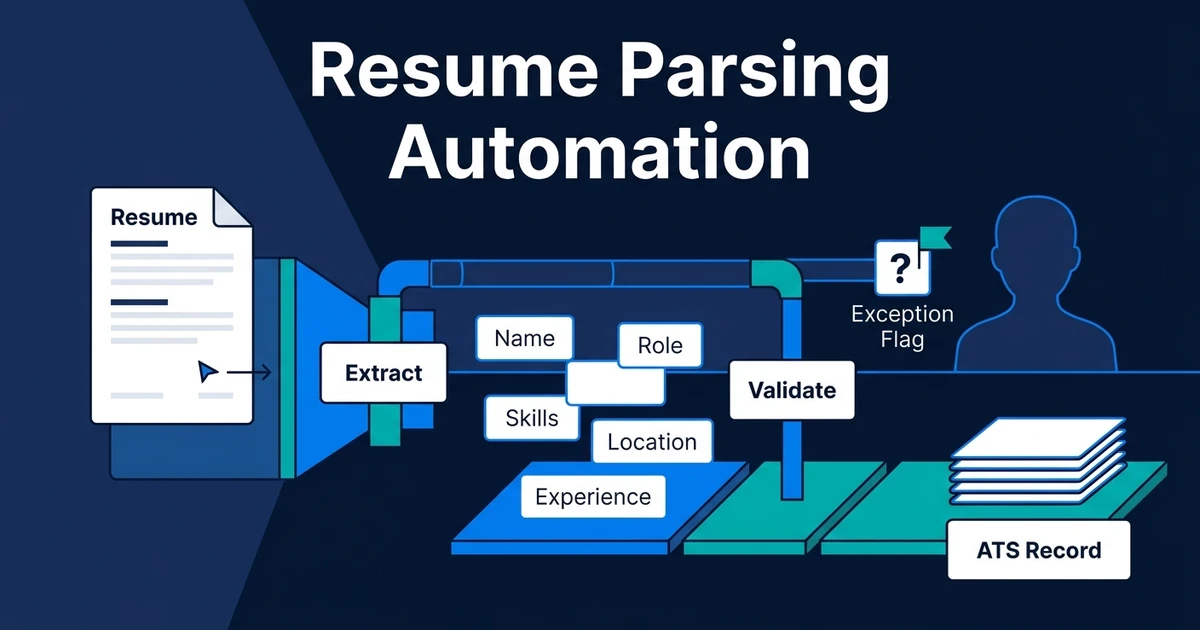
Quick Answer: Resume parsing automation extracts contact details, skills, employment history, education, and certifications from incoming CVs, normalizes the values, validates required information, and writes a structured record into the ATS. It prepares reliable data for recruiter review but should not decide whether someone is qualified.
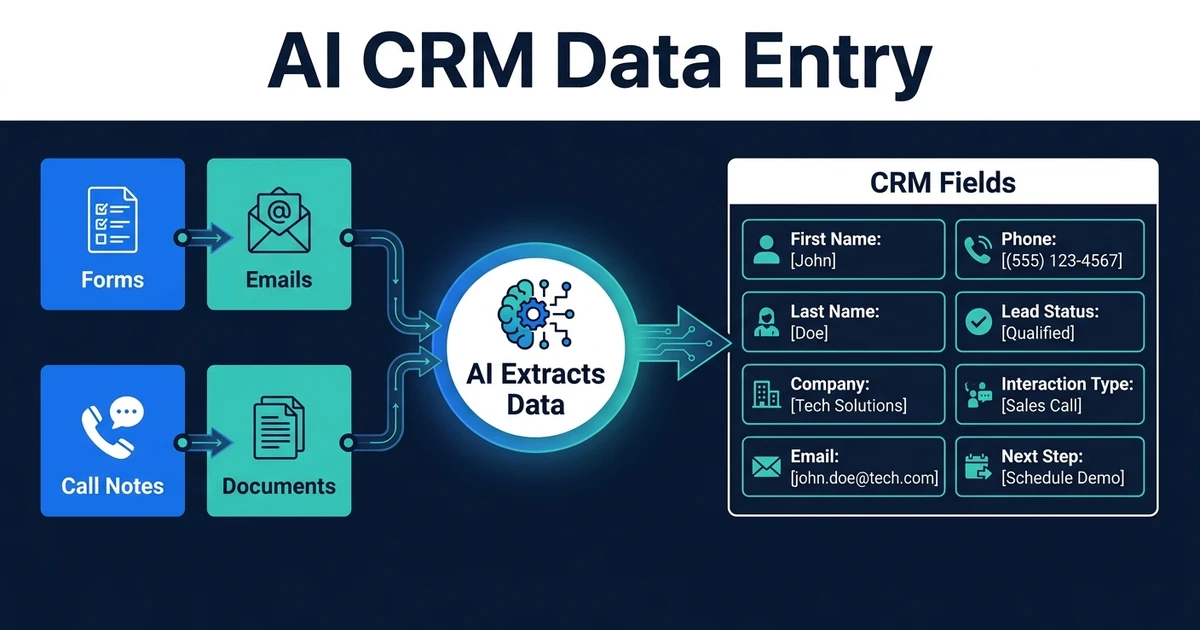
Resume parsing automation turns an unstructured CV into fields your recruitment system can search, filter, and reuse. It replaces repeated copy-paste work while preserving the source document and routing uncertain values for review.
That boundary matters. Parsing prepares candidate data. It does not score fit, rank applicants, or decide who advances.
Why Manual Resume Data Entry Creates Unreliable ATS Records
Resumes arrive through forms, job boards, shared inboxes, referrals, and direct messages. Each channel presents the same candidate differently, and recruiters often enter only the information needed for the task in front of them.
One record gets a full employment history. Another gets a name, email, and attachment. Skills may appear as free text in one profile and structured tags in another. That inconsistency weakens search, reporting, duplicate detection, and later communication.
The backlog creates a second problem. When recruiters need to move quickly, they may leave the source document in the inbox and plan to update the ATS later. Other team members cannot see the candidate, and the next workflow has no structured data to use.
SHRM identifies resume parsing as a common process-driven application of AI in recruiting. Among HR professionals using AI, 87% reported slight or significant efficiency improvements, according to the 2026 State of AI in HR report.
The useful outcome is not “AI read a document.” It is a complete or clearly exception-flagged ATS record that a recruiter can trust.
What Is Resume Parsing Automation?
It is a document-processing workflow that identifies approved data points in a CV, converts them into a consistent format, checks them against validation rules, and writes them into the correct candidate fields.
The workflow usually combines several jobs:
- Capture resumes from approved sources
- Extract text from common document formats
- Identify fields and the source text behind them
- Normalize dates, locations, job titles, and skill labels
- Check required values and possible duplicates
- Route uncertain fields for review
- Create or update the candidate record
A parser should preserve traceability. If it records a certification, the reviewer should be able to see where that certification appeared in the source. If it cannot determine an employment date, it should mark the field as uncertain rather than inventing a value.
How Does an Automated Resume Parsing Workflow Work?
A controlled resume-to-ATS process follows these steps:
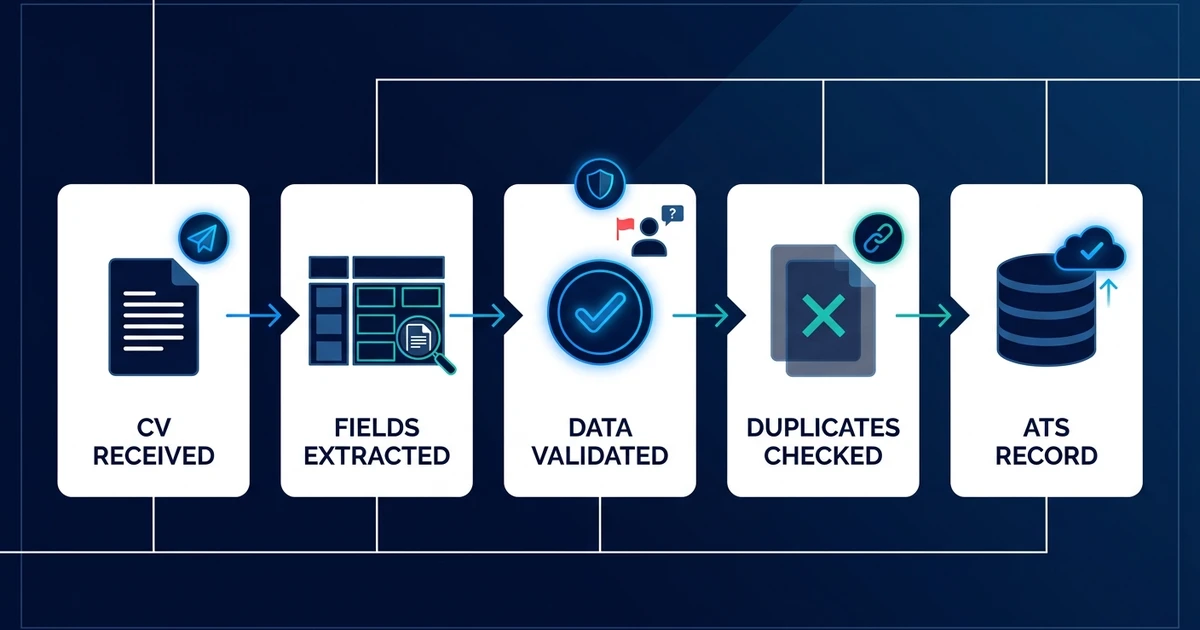
- Capture the source: Receive the CV from email, form, job board, or monitored folder.
- Identify the candidate: Use approved identifiers to find an existing record or prepare a new one.
- Extract the content: Read text while preserving the original file and source metadata.
- Map approved fields: Connect each extracted value to a defined ATS destination.
- Normalize the values: Standardize dates, locations, phone numbers, skills, and role names.
- Validate the record: Check required fields, impossible dates, conflicts, and low-confidence values.
- Route exceptions: Send uncertain data to a recruiter with the source evidence attached.
- Write to the ATS: Create or update the candidate only after duplicate and validation checks pass.
The workflow should log what it changed. A timestamp, source, proposed value, final value, and reviewer provide a usable audit trail when someone corrects the record later.
Do not hide extraction confidence from the reviewer. A clean-looking field can still be wrong, especially when a resume uses columns, icons, tables, scanned text, or unconventional headings.
Which Resume Fields Should You Extract and Normalize?
Begin with fields that have a clear business purpose and a defined destination. Typical groups include:
- Candidate name and approved contact details
- Current location and stated work preferences
- Employment history, employers, roles, and dates
- Education and professional certifications
- Skills and tools stated in the document
- Languages and stated proficiency
- Resume source, received date, and original attachment
Your field dictionary should explain what each value means. “Years of experience” might mean total work history, relevant industry experience, or time using a specific skill. A parser cannot resolve that ambiguity unless the field definition does.
Normalization improves consistency without changing the evidence. For example, the workflow can store different written forms of a month in one date format. It should not upgrade a vague skill mention into verified expertise.
Collect only what the recruitment process needs and is permitted to use. Protected or sensitive information should not flow into selection fields simply because it appears in a CV.
How Should Parsing Handle Irregular CVs, Duplicates, and Missing Data?
Irregular documents are normal. Candidates use columns, design templates, scanned certificates, embedded links, abbreviations, several languages, and job titles that do not match your taxonomy.
Use confidence and validation rules instead of pretending every document is identical:
- Flag text that could belong to more than one field
- Keep the source phrase beside a normalized value
- Reject impossible or reversed date ranges
- Mark required fields as missing rather than filling them from assumption
- Send scanned or unreadable files to an exception queue
- Preserve the original document for review
Duplicate handling should happen before record creation. Email address alone may be insufficient when a candidate uses several accounts, and name alone creates false matches. Compare approved identifiers and show the reviewer why two records may belong to the same person.
Conflicts also need a rule. If a new CV disagrees with an older record, the workflow can propose an update and preserve the previous value. It should not overwrite a recruiter-verified field without an agreed policy.
Where Does Resume Parsing End and Candidate Screening Begin?
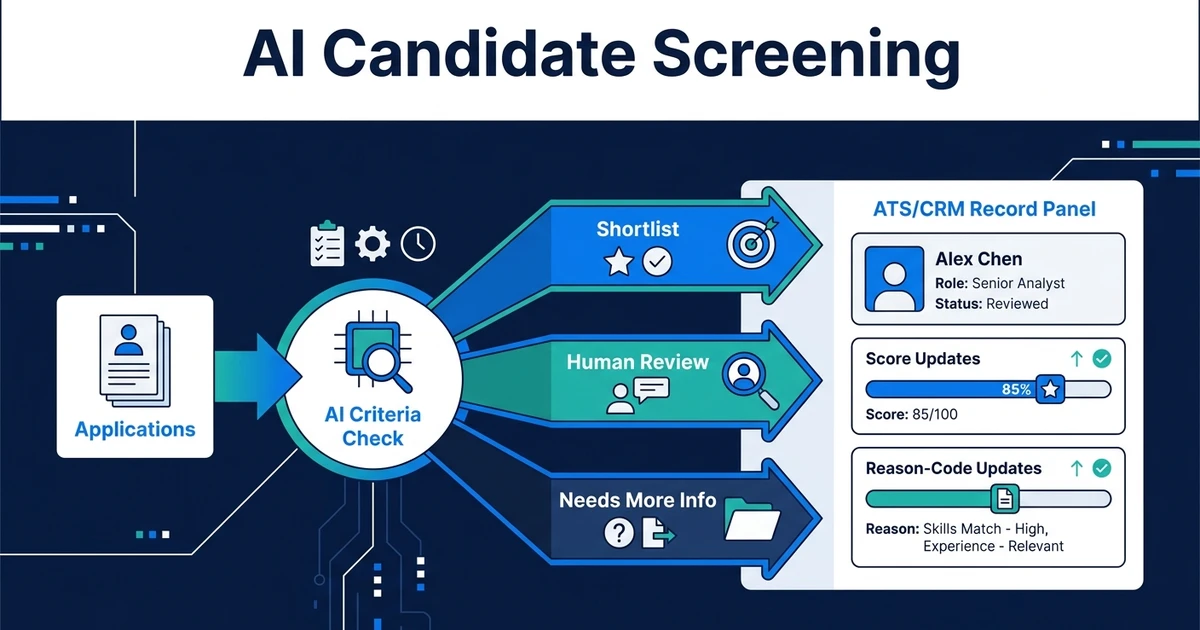
Parsing answers, “What information does this document contain?” Screening answers, “How does the available evidence compare with this role’s approved criteria?” Those are different operations with different risks.
The parser can structure a certification, location, employment date, or skill phrase. It should not decide that the certification is sufficient, the location is acceptable, or the career path predicts success.
Keeping the steps separate creates a clearer review path:
- Validate the extracted candidate record.
- Apply approved role criteria to the validated fields.
- Send recommendations or review bands to a recruiter.
- Keep the final decision human.
Our guide to AI candidate screening covers criteria, scoring, explainability, and shortlist review. This article stops when the candidate record is accurate enough to support that next step.
If you want the resume-to-record workflow connected to the ATS you already use, Automiq AI’s recruitment automation service maps the document sources, fields, validation rules, and exception handling before building the integration.
What Does Resume Parsing Automation Look Like in Practice?
Consider an agency receiving CVs through a website form, a shared inbox, and several job boards. Recruiters download files, search for existing candidates, create records, copy relevant details, and attach each original document.
With automation, every approved source enters the same intake flow. The workflow finds a possible existing record, extracts defined fields, normalizes the values, and checks the result. Complete records write to the ATS, while low-confidence records appear in one review queue.
The recruiter no longer opens every document to retype the same facts. They review exceptions, confirm conflicts, and correct the values that need judgment. The ATS receives more consistent data without pretending every extraction is perfect.
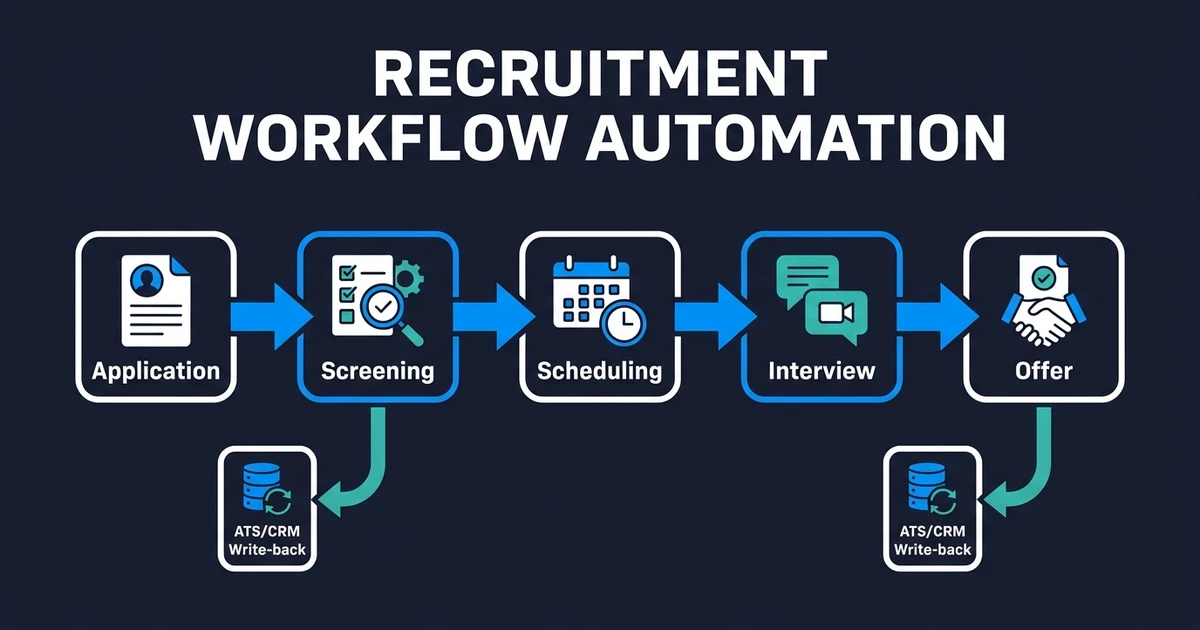
That structured record can then enter the full recruitment workflow without another manual handoff.
Done-for-You vs DIY Parsing vs Manual Data Entry
The right choice depends on document variety, field complexity, and the consequences of a wrong value.
| Approach | Best fit | Main tradeoff |
|---|---|---|
| Native or DIY parser | Standard resumes and straightforward ATS fields | Your team owns mapping, tests, and exceptions |
| Manual data entry | Low volume or highly irregular documents | Accuracy depends on available recruiter time |
| Done-for-you workflow | Multiple sources, custom fields, duplicate rules, and review queues | Requires agreed field definitions and governance |
A native parser may be enough when your ATS already handles the common document formats and your team needs only basic contact and employment data. Test the actual files you receive, not a polished sample set.
DIY becomes more demanding when data crosses email, forms, storage, and custom ATS fields. Your team must decide what happens when extraction fails, a duplicate appears, or the new value conflicts with an old one.
A done-for-you build fits when the parser must behave as part of an operating process. The implementation includes intake, mapping, validation, exception handling, monitoring, and documentation rather than another isolated document tool.
How Do You Evaluate Resume Parsing Accuracy and Data Protection?
Measure accuracy by field, not by a single impressive percentage. Names may parse reliably while dates, skills, and employment relationships require more review.
Track:
- Correct values by field type
- Required fields missed by the parser
- False and missed duplicate suggestions
- Low-confidence records routed for review
- Corrections made after write-back
- Time between document receipt and usable ATS record
- Access, retention, and deletion events
The UK Information Commissioner’s Office found that most audited recruitment-AI providers repeated accuracy tests periodically. It recommends validating data points before launch, monitoring performance after changes, and not relying on inaccurate AI alone for hiring decisions in its 2024 recruitment audit report.
Accessibility and inclusion belong in the test plan too. The U.S. Department of Labor’s framework provides 10 focus areas for managing hiring-technology risks, including unintended discrimination and accessibility barriers, as described in the department’s 2024 announcement.
Test with real document variation, approved for testing and stripped of unnecessary personal data. Re-run the test when extraction models, mappings, ATS fields, or document sources change.
Frequently Asked Questions
What is resume parsing automation?
It extracts approved information from a CV, normalizes it, validates required fields, checks possible duplicates, and creates or updates an ATS record. Uncertain values should go to a review queue.
Which resume formats can automated parsing handle?
Common workflows can process PDF, DOCX, text, scanned, emailed, and form-submitted resumes. Actual performance depends on layout, scan quality, language, and the fields you need.
Is automated resume parsing the same as candidate screening?
No. Parsing structures evidence from the document. Screening applies role criteria to that evidence and supports a human review decision.
Can parsed resume data write directly into an existing ATS?
Yes. The workflow can map values to current fields, attach the source, and update or create the correct candidate record after validation and duplicate checks.
What happens when a resume parser is uncertain?
The field should enter a review queue with its source text, proposed value, and confidence or error reason. A recruiter corrects it before downstream workflows use the data.
Turn Every Resume Into a Usable Candidate Record
Resume data is valuable only when recruiters can find it, trust it, and trace it back to the source. A good parsing workflow creates consistent records and makes exceptions visible instead of hiding uncertainty.
Start with the documents you actually receive, the fields your team actually uses, and the errors that would affect later work. Then automate the repeatable extraction while keeping validation and hiring judgment under human control.
Book a discovery call to scope your resume-to-ATS workflow. Automiq AI will map sources, fields, duplicate rules, accuracy checks, and exception handling so your recruiters receive usable records without another data-entry queue.