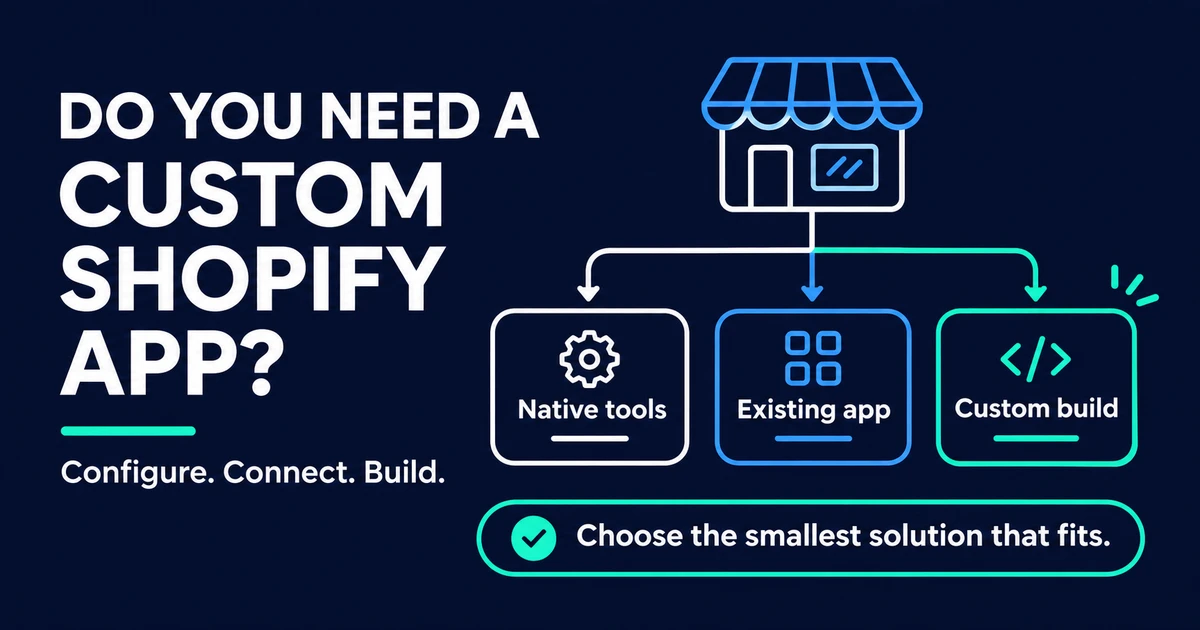
Quick Answer: Build a custom Shopify app when a recurring business need cannot be met by an App Store app, Shopify’s built-in tools (Flow, metafields, checkout settings, theme configuration), or a small theme change, and when the value of the result outweighs the cost of owning it. Owning it means hosting the backend, upgrading to new API versions at least yearly, handling unreliable webhook delivery, and protecting customer data. If a configurable option covers most of the need, use that and revisit later.
A custom Shopify app is attractive because it fits your process exactly. It is also software you will maintain for as long as you use it. The real question behind “should we build an app?” is usually whether the cheaper options have run out.
This guide gives you an order to work through. Start with what Shopify already offers, then check whether your situation matches the signs that justify custom work, then price the ownership before you commit.
Last checked against the linked Shopify documentation on 20 November 2026. Shopify changes plans and platform rules often, so confirm the details that matter to you before you decide.
What Counts as a Custom Shopify App?
A custom app is an app built for one merchant, not for sale on the Shopify App Store. Shopify’s distribution documentation calls this custom distribution. It needs no Shopify approval, and it can be installed on one store, on multiple stores in the same Shopify Plus organization, or on development stores.
Two details matter before you plan anything:
- Custom apps cannot use Shopify’s app billing system. If you want to charge other merchants, you need a public app.
- Creating the older, admin-created kind of custom app is no longer available for new apps. The same page says existing ones keep working. New custom apps are created in the Dev Dashboard, which is Shopify’s main place to create and manage apps.
A public app is the other route. It is for apps that many merchants install, needs Shopify’s approval, and is covered in the section on selling your app later.
Try the Cheaper Options First
Work up this ladder and stop at the first rung that solves the problem. Each rung usually costs less to run than the one above it.
| Option | What it covers | Plan notes from Shopify |
|---|---|---|
| Theme settings and custom data | Layout, content, and extra product or customer fields | Metafields add custom data to products, customers, and orders; metaobjects hold multi-field structures |
| Shopify Flow | Rule-based automation: when something happens, check a condition, then act | Free app on Basic, Grow, Advanced, and Plus; the HTTP request action needs Grow, Advanced, or Plus |
| App Store app | A packaged feature built for many merchants | Public apps containing Functions work on any plan |
| Custom app | A feature or integration built only for you | Custom apps containing Functions need Plus |
Sources: Shopify custom data help, Shopify Flow help, and Shopify Functions documentation.
Functions are small pieces of logic that Shopify runs during the customer journey, for things like discounts and delivery rules. They cannot be called by URL. The plan rule is the important part for this decision: any plan can use an App Store app that includes Functions, but a custom app that includes them requires Plus. If your need is a custom discount rule and you are not on Plus, a public app is likely your route.
Checkout has its own limits. Shopify’s checkout extensibility help says advanced checkout customization is available only on Plus, including apps on the information, shipping, and payment steps. Stores on other plans can still use the checkout editor and eligible apps on the thank-you and order-status pages.
Five Signs a Custom App Is Justified
A custom app earns its cost when at least one of these is true, and the need repeats often enough to matter.
1. The process is specific to your business. You have checked the App Store and the apps either do not exist or force you to change a process that works. A unique approval flow, a pricing rule tied to your contracts, or a fulfilment step that matches how your warehouse runs are typical examples.
2. You need to connect Shopify to your own systems. Syncing orders, stock, or customers with an ERP (enterprise resource planning software), a warehouse system, or an internal tool usually means working with Shopify’s APIs and webhooks. Shopify’s GraphQL Admin API is the main route, and Shopify’s REST Admin API documentation says REST has been legacy since 1 October 2024. Integration work of this kind is part of Automiq AI’s Shopify custom development service.
3. The logic goes beyond configuration. Discount, delivery, or cart rules that Shopify’s settings and public apps cannot express may need a custom app with Functions, and, as above, that requires Plus.
4. Several overlapping apps do one job. If you run three apps to approximate one workflow, a single purpose-built app can reduce the number of moving parts. Shopify measures a public app’s storefront performance impact with mobile Lighthouse scores, so ask any developer to test a custom app the same way.
5. You run multiple stores under one Plus organization. Custom distribution lets one app serve several stores in the same Plus organization, which can make a single build worth more than a per-store setup.
Signs You Should Not Build One
Hold off if any of these describe you:
- A configurable app already covers most of the need. A monthly subscription can cost far less than building and maintaining software.
- The change is cosmetic or content-based. That is a theme or settings job, not an app.
- You are considering a headless storefront to fix a feature gap. Shopify’s headless guidance says to consider it only when sales channels, themes, and apps cannot meet your needs, and that a headless storefront costs more to build and run than a theme and needs developers to maintain it after launch.
- You cannot name an owner. Someone must decide what to do when Shopify changes an API or a webhook fails.
What Owning a Custom App Costs
The build is the visible cost. The ongoing obligations are where merchants are surprised. This table summarizes what Shopify documents.
| Obligation | What Shopify documents | What it means for you |
|---|---|---|
| Hosting | The backend is hosted by the developer; Shopify’s deployment guide lists hosts such as Vercel, Google Cloud Run, Fly.io, and Render | A monthly hosting bill and someone responsible for uptime |
| API upgrades | A new API version ships every quarter, and each stable version is supported for at least 12 months | Plan at least one upgrade pass per year |
| Silent breakage | If an app targets a retired version, Shopify moves it to the oldest accessible stable version | An unmaintained app can change behavior without an error |
| Webhook reliability | Delivery is not guaranteed and order is not guaranteed; failed deliveries are retried 8 times over 4 hours | Build reconciliation jobs so missed events do not become missed orders |
| Rate limits | GraphQL Admin API limits differ by plan, from 100 points per second on Standard to 2,000 on Enterprise | Heavy syncs need to be designed around your plan |
| Customer data | Protected customer data has requirements such as minimum necessary data, encryption, and retention periods | A security review of the app, not just a feature test |
Sources: Shopify deployment guide, API versioning, webhook documentation, GraphQL Admin rate limits, and protected customer data requirements.
Two points deserve emphasis. First, Shopify’s versioning page says you can detect the silent move to an older version by comparing the X-Shopify-API-Version response header with the version your app requested, so a good developer builds that check in. Second, Shopify’s webhook guidance says a subscription created through the Admin API is automatically deleted after 8 consecutive failures, so monitoring matters.
If your app touches customer data, ask your developer which protected-data level it needs. Shopify’s protected customer data page says custom apps can access Levels 1 and 2 without Shopify review, but the requirements still apply, and Level 2 adds encrypted backups, separate test and production data, staff access logs, and an incident response policy.
A Worked Example
This is an illustrative scenario, not a case study. Imagine a merchant who sells made-to-order furniture and needs each order sent to their production-planning system, with a status update returned to the customer.
They work up the ladder. A metafield can store the production status, which handles the data. Flow can send a notification when a status changes, and the HTTP request action can call another system, if the plan allows it. But the production-planning system has its own API and needs two-way syncing with reconciliation, which none of the cheaper options provide. That gap, an integration with an internal system, is a real reason to build a custom app.
Notice what decided it. It was not a wish for a nicer feature. It was a specific need the lower rungs could not meet.
If You Might Sell the App Later
If the app might become a product for other merchants, plan for the public route from the start. Shopify’s revenue share page lists a one-time $19 registration fee, 0% revenue share on the first $1,000,000 of lifetime gross app revenue earned on or after 1 January 2025, and 15% above that. Public apps also face review, and Shopify’s app requirements checklist says an app must not reduce Lighthouse performance scores by more than 10 points.
The App Store compliance rules, such as the mandatory privacy webhooks, are documented for apps distributed through the App Store. Shopify’s page does not say whether custom apps are exempt, so ask your developer how they will handle customer data requests either way.
Decision Checklist
Answer these before you commission anything.
- ☐ I can describe the problem in one sentence, with a number attached (hours lost, orders affected, revenue at stake)
- ☐ I have checked the App Store and at least one app was tried or ruled out for a stated reason
- ☐ Theme settings, metafields, and Flow cannot solve it
- ☐ I know which Shopify plan I am on and what it allows
- ☐ I can name the person who owns the app after launch
- ☐ I have a budget for hosting and a yearly API upgrade, not only the build
- ☐ I know whether the app will touch customer data
If you can tick most of these, a custom app is a reasonable next step. If you cannot, the gap in the list is usually where to spend your time first.
What to Bring to a Developer
A short brief shortens the first conversation. Bring the problem statement, the systems that must connect (with their API documentation if it exists), your Shopify plan, the expected volume of orders or products affected, and anything you already tried. Ask the developer how they will handle API version upgrades, webhook failures, and who holds the hosting account, since those answers show how they plan to run the app after launch.
How Automiq AI Approaches Custom Shopify Work
Automiq AI offers Shopify custom development for commerce teams whose operations no longer fit a theme. That means storefront experiences, apps, extensions, integrations, and operational systems beyond standard theme configuration, built around Shopify’s supported platform interfaces. We use Shopify as the commerce system where it fits.
That matches the logic of this guide. The work starts from the problem, not from a build:
- Integrations: connecting Shopify to inventory, fulfillment, finance, CRM, support, and marketing systems
- Apps and extensions: custom logic where settings, Flow, and public apps cannot express it
- Operations workflows: the back-office steps around orders, stock, and customers
Automiq AI does not claim official Shopify partnership, and Shopify’s plan and platform rules remain the authority on what is possible. If your store is part of a wider ecommerce operation, see how we approach AI for ecommerce.
Frequently Asked Questions
Can a custom Shopify app be installed on more than one store?
Yes, within limits. Shopify’s distribution documentation says custom distribution allows one store, multiple stores in the same Plus organization, or development stores.
Does a custom Shopify app need App Store review?
No. Custom distribution needs no Shopify approval. Public apps listed on the App Store do.
Do I need Shopify Plus to build a custom app?
Not for every custom app. But Shopify’s Functions documentation says a custom app containing Functions requires Plus, and advanced checkout customization is Plus only.
How often do I need to update a custom Shopify app?
Shopify releases a new API version every quarter and supports each stable version for at least 12 months, so plan for at least one upgrade pass per year.
Choose the Cheapest Option That Solves the Problem
The right answer is often a smaller one than a custom app. The best case for building is a specific, repeating need that settings, Flow, and public apps cannot meet, owned by someone who will keep it running.
If you have reached that point, book a 30-minute consultation and bring your Shopify plan, your systems, and the problem you need solved. You can also read about Automiq AI or see our wider custom software development work. For related reading, see our guides to AI automation for ecommerce, AI integration services, and custom AI solutions.