EN
EN DE
DE ES
ES FR
FR NL
NL PT
PT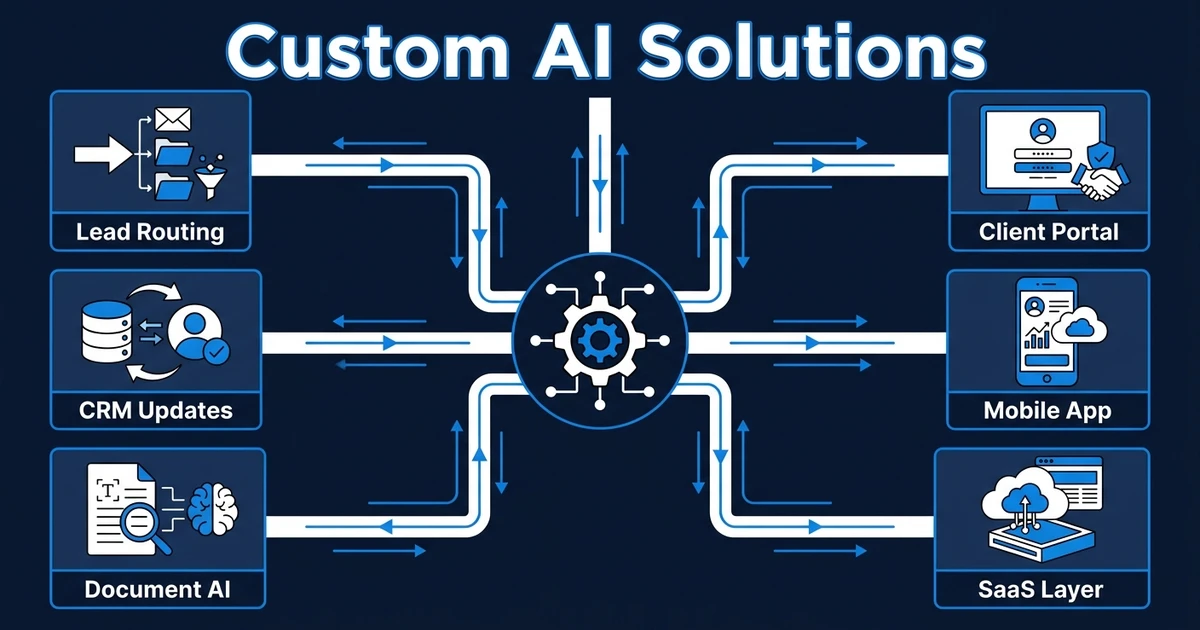
Quick Answer: Custom AI solutions are worth building when generic tools cannot follow your workflow, use your business data, enforce approval rules, or connect the systems where work happens. The strongest first builds are usually workflow-first: lead qualification, support triage, document processing, CRM updates, internal portals, dashboards, and AI-powered product layers.
Custom AI solutions should not start with the question, “What can AI do?” That question creates demos, not systems your team trusts.
The better question is: which workflow is slow, repeated, expensive, or risky enough that it deserves a custom build?
Deloitte reports that 66% of organizations have achieved productivity and efficiency gains from enterprise AI adoption, while 34% are deeply transforming the business and 30% are redesigning key processes around AI in its enterprise AI report. That is the useful pattern. AI becomes more valuable when it changes how work moves, not just how one task gets drafted.
What counts as custom AI solutions?
These systems are built around your workflow, data, users, and rules. They might live inside your CRM, inbox, documents, calendar, and spreadsheets. They might also become a portal, dashboard, mobile app, or SaaS product when the workflow needs a dedicated interface.
That makes them different from generic AI tools. A tool can summarize a document. A custom solution can receive the document, extract fields, check missing data, update the CRM, route exceptions, draft a response, and pause for human review before anything goes to the customer.
Automiq AI builds across that spectrum. The first phase may be an AI automation service inside your current tools, while a later phase may become a client portal, mobile app, internal dashboard, or workflow-backed SaaS product.
When does custom AI make sense for a business?
Custom AI makes sense when the workflow is important enough that a generic tool cannot safely own it. That usually means the process depends on private data, business rules, approvals, integrations, or customer-facing actions.
Use this decision checklist:
- The workflow repeats every week.
- The work touches revenue, customers, compliance, or delivery quality.
- The inputs arrive in messy formats such as emails, PDFs, calls, forms, or notes.
- Multiple systems need to stay in sync.
- A person should approve edge cases before AI acts.
- The workflow may eventually need a portal, dashboard, app, or product layer.
MIT Sloan’s workflow research summary argues that AI’s biggest impact comes from reshaping entire workflows, including how tasks are sequenced, grouped, and handed off between people and machines in its AI workflow analysis. That is why custom scoping matters. The value is in the chain.
9 workflow-first AI builds your business can use
Use this list to spot the kind of build your business actually needs. Each idea can start small, then grow into a deeper product layer if the workflow proves its value.

| Solution idea | What it does | Best fit | Scope warning |
|---|---|---|---|
| AI lead qualification and routing system | Reads inbound leads, scores fit, routes follow-up, and creates CRM tasks | Service businesses with slow lead response | Keep pricing, eligibility, and rejection rules human-reviewed |
| AI CRM update and meeting follow-up workflow | Turns calls, emails, and meeting notes into clean CRM updates and next steps | Sales teams with messy pipeline hygiene | Define field mapping before connecting automation |
| AI document processing workflow | Extracts data from contracts, invoices, forms, resumes, or intake packets | Teams copying data from documents into systems | Test on real document samples before launch |
| AI customer support triage agent | Classifies requests, drafts replies, detects urgency, and routes exceptions | Support teams with repeated tickets and slow first response | Keep refunds, cancellations, and sensitive actions under approval |
| Internal operations copilot | Answers internal questions from approved knowledge, SOPs, and records | Teams with scattered process knowledge | Separate searchable knowledge from action-taking permissions |
| Client portal with AI status updates and intake | Gives clients one place to submit information, track status, and receive guided updates | Agencies, professional services, and onboarding-heavy teams | Do not build a portal before the underlying workflow is clear |
| AI-powered mobile app | Gives field teams or customers a focused interface connected to workflow automation | Businesses with on-site work, appointments, inspections, or service updates | Mobile only helps when users need it in context |
| Custom dashboard and data workflow | Pulls scattered data into one operating view with AI summaries and alerts | Owners who need visibility across CRM, finance, delivery, and support | Clean the data model before adding AI summaries |
| Workflow-backed SaaS MVP or internal product | Turns a repeated workflow into a productized system with users, permissions, and AI actions | Businesses turning internal process advantage into software | Start with the workflow, not a giant feature list |
Gartner predicts that by 2029, agentic AI will resolve 80% of common customer service issues without human intervention and reduce operational costs by 30% in its customer service AI forecast. That does not mean every support action should be autonomous today. It means the workflow needs clear guardrails before AI gets more responsibility.
How to choose between AI automation, an app, and a SaaS product
Most businesses overbuild because they skip the scope decision. They ask for an app when they need automation, or they buy a tool when the workflow needs a controlled interface.
Use this path:
| If your need is… | Start with… | Why |
|---|---|---|
| Existing tools work, but handoffs are manual | Workflow automation | The fastest win is removing repeated coordination |
| Users need one controlled place to submit, review, or track work | Portal or internal tool | The interface becomes part of the workflow |
| People need access in the field or on customer visits | Mobile app | The work happens away from the desk |
| The workflow can become a repeatable product | SaaS or product build | Users, permissions, billing, onboarding, and roadmap matter |
Automiq AI can support all of these layers. The key is to decide which layer should come first so your budget funds the system your team will actually use.
What should a custom AI solution partner handle?
A good partner should handle discovery, workflow mapping, data preparation, integrations, AI evaluation, approval rules, testing, launch, handoff, and support. If they only talk about models, they are not yet talking about your business.
Ask for a build plan that shows:
- What starts the workflow
- Which systems are read from and written to
- Which AI outputs get tested before launch
- Which actions require human approval
- What happens when confidence is low
- Who owns the source code, tool accounts, and documentation
- What your team can change after handoff
The strongest AI implementation service starts with operational truth. It should prevent disconnected software by mapping the work first, then deciding whether the right build is automation, integration, an app, or a product.
Custom AI solution example for a service business
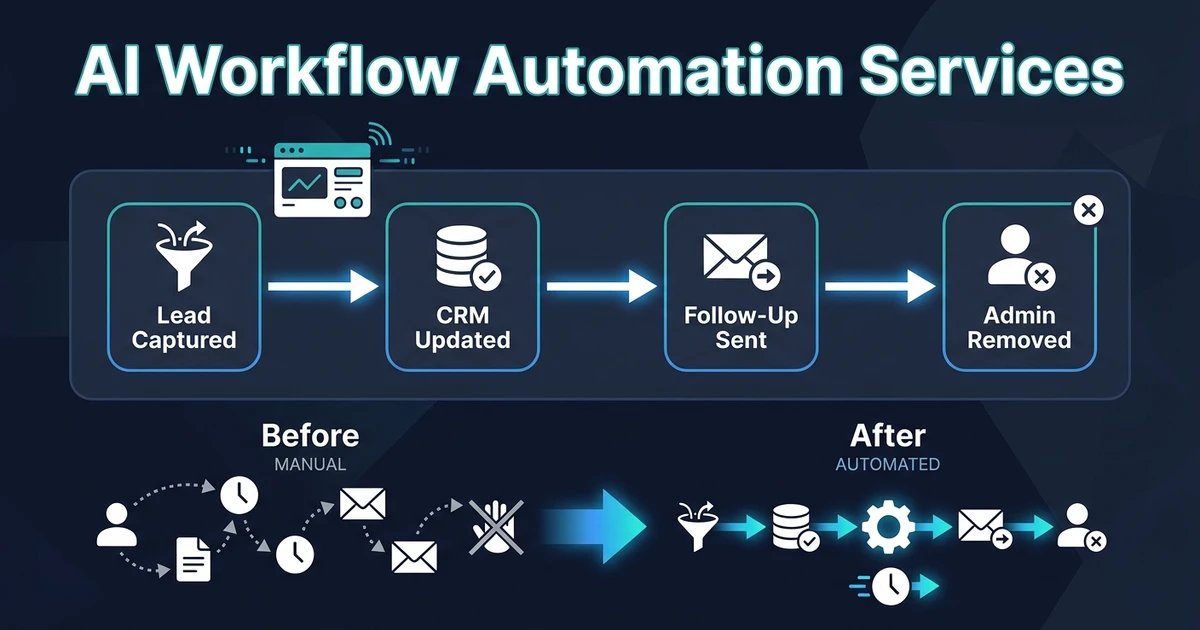
Take a recruitment agency with intake forms, email, calendar scheduling, CRM records, candidate documents, client updates, and proposal templates. The first problem may not be “build an app.” It may be that every client request creates a chain of manual copying and follow-up.
The first phase could automate intake, classify the request, update the CRM, create recruiter tasks, and draft the first client reply. The second phase could add a client portal for status updates, document uploads, and approval history.
The third phase might become a workflow-backed SaaS or internal product. That only makes sense after the core process works and the agency can see which parts create measurable value.
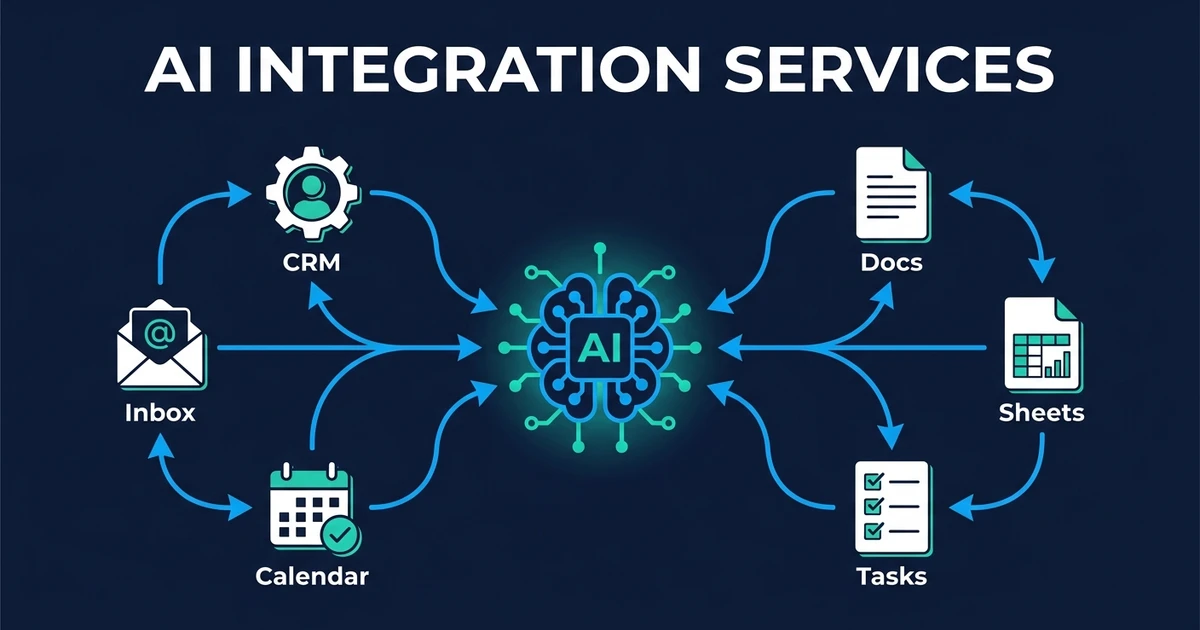
Bring one workflow or product idea to Automiq AI and we will scope whether the first build should be automation, a portal, an app, or a broader custom product. Start with AI integration services if your systems already exist but the work between them is still manual.
Frequently Asked Questions
What are examples of workflow-first AI builds?
Examples include lead qualification systems, CRM update workflows, document processing, support triage agents, internal copilots, client portals, dashboards, mobile apps, and workflow-backed SaaS products. The best examples are tied to a process your team repeats often.
How are custom AI builds different from AI tools?
AI tools are usually generic. Custom builds follow your workflow, business data, approval rules, integrations, and handoff requirements, which makes them better for operational work that cannot be trusted to a one-size-fits-all setup.
Do I need a mobile app or just workflow automation?
You need workflow automation when the work can happen inside your current tools. You need a mobile app when users need a dedicated interface in the field, on customer visits, or in a product experience that cannot live inside your CRM or inbox.
Can custom AI builds include human approval?
Yes. Any workflow that affects customers, money, contracts, compliance, or sensitive data should define approval rules before launch. AI can draft, classify, summarize, and recommend while a person approves high-risk actions.
Can Automiq AI build both automation and custom software?
Yes. Automiq AI can build automation inside your existing tools and extend that work into custom SaaS products, mobile apps, portals, dashboards, and AI-powered product experiences when the workflow needs its own software layer.
Conclusion
Custom AI should start with the work, not the feature list. If you scope the workflow first, the build path becomes clearer: automate what already exists, add an interface when users need one, and build a product when the process is valuable enough to own.
Automiq AI helps you choose that path without forcing everything into one box. Bring us the workflow that keeps slowing your team down, and we will map the build layer that fits. Book a discovery call to scope the first system.