EN
EN DE
DE ES
ES FR
FR NL
NL PT
PT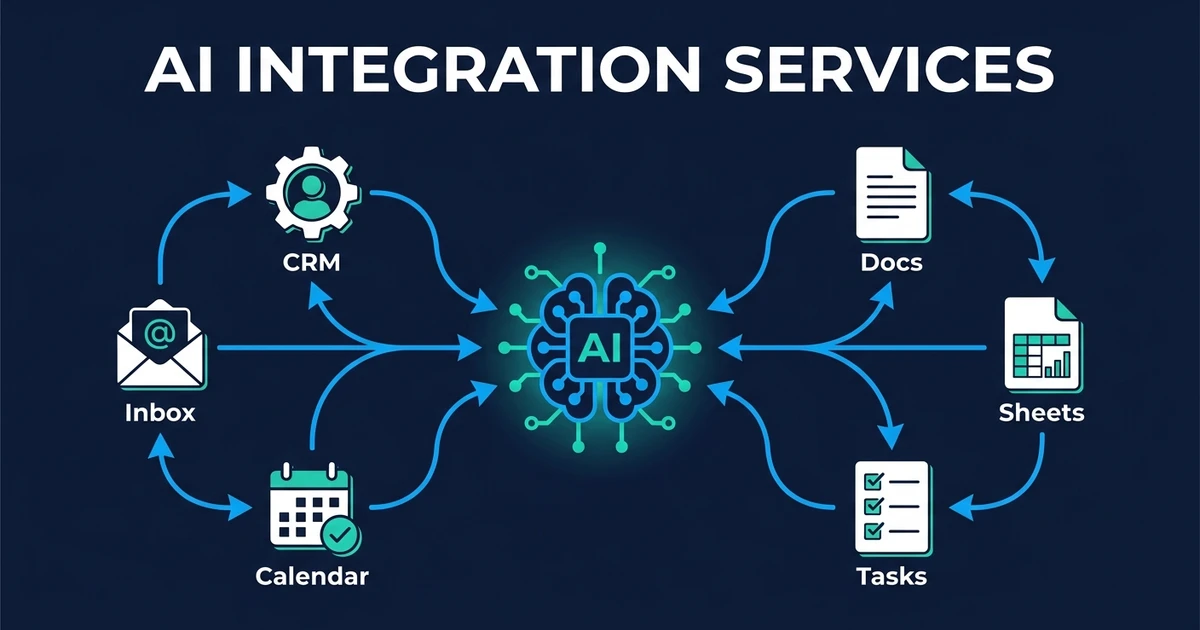
Quick Answer: AI integration services connect automation and AI workflows to the tools your business already uses, such as your CRM, inbox, calendar, forms, documents, and spreadsheets. For small teams, the best first integration is usually one high-friction workflow that saves time immediately, not a full software rebuild.
AI integration services are for the moment when your tools are not broken, but the work between them is. Your CRM works. Your inbox works. Your calendar works. Your spreadsheets work.
Your team is the part holding them together.
That is the gap AI integration should close: not another platform, but a connected workflow that reads, writes, routes, drafts, and flags work inside the systems you already use.
What are AI integration services, and when do you need them?
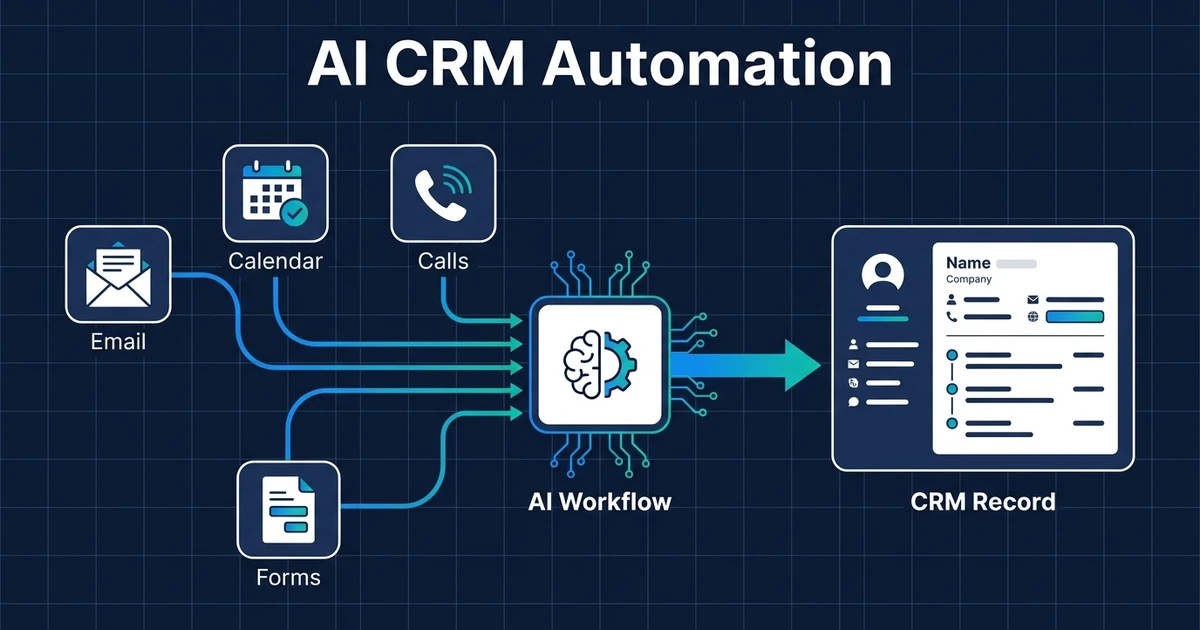
They connect AI-assisted workflows to your existing software. That might mean reading a lead form, classifying the request, updating the CRM, drafting a reply, creating a task, and sending a booking link without asking your team to copy data between tools.
You need this when the value is not inside one app. It is in the handoff.
McKinsey reports that 78% of respondents said their organizations used AI in at least one business function, and 71% said their organizations regularly used generative AI in at least one business function in its State of AI survey. Adoption is not the hard part anymore. Making AI useful inside daily operations is.
For a small business, the test is practical. If a customer message starts in one tool and the next action happens in another, there is likely an integration opportunity.
Why existing software AI features often stop short
Built-in AI features can be useful. Your inbox may draft a reply. Your CRM may summarize a record. Your document app may clean up a paragraph.
The problem is that these features usually stay inside their own product boundary.
A lead response workflow is bigger than one product. The system may need to read the message, identify the service need, check whether the contact exists, update the CRM, create a follow-up task, suggest available times, and notify the right person.
An inbox assistant alone cannot do that. A CRM note summary alone cannot do that. You need workflow logic between the tools.
McKinsey found that about three-quarters of generative AI value is expected to come from customer operations, marketing and sales, software engineering, and research and development in its generative AI value research. Customer operations and sales are exactly where cross-tool handoffs decide whether the value shows up.
The same issue appears in document work. A proposal tool may help draft text, but it still needs the right customer details, pricing notes, service scope, and approval status. If those details live across your CRM, inbox, call notes, and spreadsheet, the AI feature is only useful after the integration work is done.
Which business tools should your AI integrations connect first?
Start with the tools that already control customer flow. For most small service businesses, that means CRM, email, calendar, forms, documents, spreadsheets, and team alerts.

Useful first connections often look like this:
- Website form to CRM to owner notification
- Gmail or Outlook to CRM task creation
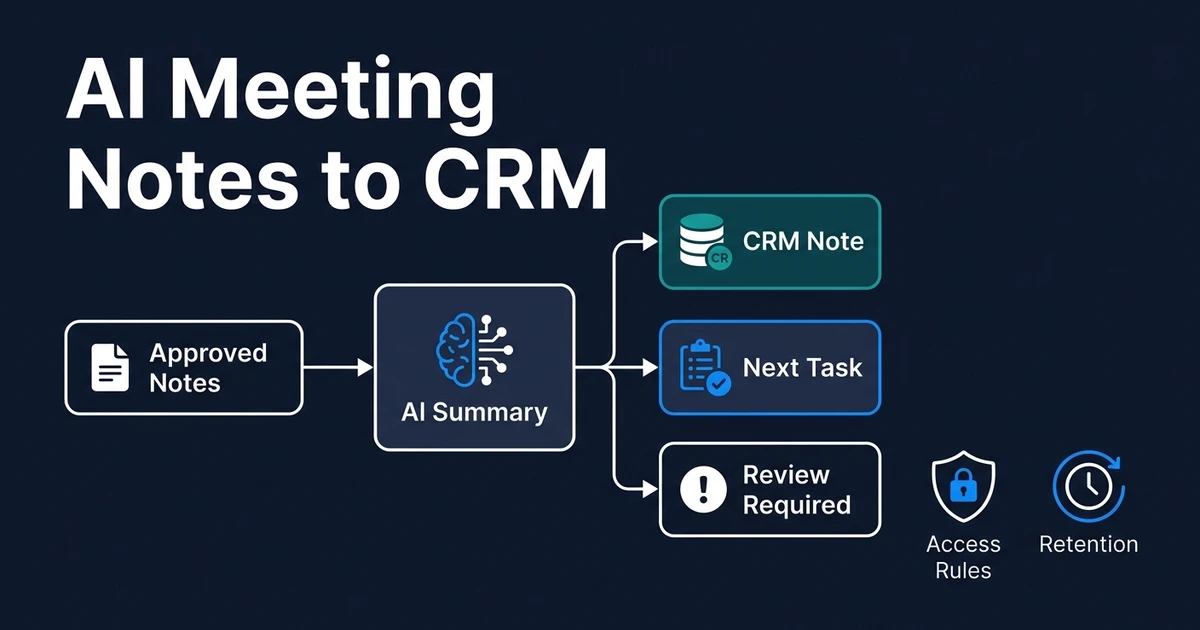
- Calendly to meeting notes to follow-up email
- Proposal template to client data to draft document
- Spreadsheet intake to routing rules to team notification
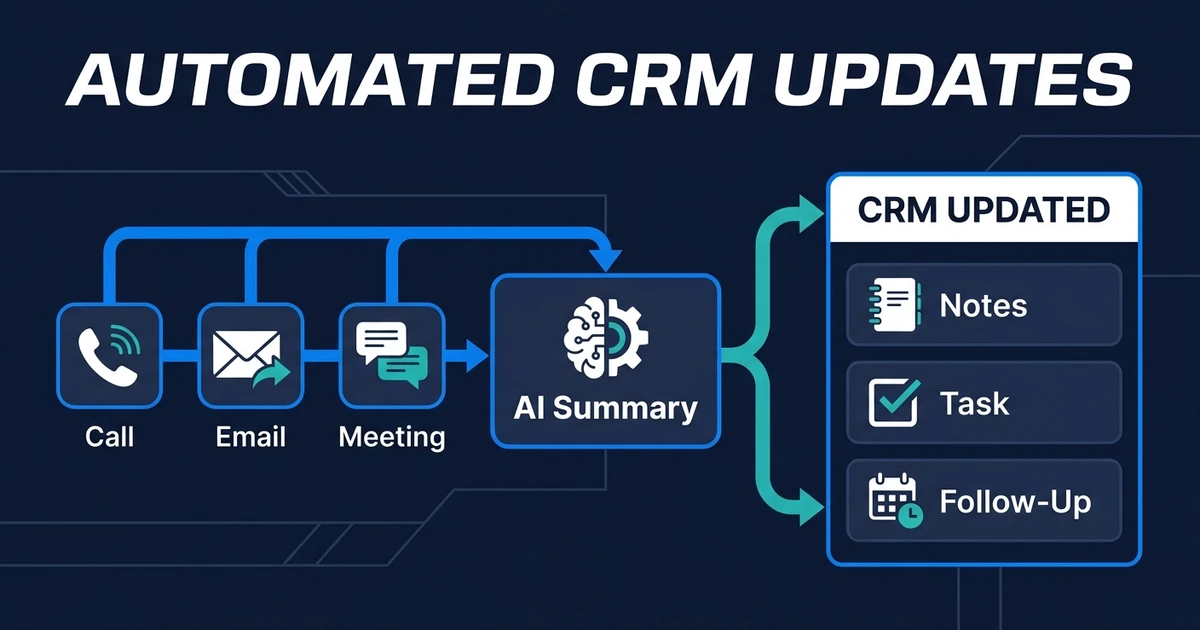
- Call summary to CRM record to next-step task
The goal is not to connect every app because it exists. The goal is to connect the steps where delay, copying, or missed context costs you time.
For example, a founder using Pipedrive, Gmail, Calendly, and Google Sheets may not need a new sales platform. They may need one workflow right now that turns a booked call into a CRM update, a follow-up task, and a draft email before the next morning.
If you want help choosing that first workflow, AI workflow design should happen before the build. The design step keeps the project focused on business outcomes instead of tool novelty.
One useful way to prioritize is to follow the customer journey. Where does the customer first appear? Where does your team decide what happens next? Where does the promise get documented? The best first integration usually sits at the point where those answers spread across more than one tool.
How should you evaluate an AI integration partner?
A good partner should ask more questions about your process than your preferred AI model. The model matters, but workflow ownership matters more.
Use this checklist:
- Do they map the current process before naming the tools?
- Do they define which system remains the source of truth?
- Do they explain what happens when data is missing or conflicting?
- Do they include human approval for sensitive steps?
- Do they test with real examples from your business?
- Do they document handoff so your team knows what changed?
- Do they keep you out of a new platform unless you truly need one?
| Partner type | Best fit | What you own |
|---|---|---|
| DIY automation platform | Simple trigger-action workflows | Setup, fixes, testing, and maintenance |
| Internal hire | Long backlog of technical automation work | Salary, onboarding, management, and roadmap |
| Custom software team | New product, portal, or infrastructure | Larger scope, deeper build, longer handoff |
| Done-for-you integration partner | Existing tools with repeatable manual handoffs | Workflow outcome and practical handoff |
Deloitte found that data-related issues caused 55% of surveyed organizations to avoid certain generative AI use cases in its enterprise generative AI survey. That is why the partner should inspect your real inputs before promising an automation.
Automiq AI builds AI workflows inside the tools you already use. If your first bottleneck sits between CRM, email, calendar, and documents, map it with an AI integration service for existing tools before you buy another app.
What does an AI integration project look like with Automiq AI?
The project starts with the workflow, not the software stack. Automiq AI identifies which repeated process is wasting time, which tools hold the data, and where human review still matters.
Then the build connects those tools around a defined outcome.
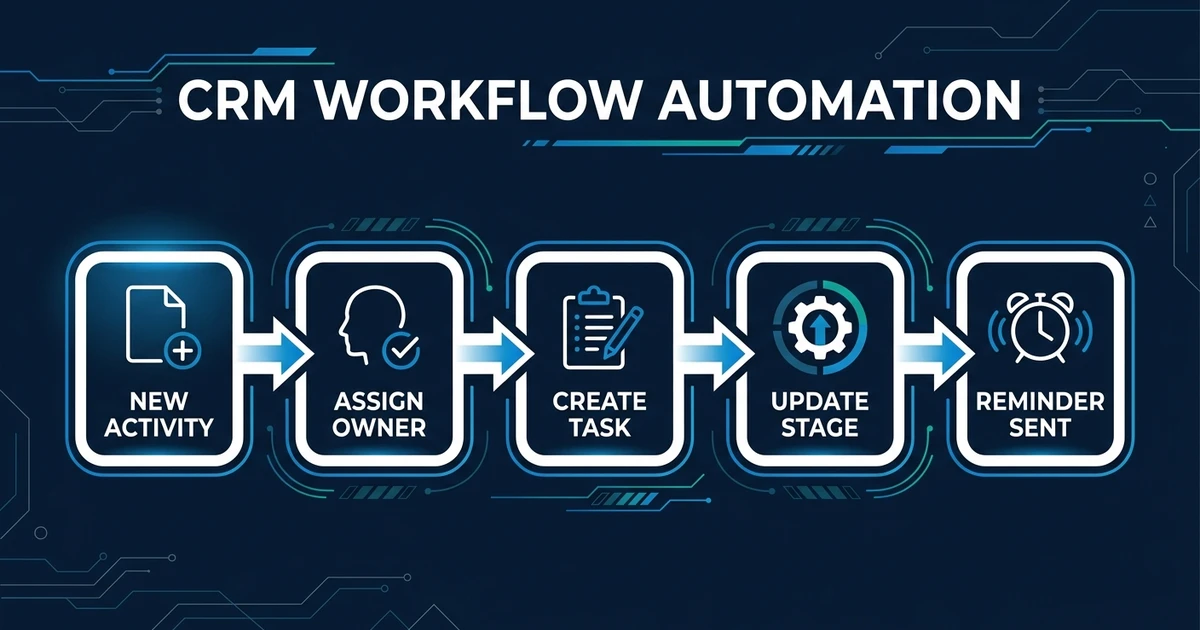
A practical lead workflow might:
- Read a new inquiry from a website form or inbox.
- Classify the service request and urgency.
- Check the CRM for an existing contact.
- Create or update the record.
- Draft a contextual reply.
- Create a follow-up task.
- Notify the right team member.
That project can stay as a workflow integration, or it can become the operating layer behind a custom SaaS product, mobile app, portal, or AI product when the business case calls for it. The point is to connect the software build to the real process instead of treating integration as an afterthought.
It is AI CRM automation and workflow integration around a business process your team already runs.
The strongest first project is usually the one your team touches every day. Once it runs reliably, you can expand to proposal generation, document processing, voice agents, or reporting without rebuilding the whole system.
The handoff should be plain enough for a non-technical operator to own. Your team should know what starts the workflow, which tools it touches, which actions happen automatically, and which actions pause for approval. If the handoff requires your staff to understand prompts, nodes, or API calls, the project has missed the point.
Frequently Asked Questions
What are AI integrations?
They connect AI workflows to the business tools you already use. That can include your CRM, inbox, calendar, forms, documents, spreadsheets, and team notifications.
Do AI integrations require replacing my current tools?
No. The best first project usually keeps your current tools in place and connects the work between them. Replacement only makes sense when the current tool is the actual bottleneck.
Can AI integrations work with small-business CRMs?
Yes, if the CRM supports integrations, webhooks, exports, forms, or API access. The workflow should keep the CRM as the source of truth instead of creating another place to check.
What should I automate first with AI integration?
Start with a workflow your team repeats every week and where delays create lost revenue or rework. Lead response, CRM updates, meeting follow-up, intake routing, and document drafting are common first choices.
How do human approvals work in AI workflows?
The workflow can draft, classify, summarize, or route work automatically while holding sensitive actions for review. That keeps speed high without giving the system unchecked authority over customer-facing or financial decisions.
Conclusion: start with the workflow your team already touches every day
AI integration is not about making every tool smarter. It is about removing the manual handoffs that make your team slower than the software around them.
Start with one workflow that already happens every week. Connect the tools. Define the review points. Measure the time recovered.
If you want that built without learning another platform, compare fixed-fee automation packages or book a discovery call to identify the first integration Automiq AI should build inside your existing stack.