EN
EN DE
DE ES
ES FR
FR NL
NL PT
PT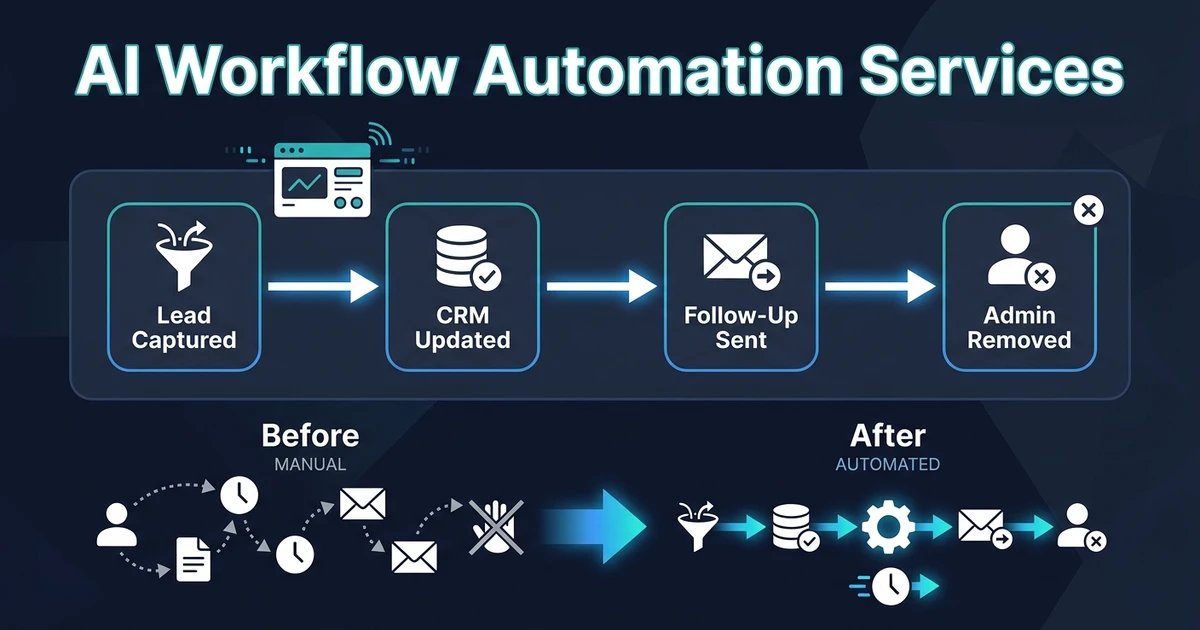
Quick Answer: AI workflow automation services design, build, and deploy automations that handle repeatable work across your existing tools. The right partner should map the workflow, connect your CRM, email, calendar, and documents, test the automation against real cases, and hand over a working system your team can use without learning a new platform.
AI workflow automation services matter when your team is losing time to work that should already move by itself. Leads wait. CRM records go stale. Proposals get copied by hand. Follow-ups depend on memory.
The buying decision is not really about AI. It is about who can turn your messy daily process into a reliable workflow that runs inside the tools your team already trusts.
Why AI workflow automation services matter when admin work is eating your week
Manual admin becomes expensive because it hides inside normal work. Someone replies to a lead, then updates the CRM, then creates a task, then sends a booking link, then remembers to follow up if nobody responds.
Each step looks small. Together, they become the reason your team ends the week busy but behind.
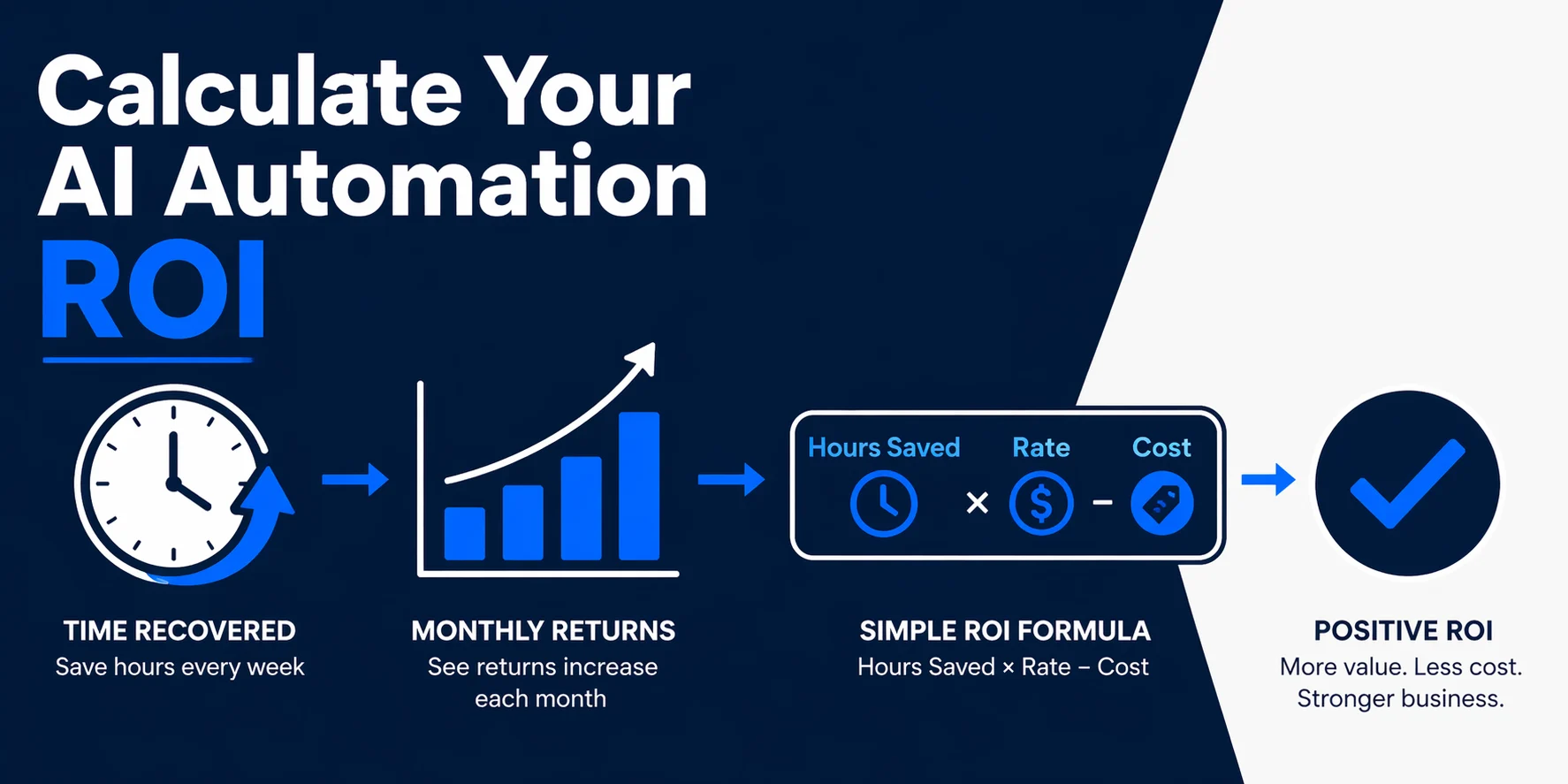
McKinsey estimates that generative AI could create $2.6 trillion to $4.4 trillion in annual global corporate profit value, and that work activities occupying 60% to 70% of employee time have theoretical automation potential in its generative AI productivity research. For a small business, the practical version is simple: automate the repeated handoffs before hiring more admin help.
BLS reports that office and administrative support occupations had a median annual wage of $46,320 in May 2024 in its occupational outlook data. Even before software, management time, and errors, manual coordination has a real cost.
What should an AI workflow automation partner actually build?
A good partner should build workflow outcomes, not just impressive demos. The deliverable should be a live process that reads an input, decides the next action, updates the right system, and flags anything uncertain for review.
For most small service businesses, useful builds include:
- Lead qualification and routing
- CRM record updates after calls, emails, and forms
- Proposal or document generation from client data
- Email response drafts and follow-up sequences
- Appointment booking and reminder workflows
- Document processing for contracts, invoices, and forms
The key is integration. A chatbot that answers questions but never updates your CRM still leaves the admin work behind. A document extractor that creates a spreadsheet nobody reviews has not solved the workflow.
Automiq AI focuses on the missing operating layer: the workflow that connects your CRM, inbox, calendar, forms, and documents so the work moves without another dashboard.
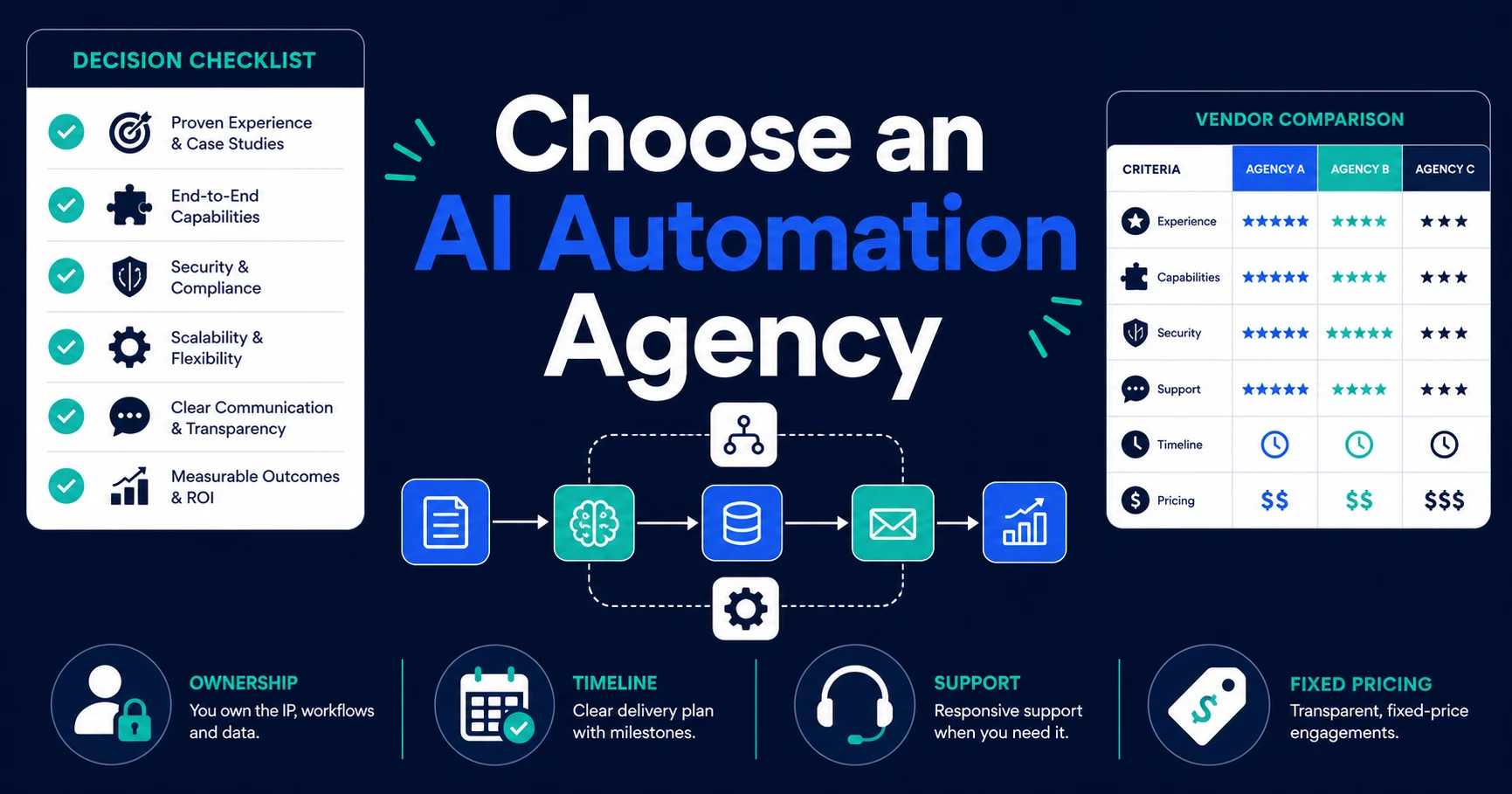
How do you compare done-for-you automation, DIY tools, and custom software teams?
The right option depends on what you are buying. If you want one simple trigger, a DIY platform can be enough. If you want a new product or platform, a custom software team may be the right path.
If you want repeatable work removed from your existing tools, a done-for-you automation partner usually fits better.
| Option | Best fit | Watch out for |
|---|---|---|
| DIY automation tools | Simple internal triggers with clear rules | Your team owns setup, testing, fixes, and maintenance |
| Freelancer or contractor | Narrow technical task with a clear spec | You may still need to design the workflow and manage handoff |
| Custom software team | New product, platform, or deep engineering build | Scope, cost, and timeline can exceed what small teams need |
| Done-for-you automation partner | Repeatable operations work across current tools | Requires clear access and a real workflow owner |
Deloitte found that 68% of surveyed organizations had moved 30% or fewer of their generative AI experiments fully into production in its Q3 generative AI survey. That is the trap to avoid: a pilot that looks good, then never reaches the tools your team uses every day.
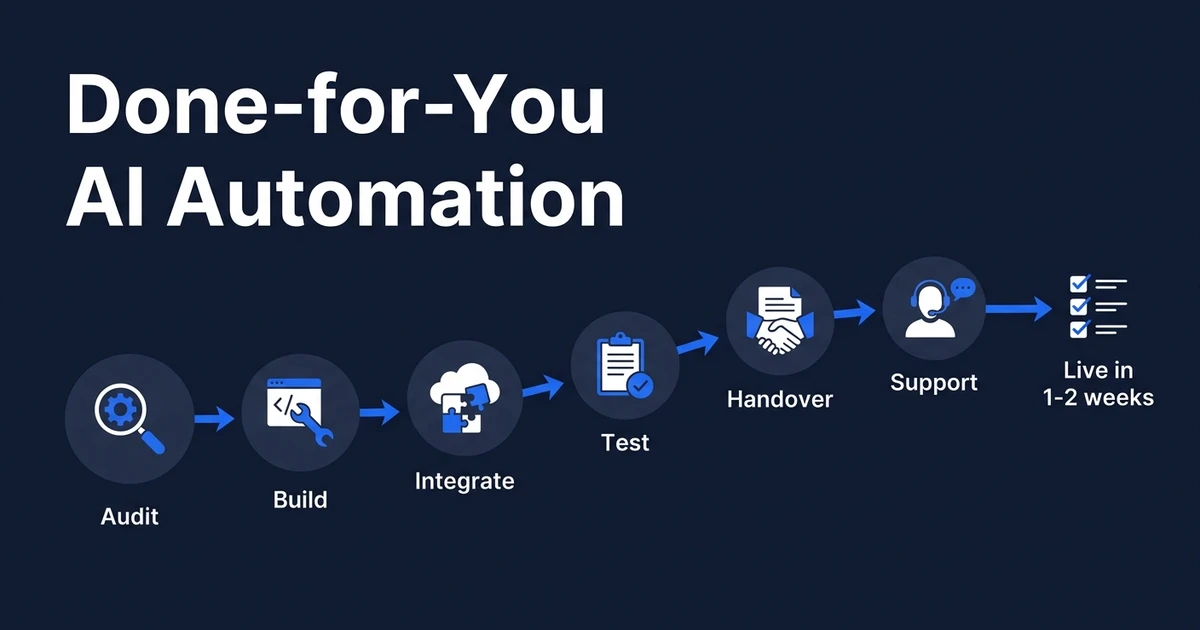
If you want a working build instead of a tool to learn, compare your options against what done-for-you AI automation includes. The decision gets clearer when you look at ownership, testing, and handoff.
Ready to see what one manual workflow could look like after automation? Book a free automation discovery call and Automiq AI will map the first process worth removing from your week.
What should happen before anyone starts building your automation?
The build should start with workflow mapping. Not tool selection. Not model selection. Workflow mapping.
A serious automation partner should define:
- The trigger that starts the workflow
- The data sources the workflow reads
- The systems the workflow updates
- The decision rules for routing or drafting
- The human approval points
- The failure path when data is missing or confidence is low
- The handoff process after launch
Imagine a local service business with web leads, missed calls, Gmail, Calendly, and a CRM. The first useful workflow might capture the lead, classify the request, check availability, draft a reply, create a CRM record, and alert the owner only when human judgment is needed.
That is different from buying an AI tool. It is AI implementation inside your existing tools, with the messy handoffs designed before the workflow goes live.
Is Automiq AI right for your business?
Automiq AI is a fit when your business already has tools but the work between them is still manual. It is also a fit when you need a custom SaaS product, mobile app, internal portal, data workflow, or AI-powered product built around the same operational problem.
It is especially useful when your team handles leads, client intake, CRM updates, proposals, appointment booking, or document processing every week. Those are repeatable workflows with visible time loss.
The decision is scope, not capability. If you need one workflow live inside your current stack, start with a done-for-you AI automation service. If you need a custom product or mobile experience, Automiq AI can shape the automation layer and the software build together so the product does not become disconnected from operations.
For a smaller first step, compare the fixed-fee automation packages before scoping a broader custom build.
The best first engagement is narrow. Pick the workflow that creates the most delays or rework, automate it properly, then expand only after the first system proves itself.
Frequently Asked Questions
What do AI workflow automation services include?
These services usually include workflow mapping, tool integration, automation buildout, testing, handoff, and support. The best providers deliver a working process inside your current CRM, email, calendar, and document tools.
How long does a first AI workflow automation project take?
The timeline depends on scope, access, and how clean your process is today. A focused workflow with clear inputs and approvals should move much faster than a broad custom software project.
Do I need to replace my CRM before hiring an automation partner?
No. A good automation partner should start with the tools your team already uses. Replacing the CRM is usually a last resort, not the first move.
Should I use a DIY tool or hire an automation agency?
DIY is fine when the workflow is simple and someone on your team wants to maintain it. Hire an agency when the workflow crosses multiple tools, affects customers, or needs reliable testing before launch.
How do I know if Automiq AI is the right fit?
Automiq AI is a fit when you run a small service business with repeatable admin work across CRM, email, calendar, forms, and documents. It is less suited to teams building a new software product from scratch.
Conclusion: hire for the workflow, not the AI demo
The strongest automation partner is not the one with the flashiest demo. It is the one that can show exactly which manual steps disappear, which systems update, which exceptions get reviewed, and what your team owns after launch.
If your business needs fewer missed leads, cleaner CRM records, faster follow-ups, and less copy-paste admin, start with one workflow. Make it work. Then build the next one.
Book a free automation discovery call and get a fixed-scope blueprint for the first workflow Automiq AI should remove from your week.