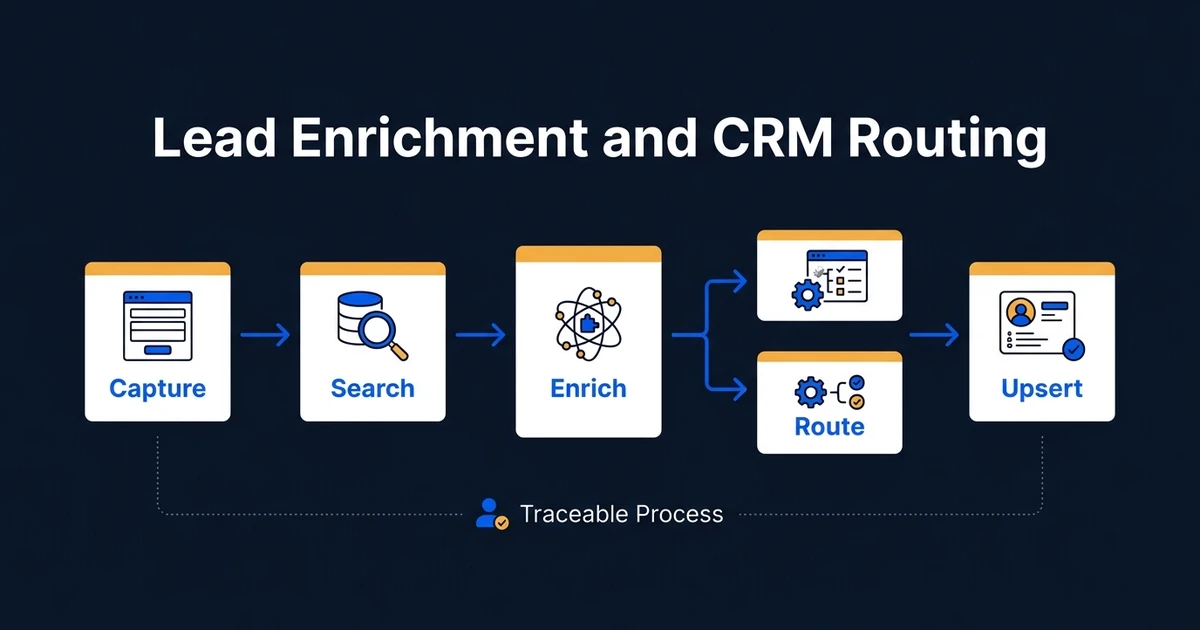
Quick Answer: To enrich inbound leads and route them into a CRM automatically, use this order: capture, normalize, search, enrich, validate, decide, upsert, and notify. Search the CRM before creating anything. Enrich only fields that change fit, ownership, or follow-up. Preserve data provenance, use deterministic assignment rules where possible, and send uncertain matches or conflicting data to a review queue.
An inbound lead workflow often looks simple on a diagram: form to enrichment tool to CRM. In production, the difficult questions appear between those boxes.
Does the contact already exist? Which company owns the domain? Should customer-provided data override the CRM? What happens when two account owners match? Can the workflow create a record if enrichment fails?
This guide covers the connected implementation. For a deeper explanation of the data lookup step alone, read AI lead enrichment. For the ownership decision alone, use the AI lead routing guide.
For Automiq AI, this is the difference between a useful automation and a fragile integration. The workflow has to protect CRM history, preserve data provenance, handle exceptions, and give the next owner enough context to act.
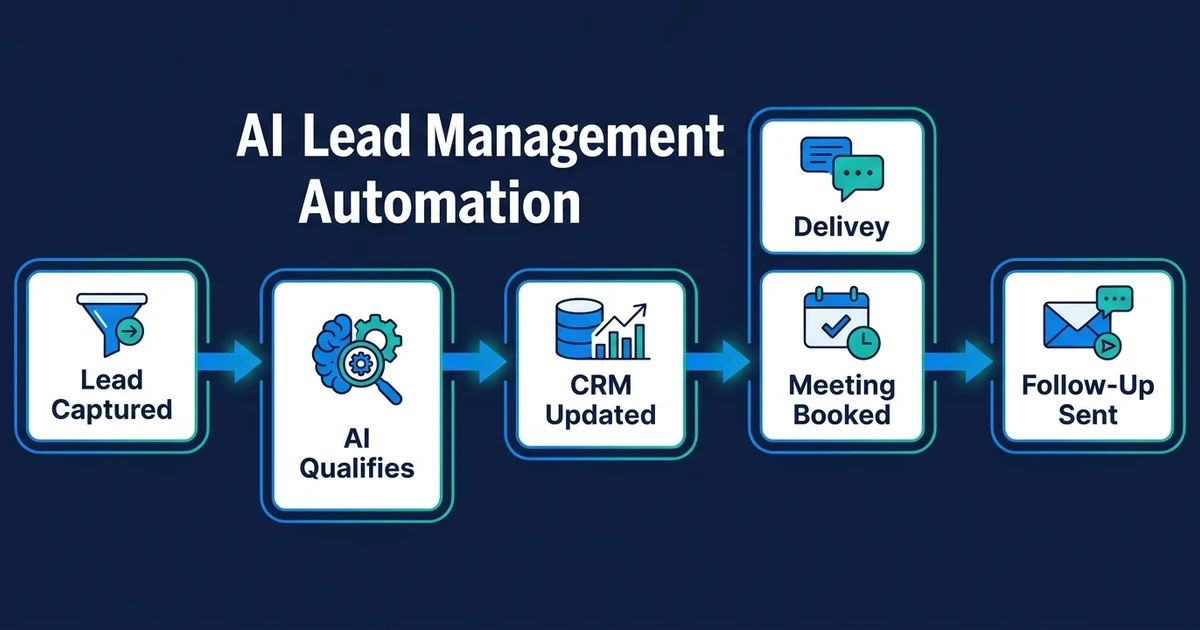
Use the Right Sequence: Capture, Search, Enrich, Route
The order matters because every step changes the next one.
- Capture the original submission and source metadata.
- Normalize identifiers such as email, domain, phone, and country.
- Search the CRM for existing contacts, companies, deals, and owners.
- Enrich missing fields that affect qualification or routing.
- Validate field quality, source, age, and conflicts.
- Decide eligibility, fit, owner, and next action.
- Upsert the CRM record without losing verified history.
- Notify the owner or reviewer with a concise summary.
Creating the CRM record first and checking later produces duplicates. Enriching before checking the CRM can waste lookups and overwrite better internal data. Routing before validation assigns leads from unreliable fields.
When CRM Routing Becomes an Operating Layer
Many teams start with a form, an enrichment provider, and a CRM workflow. That is fine until the routing decision depends on more than one tool can see.
The work becomes an operating layer when:
- The CRM owns account status, current owner, open deals, and customer history.
- The form owns the lead’s stated need and consent event.
- Enrichment adds useful context, but may conflict with verified internal data.
- Sales, marketing, support, and partnerships all need different next actions.
- Leadership needs reporting on data quality, routing speed, and sales acceptance.
At that point, custom software development may be part of the answer even if the UI stays inside your CRM. The custom layer can normalize identifiers, coordinate API calls, apply routing policy, log decisions, and keep the process maintainable after handover.
Define a Source of Truth for Every Field
Not every source deserves the same priority.
| Field | Preferred source | Why |
|---|---|---|
| Name and submitted need | Customer form or message | The lead provided it directly |
| Existing owner and account status | CRM | It reflects current commercial ownership |
| Company domain | Verified email, submitted website, then enrichment | Domain anchors company matching |
| Industry and size | Verified CRM data, then enrichment provider | Useful for fit and territory rules |
| Consent | Consent system or captured form event | Must not be inferred by AI |
| Last activity and open deal | CRM | Determines whether a new workflow should interrupt |
Store the source and timestamp for enriched fields. A company-size estimate from six months ago should not silently replace a recently verified CRM value.
When sources conflict, preserve the original input and route material differences to review. A workflow that hides disagreement creates clean-looking records that nobody should trust.
Normalize Identifiers Before Matching
Small formatting differences create duplicate records. Normalize fields in a prepared working object before searching:
- Lowercase and trim email addresses.
- Extract a normalized root domain where appropriate.
- Standardize phone numbers with country context.
- Separate free-email domains from business domains.
- Map country and region names to consistent codes.
- Preserve the raw value beside the normalized value.
Do not treat the company name as a unique identifier. “Acme,” “Acme Ltd,” and “Acme Holdings” may refer to one account or three. Use several signals and let uncertain matches enter review.
Search the CRM Before Creating a Contact or Company
Use layered matching in a deliberate order:
- Exact external or customer ID when available
- Exact normalized email
- Exact company domain
- Exact normalized phone
- CRM-native duplicate or fuzzy matching for review
If an existing contact is found, update only the fields the workflow owns. If the company exists but the contact does not, associate the new contact with that account and inherit the current owner according to policy. If an open deal exists, notify the deal owner rather than creating a competing lead.
An ambiguous match is not a failed workflow. It is a valid review outcome. Forced merges can damage account history and are harder to undo than a delayed assignment.
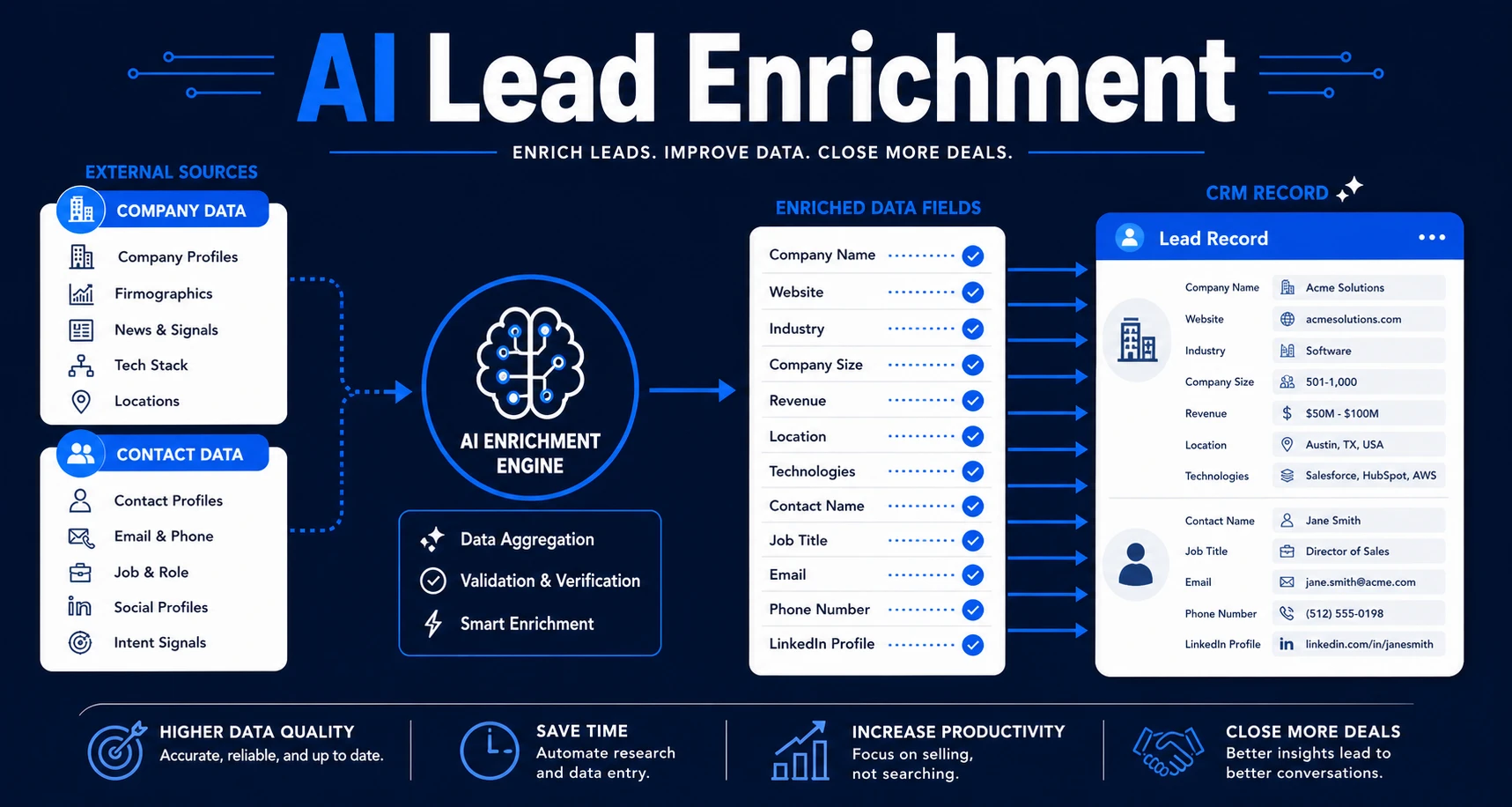
Enrich Only the Fields That Change a Decision
More data is not automatically better. Each lookup adds cost, latency, privacy considerations, and another chance for stale information.
For most B2B inbound workflows, useful fields include:
- Company domain and legal or trading name
- Industry or service category
- Company size band
- Headquarters or operating region
- Contact role or seniority
- Existing customer or account status
- CRM owner and open opportunity status
HubSpot describes buying signals that combine company fit with visitor intent, research intent, news, sales engagement, and marketing engagement. Its buying signals documentation illustrates why static firmographic enrichment and behavioral intent should remain distinct. A company can fit your target profile without being ready to buy.
If a field does not change the score, route, message, or reporting, leave it out of the first version.
Validate Enriched Data Before It Reaches Routing Logic
Every enriched field should carry validation state. Useful checks include:
- Is the value present?
- Is the source allowed for this purpose?
- How old is it?
- Does it conflict with the form or CRM?
- Does the provider express confidence?
- Is the field required for routing or merely helpful?
Required data that remains missing should not quietly become a default. Ask the lead one targeted question or send the record to review. Defaults are appropriate only when the business rule genuinely has a default.
For example, “unknown company size” is not the same as “small company.” Treating them as equal will systematically misroute incomplete records.
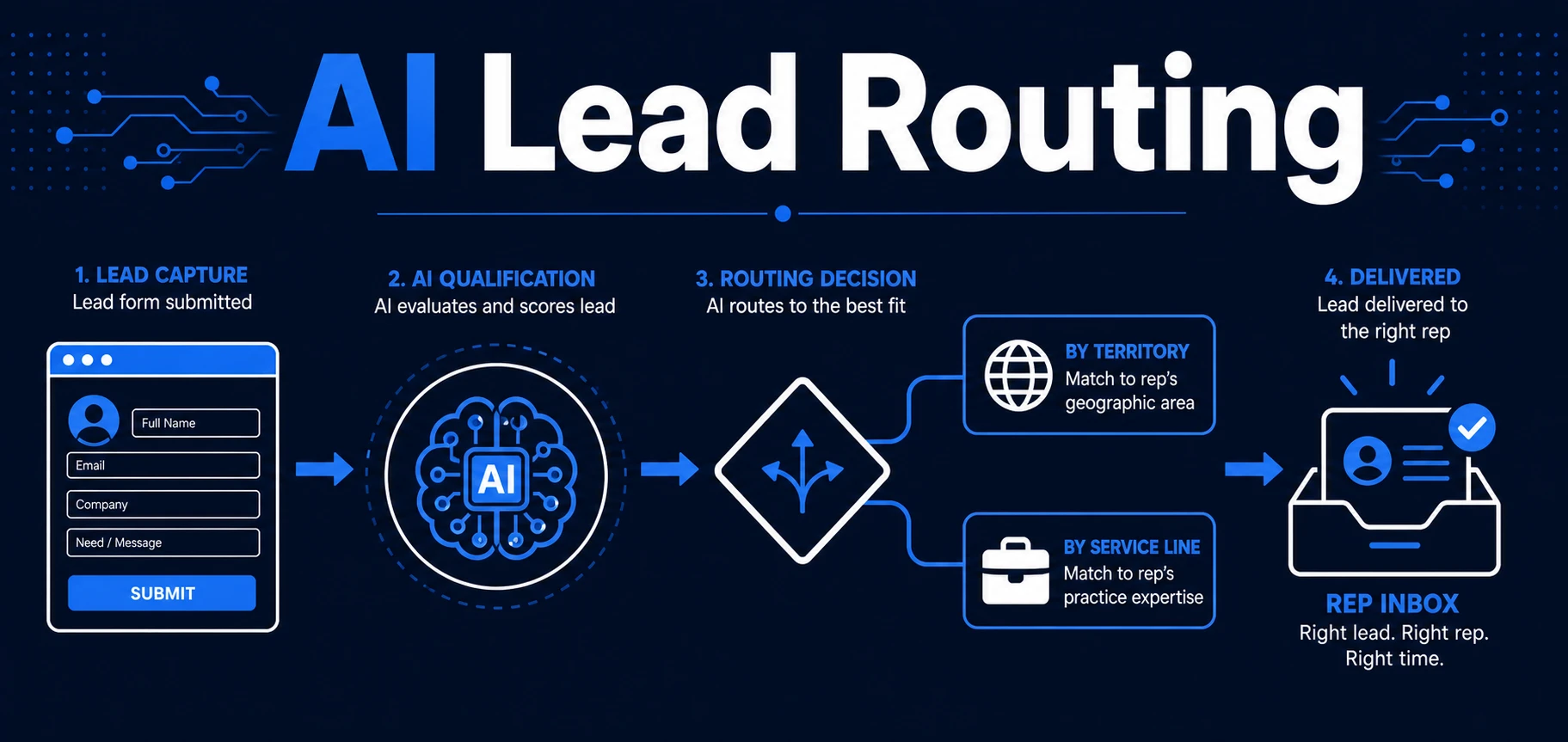
Turn Business Rules Into an Explicit Routing Matrix
Use deterministic rules for conditions the business can state clearly:
- Existing accounts return to the account owner.
- Named strategic accounts go to the assigned team.
- Regions map to territory owners.
- Service lines map to specialists.
- Unsupported countries go to a review or redirect path.
- High-value or regulated requests require approval.
AI can classify a free-text inquiry into the service, urgency, or problem type used by the matrix. It should return the category, evidence, and confidence. The matrix then chooses the action.
Salesforce’s assignment-rule documentation notes that its rules can apply to leads created manually, through web forms, or through imports. That supports a useful architectural principle: centralize ownership logic so every source does not invent its own version. See the Salesforce lead assignment guidance for the native CRM pattern.
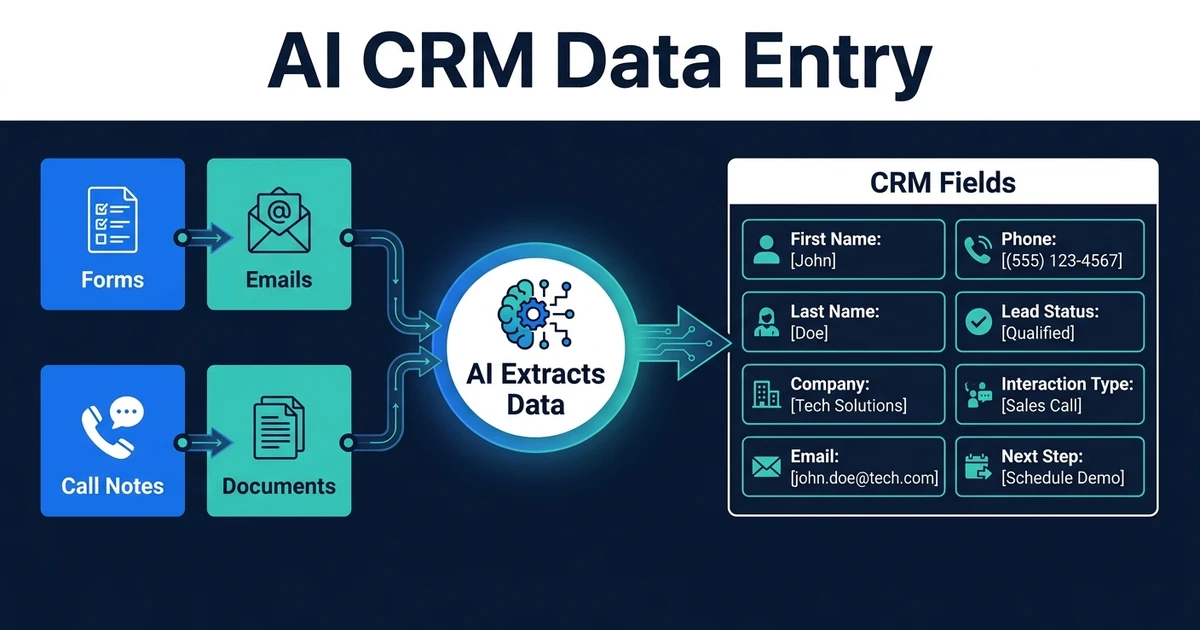
Upsert the CRM Record With Provenance
The final CRM write should include more than a contact name and owner.
Useful fields include:
- Original source and campaign
- Raw inquiry
- Structured request summary
- Enriched fields with provider and timestamp
- Fit or qualification tier
- Routing reason
- Assigned owner
- Workflow version
- Last automation run and status
Use an upsert pattern: update an existing record when the stable key matches, otherwise create a new one. Make the operation idempotent so a retry does not create a second contact, task, or notification.
The AI CRM updates product focuses on this operational layer: turning real interactions into consistent records without asking sales to retype the story.
Design for Failure and Review
External APIs time out. Enrichment providers return no match. CRM permissions change. A routing rule points to an inactive owner.
The workflow needs an explicit response to each class of failure:
| Failure | Safe behavior |
|---|---|
| Enrichment unavailable | Continue with submitted and CRM data when sufficient; otherwise review |
| CRM search timeout | Retry with an idempotency key; do not create blindly |
| Conflicting owner | Preserve current ownership and request review |
| No valid owner | Route to a monitored fallback queue |
| Ambiguous duplicate | Hold merge and show candidate records to a reviewer |
| Invalid required field | Ask for the missing value or flag the record |
Log the outcome at each boundary. “Workflow completed” is not enough. You need to know whether the contact matched, enrichment succeeded, the owner was found, the CRM write completed, and the notification reached a monitored channel.
Measure Data Quality and Sales Outcomes
Operational metrics show whether the workflow is healthy:
- Percentage of leads matched to an existing contact or company
- Duplicate creation rate
- Enrichment coverage by required field
- Conflict and review rate
- Routing latency
- Unassigned lead rate
- CRM write failures and retries
- Sales correction rate
Commercial metrics show whether it helps:
- Time to first useful response
- Sales acceptance by route
- Meeting and opportunity rate
- Conversion by enrichment and routing segment
- Qualified leads rescued from manual review
Audit a sample of successful records as well as failures. A workflow can complete every run and still write the wrong owner or low-quality data.
Frequently Asked Questions
How do I enrich inbound leads and route them into a CRM automatically?
Capture the lead, normalize identifiers, search the CRM for an existing contact or company, enrich only the fields required for routing, validate the result, apply owner rules, and upsert the record with source and decision details.
Should enrichment happen before or after CRM creation?
Search the CRM first, then enrich the working record before final routing. Depending on the CRM, create a provisional record or hold the event in a queue until required fields are validated.
What lead data should be enriched?
Prioritize fields that change fit, ownership, or follow-up: company domain, industry, size, location, role, account ownership, and existing-customer status.
How should the workflow handle conflicting data?
Preserve customer-provided values, store source and timestamp for enriched values, and route material conflicts to review. Do not silently replace verified CRM data with a lookup.
How do you prevent duplicate CRM records?
Use layered matching with normalized email, domain, phone, external IDs, and CRM-native duplicate rules. Treat uncertain matches as review cases instead of forcing a merge.
Build a Traceable Path From Inquiry to Owner
The value of inbound automation is not a fuller CRM record. It is a faster, better next action with less cleanup for sales.
If your leads still move through forms, spreadsheets, enrichment tools, and CRM queues as separate steps, book a CRM workflow scoping call with Automiq AI. We will map whether you need CRM cleanup, an integration workflow, or a custom operating layer that handles data ownership, duplicate logic, routing, review, and handover.