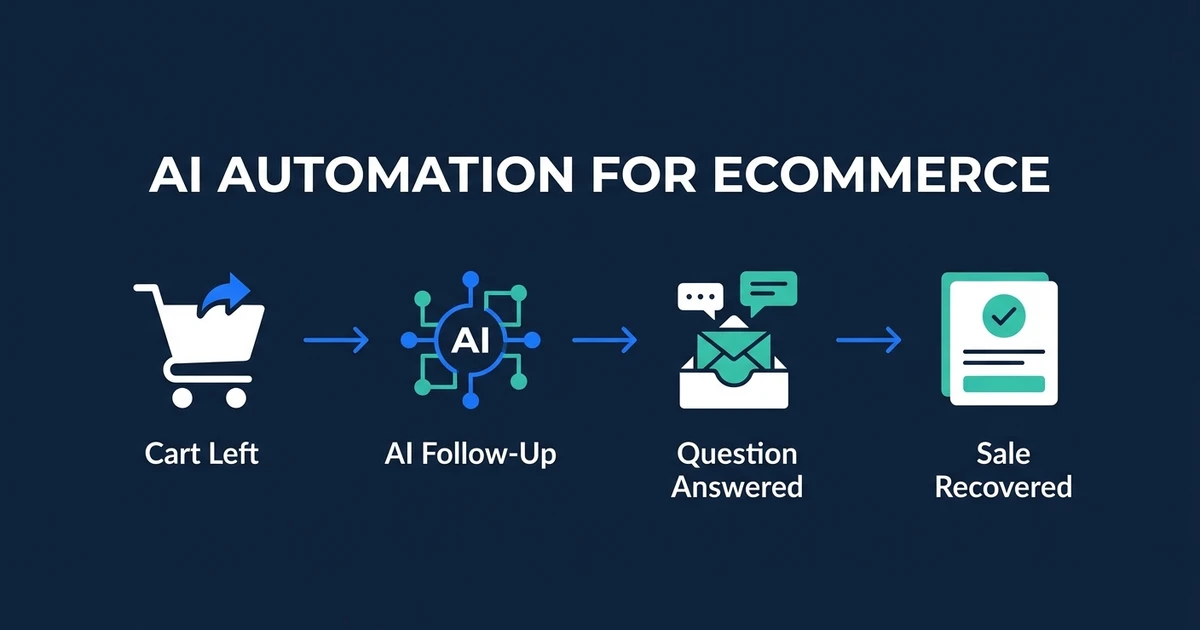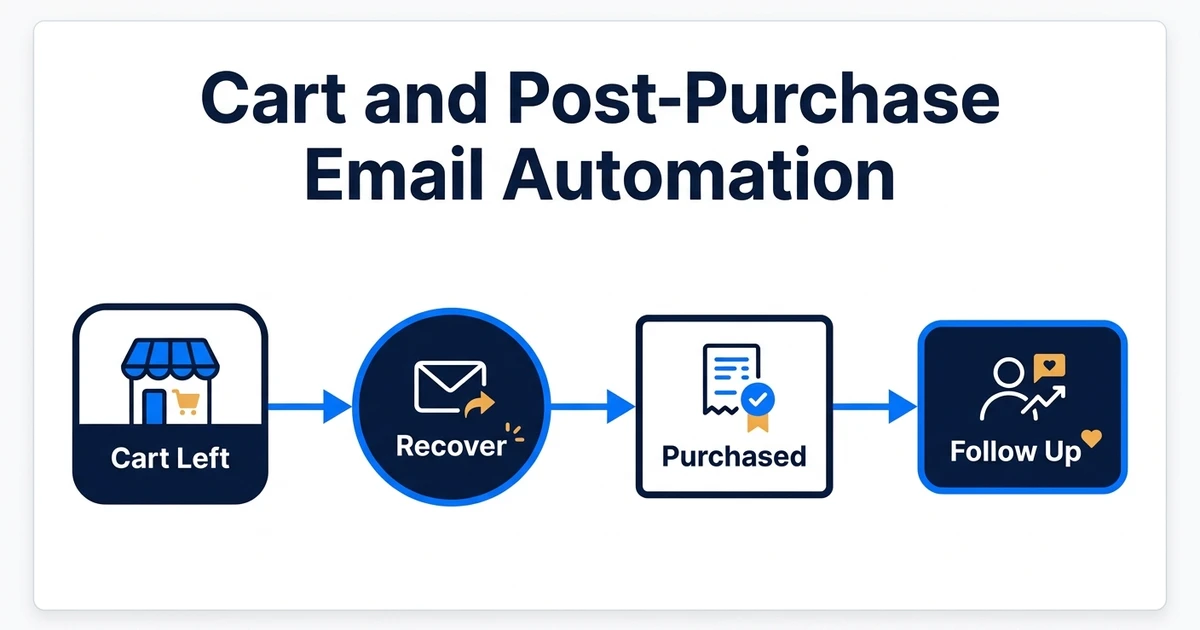
Quick Answer: The best automation setup uses two coordinated workflows, not one long email sequence. Abandoned cart automation responds to incomplete purchase intent and stops as soon as an order is placed. Post-purchase automation starts from paid, fulfilled, or delivered order events and adapts communication to the product, customer, consent status, and support history. AI should personalize within approved rules, while your commerce and email systems remain the source of truth.
Abandoned cart and post-purchase emails solve different jobs. One helps a shopper complete an interrupted purchase. The other helps a customer use, review, replenish, or complement something they already bought.
Combining them without clear event logic creates the problems ecommerce teams want to avoid: recovery emails after purchase, review requests before delivery, irrelevant cross-sells, and discounts sent to customers who did not need one.
This guide focuses on the implementation pattern behind those two workflows. For the wider operating model across support, inventory, CRM, and lifecycle messaging, read the AI automation for ecommerce guide.
For Automiq AI, this is not just an email sequence problem. It is a small production system: events, customer state, consent, product data, support exceptions, analytics, and handover rules all need to agree before the automation can be trusted.
The Best Setup Uses Two Workflows With Shared Data
Both workflows should read from the same reliable customer and order state, but they should not share the same trigger.
| Workflow | Starts when | Stops or pauses when | Primary outcome |
|---|---|---|---|
| Abandoned cart | A known shopper leaves an eligible cart or checkout incomplete | Purchase, unsubscribe, invalid address, or support exception | Recovered order and margin |
| Transactional post-purchase | Payment, fulfillment, shipment, or delivery status changes | Order cancellation, refund, or exception | Clear customer communication |
| Promotional post-purchase | An eligible customer reaches a relevant lifecycle moment | Opt-out, complaint, return, or suppression rule | Review, repeat purchase, or cross-sell |
Shopify’s own abandoned-checkout documentation shows why event handling matters: its recovery automation sends a link back to the checkout and suppresses the message in situations such as a completed sale before send time. That basic suppression rule should exist regardless of platform. Review the current behavior in the Shopify abandoned checkout guidance before copying a generic sequence.
The important design choice is to let purchase state override marketing state. If the order exists, cart recovery ends. If a refund or support issue exists, promotional follow-up pauses until the exception is resolved.
Map the Events Before Writing Any Email
Start with the data flow. Copy comes later.
Your store, payment provider, fulfillment system, email platform, support desk, and CRM may each know part of the customer story. The workflow needs a clear owner for each fact:
- The commerce platform owns cart, checkout, order, product, and customer identifiers.
- The payment system confirms whether payment succeeded, failed, or remains pending.
- The fulfillment or shipping system owns dispatch and delivery status.
- The email platform owns subscription, suppression, bounce, and complaint state.
- The support system owns open cases, return requests, and unresolved product problems.
Do not infer a completed purchase from an email click. Do not infer delivery from time elapsed. Do not let the AI decide whether a customer consented to marketing. Those are deterministic facts and should come from the system that owns them.
A Practical Abandoned Cart Sequence
A useful starting sequence has two or three touches. Exact timing depends on the product, buying cycle, average order value, and the quality of the customer’s intent signal.
Message one: make it easy to continue
The first message should restore the cart or checkout and remove friction. Show the saved items, an accurate price, and a clear route back. If the store captured an unresolved product question, the message can surface approved information or route the customer to support.
Message two: answer the likely objection
The second message can use product and customer context to choose an appropriate content block. Examples include sizing help, compatibility guidance, shipping information, or a reminder of the return policy.
AI is useful here when it classifies the likely objection and selects from approved answers. It should not make up product claims or promise a delivery date the fulfillment system cannot support.
Message three: use an incentive only when the economics support it
Do not make a discount the default response to every abandoned cart. Use margin, customer history, product exclusions, and previous offer use to decide whether an incentive is allowed. A customer who simply got distracted may complete the purchase without one.
Every send should recheck the cart, purchase, consent, and suppression state immediately before delivery. A static audience built hours earlier is not enough.
Design Post-Purchase Automation Around Customer State
Post-purchase automation should follow the order lifecycle rather than a single countdown.
Useful message types include:
- Order confirmation: transactional facts about what was purchased and what happens next.
- Fulfillment update: accurate shipping or pickup status from the source system.
- Product guidance: setup, care, onboarding, or usage information matched to the item.
- Delivery follow-up: a check-in after confirmed delivery, not an assumed date.
- Review request: sent after the customer has had enough time to use the product.
- Replenishment or cross-sell: sent only when timing, consent, product fit, and customer state support it.
Separate transactional content from promotional content. A receipt or delivery update should not depend on marketing consent in the same way a cross-sell does. The US Federal Trade Commission explains how message purpose affects CAN-SPAM treatment in its commercial email compliance guide. Your legal obligations depend on where you operate and where recipients are located, so have the final setup reviewed for the markets you serve.
Where AI Personalization Helps
AI adds value when it works inside a controlled decision layer. It can:
- Classify a shopper’s question or likely objection.
- Choose an approved message block based on product and customer context.
- Summarize relevant product or order information for a support handoff.
- Adapt tone and length within brand guidelines.
- Recommend the next approved action for review.
It should not independently create discounts, change eligibility, claim stock exists, interpret consent, approve a refund, or make safety and compatibility claims.
A reliable pattern is retrieve, decide, draft, validate, send. Retrieve current facts from the source systems. Apply deterministic business rules. Let the model draft within a bounded template. Validate required fields and prohibited claims. Then send or route for review.
If the workflow needs several systems and review paths, AI workflow automation is the right place to map the logic before implementation.
When This Becomes Custom Ecommerce Software
Simple stores can often start inside an email platform. The work becomes custom implementation when the workflow needs to coordinate commerce, CRM, support, inventory, subscriptions, analytics, and customer segmentation without creating inconsistent messages.
That usually shows up in a few ways:
- The store needs different logic by margin, product category, customer tier, geography, or stock state.
- Marketing, transactional, and support messages all depend on the same customer timeline.
- AI should personalize within approved policy, product, and fulfillment constraints.
- Shopify, the email platform, CRM, and help desk each hold part of the truth.
- The team needs reporting that separates recovered margin from attributed revenue.
At that point, the useful question is not “which email tool has this template?” It is whether the store needs a custom workflow layer, a Shopify integration, or a wider AI marketing automation build. For stores that have outgrown their theme, apps, or operating model, Shopify custom development may be the cleaner path than adding another automation around a brittle setup.
Protect Deliverability Before You Increase Volume
More automation increases sending volume, so deliverability belongs in the design.
Google’s current sender guidance requires authentication for mail sent to Gmail accounts and adds stricter requirements for bulk senders, including SPF, DKIM, DMARC, low spam rates, and one-click unsubscribe for applicable marketing messages. Check the Gmail sender guidelines against your sending setup.
At a minimum:
- Authenticate the sending domain.
- Keep promotional and transactional streams clearly separated.
- Honor consent and suppression status at send time.
- Make unsubscribe easy and reliable.
- Increase volume gradually.
- Monitor bounces, complaints, spam placement, and domain reputation.
Personalization does not rescue a weak sender reputation. The workflow must earn the right to reach the inbox.
Measure the Workflow, Not Just Opens and Clicks
Open rates are increasingly incomplete and are not the business outcome. Measure each workflow against the job it performs.
For cart recovery, track:
- Eligible abandoned carts
- Recovered orders
- Recovered gross margin
- Revenue per eligible recipient
- Discount cost
- Unsubscribe and complaint rates
For post-purchase automation, track:
- Delivery of required transactional messages
- Review completion
- Repeat purchase within a defined window
- Replenishment or cross-sell margin
- Support contacts triggered or prevented
- Returns, complaints, and opt-outs
Use holdout groups where volume permits. Without a control, the workflow may claim revenue from customers who would have purchased anyway.
Common Setup Mistakes
The most expensive mistakes are usually logic problems, not copy problems.
- Sending cart recovery after purchase because order data updates too slowly
- Asking for a review before confirmed delivery
- Treating every customer as eligible for promotional email
- Letting AI invent an offer, policy, or product claim
- Continuing promotional sends during a return or support dispute
- Measuring attributed revenue without margin or a control group
- Building separate automations that cannot see the same customer state
The fix is a shared event model and explicit precedence rules. Purchases suppress cart messages. Support exceptions pause promotions. Consent controls promotional eligibility. Source systems control factual claims.
Frequently Asked Questions
What is the best automation setup for abandoned cart and post-purchase emails?
Use two separate workflows that share the same customer and order data. The cart workflow should stop immediately after purchase. The post-purchase workflow should start from paid or fulfilled order events and adapt messages to delivery status, product type, consent, and support activity.
How many abandoned cart emails should a store send?
Start with two or three messages and test timing against your own conversion, unsubscribe, complaint, and margin data. Stop when the customer purchases, unsubscribes, or enters a support exception.
Where should AI personalization be used?
Use it to choose approved content, classify objections, summarize context, and adapt tone within rules. Do not let it invent discounts, delivery promises, product compatibility, or return terms.
Should transactional and promotional post-purchase emails be separated?
Yes. They have different purposes, eligibility rules, sender considerations, and success measures. Keeping them separate also makes consent and reporting easier to audit.
Which metrics matter most?
Track recovered orders and margin for cart recovery. For post-purchase messages, track repeat purchase, review completion, support impact, unsubscribe rate, complaint rate, and revenue per eligible recipient.
Build the Workflow Around Reliable Customer State
The best ecommerce email setup is not the one with the most branches. It is the one that reacts to the right event, checks current customer state, sends an appropriate message, and stops when the message is no longer useful.
If your store data, email platform, support inbox, and CRM do not share that state, book an ecommerce workflow scoping call with Automiq AI. We will map whether the right answer is email-platform configuration, an integration layer, Shopify custom development, or a production automation your team can own after handover.