EN
EN DE
DE ES
ES FR
FR NL
NL PT
PT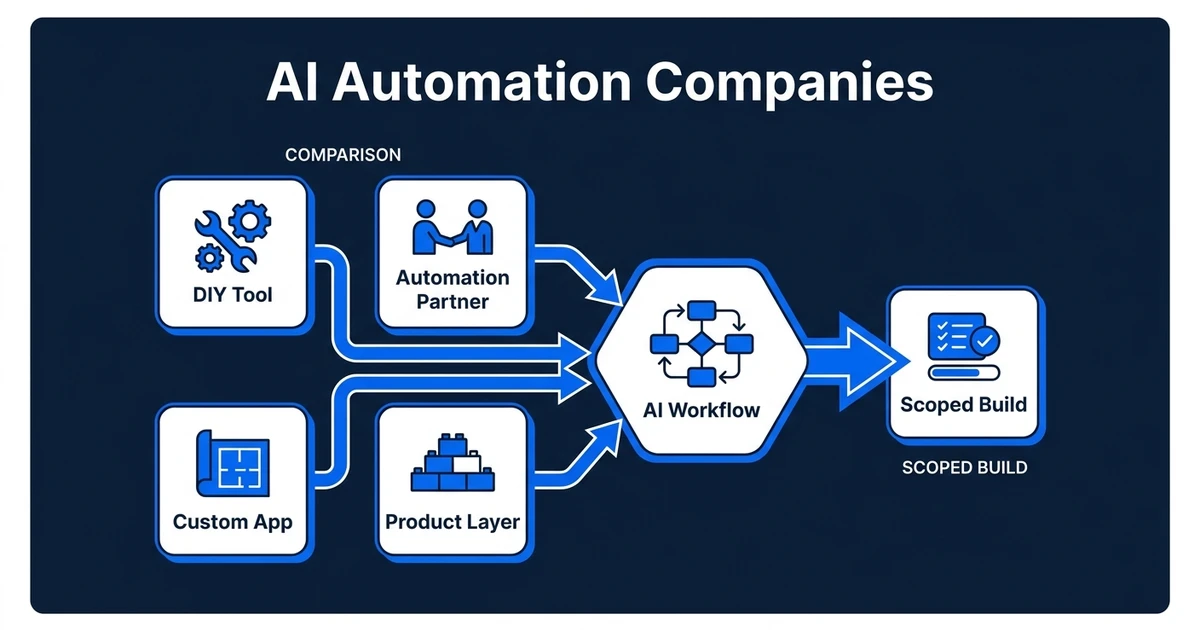
Quick Answer: The best automation partners are not always the biggest software firms or the easiest no-code tools. For most growing businesses, the right partner can map the workflow, connect the tools you already use, add AI where it improves the process, and build a custom app or portal when the operation needs its own product layer.
AI automation companies are no longer just chatbot builders or Zapier setup shops. The buyer category now includes no-code platforms, workflow agencies, custom AI software teams, production AI partners, and enterprise consultancies.
That makes comparison harder. One option may be perfect for a simple reminder workflow, while another is better for a CRM-connected portal, mobile app, or AI product that handles real customer work.
McKinsey found that 78% of respondents say their organizations use AI in at least one business function, and 71% regularly use generative AI in at least one business function in its State of AI research. The real question is not whether AI is being used. It is whether your workflow is being improved.
Why compare AI automation companies before choosing a tool?
Choosing the wrong provider model creates expensive friction. A no-code tool can be perfect when your workflow is simple and your team has someone who wants to build. The same tool becomes a drag when the process touches CRM fields, email replies, documents, approvals, and customer-facing exceptions.
A custom software company can build deeper systems, but some start with screens before they understand the workflow. That creates attractive software that still leaves your team copying data, checking edge cases, and repairing handoffs in the background.
The useful comparison is not “which company is best.” It is “which company matches the job we need done.” For AI automation, that job usually includes mapping the process, connecting tools, defining human approval points, testing AI output, and deciding whether the workflow needs a product layer.
What should the best automation partners actually build?
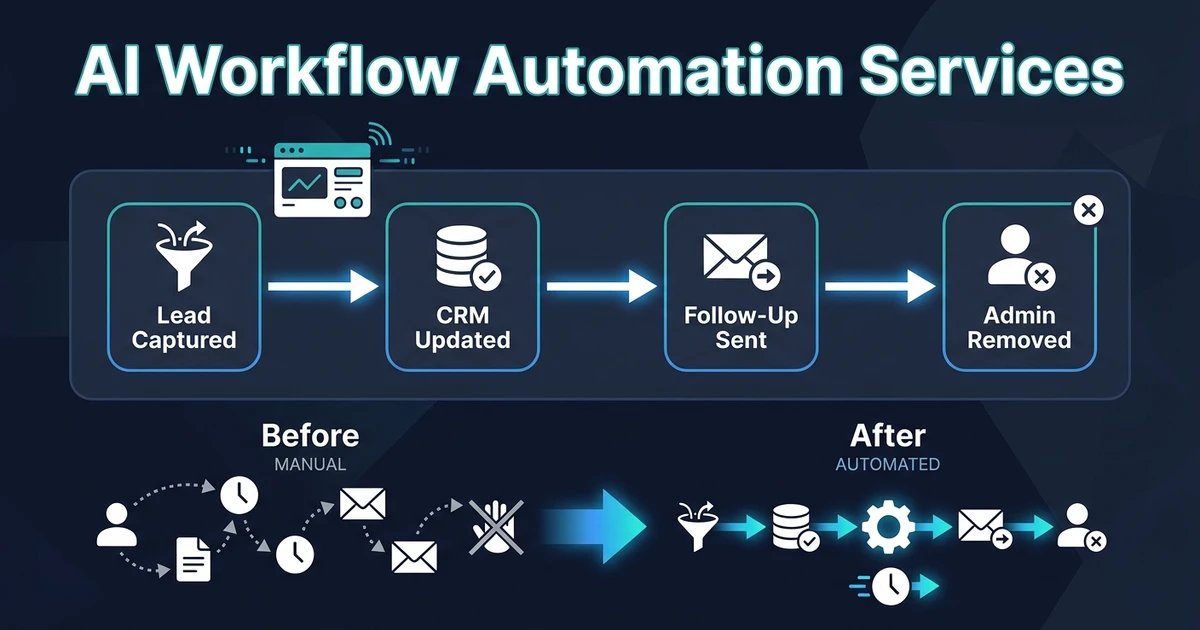
The best partners should build around the work your business already performs. That can mean an automated lead qualification workflow, a CRM update process, a document review flow, a support triage agent, or a custom portal that gives clients one place to submit and track requests.
The build may include:
- Workflow mapping before tool selection
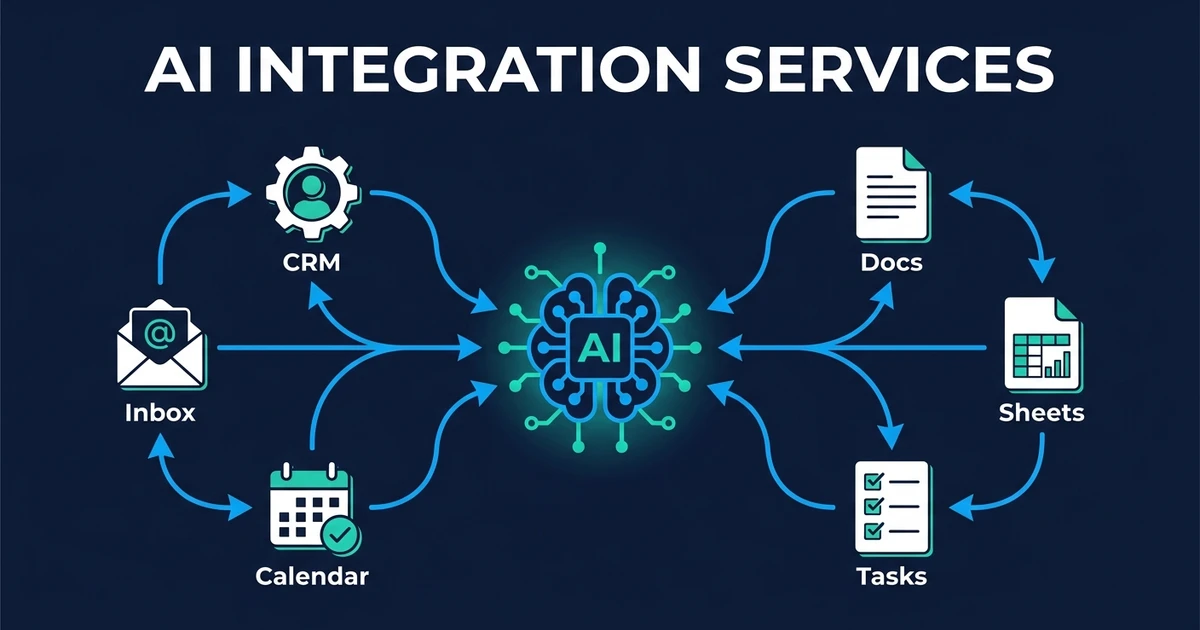
- Data access across your CRM, inbox, forms, calendar, and documents
- Approval rules for actions that affect customers or revenue
- AI evaluation for summaries, classifications, and drafted replies
- Integrations that write back to the systems your team already uses
- Dashboards, portals, mobile apps, or SaaS layers when the workflow needs an interface
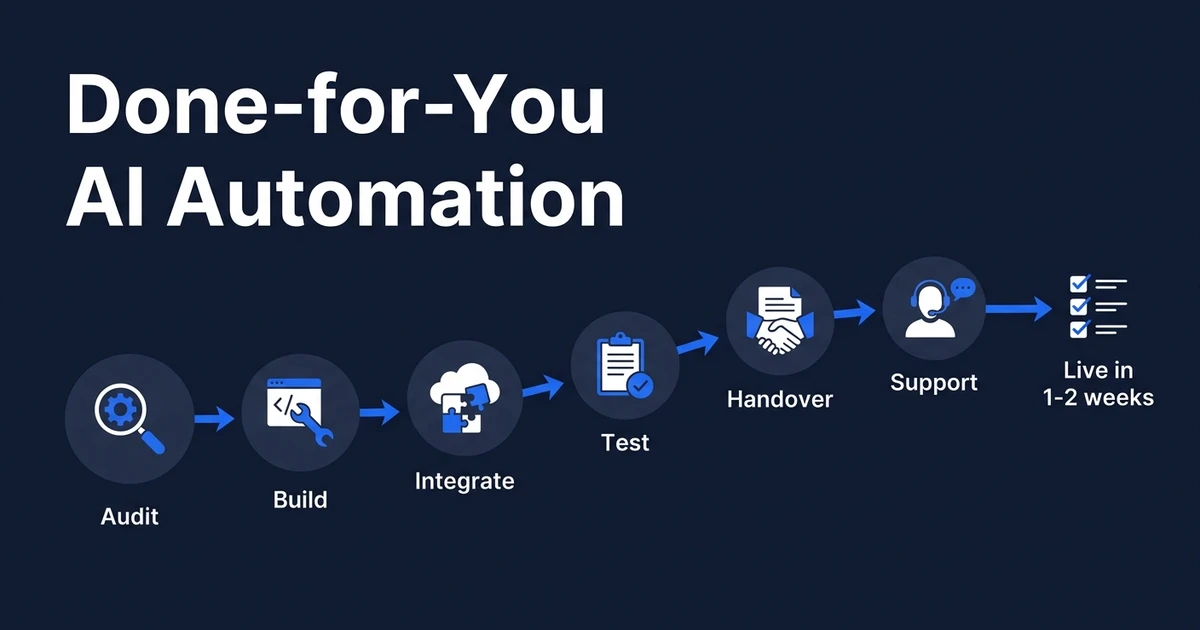
This is where Automiq AI fits. It can start with a done-for-you AI automation service inside your existing stack, then expand into custom SaaS products, mobile apps, portals, data workflows, or AI-powered product experiences when the scope needs more than automation.
MIT Sloan’s coverage of workflow automation research makes the same point from a work-design angle: AI creates more value when organizations redesign workflows and task chains, not just individual tasks in its workflow research summary. A good partner should be able to discuss the chain, not just the model.
10 AI automation partners and provider types to compare
Use this list as a category map. The names matter less than the fit between your workflow, your team, your budget, and the level of custom software you need.
| Option | Best fit | Watch-out | When to consider |
|---|---|---|---|
| Automiq AI | Small teams that need workflow-first automation plus custom app, portal, or SaaS build capacity | Not a fit if you want to manage the full build yourself | You need the work done for you, inside your tools, with room for a custom product layer |
| KumoHQ | Buyers comparing production AI and custom software partners | Broader engineering scope may be more than a small first workflow needs | You want to benchmark the production AI and software partner category |
| LeewayHertz | Enterprise generative AI, agent, and software programs | Can feel heavy for a first operational workflow | You need a larger AI engineering initiative |
| BrainBox Automations | SMB automation and agent builds | Fit depends on your stack and support needs | You want a managed automation partner for a defined business process |
| Alice Labs | Enterprise AI automation programs | More suited to larger transformation programs | You need program-level delivery and operating guidance |
| Vellum | Technical teams building AI workflows and agents | Your team still needs to build and maintain the workflow | You have internal builders who need an AI workflow platform |
| Workato | Enterprise workflow automation | Cost and setup can exceed a small team’s first use case | You need enterprise automation governance across many systems |
| Zapier | Simple no-code automations | Complex workflows can become fragile without ownership | You have a simple trigger-action workflow and someone to maintain it |
| Make | Visual workflow automation with deeper logic | Troubleshooting still sits with your team | You need more control than basic no-code automation |
| n8n | Flexible technical automation and self-hosting | Requires technical setup and maintenance | You have developer support and need flexible automation logic |
This is not a universal ranking. A founder trying to automate inbound leads has a different buying decision from a product team building an AI-enabled mobile app.
The practical takeaway: compare the operating model first. Are you buying software, a managed build, a product team, or a platform your team must learn?
How to evaluate automation partners for workflow fit
Start with the workflow, then judge the partner. A credible company should ask what triggers the process, where the data lives, who approves risky actions, what should happen when AI is uncertain, and what your team needs to own after launch.

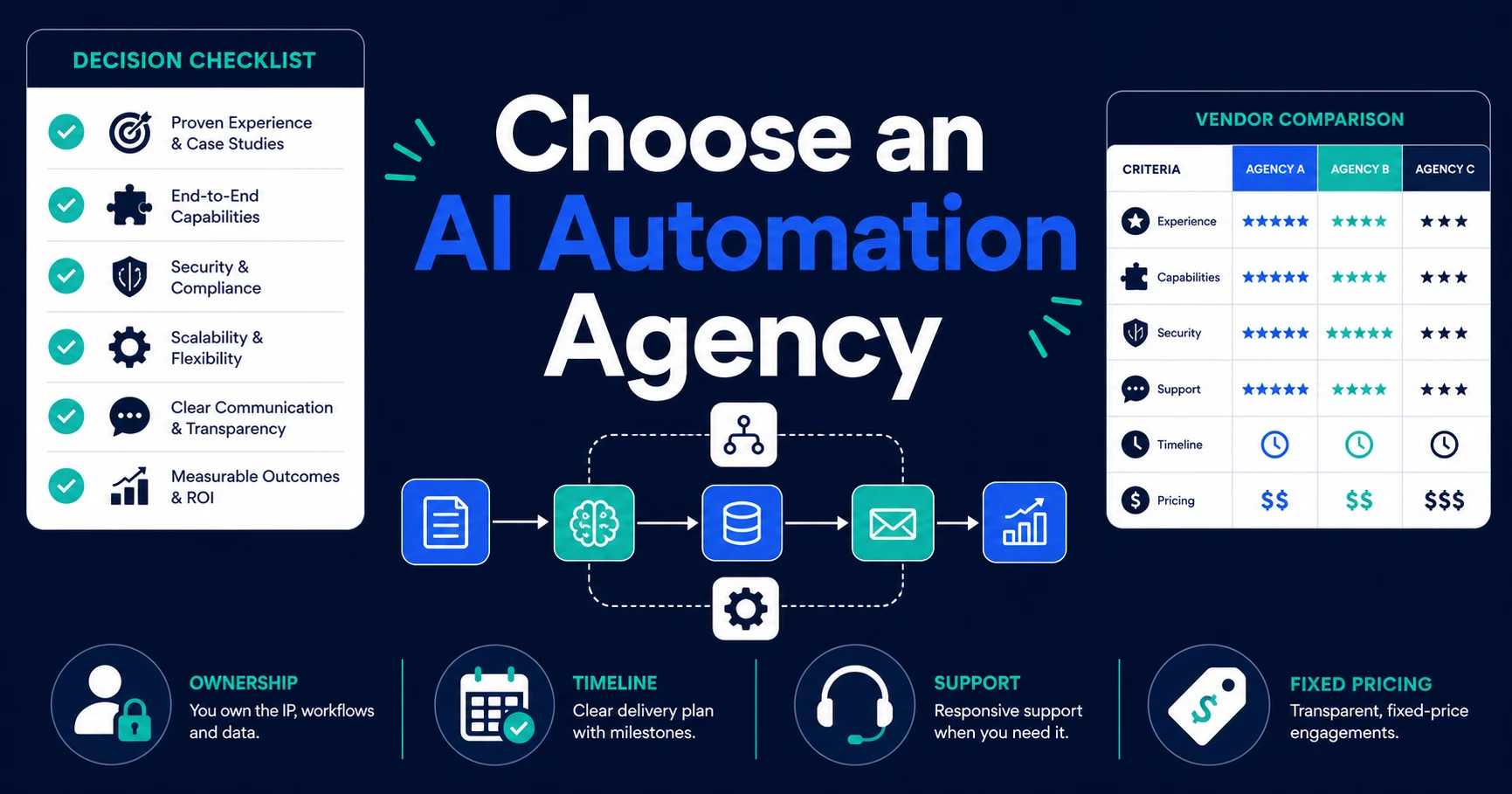
Use this checklist before you book a proposal call:
- Can they explain your workflow back to you in business language?
- Do they ask which tools must read and write data?
- Do they define human approval points before automation goes live?
- Do they explain how AI output will be tested?
- Do they separate tool cost, build cost, and support cost?
- Can they build a portal, dashboard, app, or product layer if automation is not enough?
- Do they hand over a system your team can operate?
Deloitte reports that 66% of organizations have achieved productivity and efficiency gains from enterprise AI adoption, but only 34% are deeply reimagining the business with AI in its enterprise AI report. That gap is why workflow fit matters. Surface-level AI can help a task, but workflow-level AI changes how the work moves.
If you want a first build that connects your workflow before you fund a larger product, compare fixed-fee AI automation pricing and choose the smallest reliable scope that removes real manual work.
When do you need custom AI automation instead of no-code tools?
No-code tools are useful when your process is simple, low-risk, and easy to fix. If a form submission needs to create a task or send a reminder, you may not need a managed build.
Custom AI automation becomes the better path when the process has business rules your team cannot safely leave to a generic setup. That usually happens when the workflow touches customer communication, proprietary data, deal status, pricing, regulated information, or multiple systems that need clean write-back.
The trigger list is straightforward:
- Your CRM, inbox, calendar, forms, and documents all need to stay in sync.
- Your team reviews edge cases before AI acts.
- Your data needs cleanup before automation can trust it.
- Your customers need a portal, app, dashboard, or status view.
- Your workflow could later become a SaaS product or internal operating system.
In those cases, an AI implementation service is not just a nicer way to set up tools. It is a way to design the operating system before you decide how much software to build.
Which AI automation company is right for a small business?
Imagine your service business handles inbound leads through forms, calls, email, and referrals. Your team qualifies each lead, updates the CRM, drafts a follow-up, schedules a call, and creates a proposal from a document template.
The first build should not be a huge custom platform. It should connect the lead source, CRM, email, calendar, and proposal process so your team stops moving data by hand. Once that runs reliably, a client portal or mobile experience may become worth building.
That is the workflow-first path. It lets you prove the manual work is gone before you pay for a larger product surface.
For a small team, the right partner is usually the one that can answer two questions clearly:
- What should we automate first?
- What should become custom software only after the workflow proves itself?
Automiq AI’s AI integration services are built for that middle ground: connect the tools you already use, remove the repeated handoffs, and expand into a custom app or portal when the operation needs one.
Frequently Asked Questions
What do automation partners do?
Automation partners build systems that reduce manual work across your tools, data, approvals, and customer handoffs. They may automate CRM updates, lead routing, support triage, document processing, reporting, and follow-up.
Are automation partners different from AI app development teams?
Yes, but the categories can overlap. AI app development companies usually focus on building a software interface, while automation companies focus on the workflow behind the interface. The strongest partner can connect both when your app needs to run real operational work.
Should I choose a platform or a done-for-you AI automation partner?
Choose a platform when your team has the time and skill to build, test, and maintain automations. Choose a done-for-you partner when you want the workflow mapped, built, tested, and handed over without turning your team into automation technicians.
Can automation partners build custom software too?
Some can. If you may need a client portal, internal dashboard, mobile app, or workflow-backed SaaS product, ask whether the company can build both the automation layer and the product layer.
What is the first workflow I should automate?
Start with the workflow that repeats every week, touches revenue or customer response, and creates visible delays when it fails. Lead qualification, CRM updates, document processing, appointment booking, and support triage are usually strong first candidates.
Conclusion
Choosing between providers is not about picking the most famous name. It is about matching the partner to the work.
If your workflow is simple and low-risk, a no-code platform may be enough. If your workflow affects customers, revenue, approvals, or product experience, choose a partner that can automate the process and build the custom layer when the business needs it.
Bring Automiq AI one workflow that is slowing your team down. We will help you scope whether the right first move is automation, integration, a portal, a mobile app, or a broader custom AI product. Book a discovery call and leave with a clearer build path.