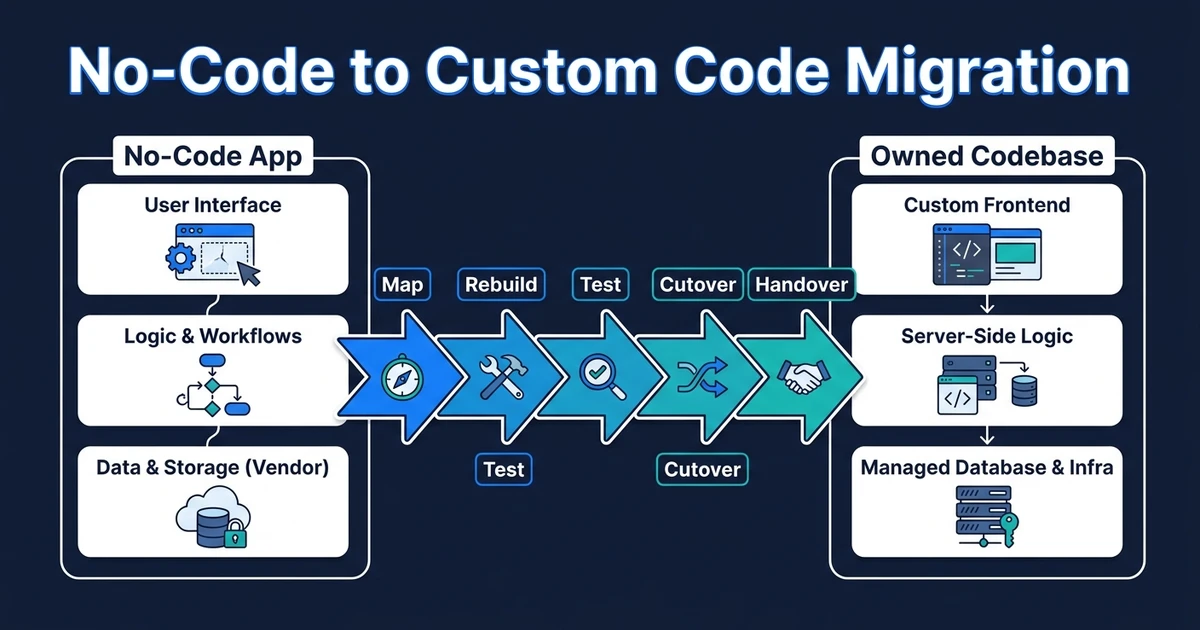
Quick Answer: A no-code to custom code migration is a phased rebuild of the product logic, data model, integrations, auth, and deployment path into software your business owns. It is not an export button. The safest route is to map the current system, preserve the data that matters, rebuild revenue-critical workflows first, test cutover, keep a rollback path, and hand over code your team can maintain.
Your no-code app did its job. It helped you launch, learn, and win users before full engineering made sense.
Now the question is different. Bubble to custom code migration is not about proving no-code was a mistake. It is about protecting traction while moving into software you can own, hire around, and scale with fewer platform constraints.
Automiq AI handles this as a migration, not a dramatic rewrite.
What Changes in a No-Code to Custom Code Migration
A custom rebuild changes who owns the system. Your product logic moves out of visual workflows and plugins into a codebase, database, deployment process, and documentation that your team can inspect and change.
That shift matters when the app has paying users. The migration has to preserve accounts, permissions, records, files, billing states, and workflows people rely on.
Research on low-code and no-code tools supports the practical middle ground. A 2026 Wiley systematic mapping study found that LC/NC tools simplify certain tasks, but do not replace professional developers for complex technical challenges, change management, and system integration.
That is the correct frame. No-code is a strong way to get the first version moving. Custom code becomes useful when complexity, ownership, performance, or hiring starts to matter more than speed alone.
The Migration Work Starts Before Any Code Is Written
The first migration milestone is understanding what actually exists. Many no-code apps contain years of decisions buried inside workflows, plugins, conditionals, hidden fields, and manual workarounds.
Before rebuilding screens, the team should map:
- User roles and permission rules
- Core workflows that generate revenue or save operations time
- Database objects, fields, relationships, and messy exceptions
- Plugin dependencies and external services
- Emails, notifications, and background jobs
- Payment, subscription, and invoice states
- Files, uploads, and storage locations
- Analytics, support tickets, and user complaints
This discovery prevents the classic rebuild error: copying the visible interface and missing the business logic underneath it. It also lets every workaround earn its place in the new system.
How Data, Users, and Auth Move Without Breaking the Business
Data migration is the part buyers worry about for good reason. Screens can be rebuilt. Lost records and broken account access are harder to forgive.
The migration plan should cover export format, schema normalization, historical records, file storage, user IDs, account ownership, role permissions, and audit trails.
Auth needs its own plan. Passwords may not move cleanly, depending on storage and platform access. That can require magic links, staged password resets, or a parallel login period.
McKinsey’s technical debt research is relevant here because rushed rebuilds can create the same problem in a new stack. The firm notes that companies pay an additional 10% to 20% to address tech debt on top of project costs, and CIOs estimate tech debt amounts to 20% to 40% of the value of their technology estate.
The point is not to over-engineer the new app. It is to avoid carrying the old shortcuts into a system that will be harder to unwind later.
Which Features Should Be Rebuilt First?
Do not rebuild by copying the menu. Rebuild by business risk.
Revenue-critical flows come first: signup, onboarding, billing, booking, order creation, customer dashboards, or whatever action proves the product’s value. Then come flows that prevent manual repair work.
| Priority | Rebuild first when | Defer when |
|---|---|---|
| Core revenue workflow | Users pay, book, submit, or transact through it | It is rarely used or can be handled manually |
| Customer account area | Users need continuity and trust | It is mostly static content |
| Admin operations | Staff spend hours correcting records | It supports edge cases with low volume |
| Integrations | Other systems depend on the data | The integration was a temporary workaround |
Unused features should not get a free ride. If a feature exists only because it was easy to add in the first platform, it may not deserve custom rebuild budget.
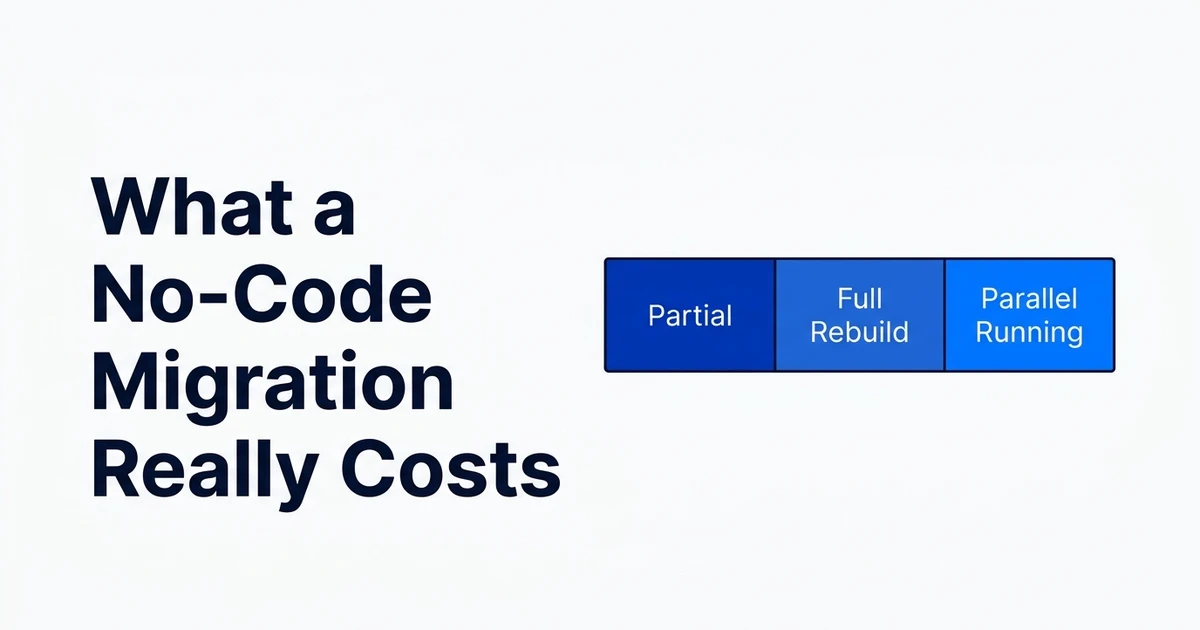
Scope a phased no-code to custom migration around the workflows that protect users, revenue, and operating continuity. The goal is not to recreate every screen. It is to move the business safely.
The Cutover Plan: Parallel Run, Rollback, and Launch
Cutover is where migration becomes operational. The team should rehearse exports, test imports in staging, compare record counts, validate user permissions, and run key workflows before customers are moved.

For some products, old and new systems can run in parallel briefly. For others, the safest path includes a controlled freeze window, final data export, validation, and monitored launch.
The rollback plan matters even if you never use it. It forces the team to decide what failure means, how quickly the old system can resume, and which data changes must be preserved if the launch is paused.
Deloitte’s modernization guidance is useful here: it says leaders should consider build and package options based on customization level, data control, and cost, while reengineering applications and platforms around modern architecture, containers, and integrations.
That is exactly the migration tradeoff. You are not just changing tools. You are deciding how much control the business needs now.
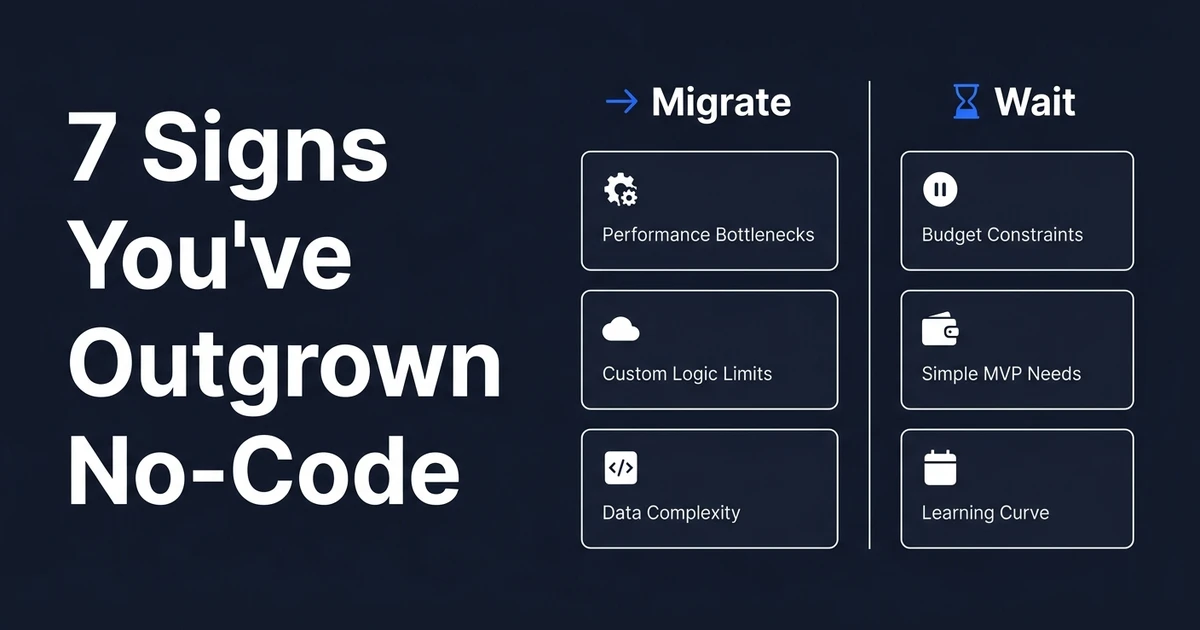
When You Should Not Migrate Yet
Do not migrate just because the platform bill annoys you. Annoying cost is not the same as migration readiness.
Do not migrate if you still do not know which workflows customers value. A custom rebuild locks in decisions. If the product direction is still moving weekly, the no-code platform may still be doing useful work.
Do not migrate if the current issue is workflow design rather than platform ceiling. A poorly designed product rebuilt in custom code is still expensive to change.
The right answer may be to optimize first. Our related guide on signs you have outgrown no-code is useful if you are still deciding whether the ceiling is real.
How Automiq AI Handles No-Code to Custom Migration
Automiq AI starts with the current app, not an abstract spec. We map workflows, data, roles, integrations, dependencies, and the parts users actually touch.
Then we define a migration path with milestones: discovery, architecture, data plan, core rebuild, staging validation, cutover rehearsal, launch, monitoring, and handover. For cost context, our guide to no-code migration cost should be checked against your actual scope rather than treated as a quote.
Handover is part of the work. You should leave with code, infrastructure access, environment documentation, deployment notes, and operating knowledge.
The outcome is not just “the same app in code.” It is a cleaner system your business can own.
Frequently Asked Questions
How does no-code to custom code migration work?
It works as a phased rebuild, not an automatic export. Your team maps the current workflows, preserves data, rebuilds the core product in owned code, tests the new system, plans cutover, and hands over the repository and operating knowledge.
Can you export a no-code app directly into custom code?
You can usually export some data and assets, but the product logic normally has to be rebuilt. The real work is translating workflows, permissions, data relationships, and integrations into a maintainable software architecture.
Will users lose access during a no-code to custom migration?
They should not if the migration is planned properly. A good plan includes rehearsal exports, staging tests, communication, monitoring, and a rollback path before the final switch.
What should be rebuilt first in a no-code app migration?
Start with the workflows that protect revenue, customer experience, and operational continuity. Admin conveniences, unused features, and historical workarounds should be challenged instead of copied automatically.
When should I not migrate from no-code yet?
Do not migrate yet if you have no paying users, the real issue is unclear product direction, or the platform is still handling your current load well enough. In that case, optimize the existing app and collect stronger evidence before funding a rebuild.
Conclusion: Rebuild the Business Logic, Not Just the Screens
A no-code migration is not a design exercise. It is a business continuity project with code attached.
The safest rebuild protects the users, data, workflows, and traction you already have while removing the ceiling that now slows the business down.
Book a migration scoping call and Automiq AI will help you decide whether to migrate now, fix the current app first, or rebuild only the core workflows that justify custom software.