Quick Answer: Choose among FlutterFlow alternatives for mobile apps by the device behavior and release work your product needs. A visual builder can remain the right choice for a clear, bounded app; exported code can be extended when its structure holds up; and a custom mobile build makes sense when native behavior, backend integration, or long-term operations demand it.
Your prototype may look good on a phone while the real product depends on something the demo never tested: offline work, background sync, camera permissions, or an update that reaches both app stores without breaking accounts.
That is how to assess FlutterFlow alternatives for mobile apps. Automiq AI treats the decision as a mobile product and operations question. A different editor may help, but the bigger decision is who can deliver and maintain the next release.
Where Do Mobile App Builders Hit a Delivery Ceiling?
Visual builders are useful because they shorten the route from a product idea to a working screen. They can be enough for an app with standard forms, simple accounts, and a stable backend. The ceiling appears when the product needs behavior that the team cannot confidently implement, test, or support within its current setup.
The hardest gaps are often outside the UI. An app may need to store work while offline, upload files when a connection returns, handle push notifications, or coordinate a user’s state across devices. A release also needs signing, store review, crash monitoring, version migration, and a recovery plan if the new build misbehaves.
Do not label every difficult feature a platform limit. A poor data model, a fragile API, or unclear user journey will follow you into another builder. Start by identifying the failing requirement and whether it belongs in the mobile client, the backend, or the release process.
What Must the App Do on a Real Device?
Write a device test before comparing products. It should describe the user’s task and the failure that would make the app unusable. A feature list such as “camera, push, offline” is too shallow to guide a build choice.

| Requirement | Failure the user notices | Proof to collect |
|---|---|---|
| Offline capture | Work disappears or cannot be submitted without signal | Finish a task offline, restart the app, then reconnect |
| Photo upload | Duplicate or missing evidence after a retry | Interrupt upload and verify one correct file remains |
| Account access | A user sees another team’s work | Test role and organization boundaries through the API |
| Push notification | An urgent assignment is missed or repeated | Test delivery, tap path, and duplicate handling |
| Store update | Existing users lose data or cannot sign in | Upgrade a device with real test records and an older app version |
This worksheet changes the conversation. Instead of asking which tool has a feature badge, you can ask the builder or engineering team to demonstrate the exact behavior on a device. One working proof is more valuable than a long feature comparison.
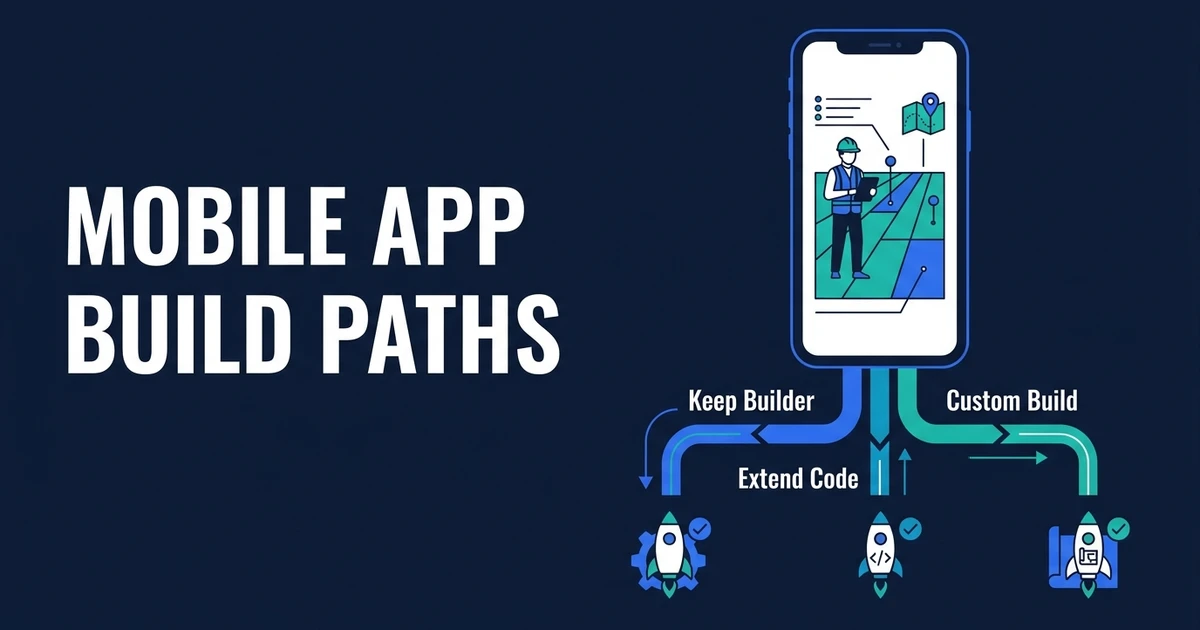
Which Mobile App Alternative Fits Each Requirement?
There is no universal replacement. These paths have different ownership and maintenance costs.
| Path | Fits best when | Main handover question |
|---|---|---|
| Keep the visual builder | Standard flows work and the team can release confidently | Can another person repeat the build and store submission? |
| Use another low-code tool, such as Draftbit | A specific platform workflow blocks progress | What data and behavior must move? |
| Extend exported Flutter code | The architecture is sound, but custom device work is needed | Who owns dependencies and future SDK changes? |
| Build with React Native and Expo | The team has relevant skills and a code-first mobile path matters | What parts remain platform-specific? |
| Build native apps | Measured platform capabilities justify separate implementations | Who maintains both release tracks? |
Forrester’s 2025 cross-platform research says cross-platform frameworks can now match native visual quality and can support feature parity at lower development cost. That is a reason to test cross-platform delivery seriously, not to assume every product needs two native codebases.
Draftbit documents source-code export, while Expo documents a React Native toolchain for building and distributing mobile apps. These are different delivery paths, not proof that either will solve your device or release problem. Ask each team to run the offline, upload, upgrade, and account-access tests above.
The decision also depends on your people. A tool chosen because it is easy for one founder to edit may become expensive to maintain if nobody else can debug its backend or publish an update. Web and mobile development should include the release path and operating knowledge, not only the screens.
What Happens After You Export the Code?
Exporting source gives you a possible handover path. FlutterFlow’s documentation says project code download is available only on paid plans, so confirm your plan before making export the migration strategy. An engineer still has to understand the project structure, state management, generated dependencies, API contracts, environment secrets, and tests. They must be able to build the app without depending on the original creator’s laptop or memory.
Ask for a clean-room release exercise: another engineer checks out the repository, configures a test environment, runs the app, changes one bounded feature, and produces a test build. If that fails, the export is an archive, not yet an operating asset.
The 2024 DORA report found that increased AI adoption was associated with better documentation quality but also an estimated reduction in delivery stability. It did not study this mobile builder. The useful lesson is that faster implementation and reliable releases are separate outcomes that require separate checks.
If your team needs to decide whether the exported project can support the next release, scope a mobile architecture and release review. Bring the repo, backend contract, device requirements, and store accounts so the recommendation can identify what to retain.
How Do You Test the First Store Release and the Next Five?
Imagine a logistics field app. Drivers take photos, record delivery exceptions, and submit proof of completion. Some routes lose signal. The app must save the work locally, show what has not synced, and upload exactly one final record when the connection returns.
The demo test is easy: take a photo while online. The release test is harder: start offline, capture several jobs, force-close the app, reconnect through an unstable network, and submit again. Then check whether the server has duplicates, whether the driver sees the correct status, and whether dispatch can reconcile a failed item. This illustrative test is an acceptance pattern, not a finding about any builder.
Store readiness adds another layer. Test an upgrade from an older build with existing local records. Confirm notification permissions, privacy disclosures, crash reporting, and the person who can sign and publish the update. Repeat the exercise after a dependency or operating-system update. A product that only works at first install is not ready for an ongoing mobile roadmap.
The UI matters too. Product design for mobile workflows should make pending sync, failure, and recovery visible to the user. Hiding those states behind a spinner shifts the work to customer support.
Write the release owner into the checklist. One person should approve the test build, another should know how to inspect crash reports and support tickets, and the team should agree when to pause a rollout. That plan matters whether the app stays in a visual builder or moves to an exported codebase.
When Is Staying With the Visual Builder the Better Call?
Stay if your users can complete the core task, real-device tests pass, and your team can repeat a release without heroic effort. A rewrite may consume your next product milestone without changing what customers value.
Stay if the blocker is a confusing flow or a weak backend contract. Fix those first. A platform move will not repair a status model that cannot explain what happens when two people edit the same job.
Move when you can show a recurring requirement that the current setup cannot implement or support well enough. The signs that a no-code build has reached its limit are operational: risk, change cost, and ownership. Annoyance with the editor alone is rarely sufficient.
Who Will Maintain the Mobile App After Launch?
An in-house mobile lead gives you direct control when you have enough roadmap work to support the role. A platform specialist can improve a bounded build quickly. For a freelancer-led feature, name the architecture reviewer and long-term release owner in the scope.
A senior engineering partner should take responsibility for the mobile client, backend contract, testing, deployment, and handover. For a larger development team, ask who makes platform decisions and who signs off on release failures. Compare those operating answers, not just a portfolio of screenshots.
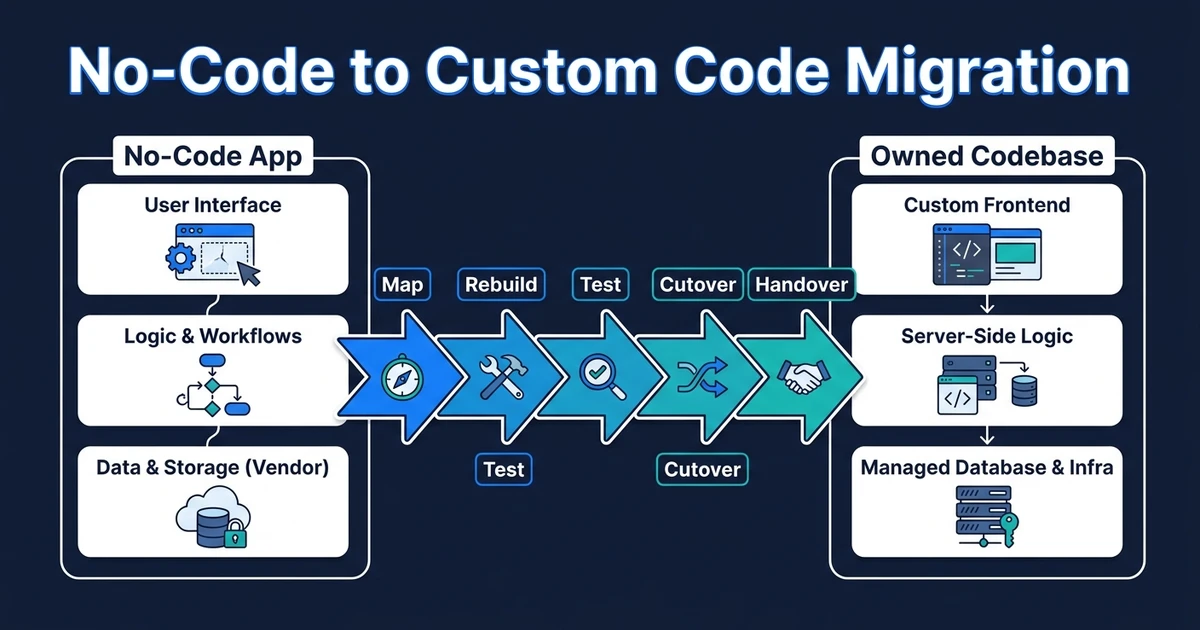
Automiq AI can help you keep, extend, or rebuild the mobile path and transfer the repository, deployment accounts, and operating knowledge to your team. The scope should be based on the device worksheet and a measured release test. If a migration is needed, the cost drivers of a no-code move help frame the questions to ask, without treating every screen as a new build.
Frequently Asked Questions
What are good mobile app builder alternatives?
You can stay with a visual builder, move to another low-code tool, extend exported Flutter code, or build with React Native or native SDKs. Choose by device behavior, backend needs, and release ownership. Demonstrate a representative user task before committing.
Are alternative mobile app builders better for production?
No tool is automatically better for every product. Run identical tests for offline behavior, permissions, performance, store updates, and support. The best path is the one your team can maintain after the first release.
Does exported Flutter code mean I own the whole app?
You own a useful artifact, but the app also depends on backend services, accounts, signing keys, configuration, and documentation. Verify that another engineer can build and ship it. Keep a dependency inventory for future updates.
Do I need separate native iOS and Android apps?
Usually not until a specific device capability or measured requirement calls for it. Cross-platform frameworks can cover many serious mobile products. Prove the need before adding two codebases to maintain.
How should I test offline sync before launch?
Complete the main task without signal, restart the app, reconnect, and repeat submission. Check for missing records, duplicate writes, and conflicts from another device. Define what the user and support team see when sync fails.
Conclusion: Choose for the Release Cycle, Not the First Demo
The best mobile build path is the one that keeps the user task intact through weak networks, device updates, and repeated store releases. Test the requirements on a real device, inspect the handover, and keep the current tool when it passes.
Scope the next mobile milestone around the behaviors your users need and the release process your team can own. Automiq AI can give you a stay, extend, or rebuild recommendation backed by device tests and an explicit handover plan.