Quick Answer: Retool to custom app migration is worth considering when an internal tool has become operational software and now needs owned code, stronger UX control, source-controlled releases, role permissions, performance tuning, or customer-facing access. The migration should start with the workflow that carries the most business risk. Small, disposable, admin-only tools should usually stay where they are.
Internal tools have a funny way of becoming infrastructure. One day they are a quick admin panel. Later they run approvals, exceptions, customer support, fulfillment, finance checks, or compliance-sensitive work.
That is when Automiq AI sees Retool to custom app migration become a serious question. The issue is not whether the low-code tool was a bad choice. The issue is whether the business now needs ownership the runtime cannot give cleanly.
When an Internal Tool Outgrows Its Low-Code Runtime
The first sign is usually friction, not failure. Staff can still use the tool, but every change takes longer, every new role needs a workaround, and every slow query gets explained away as “just how the tool works.”
Then the stakes rise. The tool starts touching customer commitments, delivery SLAs, finance approvals, or regulated data. A weak workflow is no longer an annoyance. It is operational risk.
Wiley’s 2026 systematic mapping study gives the right framing: LC/NC tools simplify certain tasks, but do not replace professional developers for complex technical challenges, change management, and system integration.
That is the line. Low-code is excellent for speed. Owned code becomes more attractive when complexity and accountability start costing more than speed saves.
What Owned Code Changes for Your Team
Owned code changes the operating model. Your team gets a repository, review process, test suite, environments, deployment path, monitoring, and documentation.
It also changes the product experience. A custom internal app can shape the screen around the job staff actually do, instead of asking staff to adapt to a generic builder interface.
For operations teams, that matters. Better UX is not decoration. If a dispatch operator handles exceptions all day, removing extra clicks, showing the right data in one place, and preventing invalid actions can save hours of rework every month.
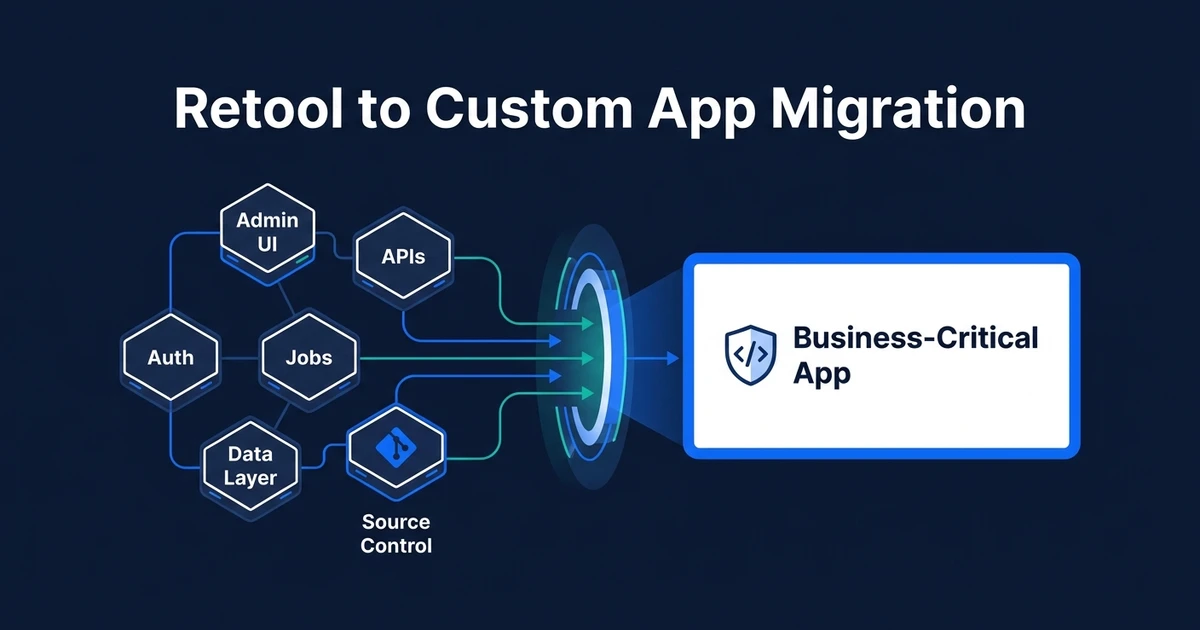
The deeper change is control. Auth, permissions, APIs, background jobs, and reporting stop being scattered through UI actions and become explicit parts of the architecture.
The Internal Tool Migration Map: UI, APIs, Auth, Data, and Jobs
Treat the existing tool as a working map, not as source code to copy.
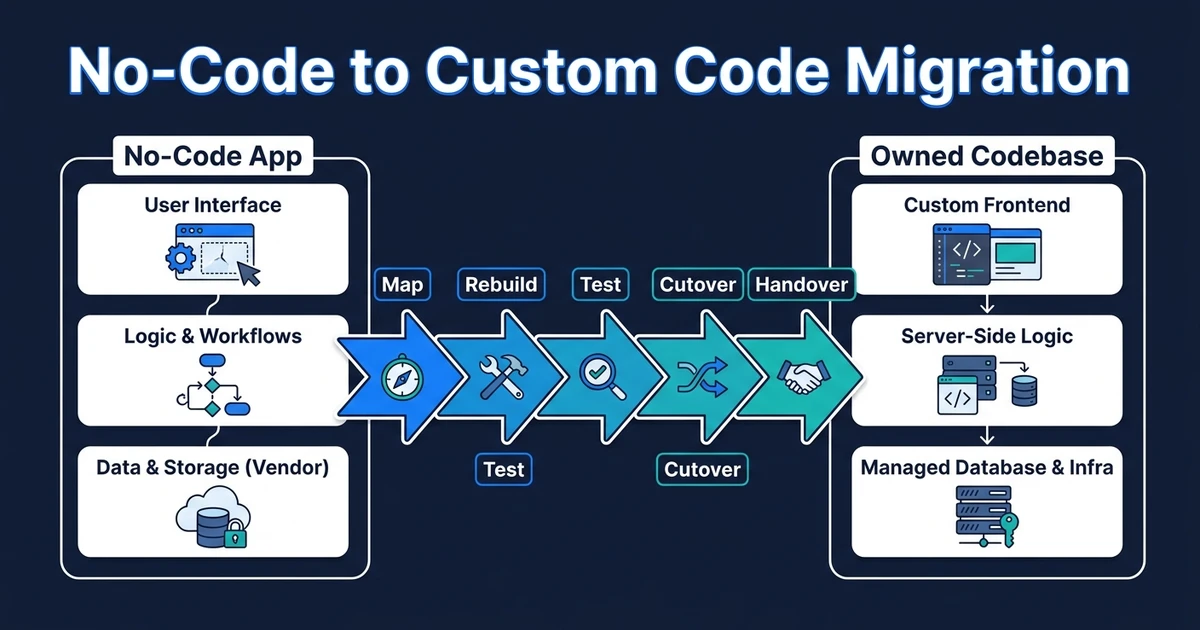
Here is how the pieces usually translate:
| Current piece | Custom app equivalent | Migration question |
|---|---|---|
| Screens and forms | Designed workflows | Which user action should each screen make faster? |
| Queries | API endpoints or backend services | Which data access needs permissions and validation? |
| UI actions | Domain logic | Which rules belong outside the interface? |
| Scheduled tasks | Background jobs | Which jobs need retries, logs, and alerts? |
| User groups | Role model | Which roles can view, change, approve, or export data? |
This is where custom internal app development should be practical, not theatrical. The migration is valuable only if it makes the daily workflow safer, faster, or easier to own.
Scope an internal tool rebuild around the workflow that carries the most operational risk. Automiq AI can help you decide what to keep, what to wrap, and what needs owned code.
Build, Replace, or Keep the Existing Tool?
There are more than two options. A full rewrite is not always the sharpest move.
| Option | Use it when | Watch for |
|---|---|---|
| Keep | The tool is small, internal, stable, and low risk | Do not overbuild because custom sounds cleaner |
| Wrap | The UI works but needs safer APIs or reporting | Avoid creating a second hidden system |
| Rebuild one workflow | One flow creates most of the risk or rework | Make the boundary obvious to users |
| Rebuild the app | The tool now carries core operations | Stage the work so teams are not frozen |
The right decision depends on where pain is concentrated. If one approval workflow causes most errors, rebuild that first. If the whole tool has become the operating layer for a department, a broader migration may be justified.
How to Avoid Turning a Working Tool Into a Risky Rewrite
Imagine a logistics team using an internal tool to manage dispatch exceptions. The tool is slow, but the team knows it well. Rebuilding every admin screen first would be the wrong move.
The safer path starts with the exception queue: the screen staff live in, the statuses that trigger action, the audit trail managers need, and the integration points with orders and customer updates.
That gives the team a smaller launch surface. It also proves the new architecture against the workflow that matters most.
McKinsey warns that technical debt often comes from temporary fixes becoming permanent and one-off solutions built for immediate business priorities. It also found that companies in the bottom 20th percentile for tech debt severity are 40 percent more likely to have incomplete or canceled IT modernizations than those in the top 20 percent.
When You Should Keep the Current Internal Tool
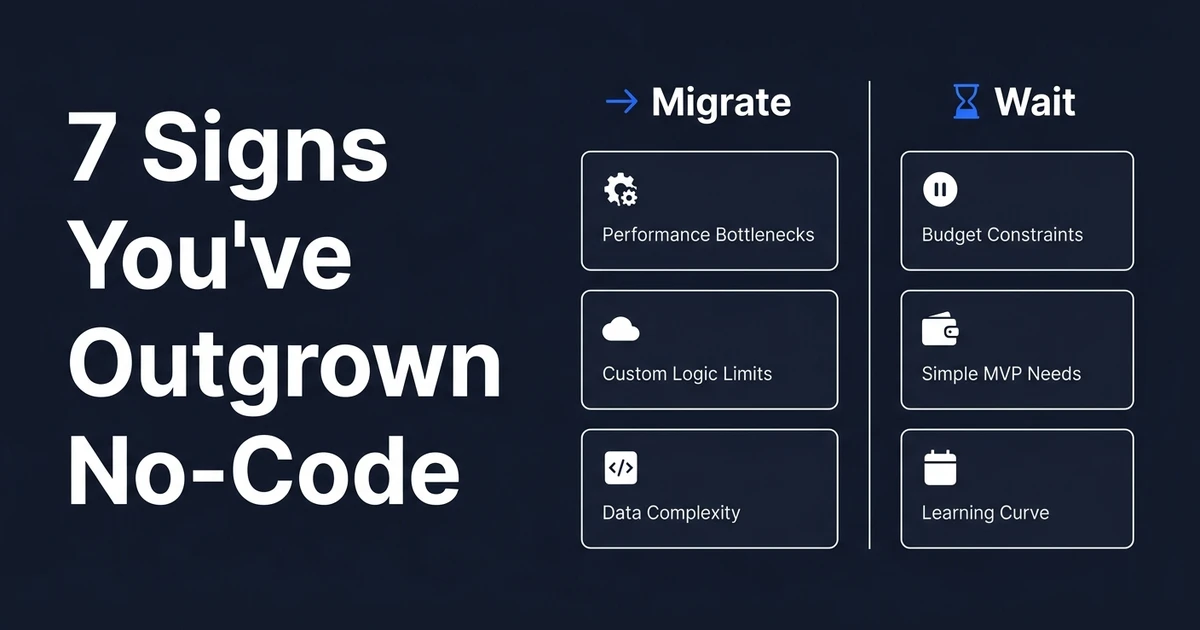
Keep the tool if the workflow is stable, low-risk, and used by a small internal team. There is no award for turning every admin panel into custom software.
Keep it if the pain is mostly unclear process ownership. Custom code will not fix a business rule nobody agrees on.
Keep it if customer access, complex permissions, performance constraints, and audit requirements are not real problems yet. The tool may still be doing exactly what it should do: giving your team speed before the system deserves permanence.
This is the same discipline behind no-code migration cost planning. Migrate because the business depends on the workflow, not because the original build tool feels less serious now.
How Automiq AI Rebuilds Business-Critical Internal Apps
Automiq AI starts by mapping the work, not the screens. We identify the workflows, users, approvals, data boundaries, integrations, reports, and failure paths the business actually depends on.
Then we choose the migration shape. That may be a focused workflow rebuild, a wrapped API layer, a redesigned internal app, or a broader operational platform.
Deloitte’s modernization guidance makes a useful warning: simply recoding a poorly written application in a new programming language without redesigning the solution may be too expensive and warrants action now.
That is why our work includes product design for operational workflows, architecture, implementation, deployment, and handover. A better internal tool should reduce rework, not just move the same confusion into React.
Frequently Asked Questions
When should an internal tool move to custom software?
Move when the tool has become business-critical and now needs product-grade UX, source-controlled releases, deeper permissions, performance tuning, or customer-facing access. Keep it where it is if the workflow is small, low-risk, and easy to maintain.
Can a low-code internal tool be exported to code?
Usually not in the way buyers hope. You may be able to export configuration or use the current tool as a spec, but the business logic, API layer, auth model, and user experience normally need to be rebuilt deliberately.
What should migrate first from a business-critical internal tool?
Migrate the workflow that carries the most operational risk first. That may be approvals, exception handling, fulfillment, finance operations, support triage, or another flow where mistakes create customer impact or staff rework.
How do you preserve live operations during an internal tool migration?
Use phased releases, staging data, parallel running where possible, and a clear rollback path. The goal is to move the riskiest workflow into owned code without forcing the team to relearn every admin screen at once.
Can my internal team maintain the rebuilt tool later?
Yes, if handover is designed into the project. Your team should receive the repository, deployment process, architecture notes, environment documentation, and enough operating knowledge to own future changes.
Conclusion: Own the Tools Your Operations Depend On
An internal tool can stay low-code forever if it is small, stable, and low risk. That is a good outcome.
But when the tool becomes the way your team fulfills work, protects customers, or controls money, ownership starts to matter. The migration should protect the working process first, then improve the architecture underneath it.
Contact Automiq AI for an honest read on whether to keep the current tool, rebuild one workflow, or move the full internal app into owned code.